---
title: Infrastructure
description: The Infrastructure tab provides information about the containers, pods, and hosts that the selected service is linked to. Pods: Uses the kubernetes.pod.name...
url: https://docs-v3-preview.elastic.dev/elastic/docs-content/pull/5739/solutions/observability/apm/infrastructure
products:
- APM
- Elastic Cloud Serverless
- Elastic Observability
applies_to:
- Elastic Cloud Serverless: Generally available
- Elastic Stack: Generally available
---
# Infrastructure
The Applications UI Infrastructure functionality is in beta and is subject to change. The design and code is less mature than official generally available features and is being provided as-is with no warranties.
The **Infrastructure** tab provides information about the containers, pods, and hosts that the selected service is linked to.
- **Pods**: Uses the `kubernetes.pod.name` from the [APM metrics data streams](https://docs-v3-preview.elastic.dev/elastic/docs-content/pull/5739/solutions/observability/apm/metrics).
- **Containers**: Uses the `container.id` from the [APM metrics data streams](https://docs-v3-preview.elastic.dev/elastic/docs-content/pull/5739/solutions/observability/apm/metrics).
- **Hosts**: If the application is containerized—if the APM metrics documents include `container.id`—the `host.name` is used from the infrastructure data streams (filtered by `container.id`). If not, `host.hostname` is used from the APM metrics data streams.
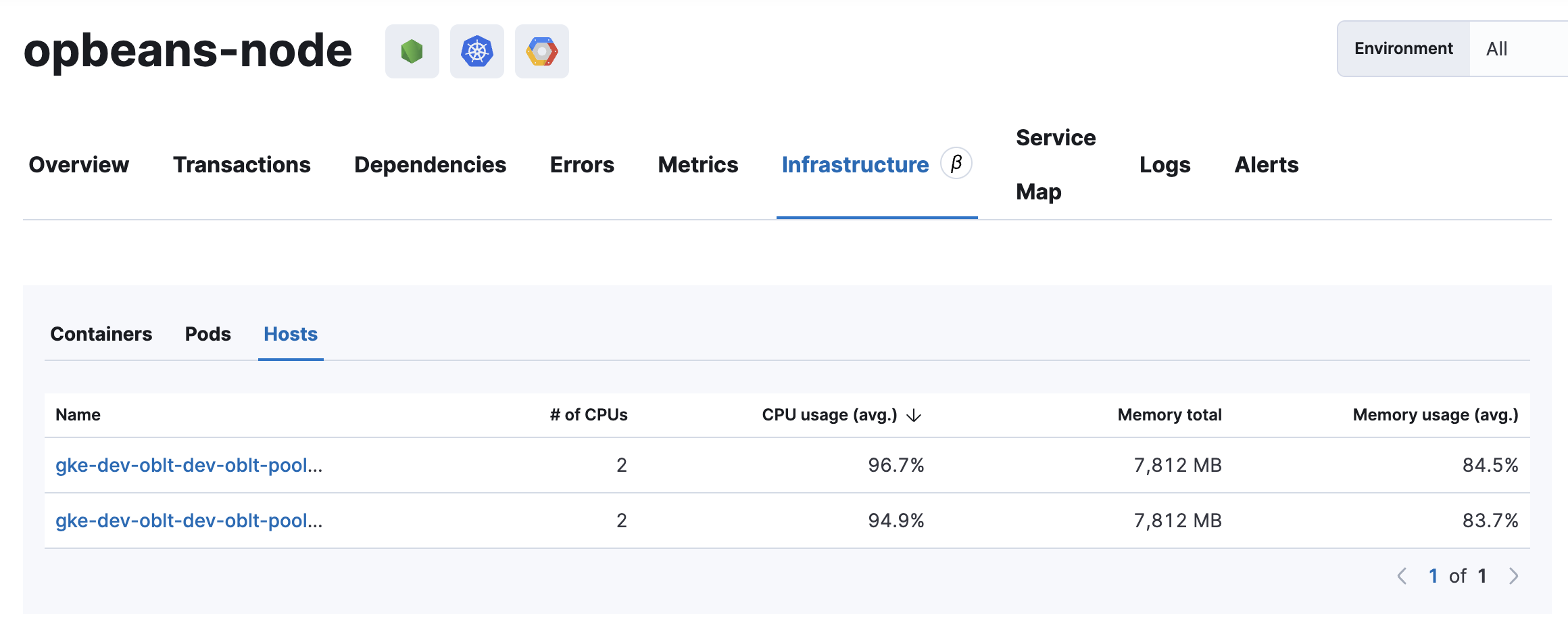
IT ops and software reliability engineers (SREs) can use this tab to quickly find a service’s underlying infrastructure resources when debugging a problem. Knowing what infrastructure is related to a service allows you to remediate issues by restarting, killing hanging instances, changing configuration, rolling back deployments, scaling up, scaling out, and so on.
**Why is the infrastructure tab empty?**If there is no data in the Application UI’s infrastructure tab for a selected service, you can read more about why this happens and how to fix it in the [troubleshooting docs](/elastic/docs-content/pull/5739/troubleshoot/observability/apm/common-problems#troubleshooting-apm-infra-data).