---
title: Sample data
description: Using sample data is a great way to start exploring the system and learn your way around. There are a few ways to easily ingest sample data into Elasticsearch...
url: https://docs-v3-preview.elastic.dev/elastic/docs-content/pull/6103/manage-data/ingest/sample-data
products:
- Kibana
applies_to:
- Elastic Cloud Serverless: Generally available
- Elastic Stack: Generally available
---
# Sample data
Using sample data is a great way to start exploring the system and learn your way around. There are a few ways to easily ingest sample data into Elasticsearch.
## Add sample data sets
The simplest way is to add one or more of our sample data sets. These data sets come with sample visualizations, dashboards, and more to help you explore the interface before you add your own data.
If you have no data, you will be prompted to install these packages when running Kibana for the first time.
To install sample data sets, you need `all` Kibana privileges for **Integrations**. Manage your roles, privileges, and spaces in **Stack Management**.
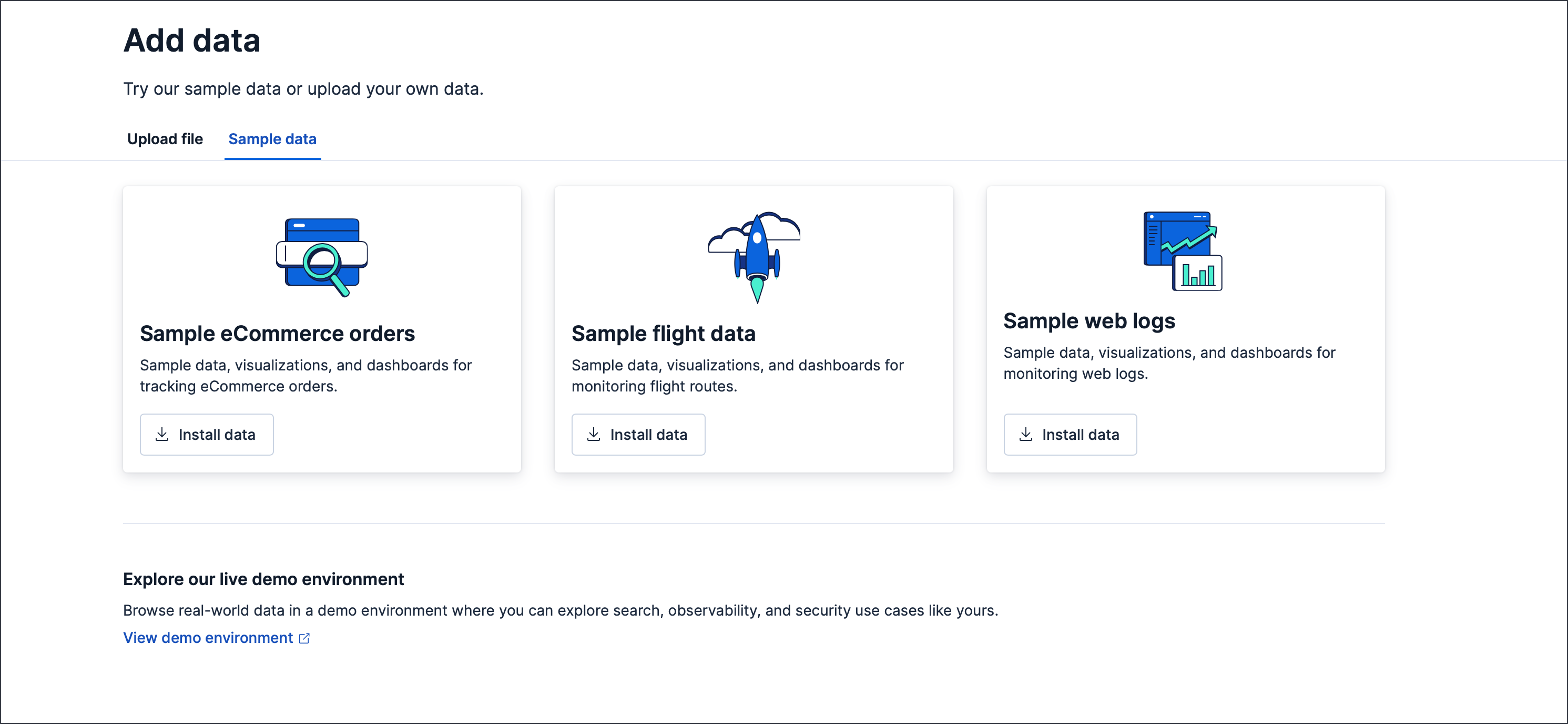
1. Open the **Integrations** page using the global search field, then search for **Sample Data** using the integrations search field.
2. Click **Sample Data** to open the **Add data** page.
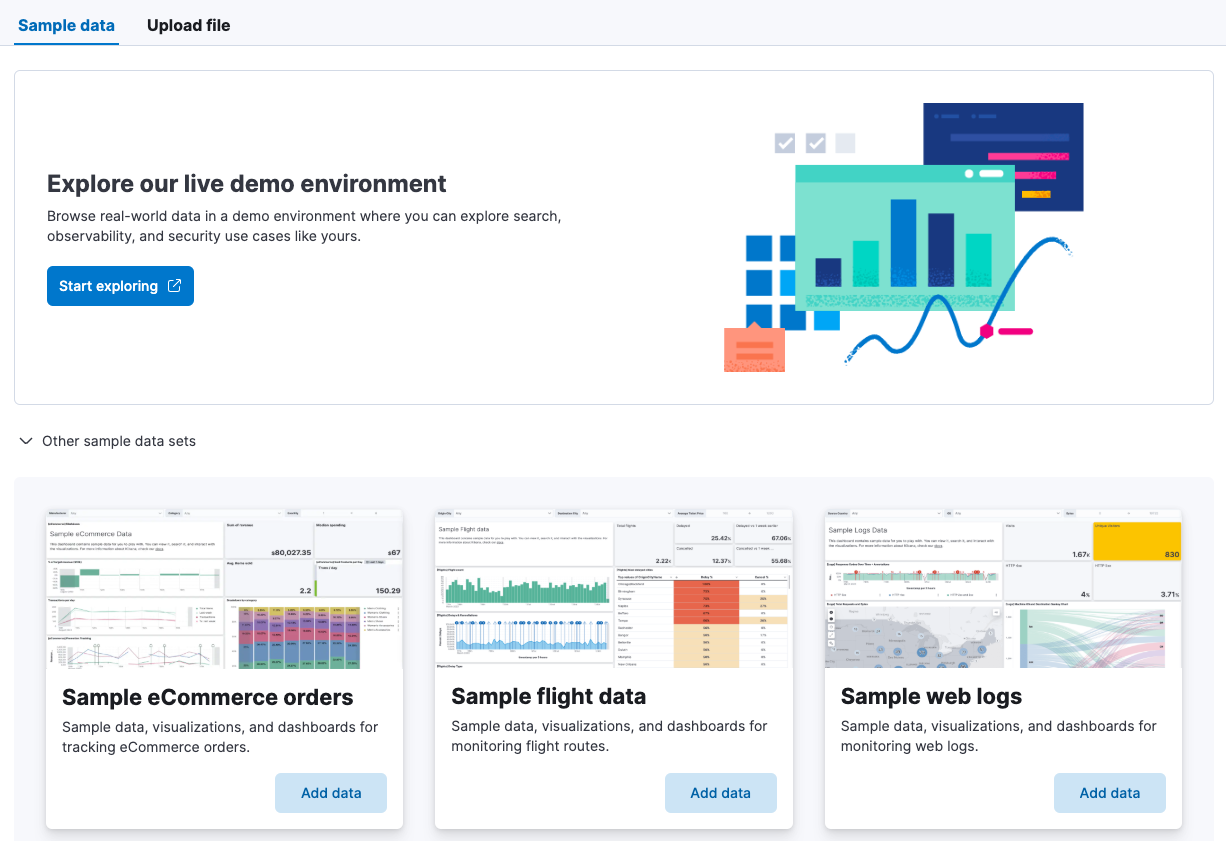
3. Select the sample data set you want to install and click **Install data**.
In versions 9.0 to 9.3, you must first expand the **Other sample data sets** section to see the available sample data sets.
## Run the makelogs script
Alternatively, run the provided `makelogs` script to generate sample data.
```bash
node scripts/makelogs --auth :
```
The default username and password combination are `elastic:changeme`
Make sure to execute `node scripts/makelogs` *after* Elasticsearch is up and running.
## Upload a file
You can also upload your own sample data using the **Upload a file** option on the **Integrations** page. For detailed instructions, refer to [Upload data files](https://docs-v3-preview.elastic.dev/elastic/docs-content/pull/6103/manage-data/ingest/upload-data-files).