---
title: Monitor usage and costs for Elastic Agent Builder
description: Understand how Agent Builder calculates token usage, monitor conversation costs, and learn how execution-based billing works on Elastic Cloud Serverless.
url: https://docs-v3-preview.elastic.dev/elastic/docs-content/pull/6201/explore-analyze/ai-features/agent-builder/monitor-usage
products:
- Elastic Cloud Serverless
- Elastic Observability
- Elastic Security
- Elasticsearch
- Kibana
applies_to:
- Elastic Cloud Serverless: Generally available
- Elastic Stack: Generally available since 9.3, Preview in 9.2
---
# Monitor usage and costs for Elastic Agent Builder
This page covers how to monitor token usage in Elastic Agent Builder and understand how usage translates to costs across different deployment types.
## Token usage
When working with Elastic Agent Builder, total token usage typically exceeds the visible conversation text. Because Elastic Agent Builder uses an agentic framework, a single user request often triggers multiple model calls to process reasoning steps, run tools, and interpret results.
Token counts include:
- **Input tokens:** These are tokens **sent** to the model, which accumulate throughout the session. They include the user's current query, the conversation history from previous rounds, system prompts, and the results returned from any tools used during execution.
- **Output tokens:** These are tokens **generated** by the model. These include the final response visible to the user, as well as all internal reasoning steps, tool calls, and intermediate results generated by the model.
Each conversation round includes all previous rounds as context. This means token usage at each step depends on the entire conversation size, not only the current message.
For more information on billing and token costs, refer to [Elastic pricing](https://www.elastic.co/pricing).
### Retrieve token consumption with the API
- Elastic Stack: Preview in 9.4
To retrieve per-conversation token usage data for a specific agent across users, use the [token consumption API](https://www.elastic.co/docs/api/doc/kibana/operation/operation-post-agent-builder-agents-agent-id-consumption). For quick examples, refer to [Token consumption](/elastic/docs-content/pull/6201/explore-analyze/ai-features/agent-builder/kibana-api#token-consumption).
This API complements the UI by returning token totals, round counts, LLM call counts, and warning indicators without exposing message content or tool results.
This API provides visibility into token usage but does not support setting token limits or quotas for users or agents.
### View token usage in the UI
At the end of each round, the total token usage is displayed after the agent response. Input tokens are represented by `sort_up`, and output tokens by `sort_down`:
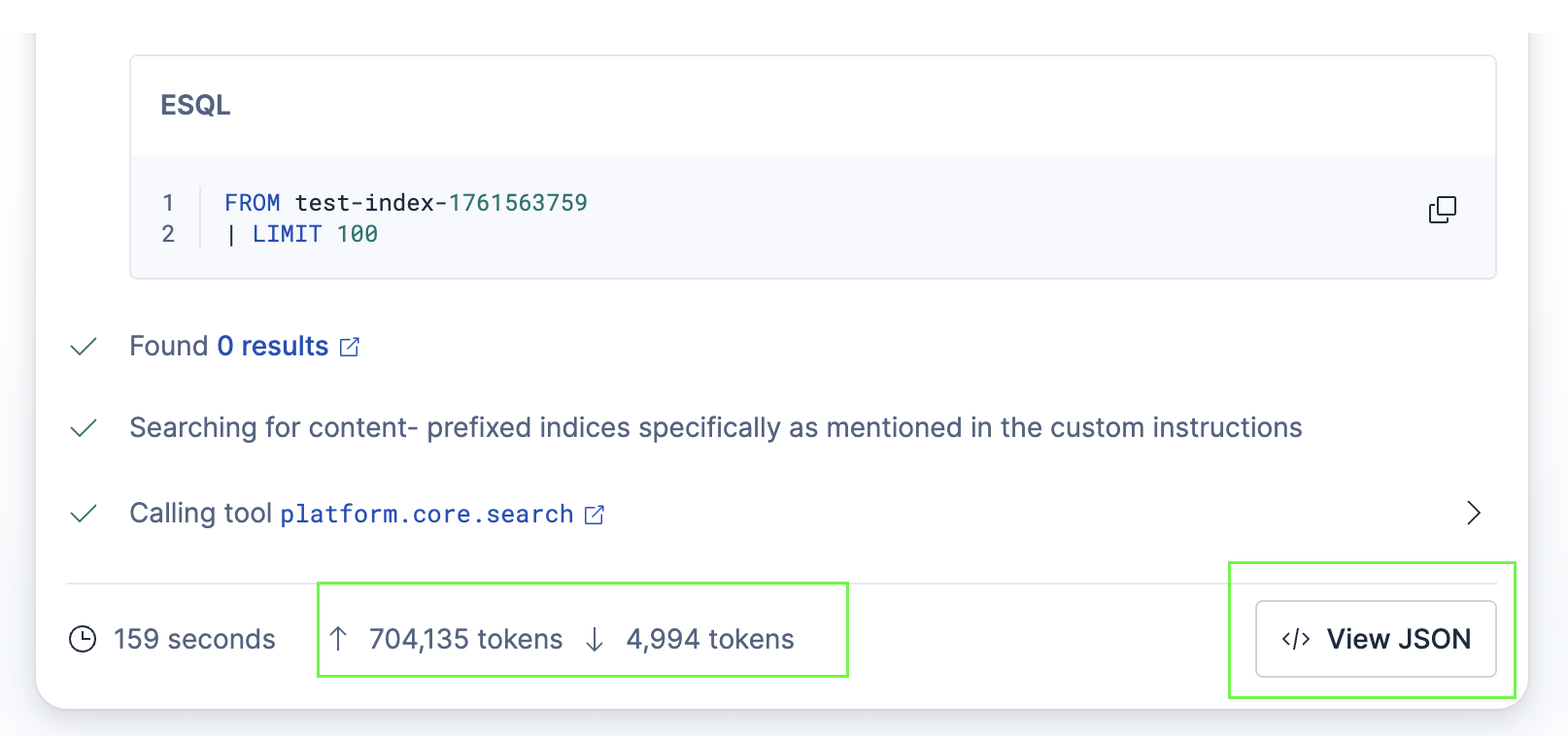
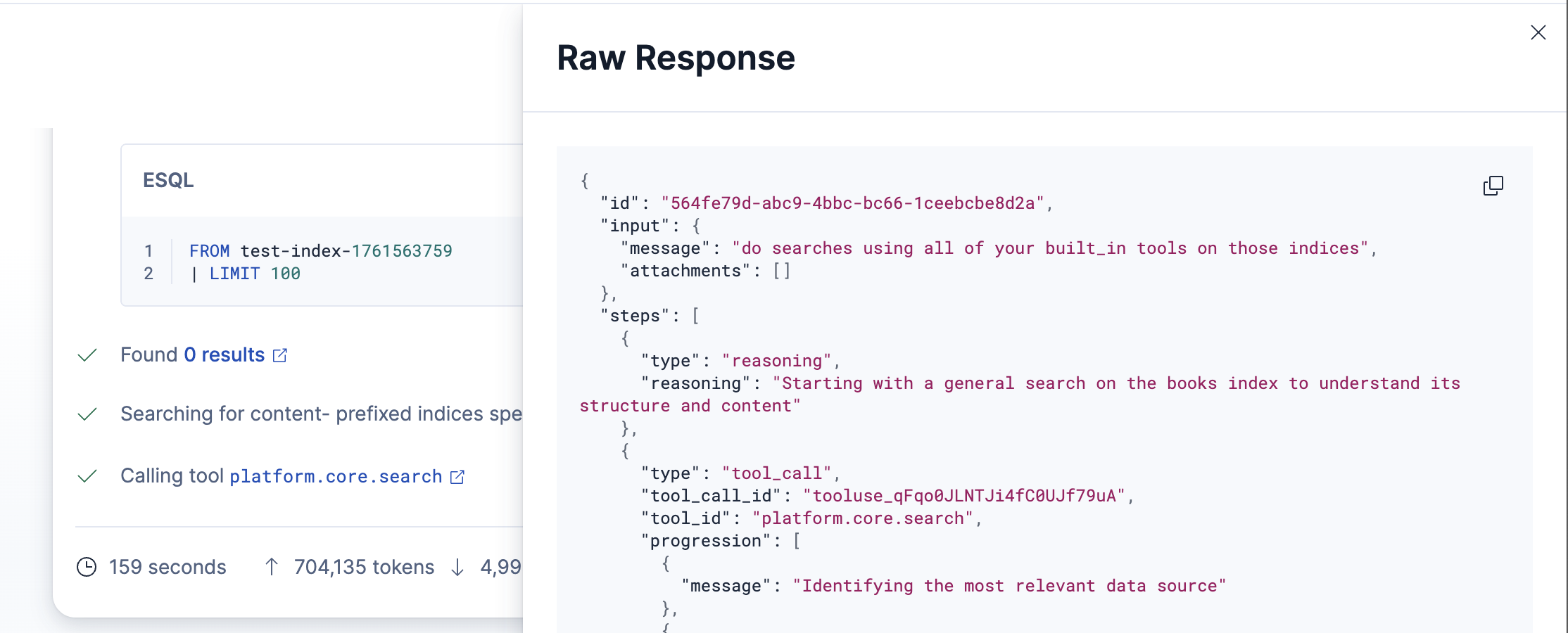
To view the raw JSON response which includes detailed token information, click the **View JSON** button. This opens a modal with the complete, raw response data:
## Execution-based billing
How Elastic Agent Builder usage is billed depends on your deployment type.
### Elastic Cloud Serverless
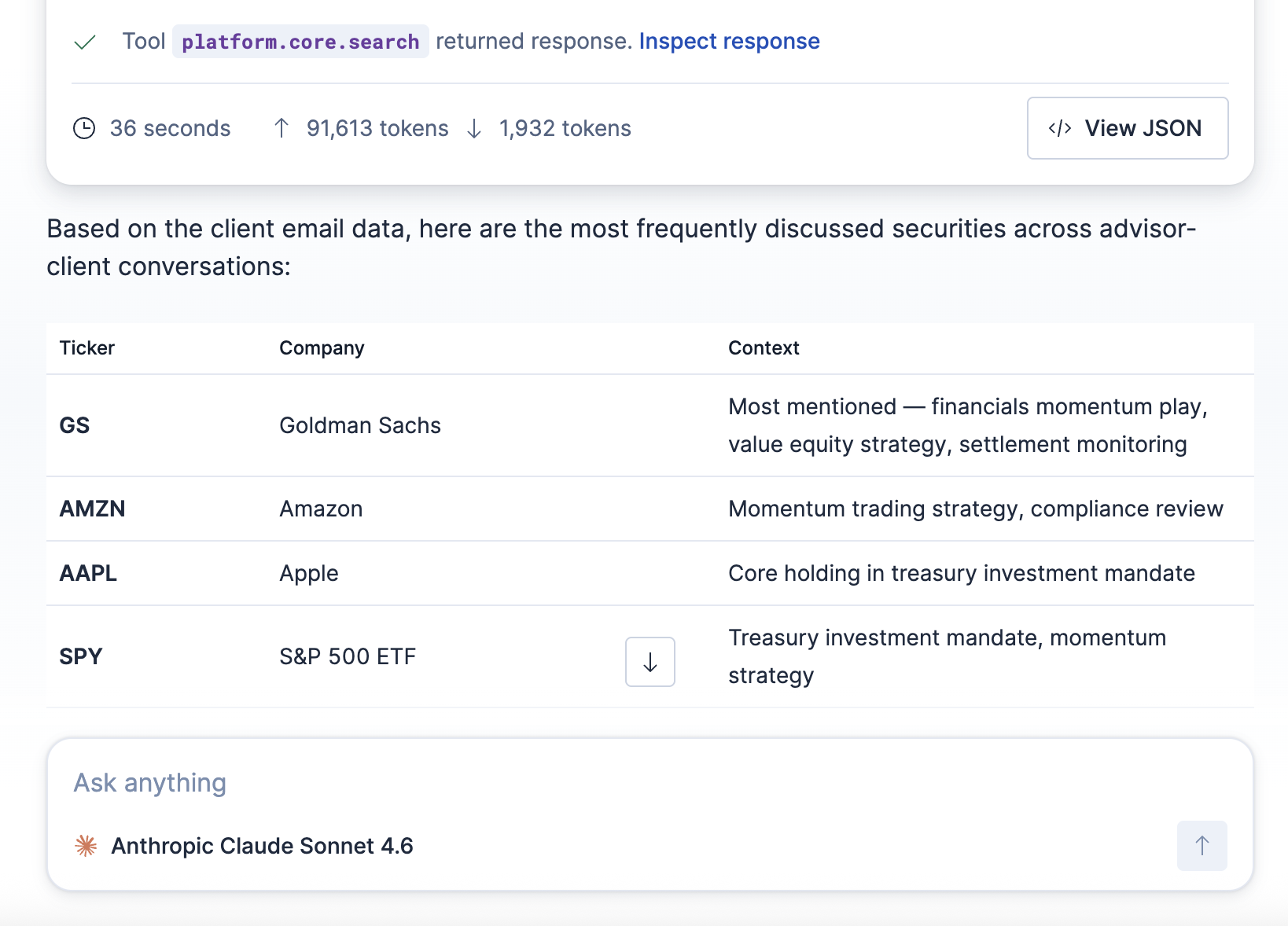
On Elastic Cloud Serverless, Elastic Agent Builder usage is billed based on **executions**. An execution is measured by each completed interaction with an AI agent (a chat input and output). More complex interactions, measured by the number of input tokens used, are metered for additional executions. Each unit of 50,000 input tokens counts as one additional execution. If the agent encounters an error and does not return a response, no executions are metered.
Every Serverless project includes a free monthly allocation of agent executions, and volume tier discounts apply at higher usage levels. If your usage stays within the free allocation, there is no impact to your bill.
**Example:** In the following conversation round, the agent used 91,613 input tokens. This results in 2 Elastic Agent Builder executions (1 base execution + 1 additional execution for the second block of 50,000 input tokens).
When an agent triggers a [workflow](https://docs-v3-preview.elastic.dev/elastic/docs-content/pull/6201/explore-analyze/workflows) as part of its response, the workflow execution is metered separately. Each Serverless project also includes a free monthly allocation of workflow executions.
For detailed rates, free allocations, and tier breakpoints, refer to the billing dimensions page for your solution:
- [Elasticsearch Serverless billing dimensions](https://docs-v3-preview.elastic.dev/elastic/docs-content/pull/6201/deploy-manage/cloud-organization/billing/elasticsearch-billing-dimensions)
- [Elastic Observability Serverless billing dimensions](https://docs-v3-preview.elastic.dev/elastic/docs-content/pull/6201/deploy-manage/cloud-organization/billing/elastic-observability-billing-dimensions)
- [Elastic Security Serverless billing dimensions](https://docs-v3-preview.elastic.dev/elastic/docs-content/pull/6201/deploy-manage/cloud-organization/billing/security-billing-dimensions)
For general pricing information, refer to [Elastic pricing](https://www.elastic.co/pricing).
### Elastic Cloud Hosted
Elastic Agent Builder and [Workflows](https://docs-v3-preview.elastic.dev/elastic/docs-content/pull/6201/explore-analyze/workflows) on Elastic Cloud Hosted are currently under promotional pricing and available at no additional charge.
### Self-managed
Elastic Agent Builder and [Workflows](https://docs-v3-preview.elastic.dev/elastic/docs-content/pull/6201/explore-analyze/workflows) on self-managed deployments are currently under promotional pricing and available at no additional charge. Elastic Agent Builder is included with the Enterprise license tier.