---
title: Add variable controls to Discover queries
description: Add variable controls to an ES|QL query in Discover so you can change values without keeping several copies of the query.
url: https://docs-v3-preview.elastic.dev/elastic/docs-content/pull/8392/explore-analyze/discover/esql-variable-controls
products:
- Elastic Documentation
- Kibana
applies_to:
- Elastic Cloud Serverless: Generally available
- Elastic Stack: Generally available since 9.2
---
# Add variable controls to Discover queries
Variable controls help you make your queries more dynamic instead of having to maintain several versions of almost identical queries. Viewers change the value from the control. The query stays one query.
## Before you begin
- You need an ES|QL query in **Discover**. If you are new to that editor, start with [Get started with ES|QL in Discover](https://docs-v3-preview.elastic.dev/elastic/docs-content/pull/8392/explore-analyze/discover/try-esql).
## Add variable controls to your Discover queries
You can add them from your Discover ES|QL query.
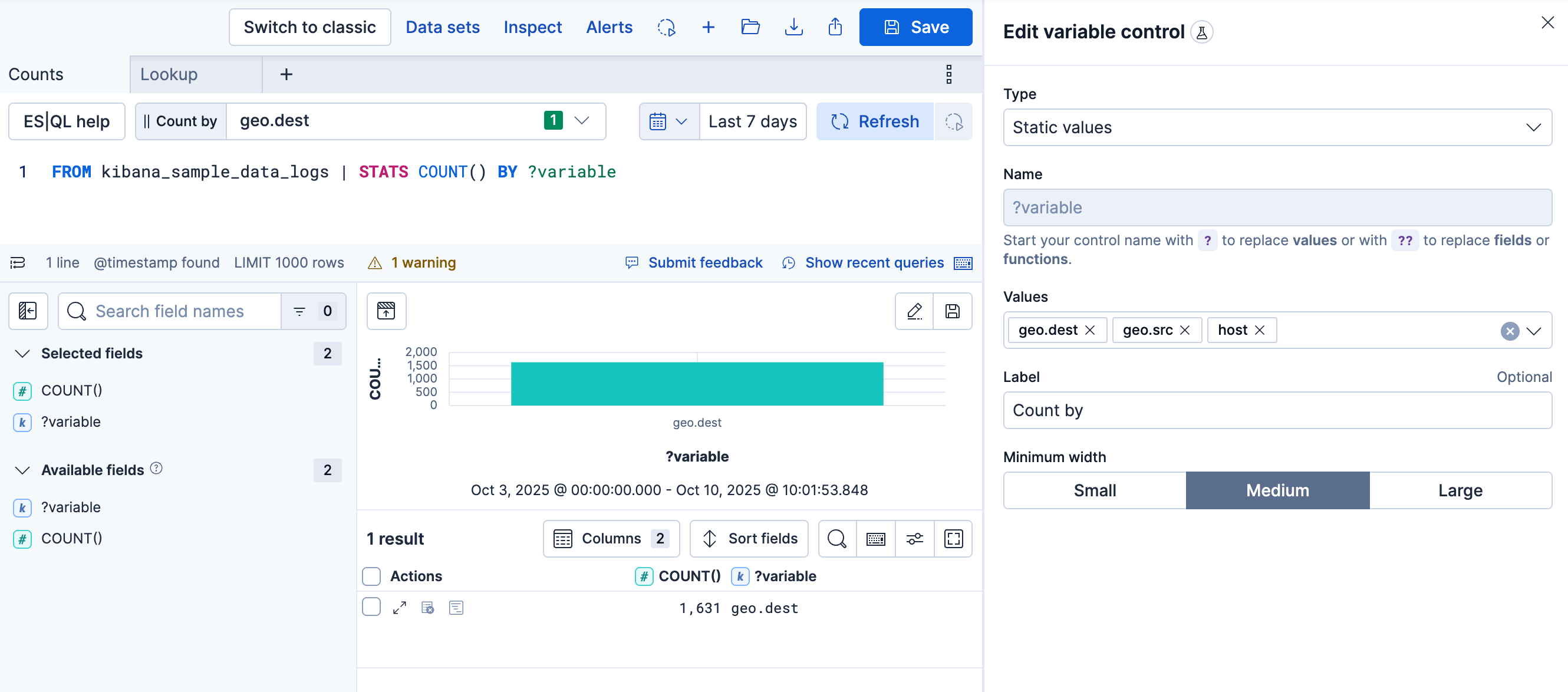
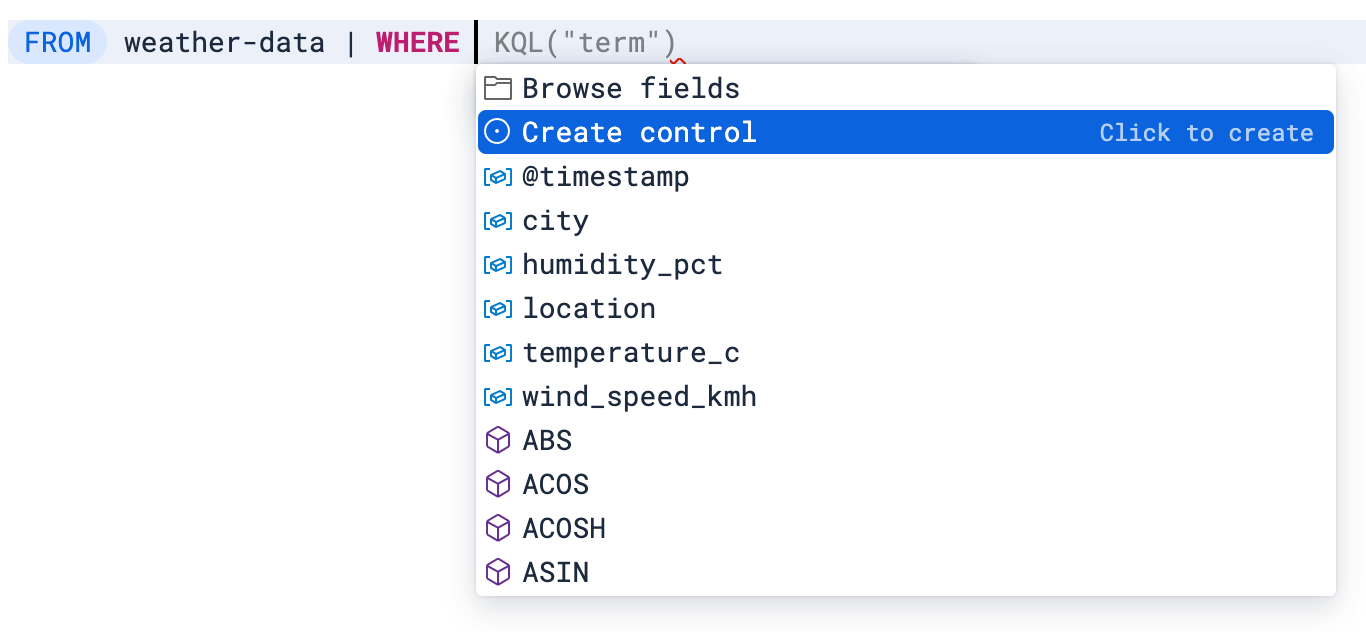
1. While you edit your ES|QL query, the autocomplete menu suggests adding a control when relevant or when you type `?` in the query. Select **Create control**.
2. A flyout opens to let you configure the control. Specify:
- The type of the control:
- For controls with **Static values**, enter available values manually or select them from the dropdown list.
- For controls with **Values from a query**, write an ES|QL query to populate the list of options. Use this option to dynamically retrieve control values or to set up [chained controls](/elastic/docs-content/pull/8392/explore-analyze/visualize/add-variable-controls#chain-variable-controls).
To restrict the options to values that exist within the selected time range, add `WHERE @timestamp <= ?_tend AND @timestamp > ?_tstart` to the control's query. If your indices don't have a `@timestamp` field, use [custom time parameters](/elastic/docs-content/pull/8392/explore-analyze/query-filter/languages/esql-kibana#_custom_time_parameters) instead.
- The name of the control. You use this name to reference the control in ES|QL queries.
- Start the name with `?` for options that are static values.
- Elastic Cloud Serverless: Preview Elastic Stack: Preview since 9.1 Start the name with `??` for options that are fields or functions.
- The values users can select. You can add multiple values from suggested fields or type in custom values. If you selected **Values from a query**, write an ES|QL query instead.
- The label of the control. This is the label displayed in **Discover** or in the dashboard.
- Elastic Stack: Preview since 9.3 Elastic Cloud Serverless: Preview Whether the control allows a single selection or multiple selections. Multiple selections require using the [`MV_CONTAINS` or `MV_INTERSECTS`](#esql-multi-values-controls) functions in your query.
3. Save the control.
The control is created. If you created it while editing a query, its variable is inserted into that query, which you can keep editing.
**Examples**
- Filter by a selected value:
```esql
| WHERE field == ?value
```
- Group by a selected field:
```esql
| STATS count = COUNT(*) BY ??field
```
- Adjust a function setting, such as a date histogram interval:
```esql
| STATS count = COUNT(*) BY BUCKET(@timestamp, ?interval)
```
- Switch the aggregation function:
```esql
| STATS metric = ??function
```
**Result:** The control appears for the query, and its variable is inserted where you created it.
### Allow multi-value selections for ES|QL-based variable controls
- Elastic Cloud Serverless: Preview
- Elastic Stack: Preview since 9.3
You can create controls that let users select multiple values. To do that:
1. Add the [`MV_CONTAINS`](https://docs-v3-preview.elastic.dev/elastic/elasticsearch/tree/main/reference/query-languages/esql/functions-operators/mv-functions/mv_contains) function to your query, with the field as the first parameter (superset) and a [variable](#add-variable-control) as the second parameter (subset). For example:
```esql
FROM logs-* | WHERE MV_CONTAINS(field, ?values)
```
Multi-selection is only available for `?values` variables, not for `??fields` or `??functions` variables.[`MV_CONTAINS`](https://docs-v3-preview.elastic.dev/elastic/elasticsearch/tree/main/reference/query-languages/esql/functions-operators/mv-functions/mv_contains) checks that _all_ subset values are present. Use [`MV_INTERSECTS`](https://docs-v3-preview.elastic.dev/elastic/elasticsearch/tree/main/reference/query-languages/esql/functions-operators/mv-functions/mv_intersects) instead if matching _any_ subset value is enough.
2. When defining the control, select the **Allow multiple selections** option.
3. Save the control.
The newly configured control becomes available and allows users to select multiple values.
#### Edit a variable control
Once a control is active for your query, you can still edit it by hovering over it and by selecting the `pencil` **Edit** option that appears.
You can edit all the options described in [Add variable controls to Discover queries > Add variable controls to your Discover queries](#add-variable-control).
When you save your edits, the control is updated for your query.
### Import a Discover query along with its controls into a dashboard
To add the results of your Discover explorations to a dashboard in a way that preserves the [controls created from Discover](#add-variable-control) and also adds them to the dashboard, you have two methods:
**Method 1: Adding the Discover session's results**
This method allows you to add the result table of your Discover ES|QL query to any dashboard.
1. Save the ES|QL query containing the variable control into a Discover session. If your Discover session contains several tabs:
- Elastic Stack: Generally available since 9.4 Elastic Cloud Serverless: Generally available You can choose which tab the panel displays after adding the session to a dashboard.
- Elastic Stack: Generally available from 9.0 to 9.3 Only the first tab is imported to the dashboard.
2. Go to **Dashboards** and open or create one.
3. Select **Add**, then **From library**.
4. Find and select the Discover session you saved earlier.
A new panel appears on the dashboard with the results of the query along with any attached controls.
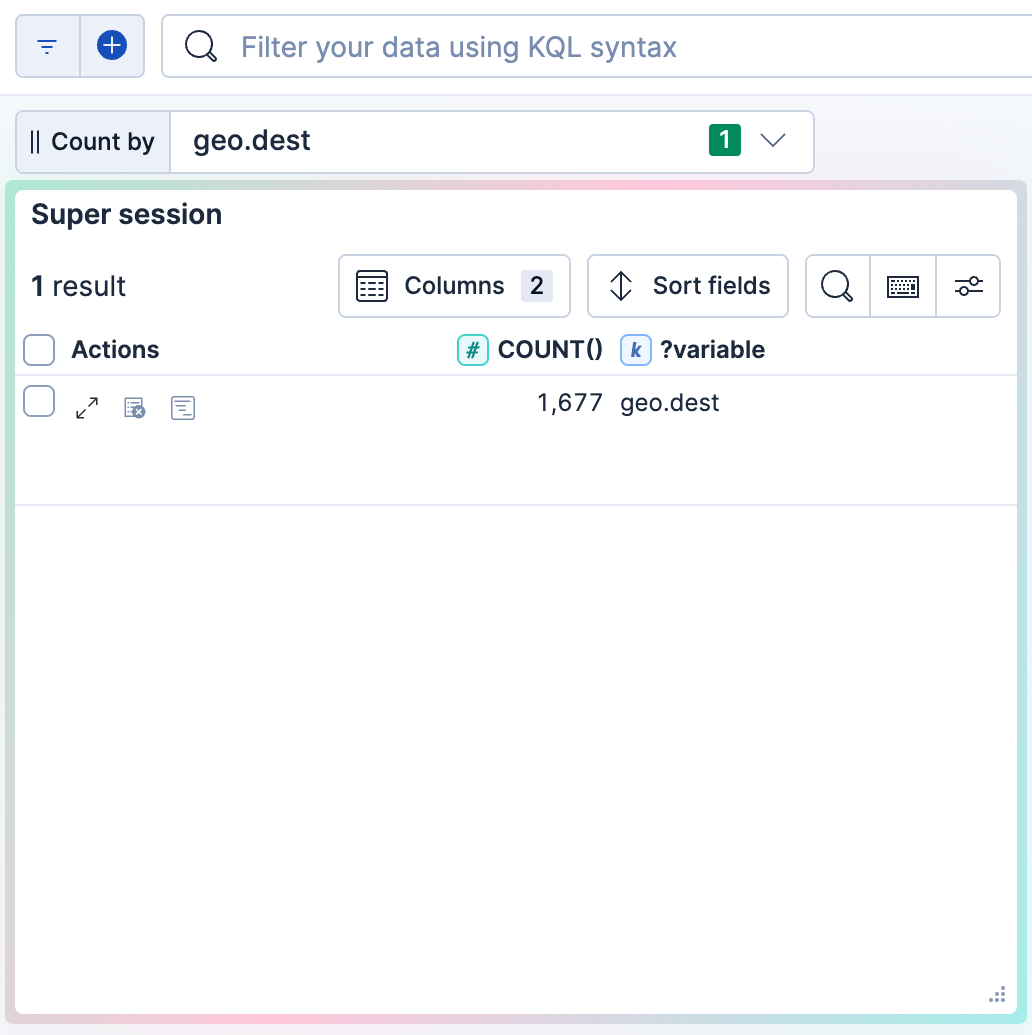
**Method 2: Adding the Discover visualization** Elastic Cloud Serverless: Generally available, Elastic Stack: Generally available since 9.3
This method allows you to add the visualization of your Discover ES|QL query to any dashboard.
1. Next to the Discover visualization, select `app_dashboard` **Save visualization to dashboard** (or `save` **Save visualization** in earlier versions).

2. Select the dashboard to add the visualization to. You can choose an existing dashboard or create one.
The selected dashboard opens. It now includes a new panel that shows the visualization imported from Discover. Existing controls from the initial query in Discover are also added. You can find them at the top of the dashboard.
## Related pages
- [Use Discover with ES|QL](https://docs-v3-preview.elastic.dev/elastic/docs-content/pull/8392/explore-analyze/discover/use-esql)
- [Add variable controls to dashboards](https://docs-v3-preview.elastic.dev/elastic/docs-content/pull/8392/explore-analyze/visualize/add-variable-controls)
- [Save a Discover session for reuse](https://docs-v3-preview.elastic.dev/elastic/docs-content/pull/8392/explore-analyze/discover/save-open-search)