---
title: Cases connector and action
description: The Cases connector creates Cases in Kibana when alerts occur. To use this connector you must have All Kibana privileges for the Cases feature. Depending...
url: https://docs-v3-preview.elastic.dev/elastic/kibana/pull/280898/reference/connectors-kibana/cases-action-type
products:
- Kibana
applies_to:
- Elastic Cloud Serverless: Generally available
- Elastic Stack: Generally available
---
# Cases connector and action
The Cases connector creates [Cases](https://docs-v3-preview.elastic.dev/elastic/docs-content/tree/main/explore-analyze/cases) in Kibana when alerts occur.
## Create connectors in Kibana
To use this connector you must have `All` Kibana privileges for the **Cases** feature. Depending on the type of rule you want to create and its role visibility, you must have privileges for **Management** or **Observability** case features. For more details, refer to [Kibana privileges](https://docs-v3-preview.elastic.dev/elastic/docs-content/tree/main/deploy-manage/users-roles/cluster-or-deployment-auth/kibana-privileges).
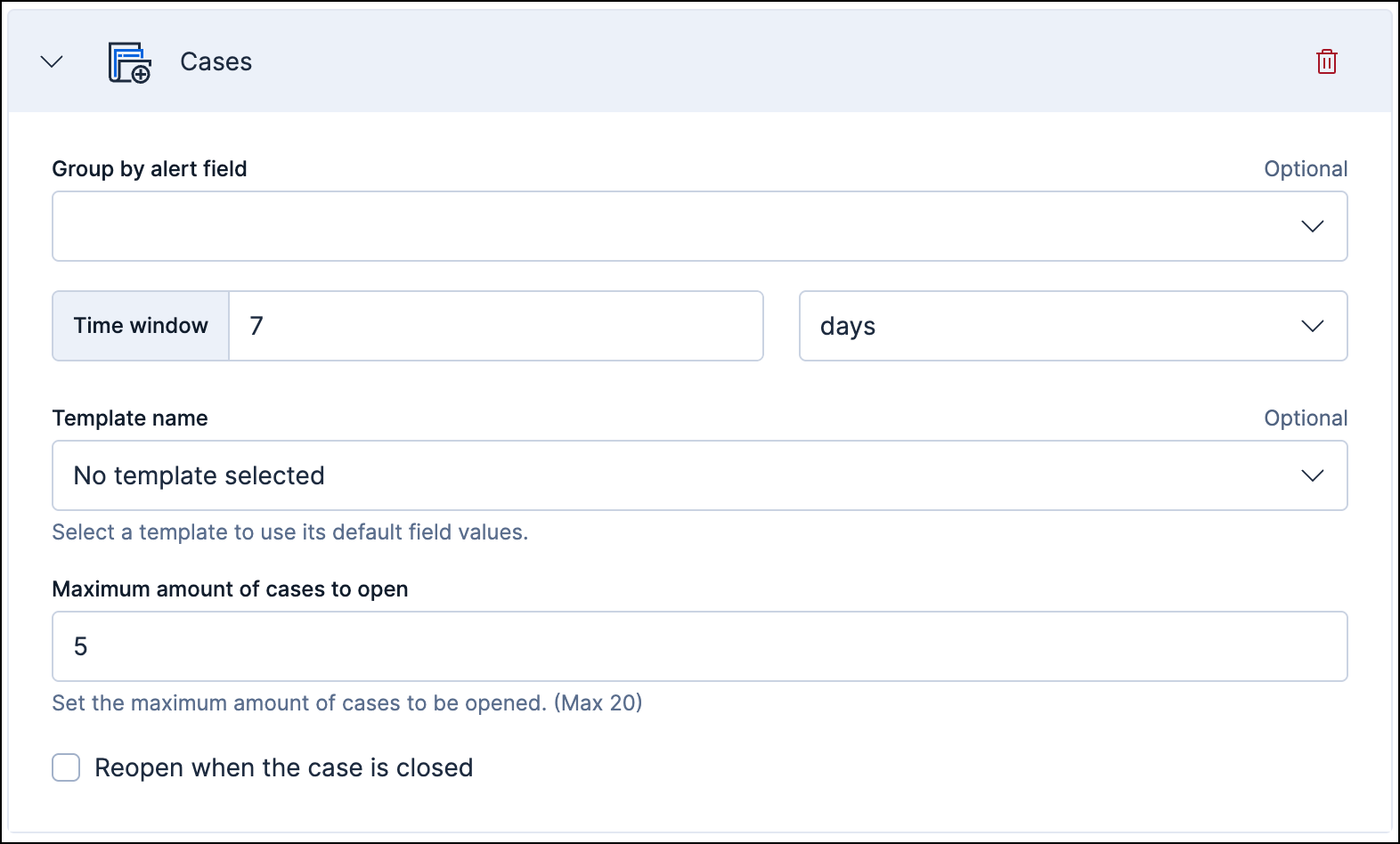
You cannot manage this connector in **Stack Management > Connectors** or by using APIs. You also cannot create a Cases [preconfigured connector](https://docs-v3-preview.elastic.dev/elastic/kibana/pull/280898/reference/connectors-kibana/pre-configured-connectors). It is available only when you're creating a rule in Kibana. For example:
You can have only one Cases action in each rule.
### Connector configuration
Cases connectors have the following configuration properties:
By default, all alerts are attached to the same case. You can optionally choose a field to use for grouping the alerts; a unique case is created for each group.
By default, alerts are added to an existing case only if they occur within a 7 day time window.
Select a specific case template to apply when the Cases action is triggered (optional).
If the selected case template is connected to an external incident management system, select **Auto-push case to connected external system** to automatically create a case in that external system whenever the Cases action is triggered (optional).
Set the maximum number of cases that can be created from alerts generated by this rule (optional).
If this option is enabled, closed cases are re-opened when an alert occurs.
## Test connectors
You cannot test or edit these connectors in Kibana or by using APIs.