---
title: D3 Security connector and action
description: The D3 Security connector uses axios to send a POST request to a D3 Security endpoint. You can use the connector for rule actions. To create this connector,...
url: https://docs-v3-preview.elastic.dev/elastic/kibana/pull/280898/reference/connectors-kibana/d3security-action-type
products:
- Kibana
applies_to:
- Serverless Observability projects: Generally available
- Serverless Security projects: Generally available
- Elastic Stack: Generally available
---
# D3 Security connector and action
The D3 Security connector uses [axios](https://github.com/axios/axios) to send a POST request to a D3 Security endpoint. You can use the connector for rule actions.
To create this connector, you must first configure a webhook key in your D3 SOAR environment. For configuration tips, refer to [Configure D3 Security](#configure-d3security).
## Create connectors in Kibana
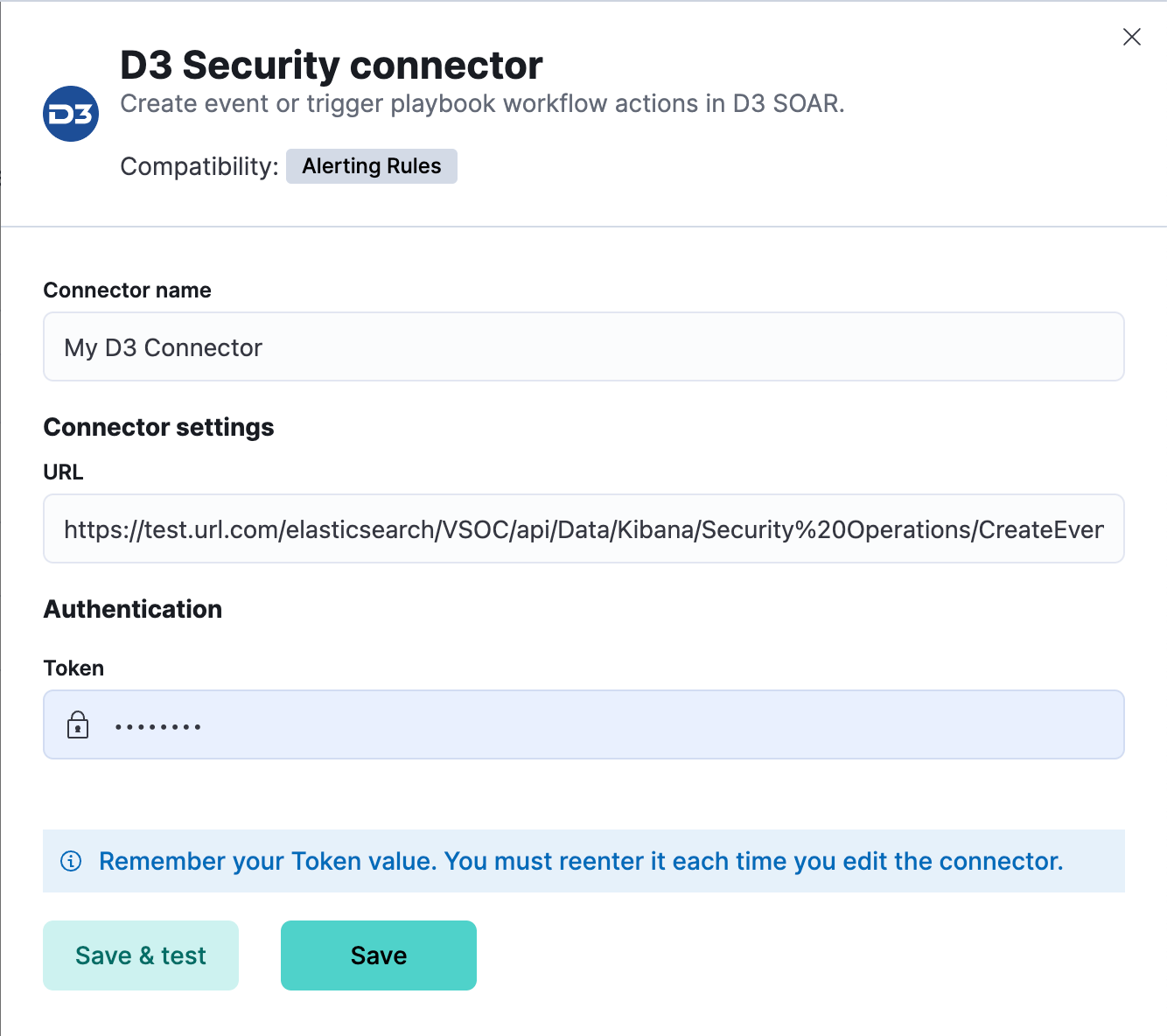
You can create connectors in **Stack Management > Connectors**. For example:
### Connector configuration
D3 Security connectors have the following configuration properties:
The name of the connector.
The D3 Security API request URL.
The D3 Security token.
## Test connectors
You can test connectors as you’re creating or editing the connector in Kibana. For example:
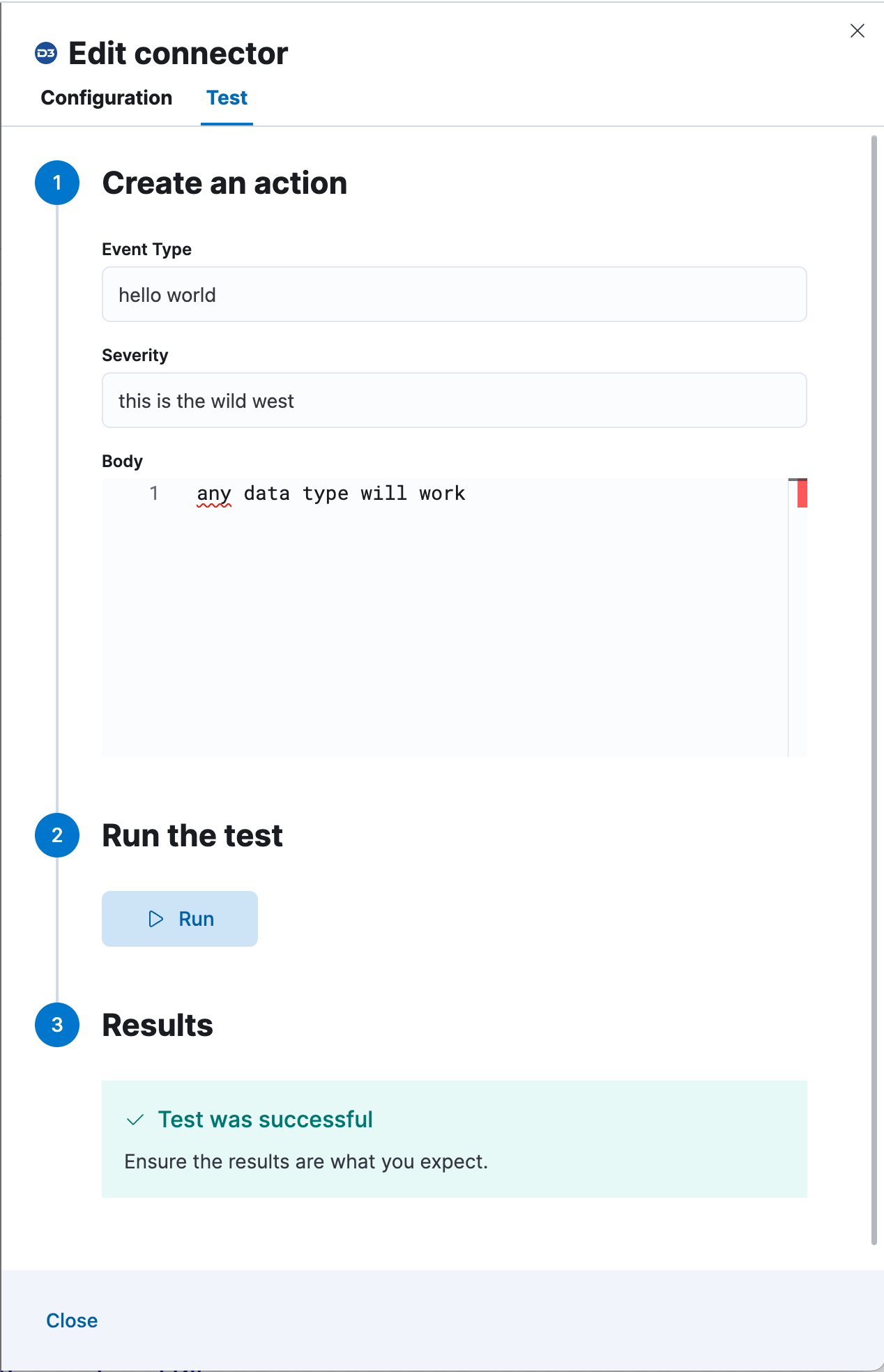
The D3 Security actions have the following configuration properties.
A typeless payload sent to the D3 Security API URL. For example:
```text
this can be any type, it is not validated
```
## Connector networking configuration
Use the [Action configuration settings](/elastic/kibana/pull/280898/reference/configuration-reference/alerting-settings#action-settings) to customize connector networking configurations, such as proxies, certificates, or TLS settings. You can set configurations that apply to all your connectors or use `xpack.actions.customHostSettings` to set per-host configurations.
## Configure D3 Security
To generate an API URL and a token in D3 Security:
1. Log in to your D3 SOAR environment.
2. Navigate to **Configuration**.
3. Navigate to **Integration**. Search for Kibana. Click **Fetch Event**.
4. Select the **Enable Webhook** checkbox.
5. Click **Set up Webhook Keys**.
6. Under **Event Ingestion**, click the plus sign(+). Select the site for the webhook integration, then click **Generate**.
7. Copy the request URL and request header value to configure the connector.