---
title: IBM Resilient connector and action
description: The IBM Resilient connector uses the RESILIENT REST v2 to create IBM Resilient incidents. You can create connectors in Stack Management > Connectors or...
url: https://docs-v3-preview.elastic.dev/elastic/kibana/pull/280898/reference/connectors-kibana/resilient-action-type
products:
- Kibana
applies_to:
- Serverless Observability projects: Generally available
- Serverless Security projects: Generally available
- Elastic Stack: Generally available
---
# IBM Resilient connector and action
The IBM Resilient connector uses the [RESILIENT REST v2](https://developer.ibm.com/security/resilient/rest/) to create IBM Resilient incidents.
## Create connectors in Kibana
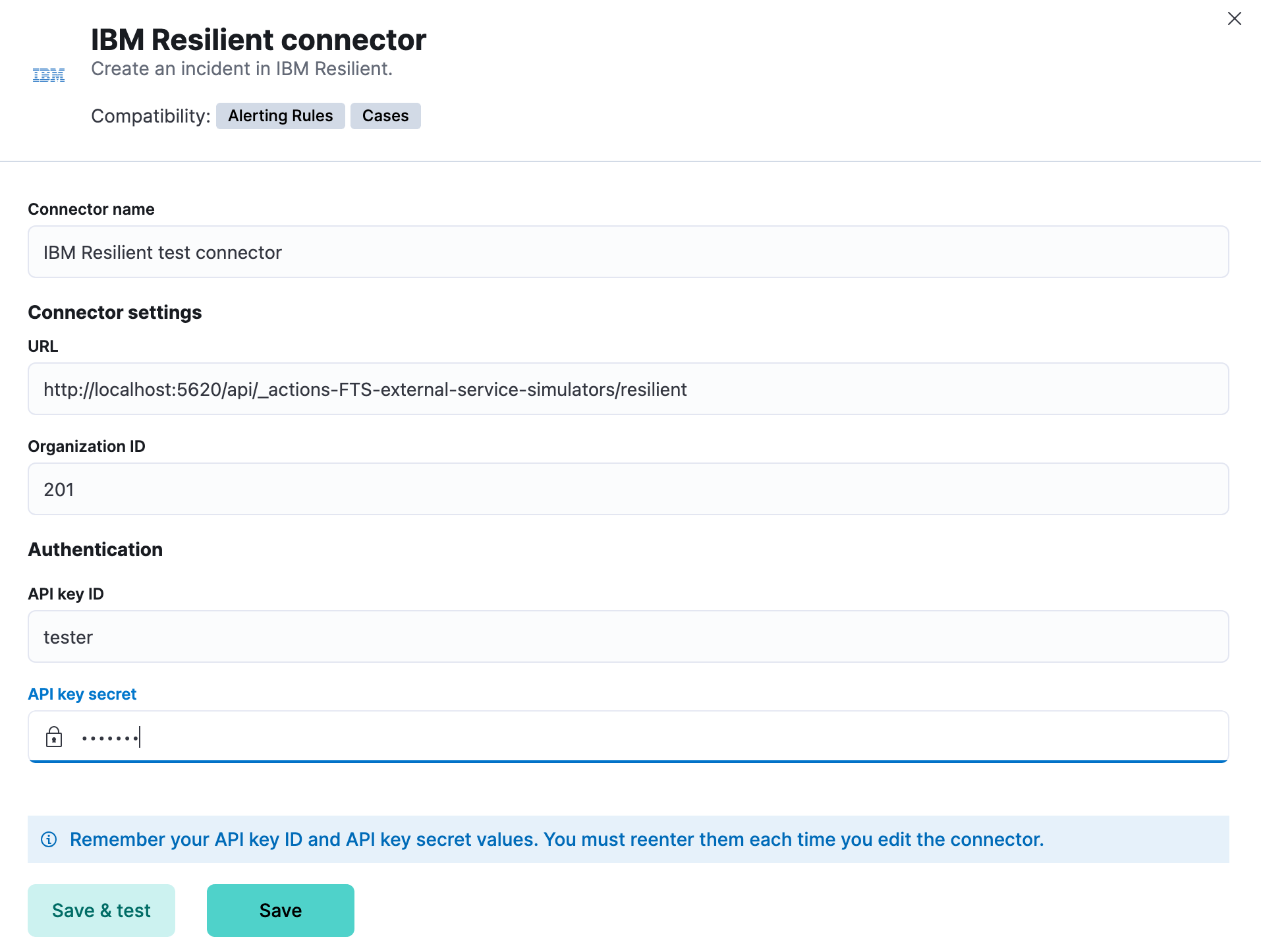
You can create connectors in **Stack Management > Connectors** or as needed when you're creating a rule. For example:
### Connector configuration
IBM Resilient connectors have the following configuration properties:
The authentication key ID for HTTP Basic authentication.
The authentication key secret for HTTP Basic authentication.
The IBM Resilient organization ID.
The IBM Resilient instance URL.
## Test connectors
You can test connectors as you're creating or editing the connector in Kibana. For example:
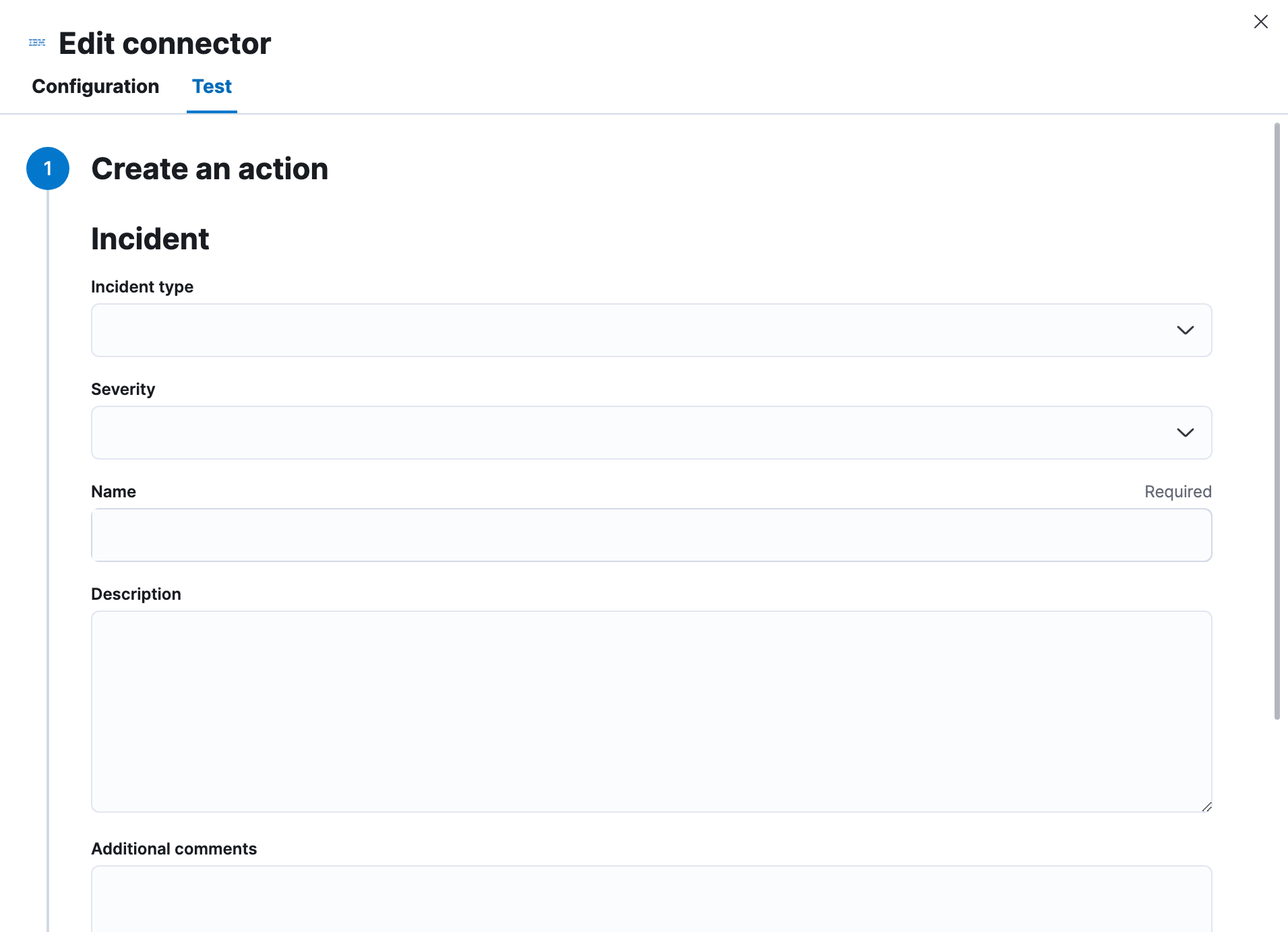
IBM Resilient actions have the following configuration properties.
The type of the incident.
The severity of the incident.
A name for the issue, used for searching the contents of the knowledge base.
The details about the incident.
Extra information for the client, such as how to troubleshoot the issue.
An object that contains custom field identifiers and their values. These fields must exist in the IBM Resilient application and must be specified in JSON format.
## Connector networking configuration
Use the [action configuration settings](/elastic/kibana/pull/280898/reference/configuration-reference/alerting-settings#action-settings) to customize connector networking configurations, such as proxies, certificates, or TLS settings. You can set configurations that apply to all your connectors or use `xpack.actions.customHostSettings` to set per-host configurations.