---
title: TheHive connector and action
description: TheHive connector uses the TheHive (v1) REST API to create cases and alerts. [8.16.0] You can create connectors in Stack Management > Connectors or as...
url: https://docs-v3-preview.elastic.dev/elastic/kibana/pull/280898/reference/connectors-kibana/thehive-action-type
products:
- Kibana
applies_to:
- Serverless Observability projects: Generally available
- Serverless Security projects: Generally available
- Elastic Stack: Generally available
---
# TheHive connector and action
TheHive connector uses the [TheHive (v1) REST API](https://docs.strangebee.com/thehive/api-docs/) to create cases and alerts. [8.16.0]
If you use this connector with [cases](https://docs-v3-preview.elastic.dev/elastic/docs-content/tree/main/explore-analyze/cases), the status values differ in Kibana and TheHive. The status values are not synchronized when you update a case.
## Create connectors in Kibana
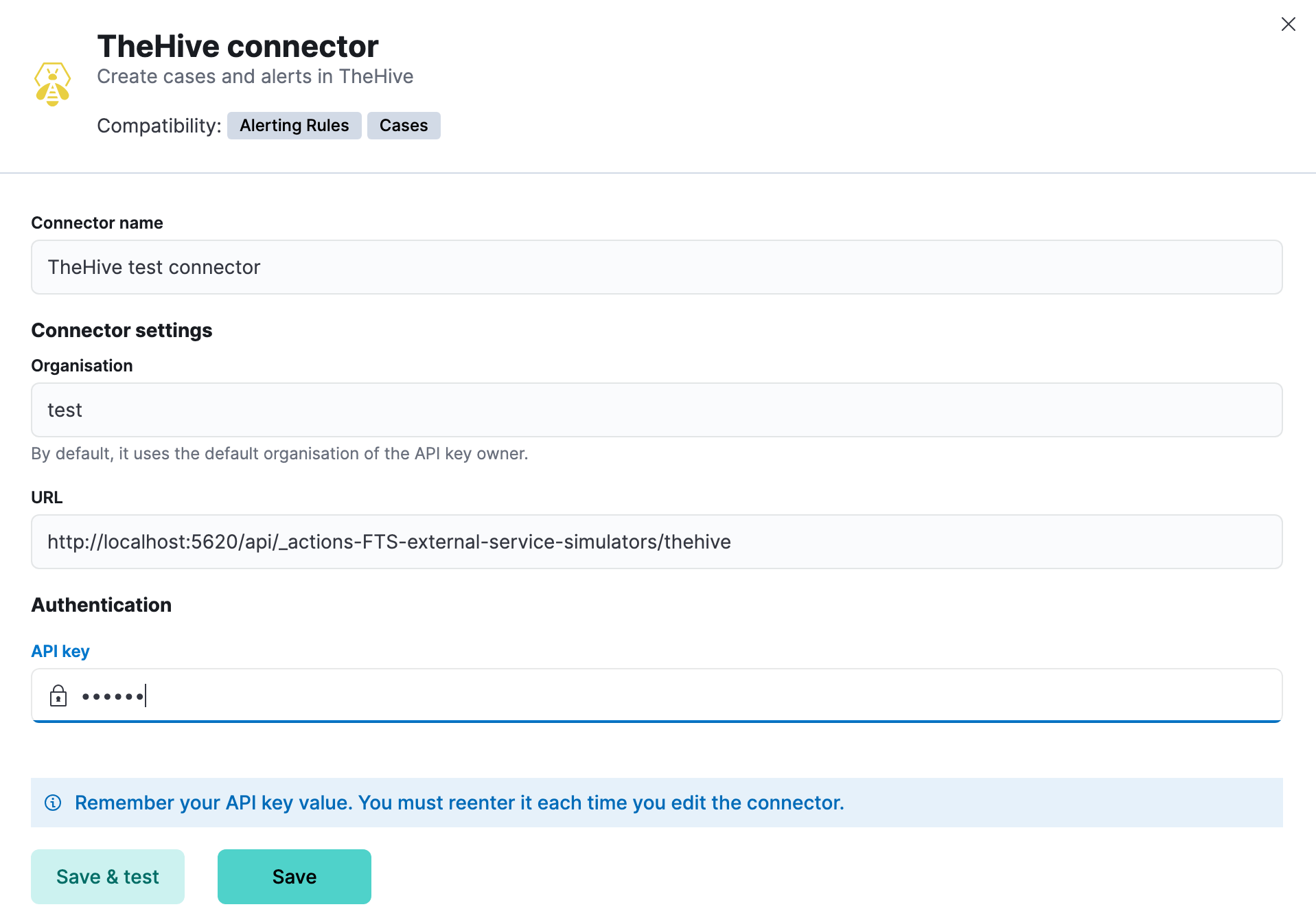
You can create connectors in **Stack Management > Connectors** or as needed when you're creating a rule. For example:
### Connector configuration
TheHive connectors have the following configuration properties:
The name of the connector.
The organisation in TheHive that will contain the cases or alerts.
The instance URL in TheHive.
The API key for authentication in TheHive.
## Test connectors
You can test connectors for creating a case or an alert with the [run connector API](https://www.elastic.co/docs/api/doc/kibana/v8/group/endpoint-connectors) or as you're creating or editing the connector in Kibana. For example:
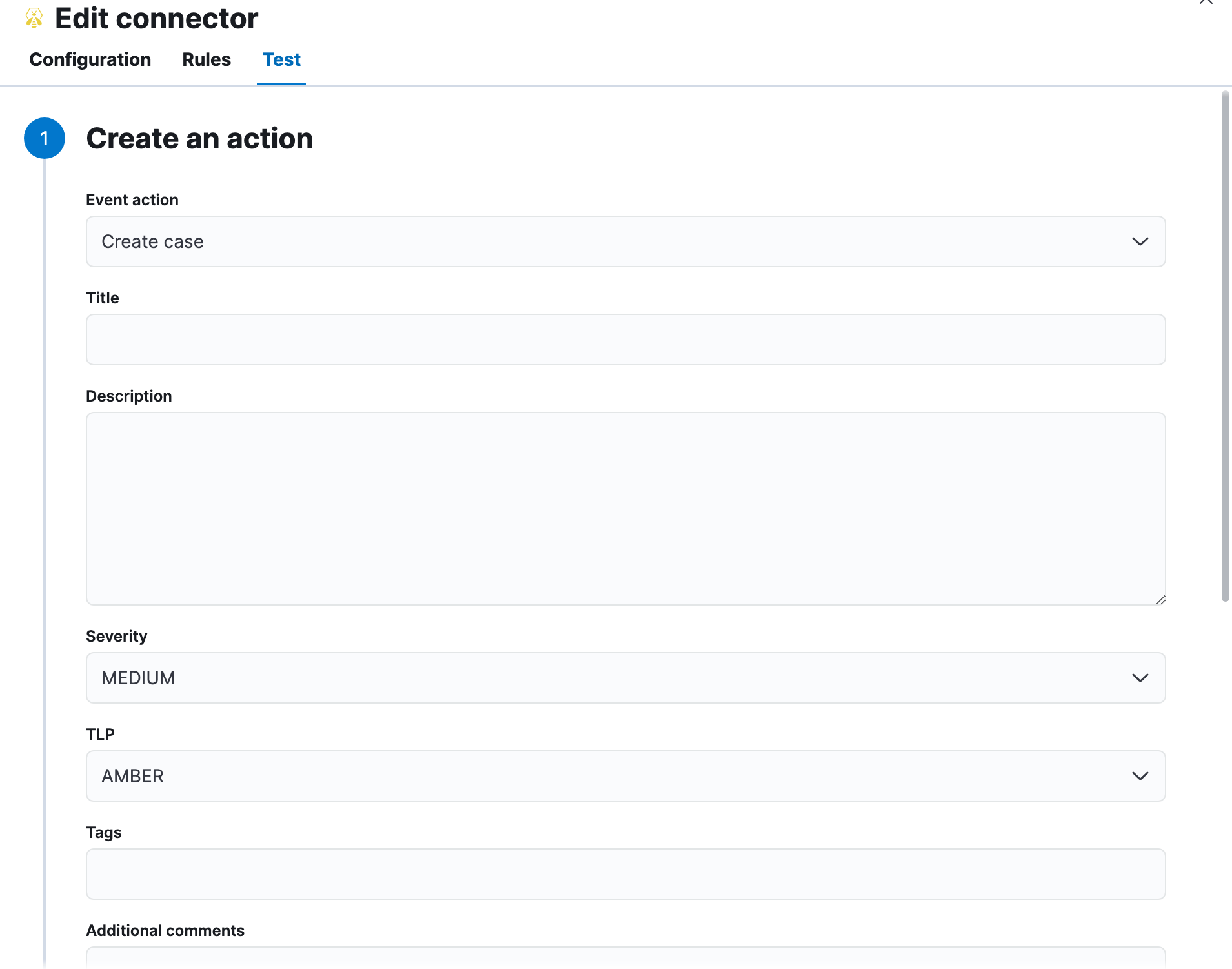
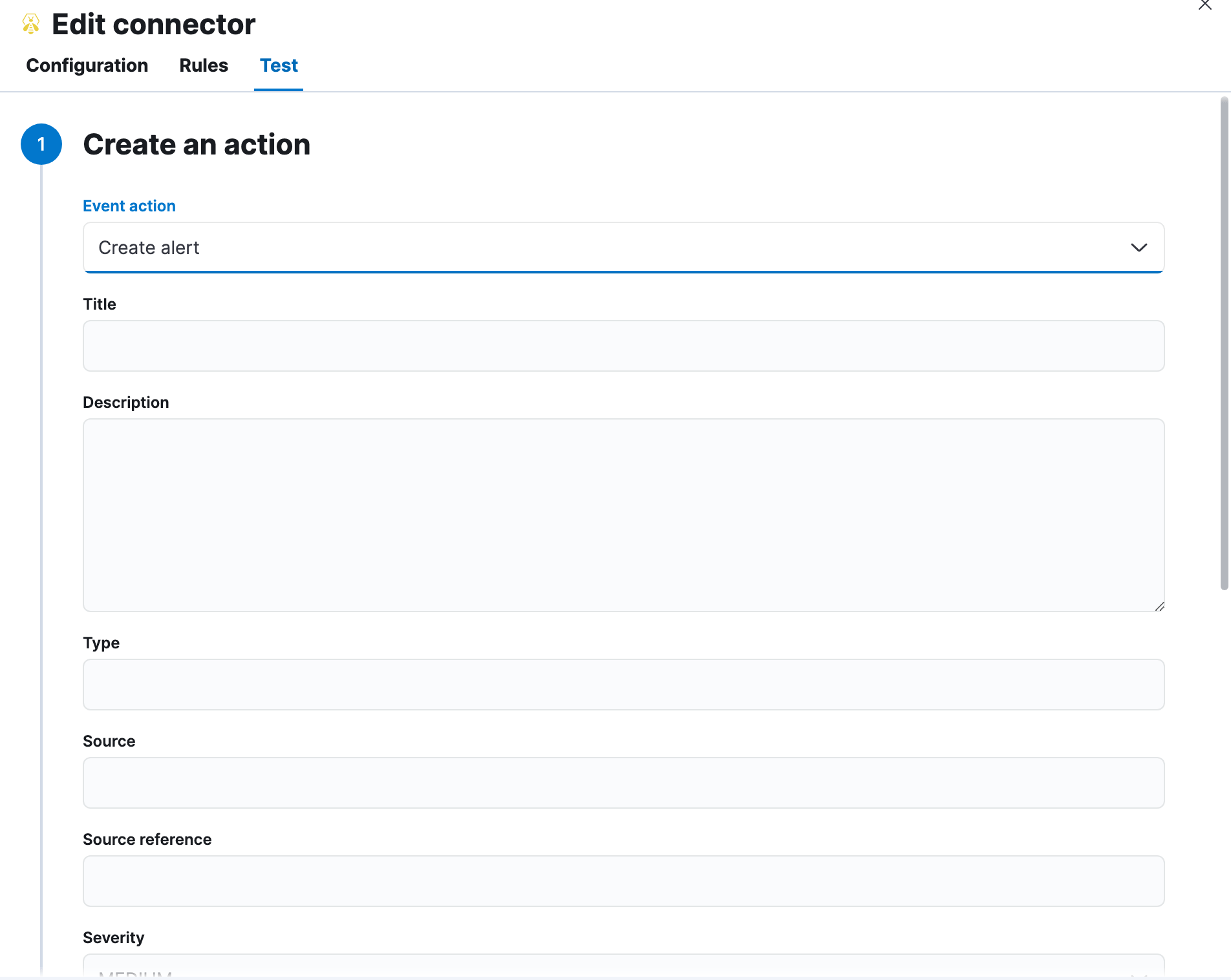
TheHive actions have the following configuration properties.
The action that will be performed in TheHive: create a case or an alert.
The title of the incident.
The details about the incident.
The severity of the incident: `LOW`, `MEDIUM`, `HIGH` or `CRITICAL`.
Elastic Stack: Generally available since 9.1 While creating an alert, use the **Keep severity from rule** toggle to create an alert with the rule's severity. If the rule does not have a defined severity, the alert will have the default MEDIUM severity.
The traffic light protocol designation for the incident: `CLEAR`, `GREEN`, `AMBER`, `AMBER+STRICT` or `RED`.
The keywords or tags for the incident.
Additional information about the incident.
The type of alert.
The source of the alert.
A source reference for the alert.
A Json payload specifying additional parameter, such as observables and procedures. For example:
```json
{
"observables": [
{
"dataType": "url",
"data": ""
}
],
"procedures": [
{
"patternId": "TA0001",
"occurDate": 1640000000000,
"tactic": "tactic-name"
}
]
}
```
## Connector networking configuration
Use the [Action configuration settings](/elastic/kibana/pull/280898/reference/configuration-reference/alerting-settings#action-settings) to customize connector networking configurations, such as proxies, certificates, or TLS settings. You can set configurations that apply to all your connectors or use `xpack.actions.customHostSettings` to set per-host configurations.
## Configure TheHive
To generate an API key in TheHive:
1. Log in to your TheHive instance.
2. Open profile tab and select the settings.
3. Go to **API Key**.
4. Click **Create** if no API key has been created previously; otherwise, you can view the API key by clicking on **Reveal**.
5. Copy the **API key** value to configure the connector in Kibana.