---
title: Webhook connector and action
description: The Webhook connector uses axios to send a request to a web service. You can create connectors in Stack Management > Connectors or as needed when you’re...
url: https://docs-v3-preview.elastic.dev/elastic/kibana/pull/280898/reference/connectors-kibana/webhook-action-type
products:
- Kibana
applies_to:
- Elastic Cloud Serverless: Generally available
- Elastic Stack: Generally available
---
# Webhook connector and action
The Webhook connector uses [axios](https://github.com/axios/axios) to send a request to a web service.
## Create connectors in Kibana
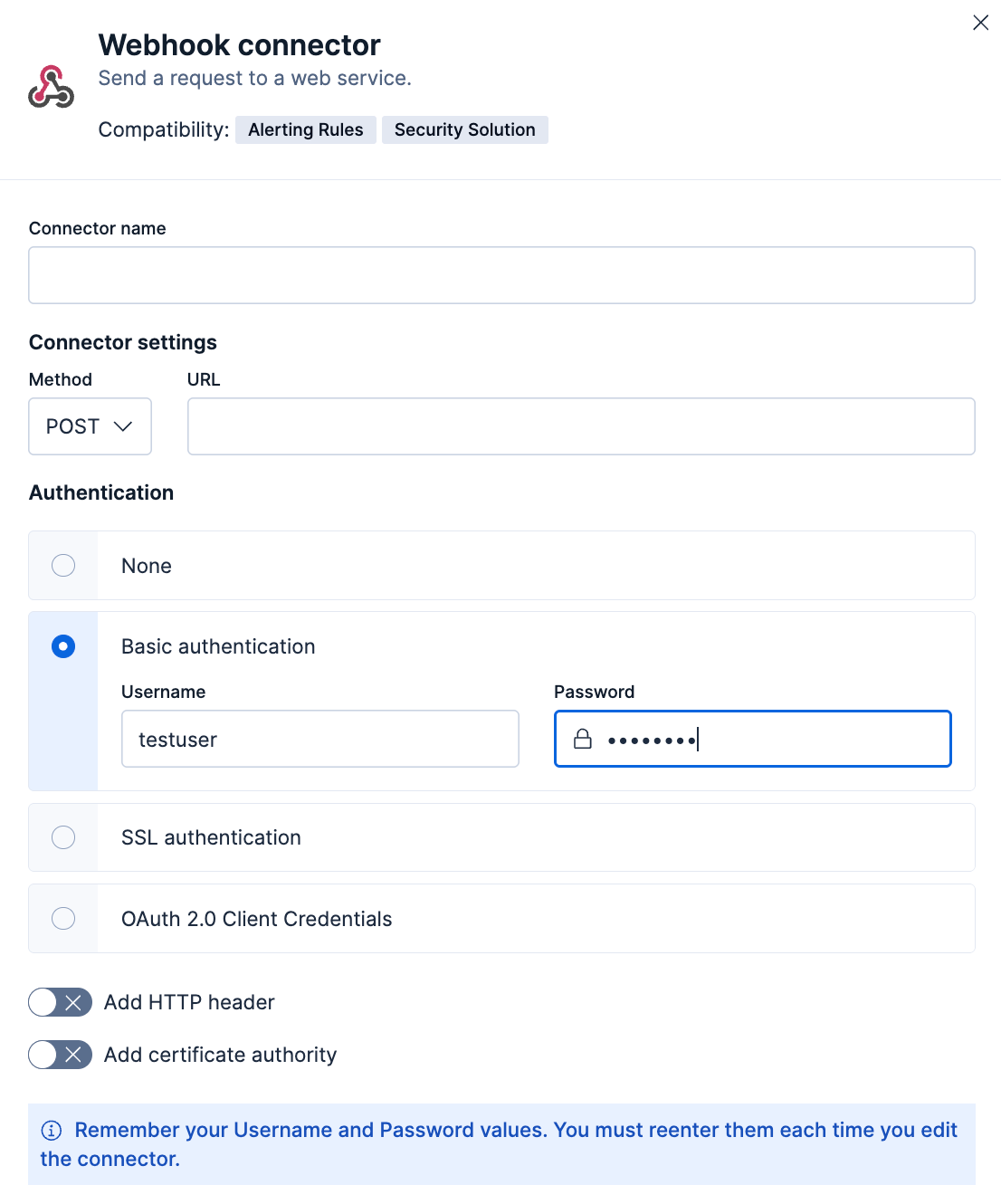
You can create connectors in **Stack Management > Connectors** or as needed when you’re creating a rule. For example:
### Connector configuration
Webhook connectors have the following configuration properties:
The name of the connector.
The HTTP method to send a request to a web service:
- `POST` (default)
- `PUT`
- Elastic Stack: Generally available since 9.3 `PATCH`
- Elastic Stack: Generally available since 9.3 `GET`
- Elastic Stack: Generally available since 9.3 `DELETE`
The request URL. If you are using the [`xpack.actions.allowedHosts`](/elastic/kibana/pull/280898/reference/configuration-reference/alerting-settings#action-settings) setting, make sure the hostname is added to the allowed hosts.
The authentication type: none, basic, SSL, or Elastic Stack: Generally available since 9.2 OAuth 2.0 authentication.
If you choose basic authentication, you must provide a user name and password.
If you choose SSL authentication, you must provide SSL server certificate authentication data in a CRT and key file format or a PFX file format. You can also optionally provide a passphrase if the files are password-protected.
If you choose OAuth 2.0 authentication, you must provide an access token URL, client ID, and client secret. Specifying the [access token scope](https://datatracker.ietf.org/doc/html/rfc6749#section-3.3) is optional. You also have the option to specify additional parameters that your authentication provider might require.
A custom set of HTTP headers that you can send with API requests.
If you choose the config type, values in headers will be sent as plain text in requests.
If you choose the secret type, values in your headers will be encrypted in requests.
A certificate authority (CA) that the connector can trust, for example to sign and validate server certificates. This option is available for all authentication types.
The certificate authority file.
Controls the certificate verification.
- Use `full` to validate that the certificate has an issue date within the `not_before` and `not_after` dates, chains to a trusted certificate authority, and has a hostname or IP address that matches the names within the certificate.
- Use `certificate` to validate the certificate and verifies that it is signed by a trusted authority; this option does not check the certificate hostname.
- Use `none` to skip certificate validation.
## Test connectors
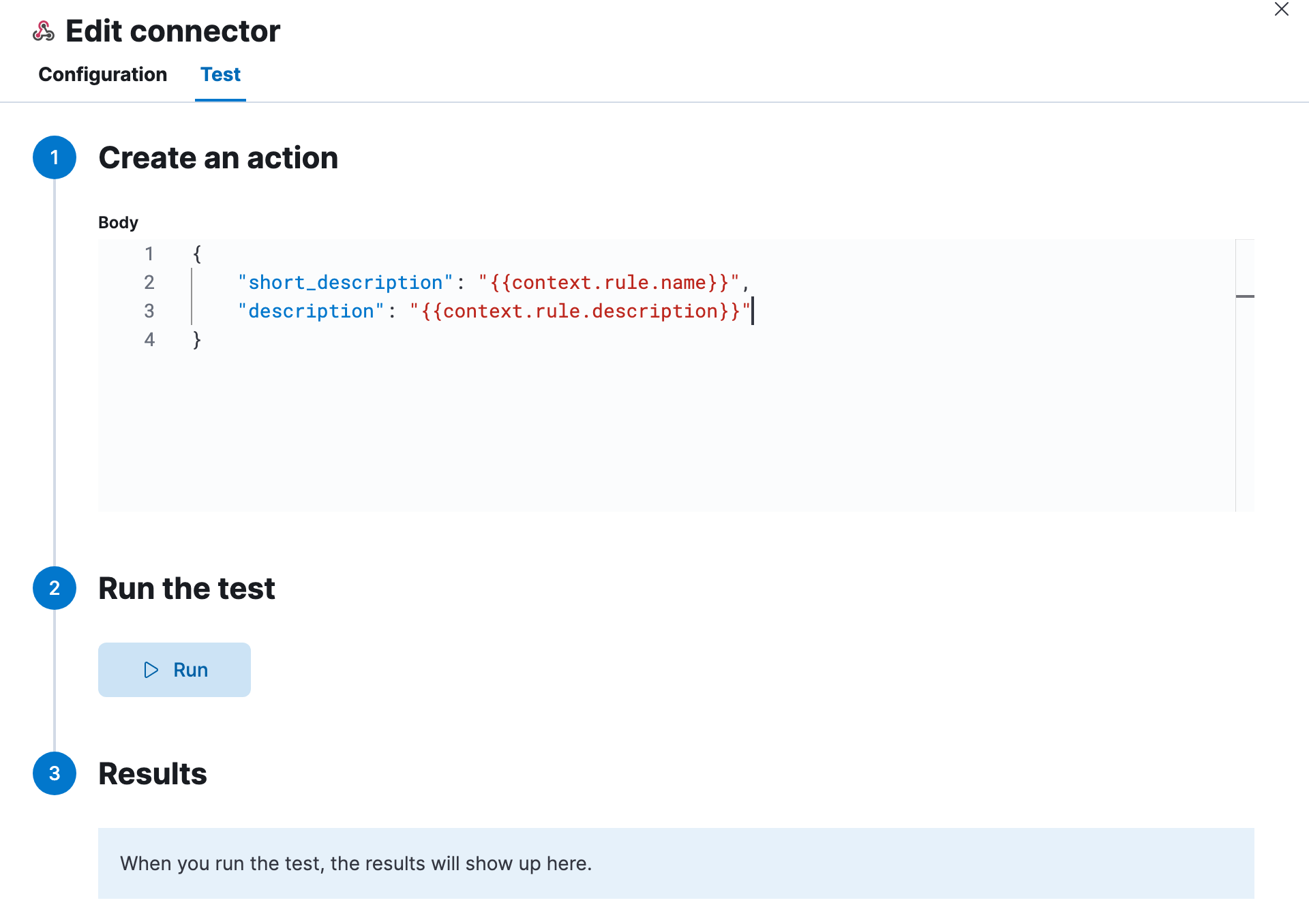
You can test connectors as you’re creating or editing the connector in Kibana. For example:
Webhook actions have the following properties.
A JSON payload sent to the request URL using the `POST`, `PUT`, or `PATCH` HTTP methods. For example:
```text
{
"short_description": "{{context.rule.name}}",
"description": "{{context.rule.description}}",
...
}
```
Mustache template variables (the text enclosed in double braces, for example, `context.rule.name`) have their values escaped, so that the final JSON will be valid (escaping double quote characters). For more information on Mustache template variables, refer to [Actions](https://docs-v3-preview.elastic.dev/elastic/docs-content/tree/main/explore-analyze/alerting/alerts/create-manage-rules#defining-rules-actions-details).
## Connector networking configuration
Use the [Action configuration settings](/elastic/kibana/pull/280898/reference/configuration-reference/alerting-settings#action-settings) to customize connector networking configurations, such as proxies, certificates, or TLS settings. You can set configurations that apply to all your connectors or use `xpack.actions.customHostSettings` to set per-host configurations.