Getting started
This page guides you through the installation process of the Python client, shows you how to instantiate the client, and how to perform basic Elasticsearch operations with it.
To install the latest version of the client, run the following command:
python -m pip install elasticsearch
python -m pip install "elasticsearch[async]"
Refer to the Installation page to learn more.
You can connect to the Elastic Cloud using an API key and the Elasticsearch endpoint.
import os
from elasticsearch import Elasticsearch

client = Elasticsearch(
    "https://...",
    api_key=os.environ["ELASTIC_API_KEY"],
)
- Elasticsearch endpoint
import os
from elasticsearch import AsyncElasticsearch

client = AsyncElasticsearch(
    "https://...",
    api_key=os.environ["ELASTIC_API_KEY"],
)
- Elasticsearch endpoint
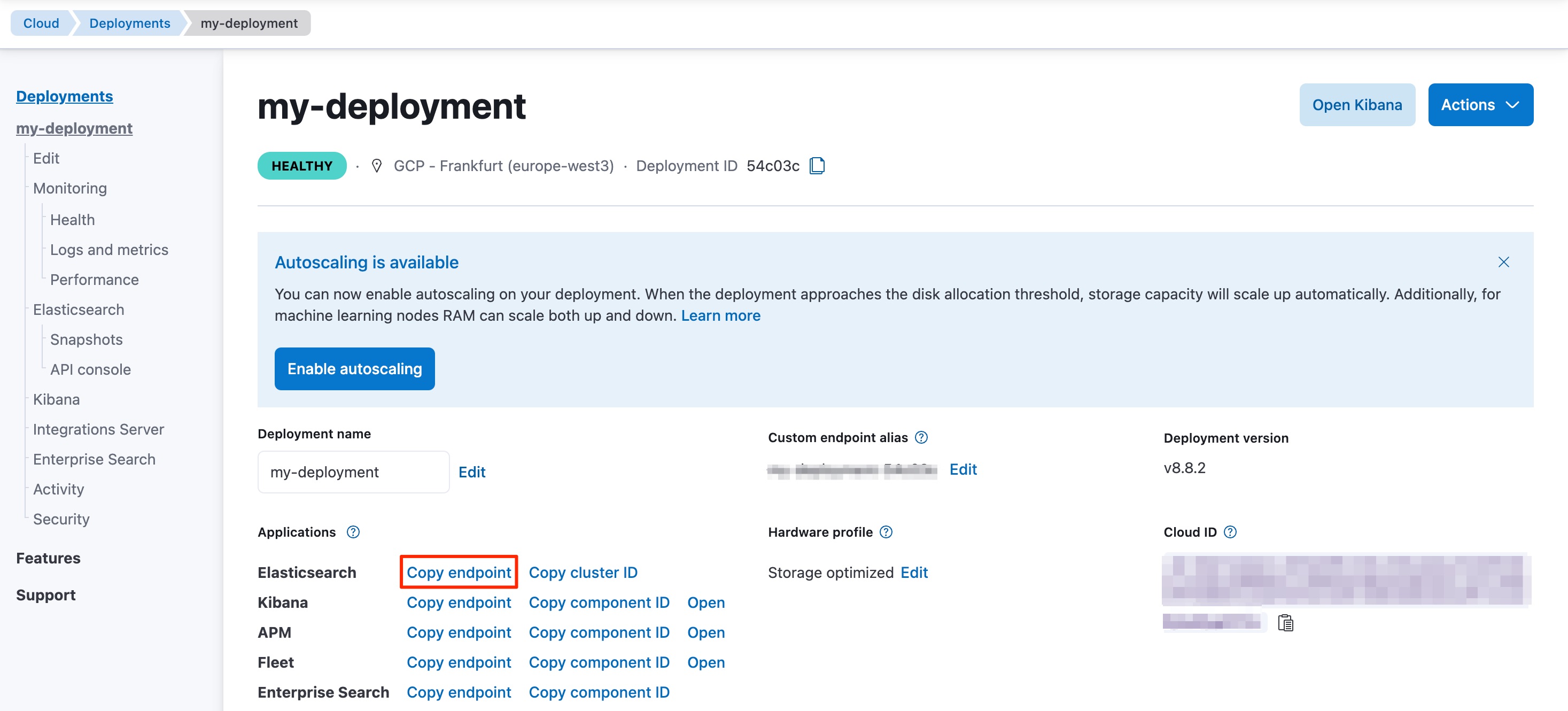
Your Elasticsearch endpoint can be found on the My deployment page of your deployment:
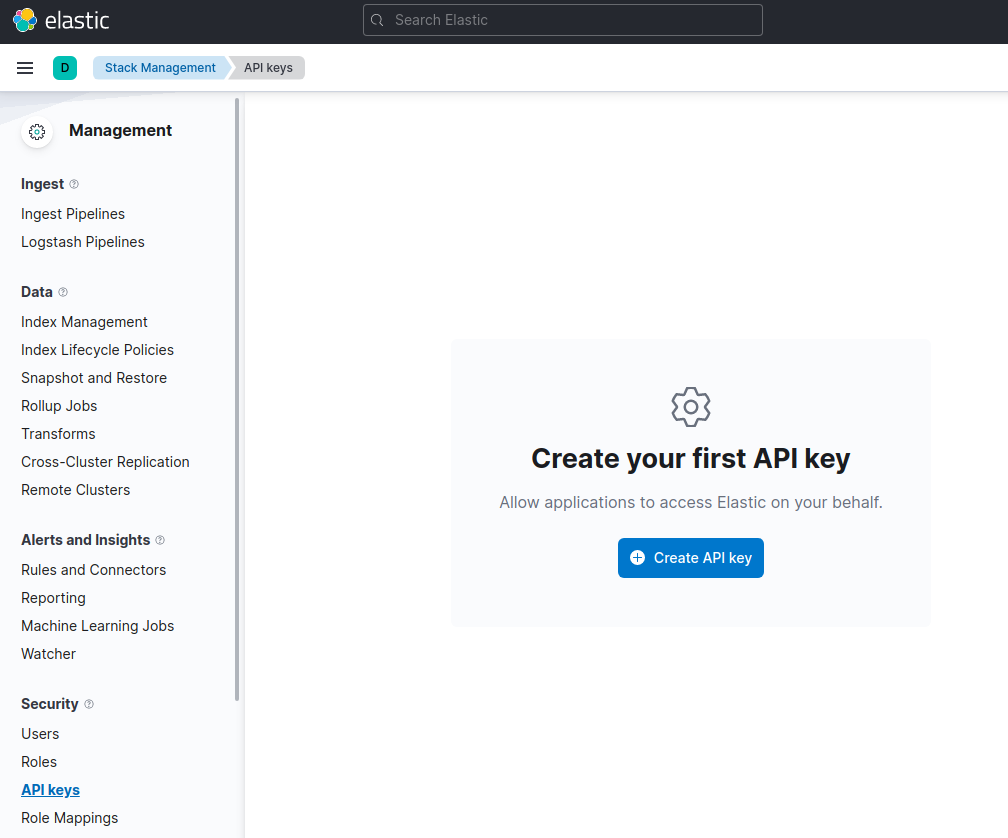
You can generate an API key on the Management page under Security.
For other connection options, refer to the Connecting section.
Time to use Elasticsearch! This section walks you through the basic, and most important, operations of Elasticsearch. For more operations and more advanced examples, refer to the Examples page.
This is how you create the my_index index:
client.indices.create(index="my_index")
await client.indices.create(index="my_index")
Optionally, you can first define the expected types of your features with a custom mapping.
mappings = {
    "properties": {
        "foo": {"type": "text"},
        "bar": {
            "type": "text",
            "fields": {
                "keyword": {
                    "type": "keyword",
                    "ignore_above": 256,
                }
            },
        },
    }
}

client.indices.create(index="my_index", mappings=mappings)
mappings = {
    "properties": {
        "foo": {"type": "text"},
        "bar": {
            "type": "text",
            "fields": {
                "keyword": {
                    "type": "keyword",
                    "ignore_above": 256,
                }
            },
        },
    }
}

await client.indices.create(index="my_index", mappings=mappings)
This indexes a document with the index API:
client.index(
    index="my_index",
    id="my_document_id",
    document={
        "foo": "foo",
        "bar": "bar",
    }
)
await client.index(
    index="my_index",
    id="my_document_id",
    document={
        "foo": "foo",
        "bar": "bar",
    }
)
You can also index multiple documents at once with the bulk helper function:
from elasticsearch import helpers

def generate_docs():
    for i in range(10):
        yield {
            "_index": "my_index",
            "foo": f"foo {i}",
            "bar": "bar",
        }

helpers.bulk(client, generate_docs())
from elasticsearch import helpers

async def generate_docs():
    for i in range(10):
        yield {
            "_index": "my_index",
            "foo": f"foo {i}",
            "bar": "bar",
        }

async def bulk_example():
    await helpers.async_bulk(client, generate_docs())
These helpers are the recommended way to perform bulk ingestion. While it is also possible to perform bulk ingestion using client.bulk directly, the helpers handle retries, ingesting chunk by chunk and more. See the Client helpers page for more details.
You can get documents by using the following code:
client.get(index="my_index", id="my_document_id")
await client.get(index="my_index", id="my_document_id")
This is how you can create a single match query with the Python client:
client.search(index="my_index", query={
    "match": {
        "foo": "foo"
    }
})
await client.search(index="my_index", query={
    "match": {
        "foo": "foo"
    }
})
This is how you can update a document, for example to add a new field:
client.update(
    index="my_index",
    id="my_document_id",
    doc={
        "foo": "bar",
        "new_field": "new value",
    }
)
await client.update(
    index="my_index",
    id="my_document_id",
    doc={
        "foo": "bar",
        "new_field": "new value",
    }
)
client.delete(index="my_index", id="my_document_id")
await client.delete(index="my_index", id="my_document_id")
client.indices.delete(index="my_index")
await client.indices.delete(index="my_index")
- Use Client helpers for a more comfortable experience with the APIs.