Configure a Google Cloud Storage snapshot repository in Elastic Cloud Enterprise
This guide focuses on registering a Google Cloud Storage (GCS) snapshot repository at the Elastic Cloud Enterprise (ECE) platform level. Platform-level repositories can be assigned to deployments and are used by ECE to automatically manage snapshots through the found-snapshots repository.
If you have custom requirements or deployment-specific use cases that are independent of the ECE-managed automation, you can also register snapshot repositories directly at the deployment level. To do that, follow the Elastic Cloud Hosted guide for Google Cloud Storage, which is also applicable to Elastic Cloud Enterprise deployments.
At ECE platform level, snapshots to Google Cloud Storage (GCS) are supported using an advanced repository configuration and service account credentials that can administer your GCS bucket.
You’ll need to have an existing Google Cloud account and have the appropriate permissions to generate credentials:
Create service account credentials in your Google Cloud project where Elastic Cloud Enterprise is running.
The service account should be granted the role of
storage.adminso that Elasticsearch clusters can read, write, and list the bucket objects.Save the service account key in JSON file format. You are going to use it later to configure your Elasticsearch deployment for snapshotting.
Add your Google Cloud Storage bucket as a repository to the platform:
Go to Platform > Repositories and add the following snapshot repository configuration under the advanced mode:
Repository GCS (check: supported settings)
{
  "type": "gcs",
  "settings": {
    "bucket": "acme-snapshot-repo",
    "client": "acme-snapshots"
  }
}
Snapshots are stored in the bucket you provide. Use the repository name you define here to configure your Elasticsearch clusters for snapshotting to this repository.
To save deployment snapshots to the custom GCS repository:
Add a secure setting named
gcs.client.acme-snapshots.credentials_fileas a JSON block. Make sure that the client name is the same one you provided when configuring the snapshot repository.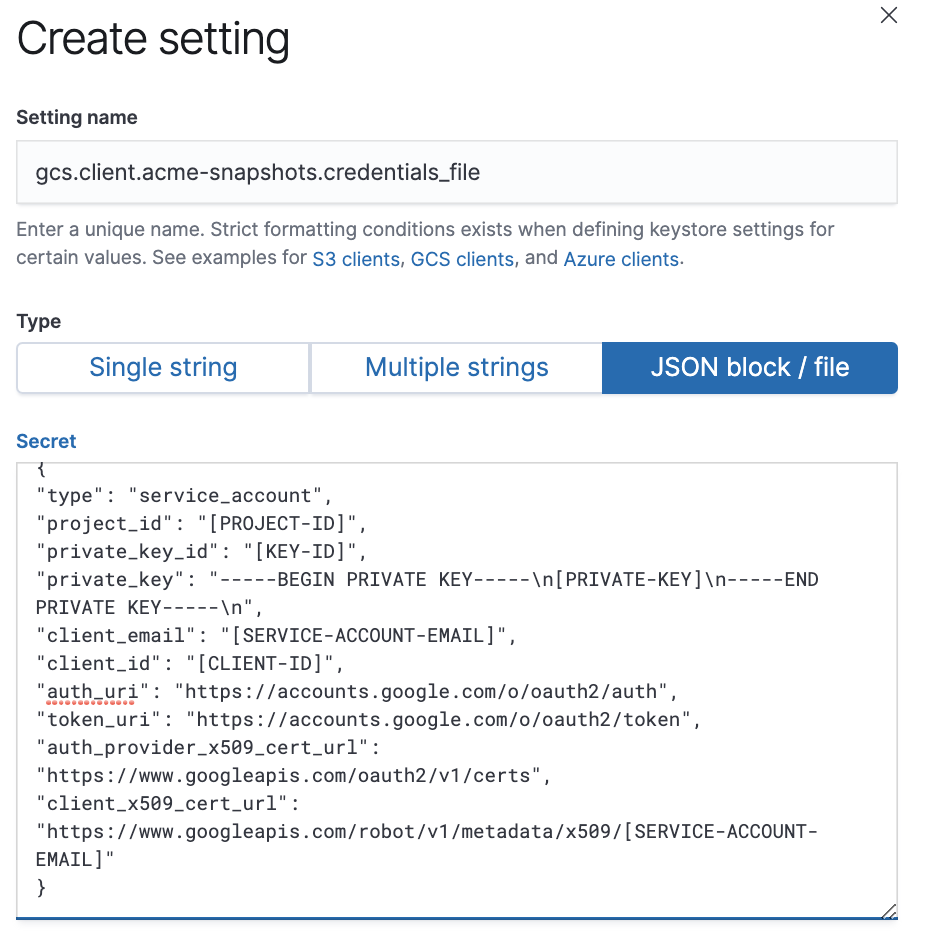 Note
NoteThe contents within credentials_file must be the exact contents of your GCS credentials file.
Configure your deployment to snapshot to the GCS repository.
After you enable snapshots, snapshotting will begin within 30 minutes (the default snapshot interval).