Create a TLS certificate rule
In Kibana, you can create a rule that notifies you when one or more of your monitors has a TLS certificate expiring within a specified threshold, or when it exceeds an age limit.
There are two types of TLS certificate rule:
Synthetics TLS certificate rule for use with Elastic Synthetics.
Uptime TLS rule for use with the Uptime app.
Deprecated in 8.15.0Uptime was deprecated in 8.15.0. Use Synthetics instead.
Within the Synthetics UI, create a TLS certificate rule to receive notifications based on errors and outages.
The Filter by section controls the scope of the rule. The rule evaluates only monitors that match the filters you define. Use the filter bar and field filters to narrow which monitors the TLS rule applies to:
- MONITOR — Limit the rule to specific monitors by ID.
- TYPE — Limit the rule by monitor type. The TLS certificate rule applies only to http and tcp monitor types (browser and other types are excluded, since they do not perform TLS checks).
- TAGS — Limit the rule to monitors that have the selected tags.
- PROJECTS — Limit the rule to monitors in selected Synthetics projects.
- LOCATIONS — Limit the rule to monitors that run from selected locations.
-
KQL query — Enter a free-form KQL query to filter monitors by any indexed fields. The same KQL syntax used elsewhere in Synthetics is supported.
Conditions you set for the rule are applied only to monitors that match these filters. If you do not set any filters, the rule considers all http and tcp monitors.
You can specify the following thresholds for your rule. They apply to all monitors that match the filters in the Filter by section.
| Expiration threshold | The HAS A CERTIFICATE EXPIRING WITHIN DAYS condition specifies when you are notifiedabout certificates that are approaching expiration dates. |
| Age limit | The OR OLDER THAN DAYS condition specifies when you are notified about certificatesthat have been valid for too long. |
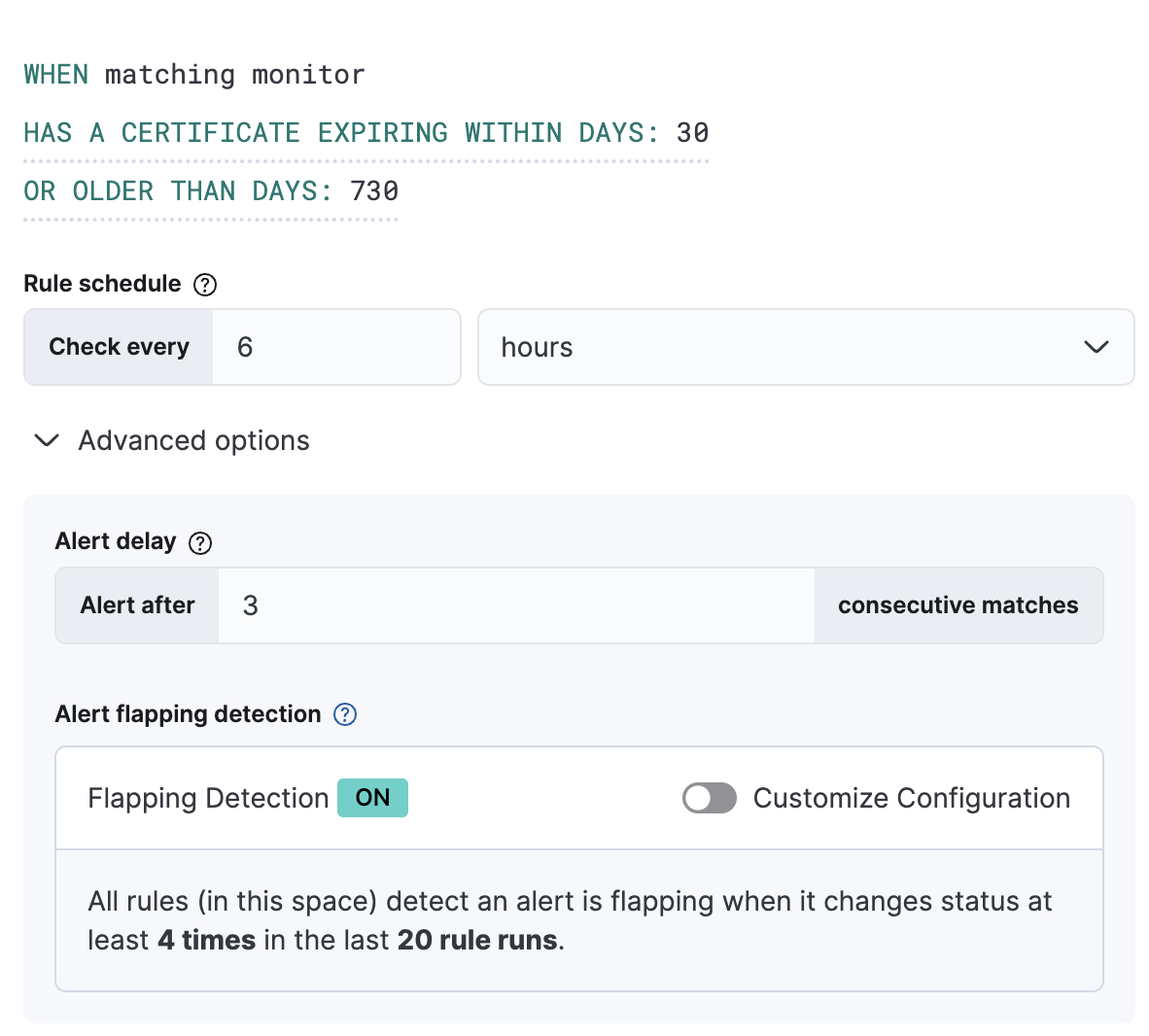
The Rule schedule defines how often to evaluate the condition.
You can also set Advanced options such as the number of consecutive runs that must meet the rule conditions before an alert occurs.
In this example, the conditions are met when any of the TLS certificates on sites we’re monitoring is expiring within 30 days or is older than 730 days. These conditions are evaluated every 6 hours, and you will only receive an alert when the conditions are met three times consecutively.
Extend your rules by connecting them to actions that use the following supported built-in integrations.
- D3 Security
- IBM Resilient
- Index
- Jira
- Microsoft Teams
- Observability AI Assistant connector
- Opsgenie
- PagerDuty
- Server log
- ServiceNow ITOM
- ServiceNow ITSM
- ServiceNow SecOps
- Slack
- Swimlane
- Torq
- Webhook
- xMatters
Some connector types are paid commercial features, while others are free. For a comparison of the Elastic subscription levels, go to the subscription page.
After you select a connector, you must set the action frequency. You can choose to create a summary of alerts on each check interval or on a custom interval. For example, send email notifications that summarize the new, ongoing, and recovered alerts each hour:
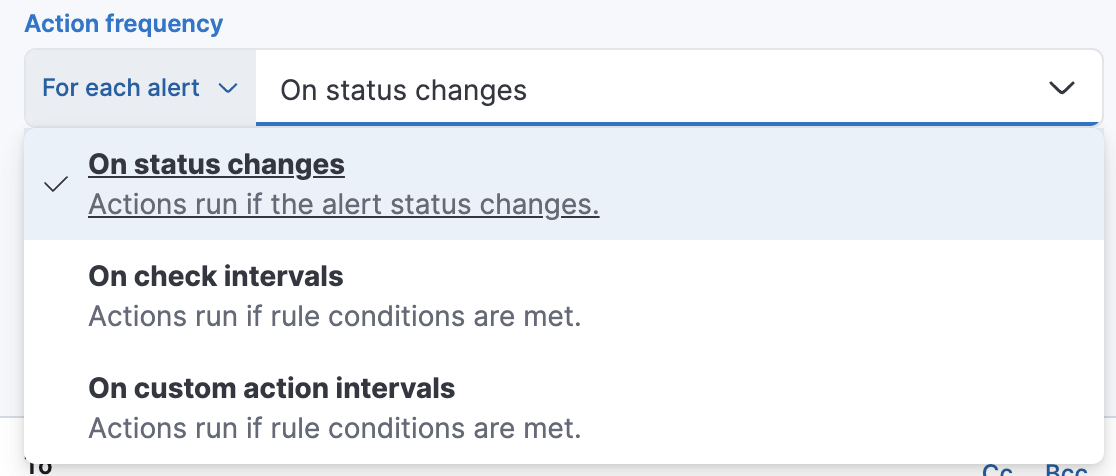
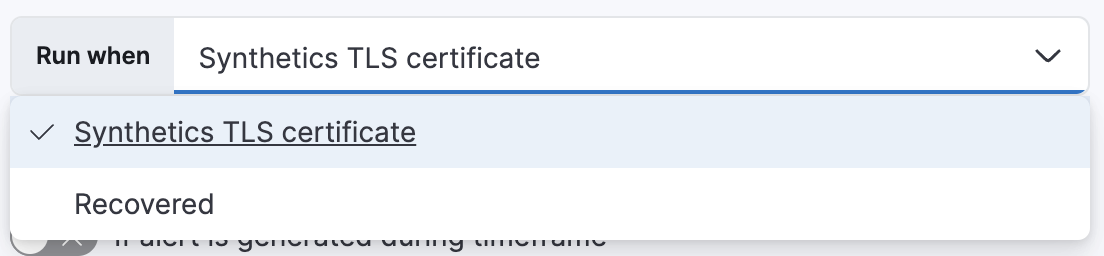
Alternatively, you can set the action frequency such that you choose how often the action runs (for example, at each check interval, only when the alert status changes, or at a custom action interval). In this case, you must also select the specific threshold condition that affects when actions run: the Synthetics TLS certificate changes or when it is Recovered (went from down to up).
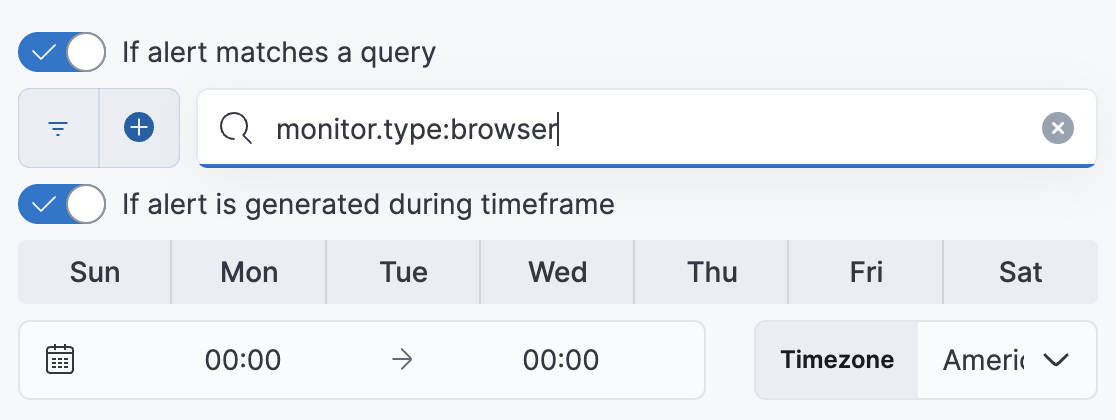
You can also further refine the conditions under which actions run by specifying that actions only run when they match a KQL query or when an alert occurs within a specific time frame:
- If alert matches query: Enter a KQL query that defines field-value pairs or query conditions that must be met for notifications to send. The query only searches alert documents in the indices specified for the rule.
- If alert is generated during timeframe: Set timeframe details. Notifications are only sent if alerts are generated within the timeframe you define.
Use the default notification message or customize it. You can add more context to the message by clicking the icon above the message text box and selecting from a list of available variables.
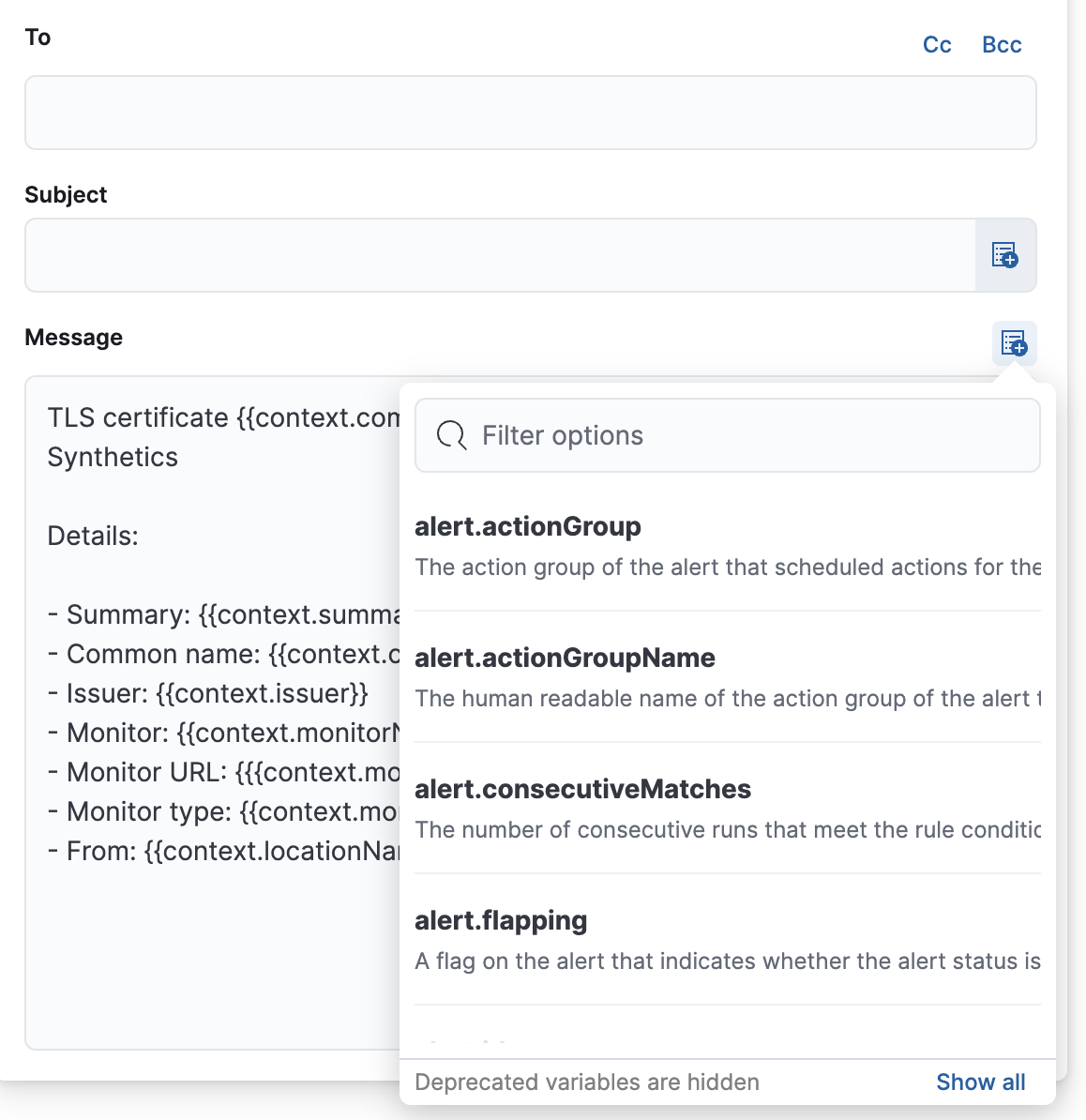
The following variables are specific to this rule type. You can also specify variables common to all rules.
context.checkedAt- Timestamp of the monitor run.
context.hostName- Hostname of the location from which the check is performed.
context.labels- Labels associated with the monitor.
context.lastErrorMessage- Monitor last error message.
context.lastErrorStack- Monitor last error stack trace.
context.locationId- Location ID from which the check is performed.
context.locationName- Location name from which the check is performed.
context.locationNames- Location names from which the checks are performed.
context.monitorType- Type (for example, HTTP/TCP) of the monitor.
context.monitorUrl- URL of the monitor.
context.reason- A concise description of the reason for the alert.
context.recoveryReason- A concise description of the reason for the recovery.
context.serviceName- Service name associated with the monitor.
context.status- Monitor status (for example, "down").
context.viewInAppUrl- Open alert details and context in Synthetics app.
Use Synthetic monitoring instead of the Uptime app.
Within the Uptime app, create a TLS certificate rule to receive notifications based on errors and outages.
The Filter by section controls the scope of the rule. The rule will only check monitors that match the filters defined in this section.
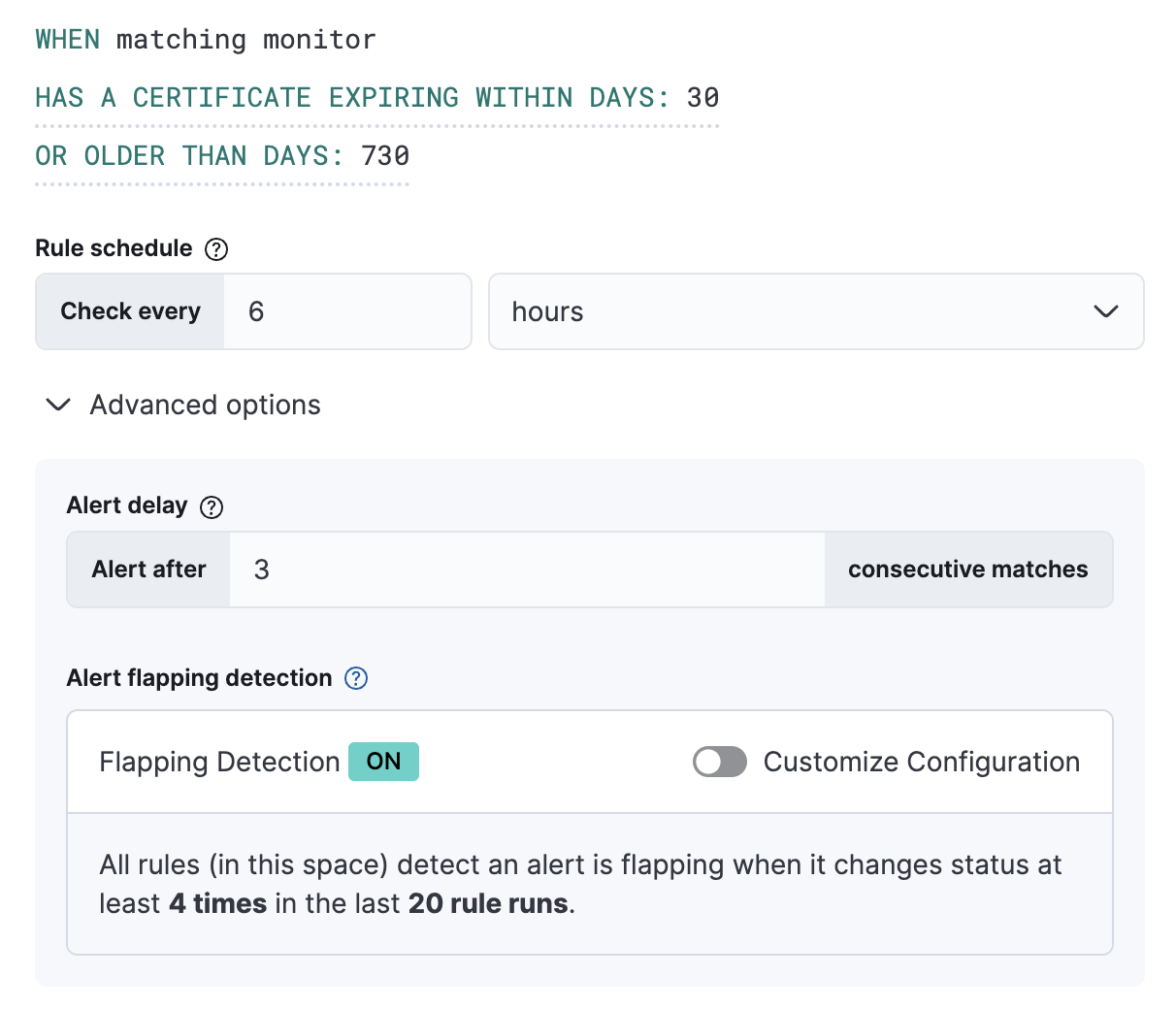
You can specify the following thresholds for your rule:
| Expiration threshold | The HAS A CERTIFICATE EXPIRING WITHIN DAYS threshold specifies when you are notifiedabout certificates that are approaching expiration dates. |
| Age limit | The OR OLDER THAN DAYS threshold specifies when you are notified about certificatesthat have been valid for too long. |
In this example, the conditions are met when any of the TLS certificates on sites we’re monitoring is expiring within 30 days or is older than 730 days. These conditions are evaluated every 6 hours, and you will only receive an alert when the conditions are met three times consecutively.
Extend your rules by connecting them to actions that use the following supported built-in integrations. Actions are Kibana services or integrations with third-party systems that run as background tasks on the Kibana server when rule conditions are met.
You can configure action types on the Settings page.
- D3 Security
- IBM Resilient
- Index
- Jira
- Microsoft Teams
- Observability AI Assistant connector
- Opsgenie
- PagerDuty
- Server log
- ServiceNow ITOM
- ServiceNow ITSM
- ServiceNow SecOps
- Slack
- Swimlane
- Torq
- Webhook
- xMatters
Some connector types are paid commercial features, while others are free. For a comparison of the Elastic subscription levels, go to the subscription page.
After you select a connector, you must set the action frequency. You can choose to create a summary of alerts on each check interval or on a custom interval. For example, send email notifications that summarize the new, ongoing, and recovered alerts each hour:
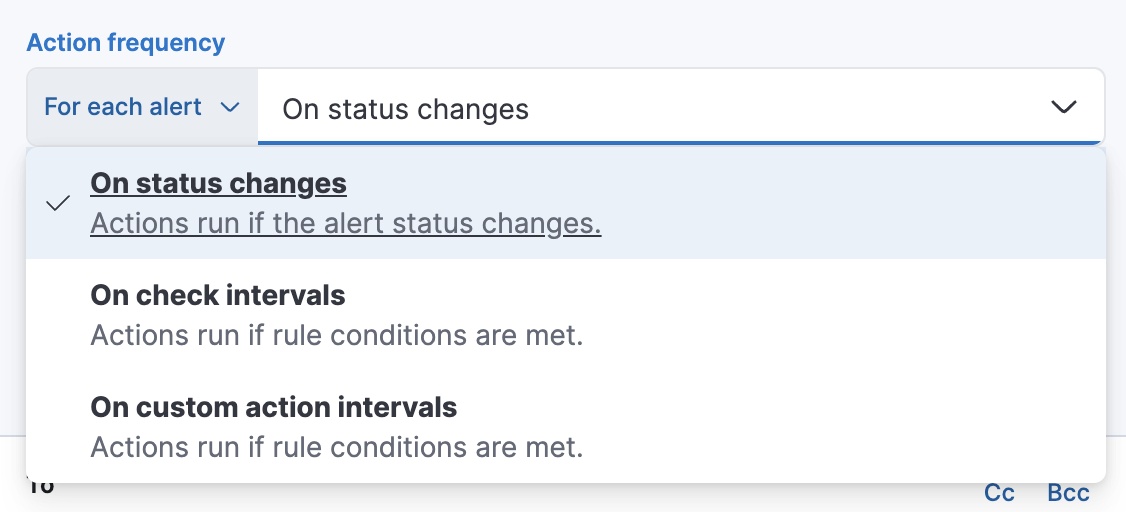
Alternatively, you can set the action frequency such that you choose how often the action runs (for example, at each check interval, only when the alert status changes, or at a custom action interval). In this case, you must also select the specific threshold condition that affects when actions run: Uptime TLS Alert or Recovered (went from down to up).
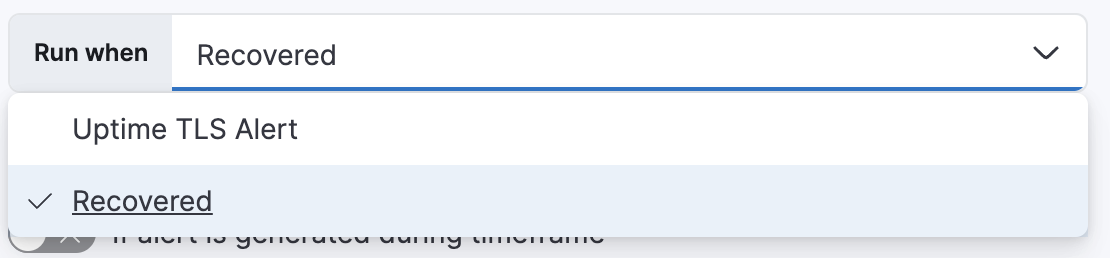
You can also further refine the conditions under which actions run by specifying that actions only run when they match a KQL query or when an alert occurs within a specific time frame:
- If alert matches query: Enter a KQL query that defines field-value pairs or query conditions that must be met for notifications to send. The query only searches alert documents in the indices specified for the rule.
- If alert is generated during timeframe: Set timeframe details. Notifications are only sent if alerts are generated within the timeframe you define.
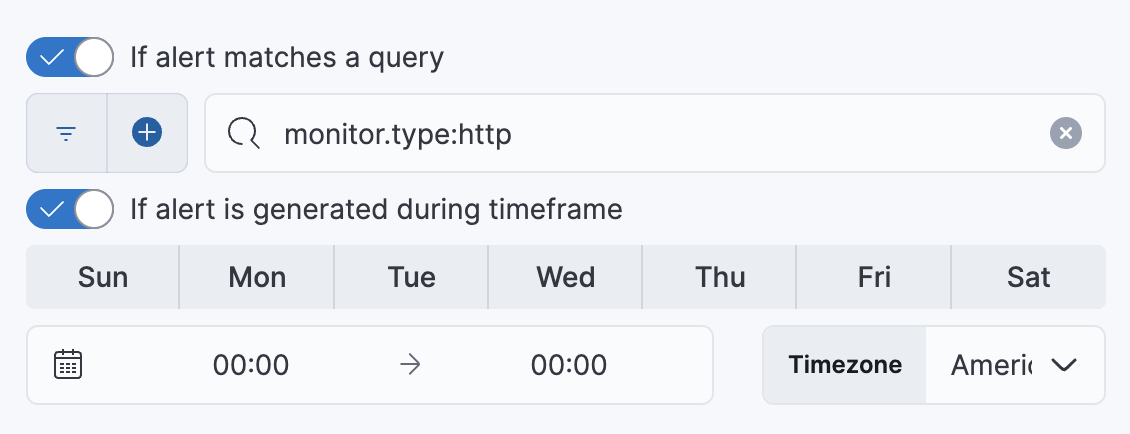
Use the default notification message or customize it. You can add more context to the message by clicking the icon above the message text box and selecting from a list of available variables.
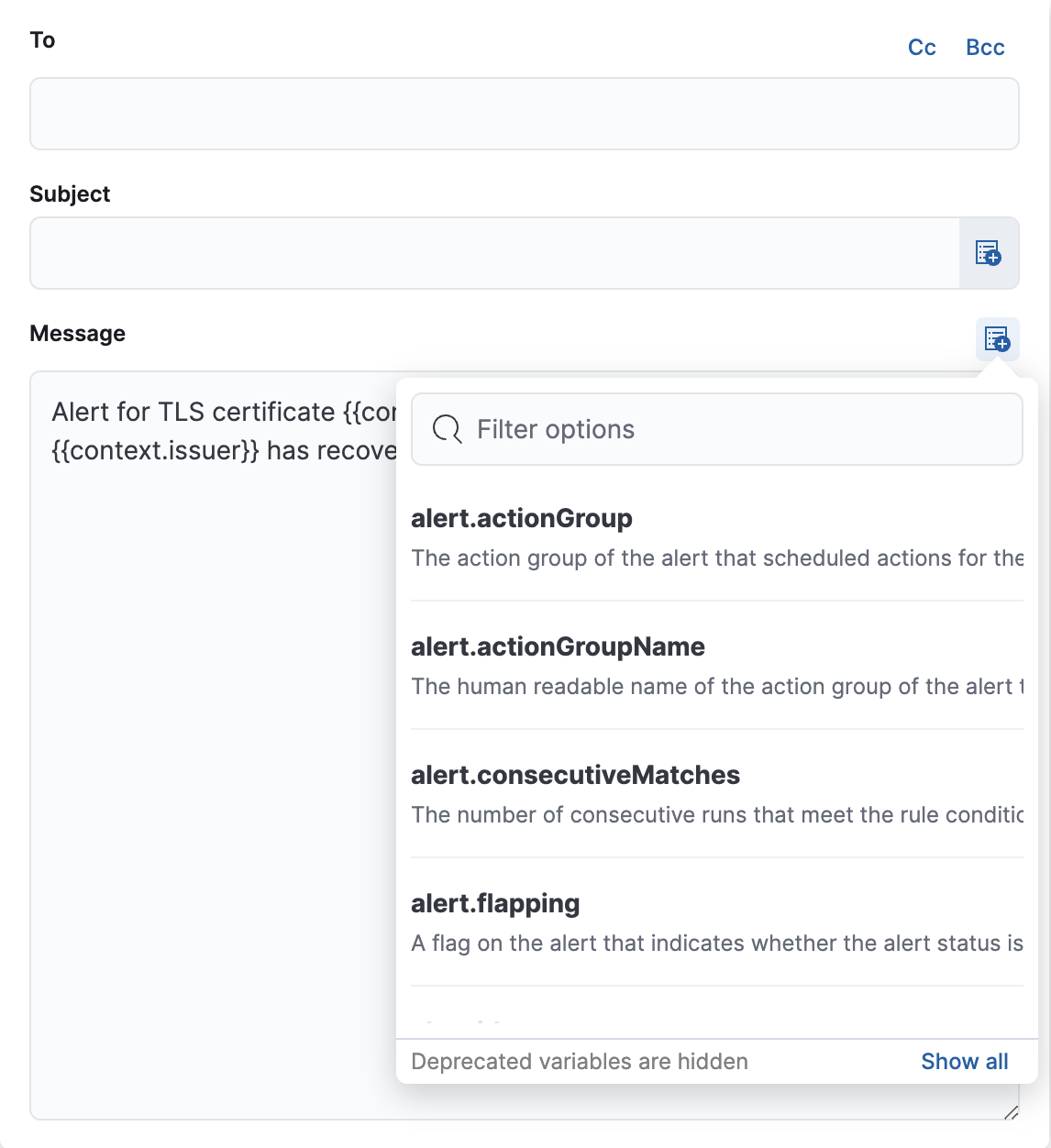
The following variables are specific to this rule type. You can also specify variables common to all rules.
context.agingCommonNameAndDate- The common names and expiration date/time of the detected certs.
context.agingCount- The number of detected certs that are becoming too old.
context.alertDetailsUrl- Link to the alert troubleshooting view for further context and details. This will be an empty string if the
server.publicBaseUrlis not configured. context.count- The number of certs detected by the alert executor.
context.currentTriggerStarted- Timestamp indicating when the current trigger state began, if alert is triggered.
context.expiringCommonNameAndDate- The common names and expiration date/time of the detected certs.
context.expiringCount- The number of expiring certs detected by the alert.
context.firstCheckedAt- Timestamp indicating when this alert first checked.
context.firstTriggeredAt- Timestamp indicating when the alert first triggered.
context.isTriggered- Flag indicating if the alert is currently triggering.
context.lastCheckedAt- Timestamp indicating the alert’s most recent check time.
context.lastResolvedAt- Timestamp indicating the most recent resolution time for this alert.
context.lastTriggeredAt- Timestamp indicating the alert’s most recent trigger time.