Explore and visualize your data
The Elasticsearch platform provides tools to explore, visualize, and monitor your data. They are available across all Elastic solutions and project types.
The typical workflow progresses through three stages:
- Explore your data interactively with Discover.
- Compose a dashboard for your team to use for ongoing monitoring and decision-making.
- Fill it with panels and visualizations built with Lens and other editors.
Discover gives you direct access to documents in your Elasticsearch indices to search, filter, and examine data in real time.
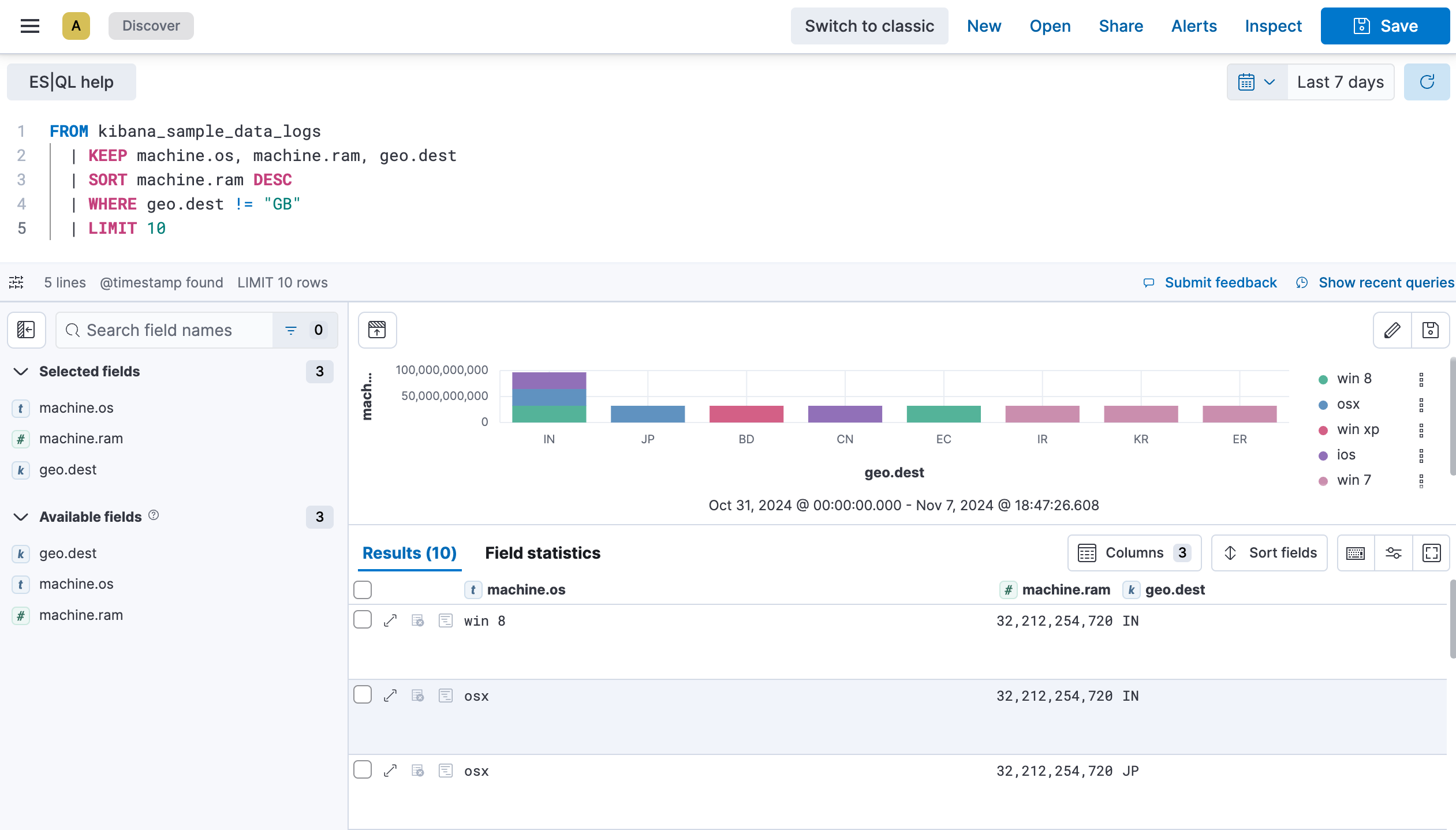
With Discover, you can:
- Search using KQL, Lucene, or ES|QL
- Drill into individual documents and compare fields across records
- Spot patterns in your log data
- Save sessions and add them to dashboards
Dashboards bring multiple visualizations together into a single, interactive view. They combine charts, metrics, maps, and text, and anyone on your team can use filters, time controls, and drilldowns to explore further.
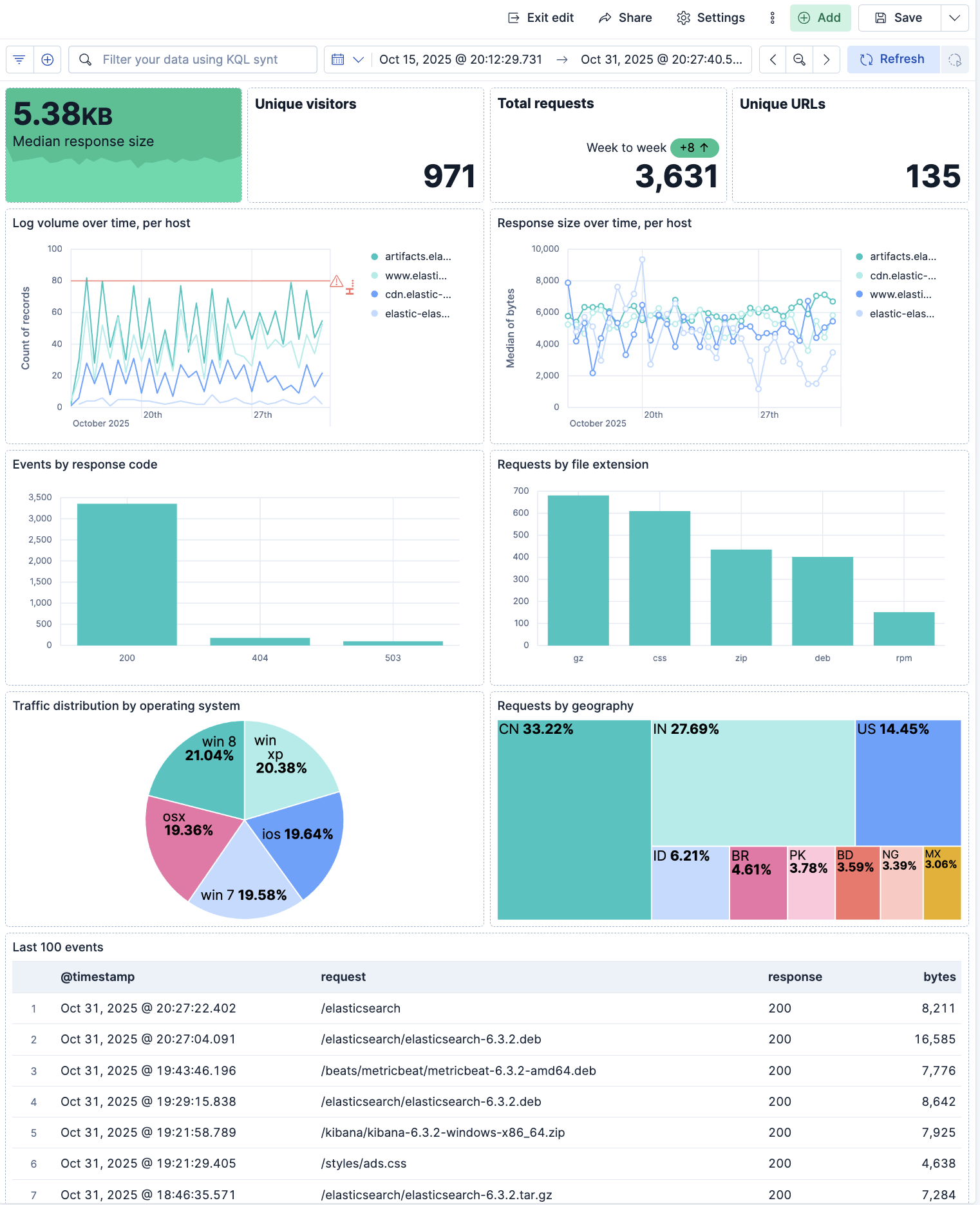
Dashboards are the primary way teams monitor deployment health, security posture, business metrics, or application performance. They're also shareable, embeddable, and can power scheduled reports.
Every chart, table, map, or metric on a dashboard is a panel. Panels and visualizations are the building blocks you use to represent your data visually.
- Lens: drag-and-drop editor for charts, tables, metrics, and more. Lens also supports an ES|QL query mode for building visualizations directly from queries.
- Maps: geospatial data visualization
- Canvas: dynamic, multi-page presentations combining live data with custom styling, images, and text
- Vega: fully custom visualizations
You can also add context with text, images, and link panels.
Learn more about panels and visualizations →
As your collection grows, these tools help you keep everything organized:
- Data views: define which Elasticsearch indices a visualization or Discover session queries
- Tags and spaces: group related content by team, project, or domain
- Saved objects: manage and export your dashboards, visualizations, and saved searches
Learn more about finding and organizing content →
These capabilities form a shared foundation across all Elastic solutions:
- Elastic Observability: dashboards and Discover surface infrastructure metrics, application traces, and log patterns. SLO panels and anomaly charts plug directly into dashboards.
- Elastic Security: specialized views for detection alerts, investigation timelines, and threat intelligence, built on the same dashboard and visualization infrastructure.
- Elasticsearch projects: search analytics, relevance tuning, and content exploration.
These tools and workflows apply to every solution and project type.
- Learn data exploration and visualization: A hands-on tutorial that walks you through exploring data with Discover, building a visualization with Lens, and composing a dashboard.
- Get started with Discover: Explore fields, apply filters, and get familiar with the Discover interface.
- Create your first dashboard: Start with a blank dashboard and add panels to build your first view.