Infrastructure
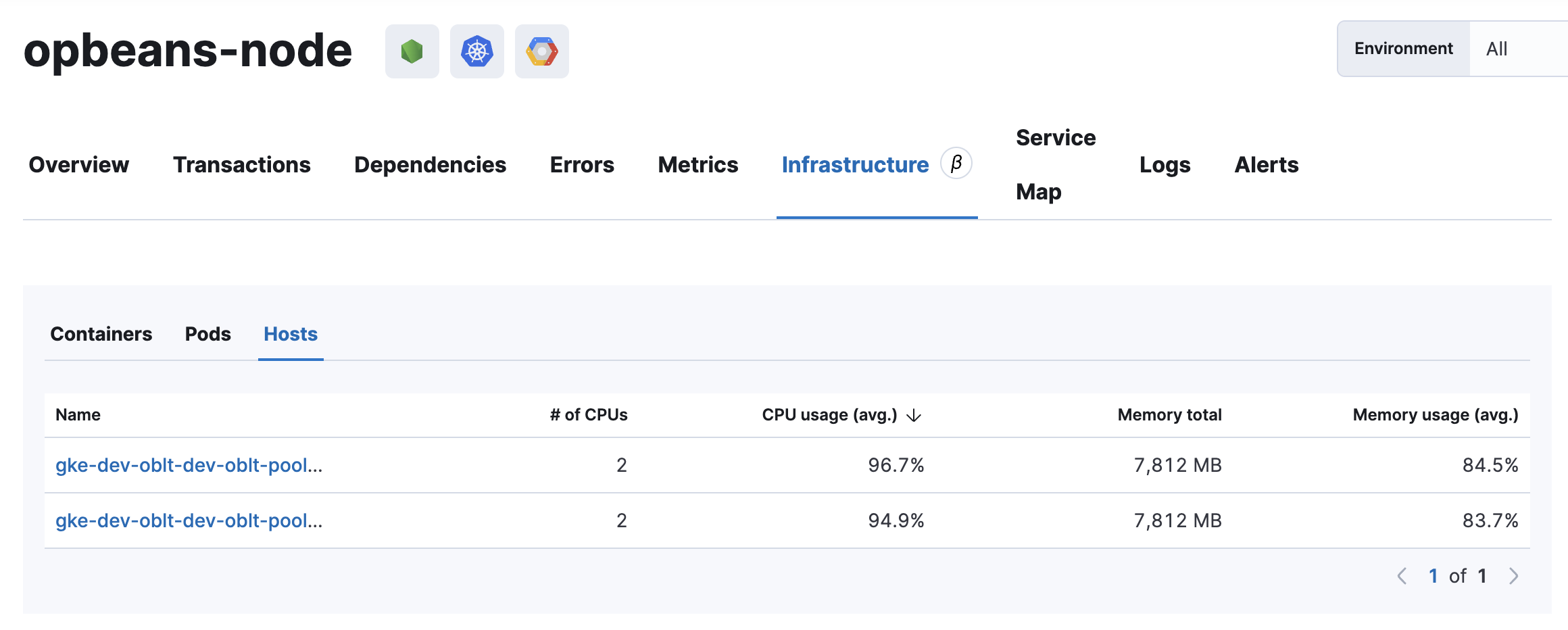
The Infrastructure tab provides information about the containers, pods, and hosts that the selected service is linked to. The data sources and navigation behavior depend on whether the service is instrumented with Elastic APM or OpenTelemetry (OTel).
IT ops and software reliability engineers (SREs) can use this tab to quickly find a service’s underlying infrastructure resources when debugging a problem. Knowing what infrastructure is related to a service allows you to remediate issues by restarting, killing hanging instances, changing configuration, rolling back deployments, scaling up, scaling out, and so on.
Why is the infrastructure tab empty?
If there is no data in the Application UI’s infrastructure tab for a selected service, you can read more about why this happens and how to fix it in the troubleshooting docs.
For services instrumented with Elastic APM, the tab uses the following data sources:
- Pods: Uses the
kubernetes.pod.namefrom the APM metrics data streams. - Containers: Uses the
container.idfrom the APM metrics data streams. - Hosts: If the application is containerized—if the APM metrics documents include
container.id—thehost.nameis used from the infrastructure data streams (filtered bycontainer.id). If not,host.hostnameis used from the APM metrics data streams.
For services instrumented with OpenTelemetry, the tab exclusively shows OTel-observed infrastructure. Click-through destinations differ by resource type:
- Hosts: Links to the Hosts UI, which supports OpenTelemetry and its semantic conventions.
- Containers and Pods: Link to Metrics in Discover, as the Containers and Pods UIs do not yet support OTel semantic conventions.