AutoOps for Elastic Cloud Hosted
For Elastic Cloud Hosted deployments, AutoOps is set up and enabled automatically in all supported regions.
To access AutoOps from your Elastic Cloud console, follow these steps:
- Log in to your Elastic Cloud Hosted account.
- Locate the deployment you want to work on and select Manage.
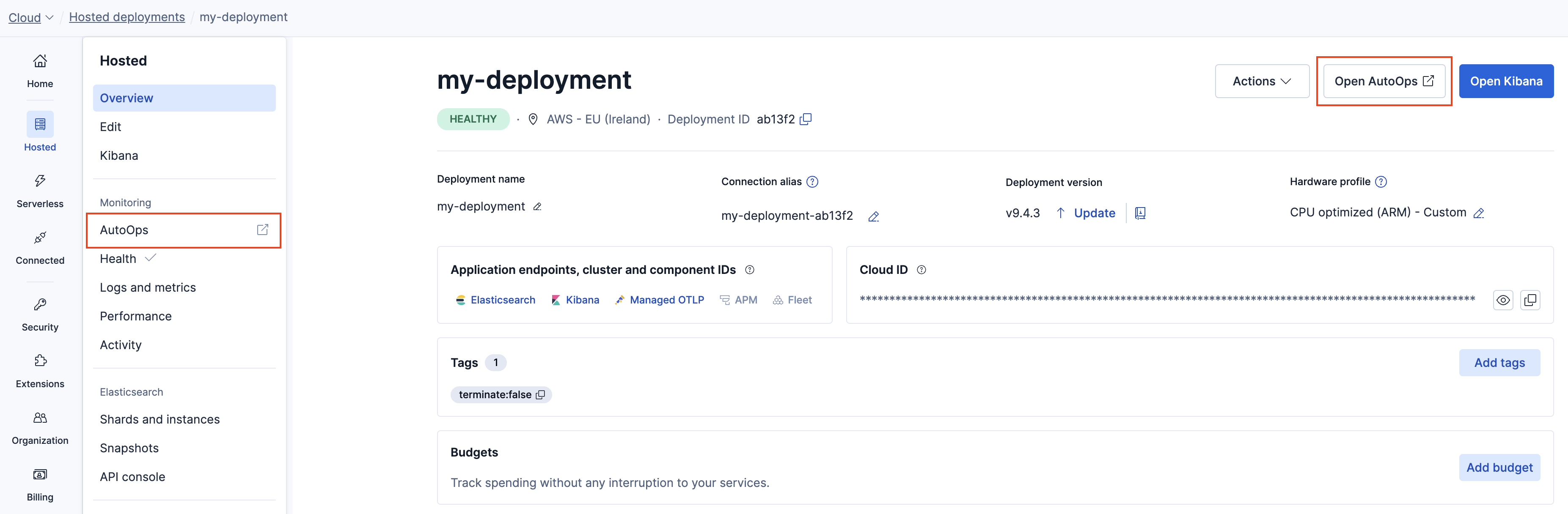
- Select AutoOps from the navigation menu or click Open AutoOps in the deployment overview.
Tip
Refer to our FAQ for answers to frequently asked questions about AutoOps.