Serverless project API keys
In Serverless projects, the following types of API keys exist:
- Personal API keys, that you can create to allow external services to access your serverless project, including the Elasticsearch and Kibana APIs, on behalf of a user.
- Managed API keys, created and managed by Kibana to correctly run background tasks.
As an alternative to using Serverless project API keys, which are tied to a single project, you can create Elastic Cloud API keys that include access to projects' Elasticsearch and Kibana APIs. This allows you to create keys that can interact with multiple projects, and manage API access centrally from the Elastic Cloud console.
The cross-project search feature requires Elastic Cloud API keys for programmatic access.
To manage API keys in Kibana, go to the API keys management page in the navigation menu or use the global search field.
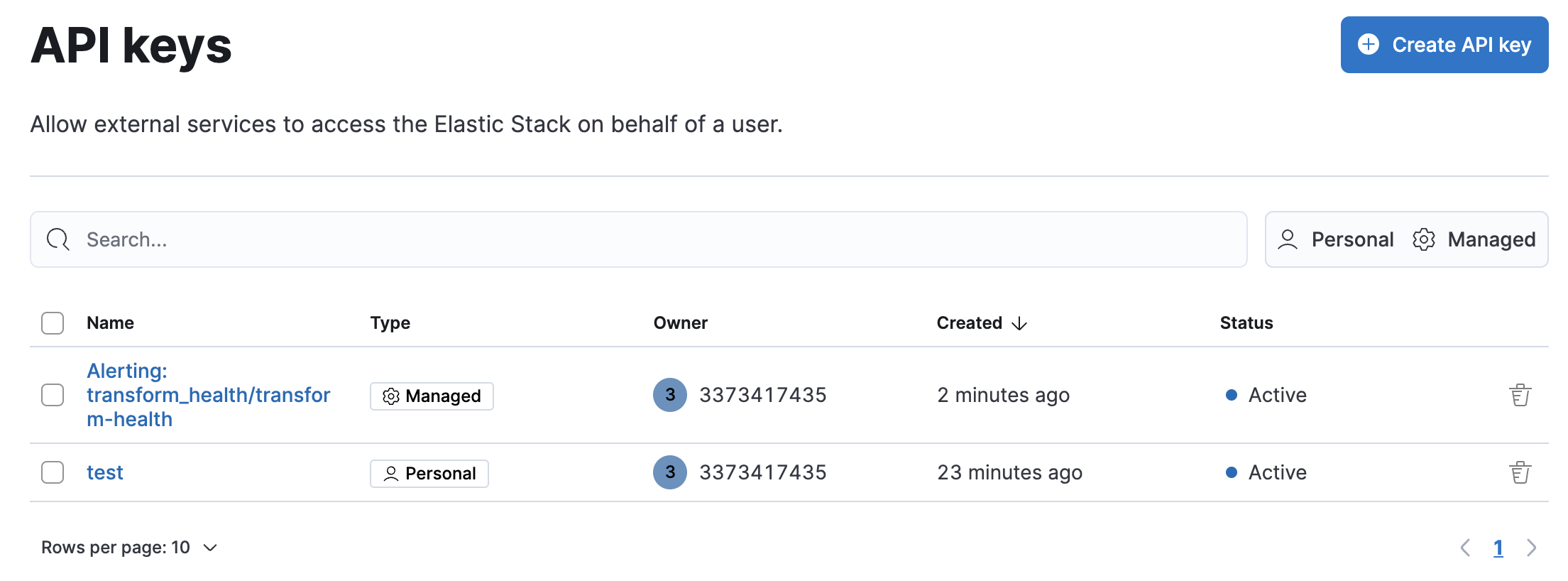
The following options are available to create an API key:
- As a quick option, use the simple API key creation menu.
- For more complex key creation needs, use the API key page.
- Create an API key using the Elasticsearch API.
You can create a basic personal API key from anywhere in Kibana:
- From the Help menu , select Connection details → API key.
- Give the key a name.
- Select Create API key.
Your personal API key is created with a default expiration of 90 days from the time of creation. You can manage the key from the API keys page.
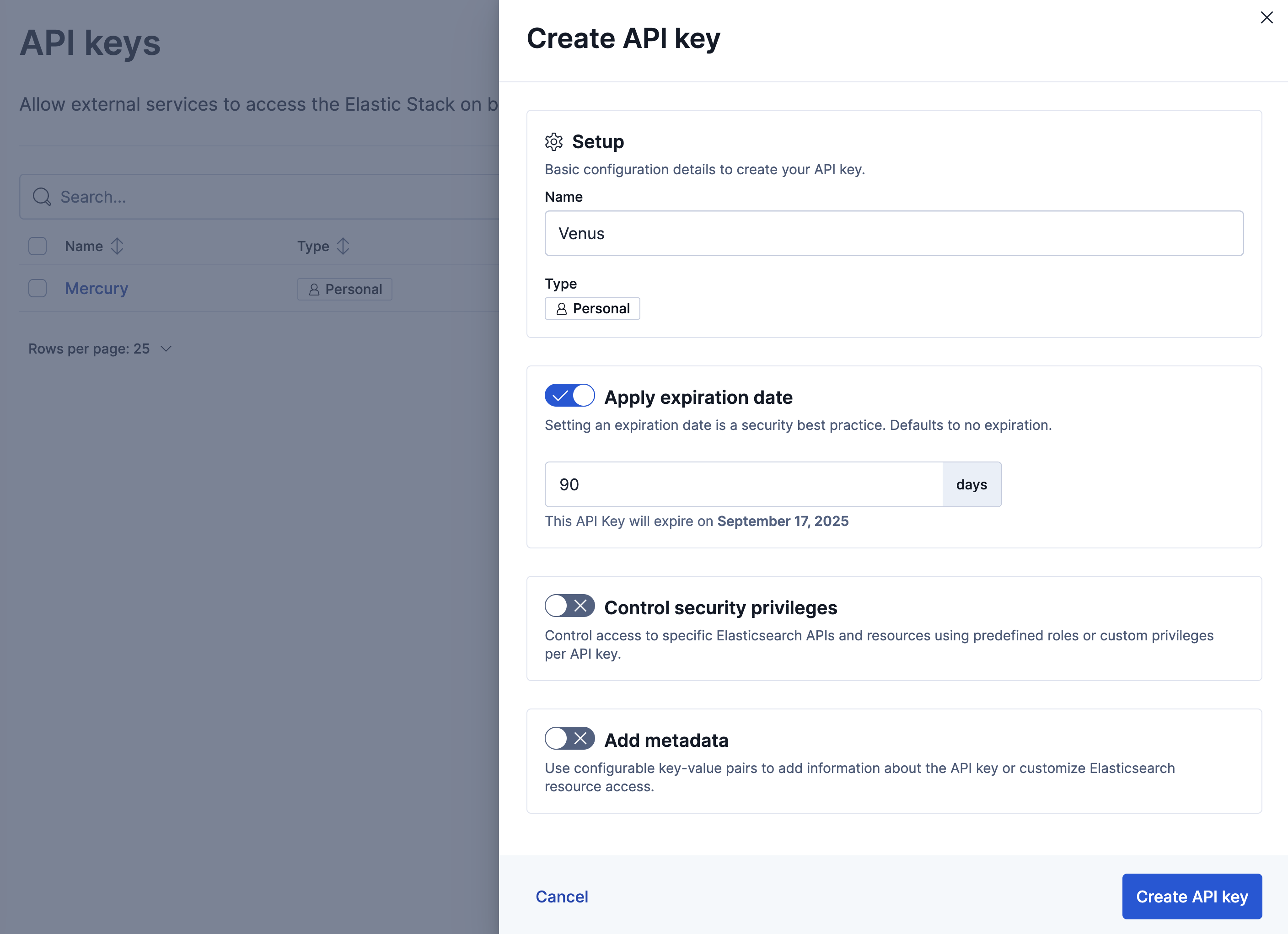
Use the API key page to create a personal API key with configurable options.
- Go to the API keys management page in the navigation menu or use the global search field.
- Select Create API key.
- Give the key a name.
- Optionally, set an expiry date. By default the API key does not expire, but it's a good security practice to give the key a limited lifespan.
- Optionally, configure access to specific Elasticsearch APIs and resources by assigning the key with predefined roles or custom privileges. Refer to Control security privileges and the Create API key API documentation to learn more.
- Add any additional metadata about the API key as one or more key-value pairs. Refer to the Create API key API documentation for examples.
Once created, you can copy the encoded API key and use it to send requests to the Elasticsearch HTTP API. For example:
curl "${ES_URL}" \
-H "Authorization: ApiKey ${API_KEY}"
API keys are intended for programmatic access. Don’t use API keys to authenticate access using a web browser.
When you create or update an API key, use Control security privileges to configure access to specific Elasticsearch APIs and resources. Define the permissions using a JSON role_descriptors object, where you specify one or more roles and the associated privileges.
For example, the following role_descriptors object defines a books-read-only role that limits the API key to read privileges on the books index.
{
  "books-read-only": {
    "cluster": [],
    "indices": [
      {
        "names": ["books"],
        "privileges": ["read"]
      }
    ],
    "applications": [],
    "run_as": [],
    "metadata": {},
    "transient_metadata": {
      "enabled": true
    }
  }
}
For the role_descriptors object schema, check out the /_security/api_key endpoint docs. For supported privileges, check Security privileges.
In API keys, click on the name of the key. You can update only Control security privileges and Include metadata.
The API keys app lists your API keys, including the name, date created, and status. When API keys expire, the status changes from Active to Expired.
You can delete API keys individually or in bulk.
- Find your Serverless project connection details: Pair a key with your project's Elasticsearch endpoint to connect clients and tools.