Prevent Elastic Agent uninstallation
Serverless Security Stack
For hosts enrolled in Elastic Defend, you can add a layer of security by enabling Agent tamper protection on the Elastic Agent policy. This helps prevent casual users from bypassing or disabling Elastic Defend's endpoint protections.
When this setting is enabled, the uninstall CLI command for Elastic Agent and Elastic Endpoint requires a unique uninstall token. One unique uninstall token is generated per Elastic Agent policy, and you can retrieve uninstall tokens in an Elastic Agent policy’s settings or in the Fleet UI.
Tamper protection is a defense-in-depth capability that does not provide comprehensive protection against all administrative attacks. Administrators are in control of the security of a device and can change core OS settings, alter key system files, uninstall security patches, or even replace the OS entirely. To prevent users from uninstalling or sabotaging Elastic Defend, avoid granting them administrative privileges.
- In Elastic Stack, agent tamper protection requires a Platinum or higher subscription.
- In Serverless, agent tamper protection requires the Endpoint Protection Complete project feature tier.
- Hosts must be enrolled in the Elastic Defend integration.
- Elastic Agents must be version 8.11.0 or later.
- This feature is supported for all operating systems.
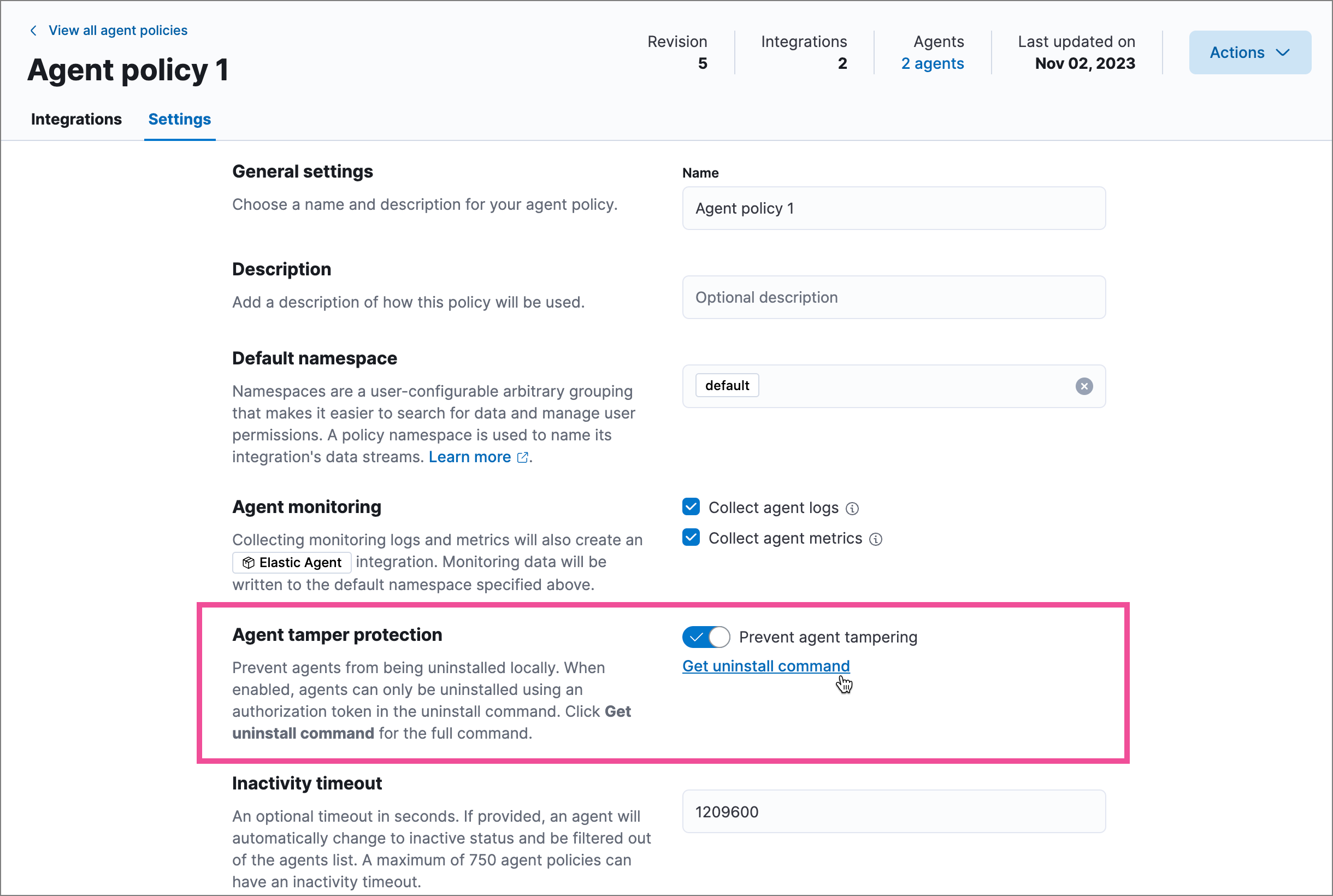
You can enable Agent tamper protection by configuring the Elastic Agent policy.
Find Fleet in the navigation menu or by using the global search field.
Select Agent policies, then select the Agent policy you want to configure.
Select the Settings tab on the policy details page.
In the Agent tamper protection section, turn on the Prevent agent tampering setting.
This makes the Get uninstall command link available, which you can follow to get the uninstall token and CLI command if you need to uninstall an Agent on this policy.
TipYou can also access an Agent policy’s uninstall tokens on the Uninstall tokens tab on the Fleet page. Refer to Access uninstall tokens for more information.
Select Save changes.
If you need the uninstall token to remove Elastic Agent from an endpoint, you can find it in several ways:
On the Agent policy: Go to the Agent policy’s Settings tab, then click the Get uninstall command link. The Uninstall agent flyout opens, containing the full uninstall command with the token.
On the Fleet page: Select Uninstall tokens for a list of the uninstall tokens generated for your Agent policies. You can:
- Click the Show token icon in the Token column to reveal a specific token.
- Click the View uninstall command icon in the Actions column to open the Uninstall agent flyout, containing the full uninstall command with the token.
If you have many tamper-protected Elastic Agent policies, you may want to provide multiple uninstall tokens in a single command.