Create APM agent key for EDOT SDKs
APM agent keys are least-privilege API keys for ingesting APM data. Create these keys using the Applications UI in Kibana.
APM agent keys are sent as plain text, so they only provide security when used in combination with TLS.
There are two ways to create API keys in Kibana:
- Stack Management > API keys > Create API key: Creates general-purpose API keys for Elasticsearch operations. For more information, refer to Elasticsearch API keys.
- Applications > Settings > Agent keys > Create APM agent key (the method described on this page): Creates API keys specifically for ingesting APM data. All Elastic Distribution of OpenTelemetry (EDOT) SDKs should use this method.
The Applications UI provides a built-in workflow to create APM agent keys. These keys have the minimum required privileges for EDOT SDKs to send data to Elastic.
To create an APM agent key:
- In Kibana, find Applications in the main menu or use the global search field.
- Select any Applications page.
- Go to Settings > Agent keys.
- Select Create APM agent key.
- Enter a name for your API key.
- Assign at least one privilege:
- Ingest (
event:write): Required to ingest agent events. - Agent configuration (
config_agent:read): Required to use agent central configuration for remote configuration.
- Ingest (
- Select Create APM agent key.
- Copy the API key now. You won't be able to view it again.
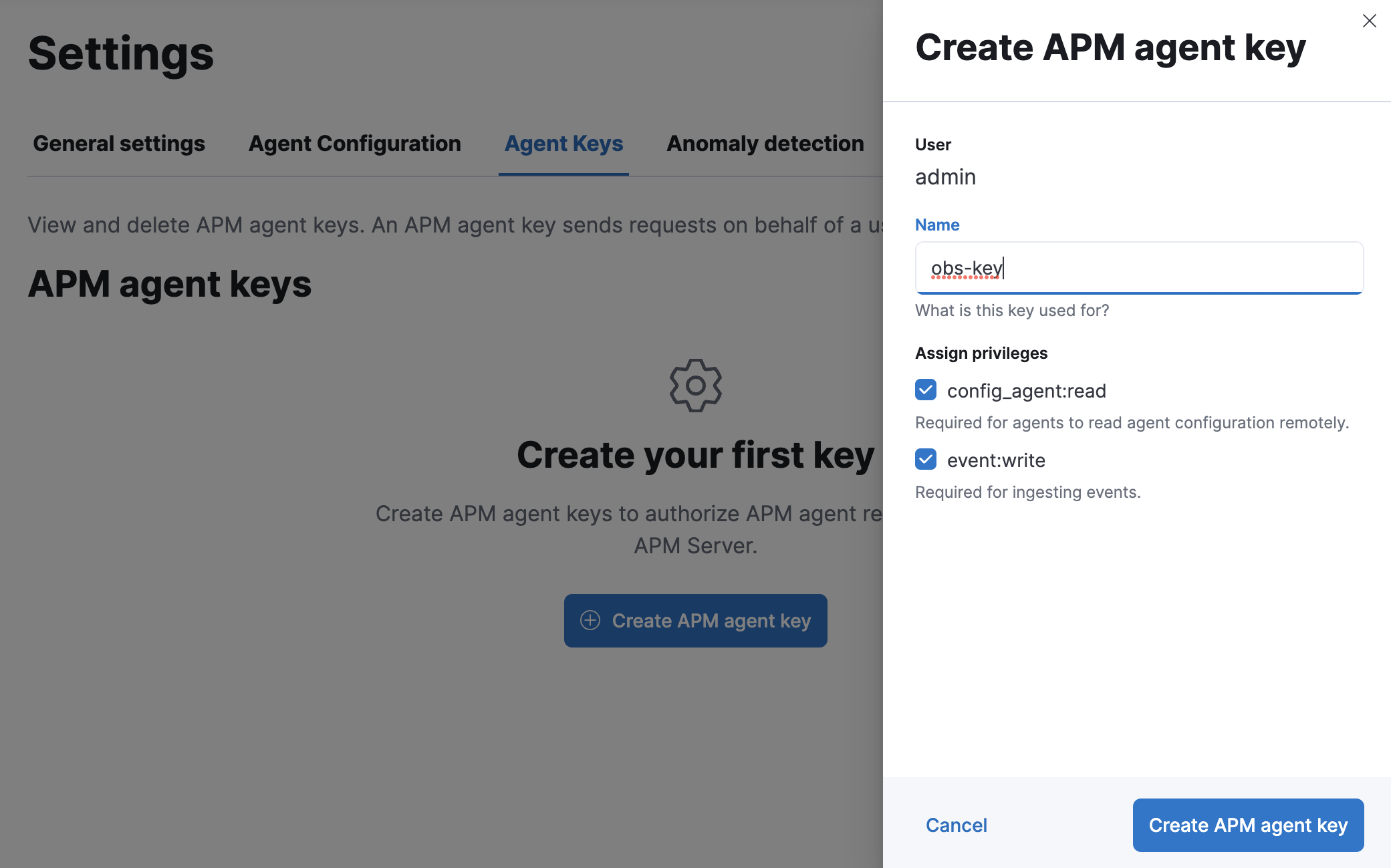
To create an APM agent key:
- In your Elastic Observability Serverless project, go to any Applications page.
- Select Settings > Agent keys.
- Select Create APM agent key.
- Enter a name for your API key.
- Assign at least one privilege:
- Ingest (
event:write): Required to ingest agent events. - Agent configuration (
config_agent:read): Required to use agent central configuration for remote configuration.
- Ingest (
- Select Create APM agent key.
- Copy the API key now. You won't be able to view it again. API keys do not expire.
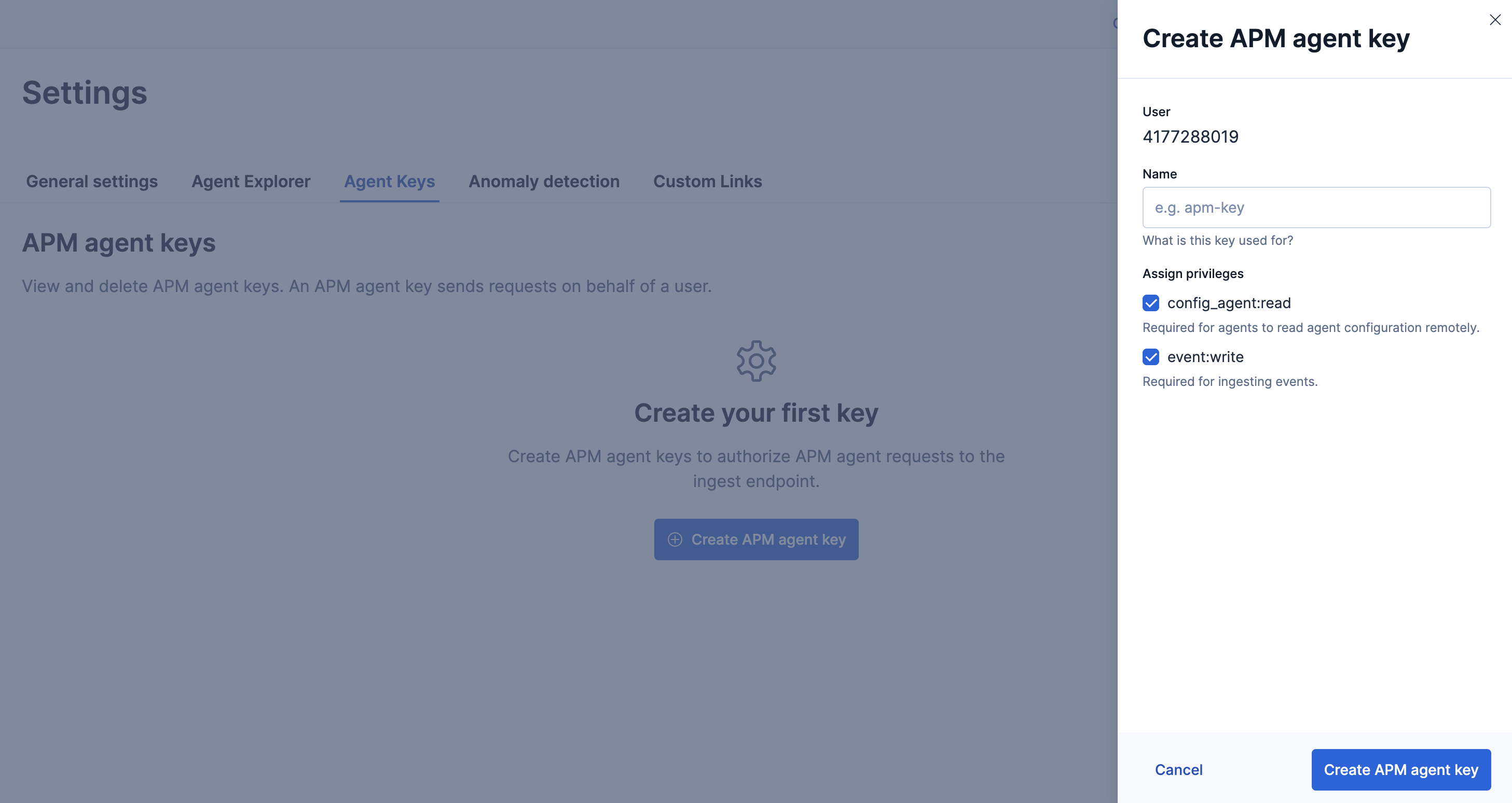
For EDOT SDKs, the Agent configuration privilege enables EDOT SDKs Central Configuration for remote configuration.
After creating the APM agent key, configure your EDOT SDK to use it. Configuration details vary by language and deployment:
- Android:
apiKey - .NET:
ApiKey - iOS:
withApiKey - Java:
api_key - Node.js:
apiKey - PHP:
api_key - Python:
api_key
To create an APM agent key, you must have the required privileges:
You must have the manage_own_api_key cluster privilege and the APM application privileges they intend to assign. Additionally, appropriate Kibana Space and Feature privileges are needed to access the Applications UI.
For details on configuring the minimum required privileges, refer to API keys for Elastic APM.
For Observability Serverless projects, the Editor role or higher is required to create and manage API keys. Refer to Assign user roles and privileges for more information.