Serverless project API keys
In Serverless projects, the following types of API keys exist:
- Personal API keys, that you can create to allow external services to access your serverless project, including the Elasticsearch and Kibana APIs, on behalf of a user.
- Managed API keys, created and managed by Kibana to correctly run background tasks.
As an alternative to using Serverless project API keys, which are tied to a single project, you can create Elastic Cloud API keys that include access to projects' Elasticsearch and Kibana APIs. This allows you to create keys that can interact with multiple projects, and manage API access centrally from the Elastic Cloud console.
To manage API keys in Kibana, go to the API keys management page in the navigation menu or use the global search field.
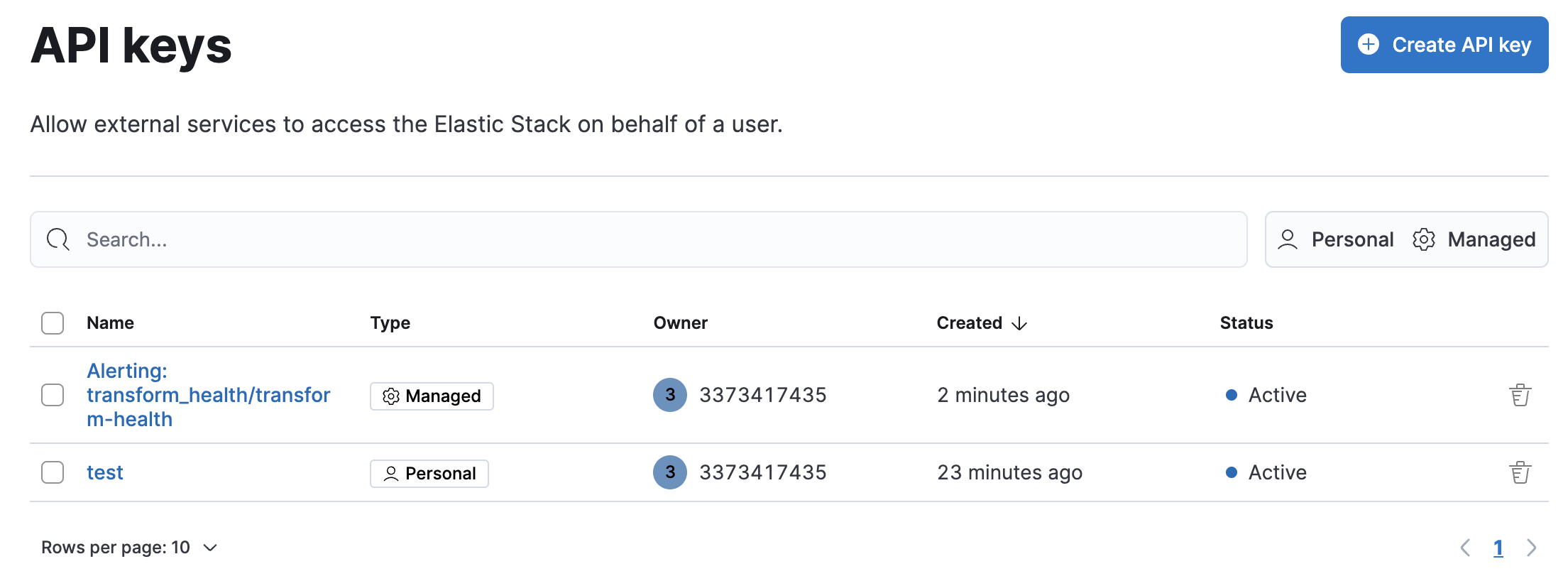
In API keys, click Create API key:
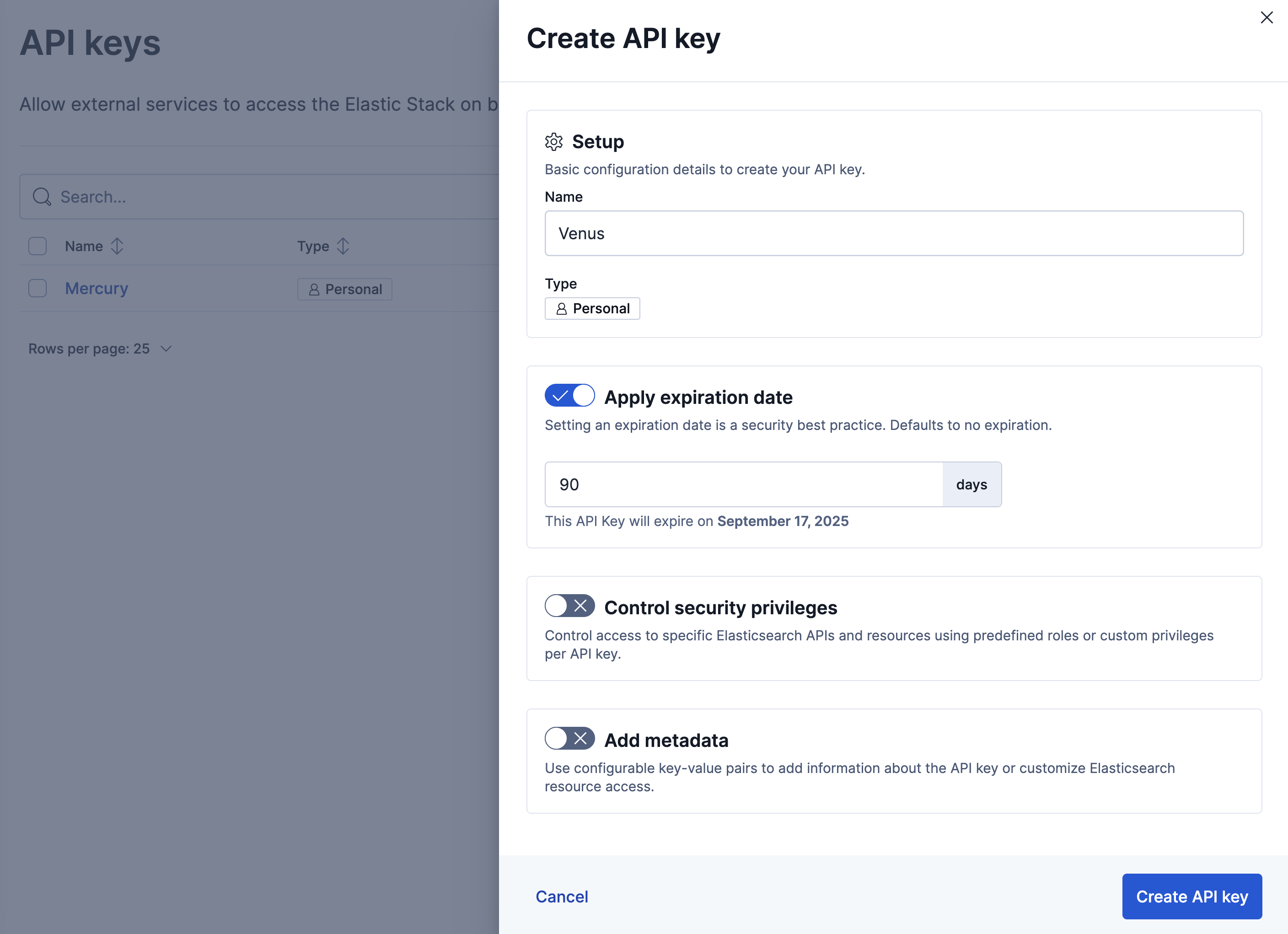
Once created, you can copy the encoded API key and use it to send requests to the Elasticsearch HTTP API. For example:
curl "${ES_URL}" \
-H "Authorization: ApiKey ${API_KEY}"
API keys are intended for programmatic access. Don’t use API keys to authenticate access using a web browser.
When you create or update an API key, use Control security privileges to configure access to specific Elasticsearch APIs and resources. Define the permissions using a JSON role_descriptors object, where you specify one or more roles and the associated privileges.
For example, the following role_descriptors object defines a books-read-only role that limits the API key to read privileges on the books index.
{
  "books-read-only": {
    "cluster": [],
    "indices": [
      {
        "names": ["books"],
        "privileges": ["read"]
      }
    ],
    "applications": [],
    "run_as": [],
    "metadata": {},
    "transient_metadata": {
      "enabled": true
    }
  }
}
For the role_descriptors object schema, check out the /_security/api_key endpoint docs. For supported privileges, check Security privileges.
In API keys, click on the name of the key. You can update only Restrict privileges and Include metadata.
The API keys app lists your API keys, including the name, date created, and status. When API keys expire, the status changes from Active to Expired.
You can delete API keys individually or in bulk.