Find your project connection details
When you connect clients and tools to a Elastic Cloud Serverless project, these are the main connection details you'll work with:
- Elasticsearch endpoint
- The HTTPS URL you use to send requests to your project. Most clients, SDKs, and integrations connect with this URL plus an API key.
- API key
- Authenticates the client to your project. Serverless does not support username and password authentication for these connections.
- Cloud ID
- A unique, encoded string that represents your project's Elasticsearch endpoint (and, where applicable, Kibana endpoint) in a compact form. Compatible clients can use it instead of configuring host URLs individually: the client resolves those endpoints from the Cloud ID.
Open your Serverless project.
Select the Help icon in the upper right corner, and then select Connection Details.
From the Endpoints tab, copy the Elasticsearch endpoint.
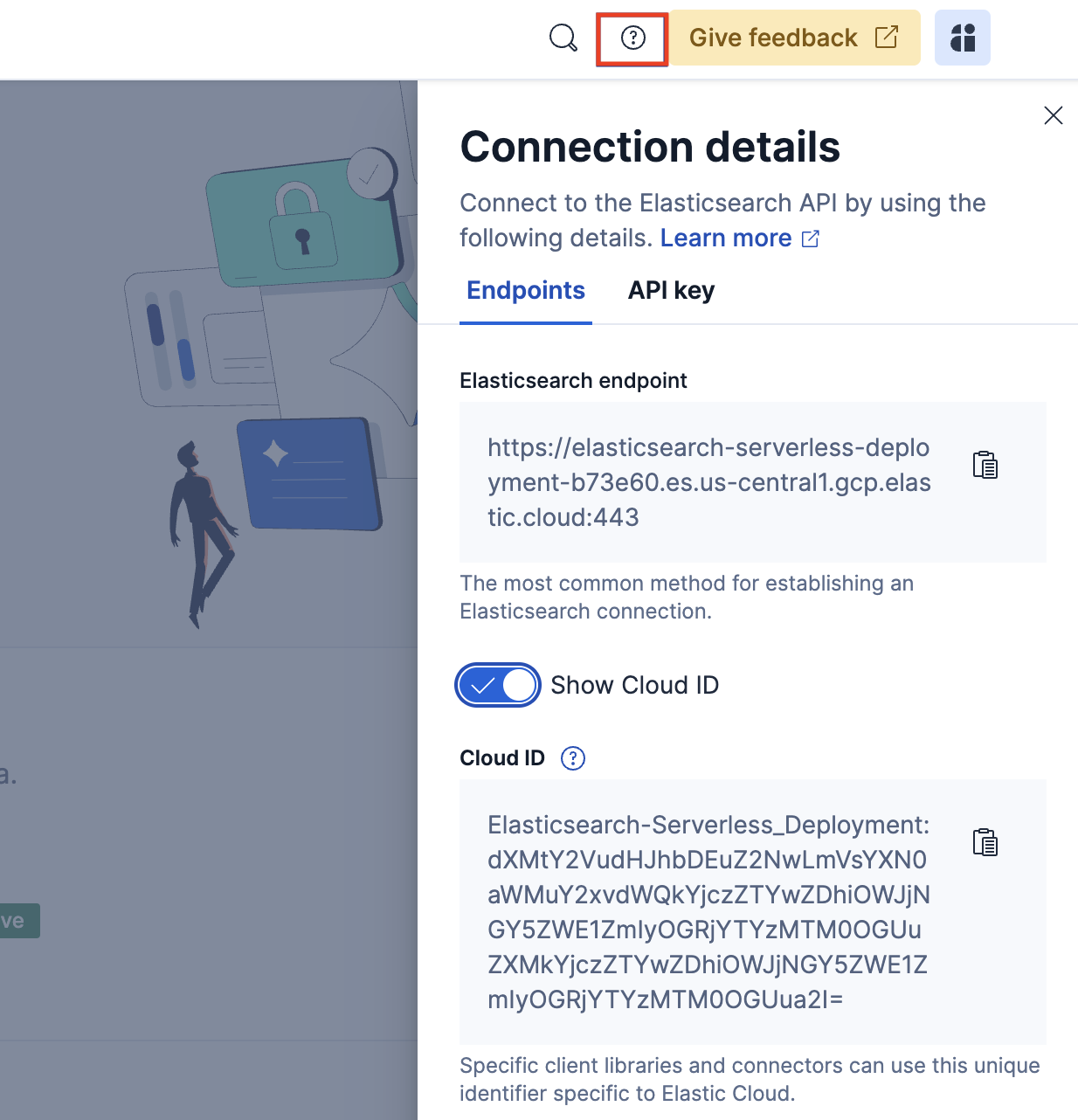
To copy the Cloud ID, enable Show Cloud ID, then copy the value.
You can create an API key from your project's home page, or open the API keys page from the navigation menu or with the global search field.
For steps, privileges, and key types, refer to Serverless project API keys.
After you have your project's connection details, use them to configure a client or data shipper. Explore these pages:
- Beats for Elasticsearch Serverless: Configure Beats to send logs, metrics, and other data using your Elasticsearch endpoint and API key.
- Sending data to Elasticsearch Serverless: Configure Logstash to send data to your project.
- Install Elastic Agent: Collect and ship data with Elastic Agent and Fleet.
- Elasticsearch language clients: Connect applications to your project with an official client library.
- Ingest: Bring your data to Elastic: Browse other ingest options, from APIs and connectors to OpenTelemetry.