About building block rules
A building block rule creates alerts that the Alerts table hides by default. Use building block rules for activity that isn't worth triaging on its own but matters in combination with other activity. For example, you can create several building block rules that each detect one low-risk behavior, and then create a rule that alerts when several of those behaviors happen on the same host.
Rule actions still run for building block rules, so you can get notifications when they create alerts.
When you create or edit a rule of any type, open Advanced settings in the About rule step, and then select Mark all generated alerts as "building block" alerts.
To detect a combination of building block alerts, create a rule that searches the alerts index instead of your event indices. Select Index Patterns as the rule's Source, and enter the index pattern for alert indices (.alerts-security.alerts-*):
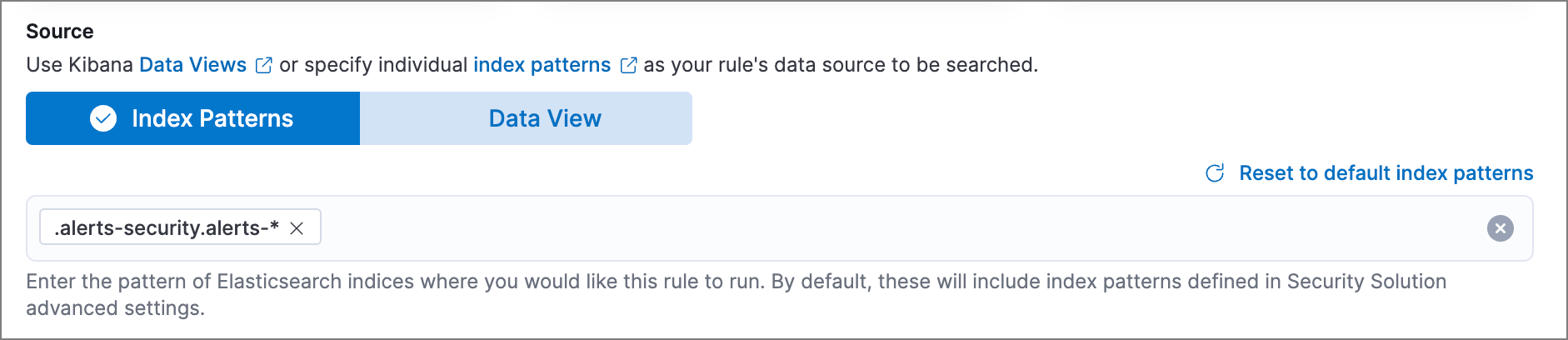
In the rule's query, match the building block alerts you want to combine, for example by their kibana.alert.rule.name value. For more ways to query alerts, refer to Query alert indices.
To show building block alerts in the Alerts table, select Additional filters → Include building block alerts. The table hides them by default.
Including building block alerts helps when the visible alerts don't give you enough context, for example:
- A host or user has a high entity risk score but no visible alerts. Building block alerts count toward risk scores.
- An alert comes from a rule that searches the alerts index, and you want to review the low-risk activity that led to it.
- You're investigating a host or user and want to check for low-risk activity on it.
- You need the details of each event in an EQL sequence. To learn how to review them, refer to Review each event in the sequence.