ES|QL ENRICH command
ENRICH enables you to add data from existing indices as new columns using an
enrich policy.
Consider using LOOKUP JOIN instead of ENRICH for your use case.
Learn more:
ENRICH policy [ON match_field] [WITH [new_name1 = ]field1, [new_name2 = ]field2, ...]
policy- The name of the enrich policy. You need to create and execute the enrich policy first.
mode- The mode of the enrich command in cross cluster ES|QL. See enrich across clusters.
match_field- The match field.
ENRICHuses its value to look for records in the enrich index. If not specified, the match will be performed on the column with the same name as thematch_fielddefined in the enrich policy. fieldX- The enrich fields from the enrich index that are added to the result as new columns. If a column with the same name as the enrich field already exists, the existing column will be replaced by the new column. If not specified, each of the enrich fields defined in the policy is added. A column with the same name as the enrich field will be dropped unless the enrich field is renamed.
new_nameX- Enables you to change the name of the column that's added for each of the enrich fields. Defaults to the enrich field name. If a column has the same name as the new name, it will be discarded. If a name (new or original) occurs more than once, only the rightmost duplicate creates a new column.
ENRICH enables you to add data from existing indices as new columns using an
enrich policy.
Refer to Data enrichment
for information about setting up a policy.
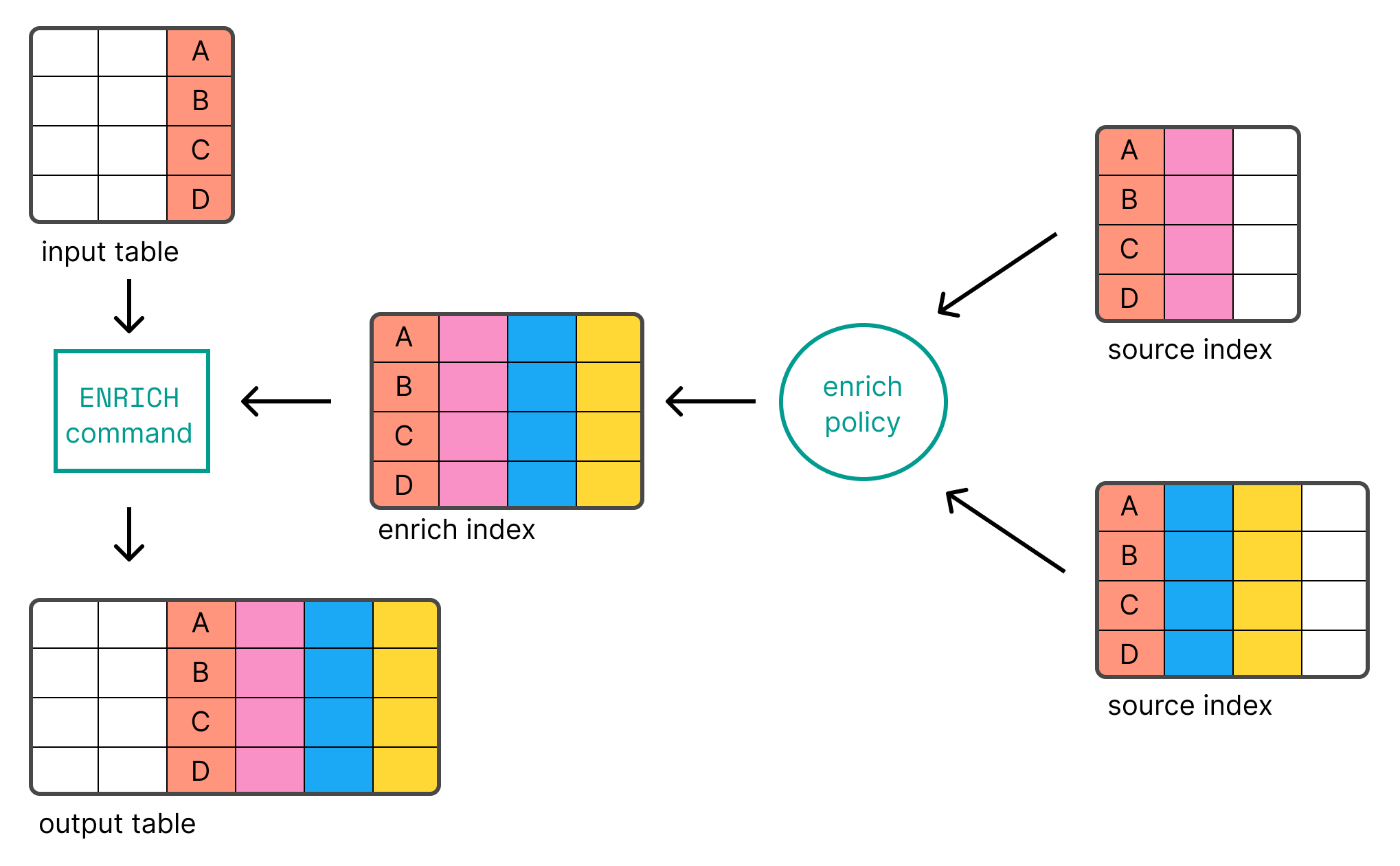
Before you can use ENRICH, you need to create and execute an enrich policy.
In case of name collisions, the newly created columns will override existing columns.
The following examples show common ENRICH patterns.
ENRICH looks for records in the enrich index
using the match_field defined in the enrich policy.
The input table must have a column with the same name (language_code in this example):
ROW language_code = "1"
| ENRICH languages_policy
| language_code:keyword | language_name:keyword |
|---|---|
| 1 | English |
To use a column with a different name than the match_field defined in the
policy as the match field, use ON <column-name>:
ROW a = "1"
| ENRICH languages_policy ON a
| a:keyword | language_name:keyword |
|---|---|
| 1 | English |
By default, each of the enrich fields defined in the policy is added as a
column. To explicitly select the enrich fields that are added, use
WITH <field1>, <field2>, ...:
ROW a = "1"
| ENRICH languages_policy ON a WITH language_name
| a:keyword | language_name:keyword |
|---|---|
| 1 | English |
Rename the columns that are added using WITH new_name=<field1>:
ROW a = "1"
| ENRICH languages_policy ON a WITH name = language_name
| a:keyword | name:keyword |
|---|---|
| 1 | English |