Share, alert, and automate
The Elasticsearch platform provides tools to share insights, get notified about important changes, automate responses, and track incidents. These tools work together across every Elastic solution and project type.
Reporting and sharing lets you export and distribute dashboards, Discover sessions, and visualizations, including to people who don't log into Kibana.
- Generate reports on demand or schedule them automatically
- Export as PDF, PNG snapshots, or CSV files
- Share direct links to live dashboards with real-time, filtered views
Learn more about reporting and sharing →
Alerting monitors your Elasticsearch data continuously and notifies you when specific conditions are met, so you don't have to watch dashboards around the clock.
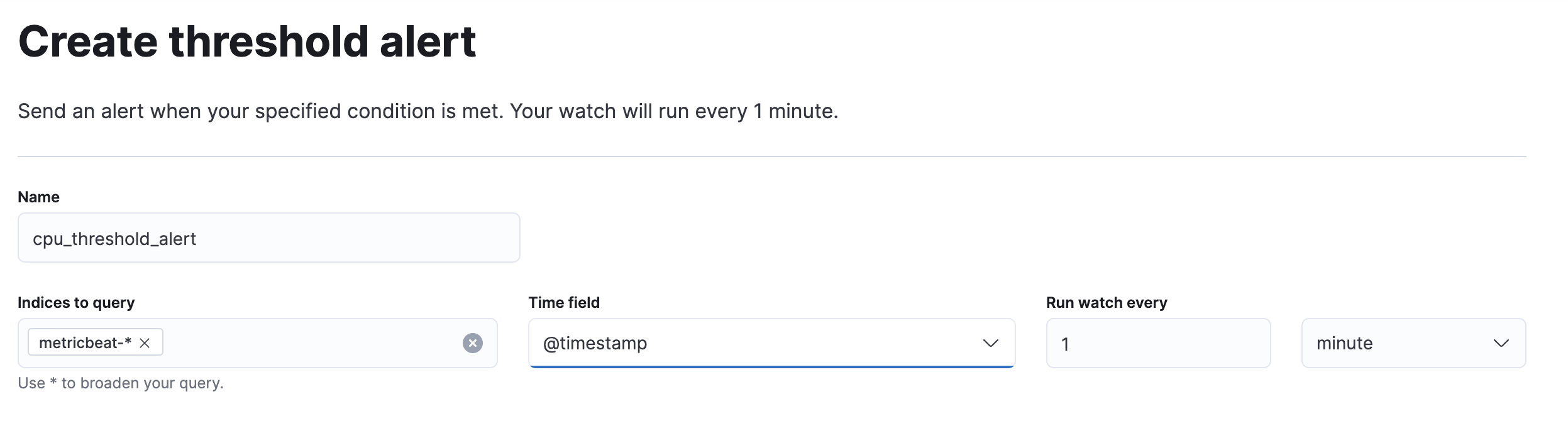
Define rules that evaluate your data on a schedule and trigger actions when criteria are met:
- Threshold rules: notify you when error rates spike
- Machine learning rules: alert on anomalies
- Geo-containment rules: track assets leaving a defined area
Notifications go where your team already works: email, Slack, PagerDuty, Microsoft Teams, webhooks, and more.
Elastic solutions extend this foundation with domain-specific rules. Security detection rules match threat patterns, while Observability rules monitor SLOs, infrastructure metrics, and log error rates. All rules share the same interface, action framework, and notification channels.
Workflows turn manual, repetitive processes into automated sequences that run reliably every time.
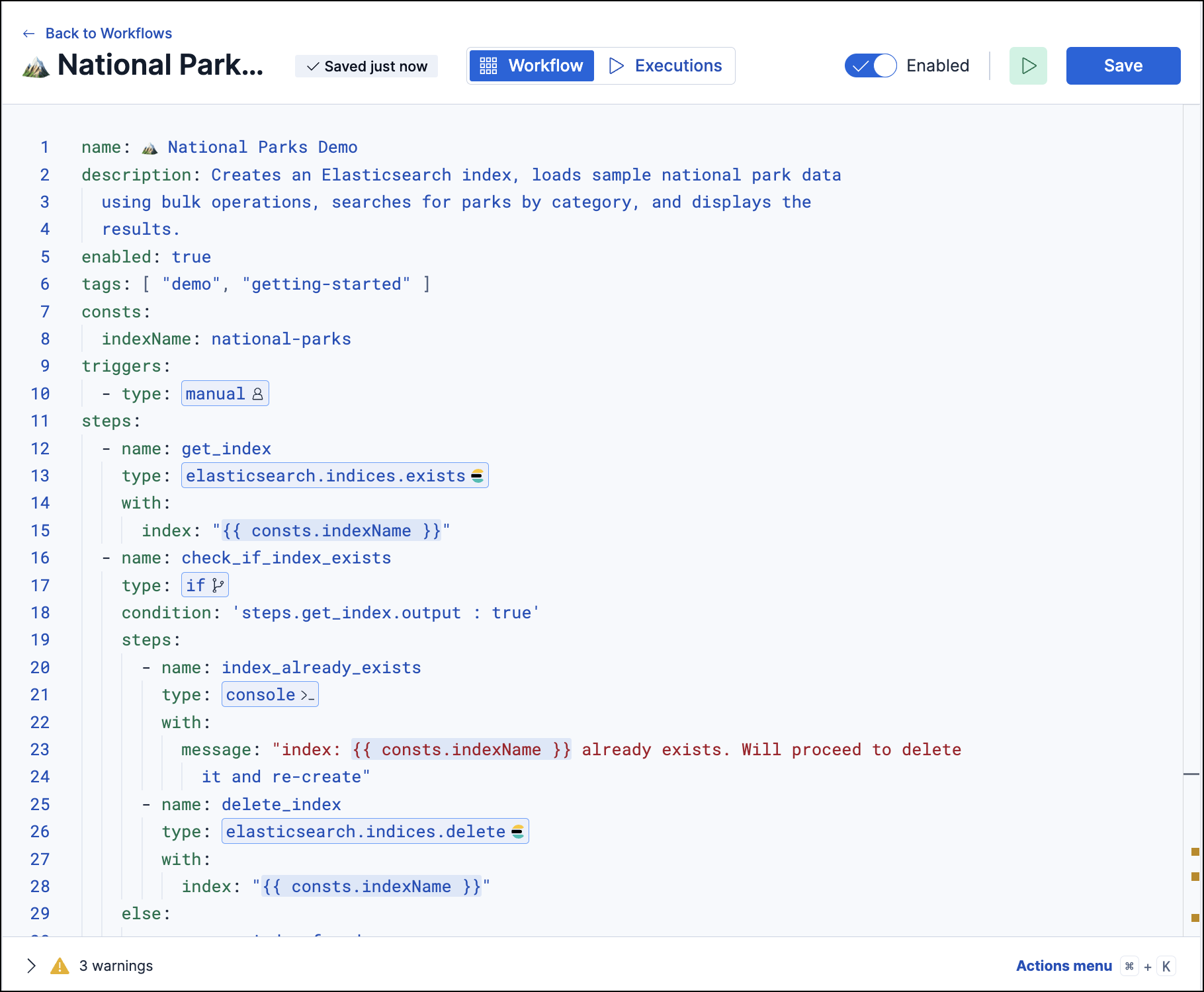
A workflow is a sequence of steps triggered by an alert, a schedule, or a manual action. Each step can:
- Query Elasticsearch or call external APIs
- Branch on conditions or loop over collections
- Create cases, send notifications, or isolate hosts
For example, when a security alert fires, a workflow can enrich it with threat intelligence, create a case, notify the on-call analyst, and isolate the affected host, all without human intervention.
Cases provide a central place to track incidents, document findings, and coordinate response efforts across your team.
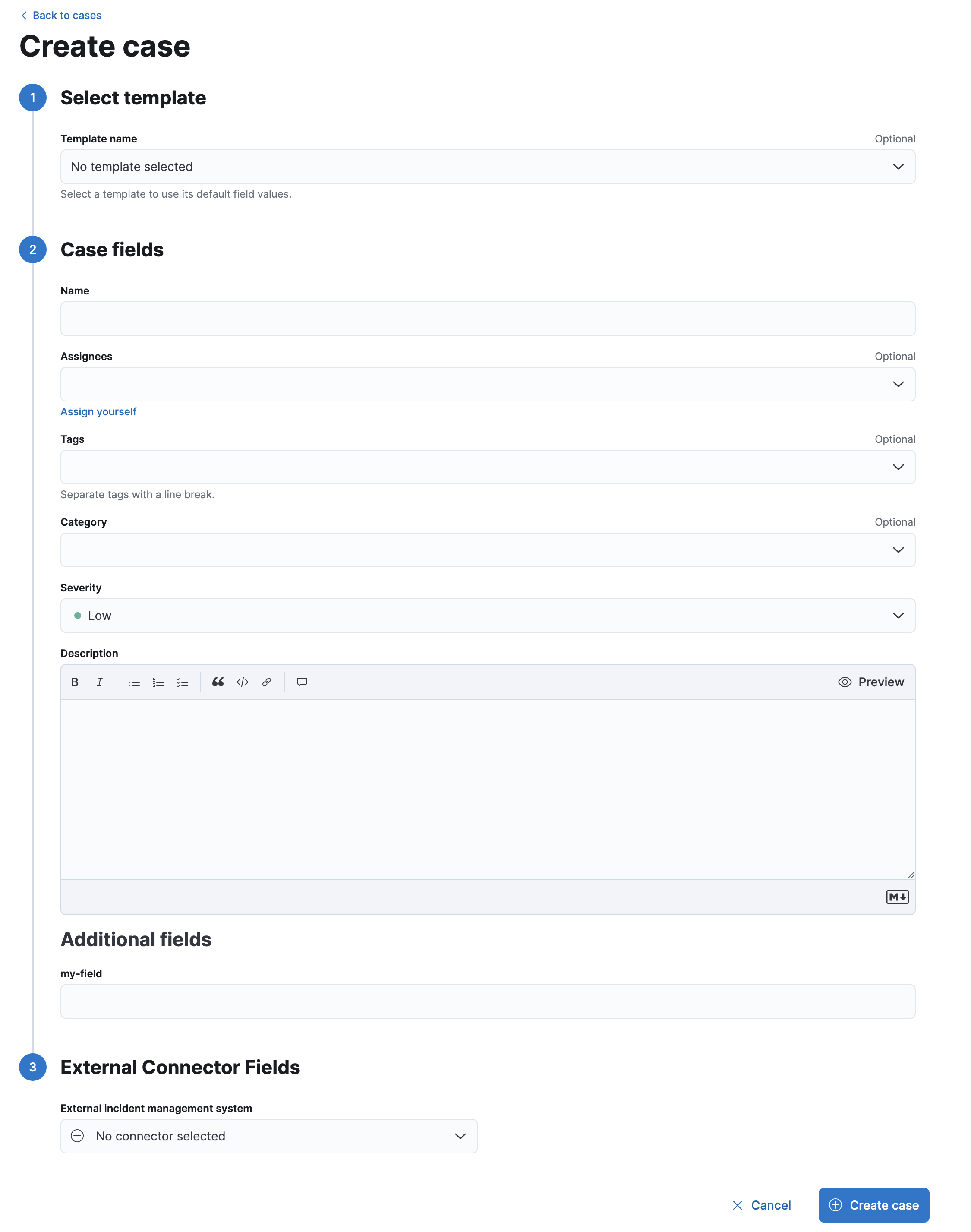
- Attach alerts, files, and visualizations to build a record of your investigation
- Assign team members and add comments
- Push updates to external systems like Jira or ServiceNow
Cases are available in Elastic Security, Observability, and Stack Management.
These capabilities chain together into complete operational workflows:
- A dashboard reveals a pattern, such as error rates climbing for a specific service.
- An alert rule detects the threshold breach and triggers a notification.
- A workflow automatically enriches the alert, checks if the service is in a maintenance window, and creates a case if it isn't.
- A case tracks the investigation, collecting related alerts, team comments, and resolution steps.
- A scheduled report captures the post-incident dashboard state and distributes it to stakeholders.
Together, these tools close the loop from data to action to resolution without requiring you to leave the Elastic platform.
- Automatically generate reports: Set up recurring report delivery for your dashboards.
- Getting started with alerting: Create your first alert rule and configure notification channels.
- Get started with workflows: Build your first automated workflow to respond to alerts.
- Create a case: Start tracking an incident and attach relevant alerts and evidence.