Discover
Discover is the primary tool for exploring your Elasticsearch data in Kibana. Search and filter documents, analyze field structures, visualize patterns, and save findings to reuse later or share with dashboards. Whether investigating issues, analyzing trends, or validating data quality, Discover offers a flexible interface for understanding your data.
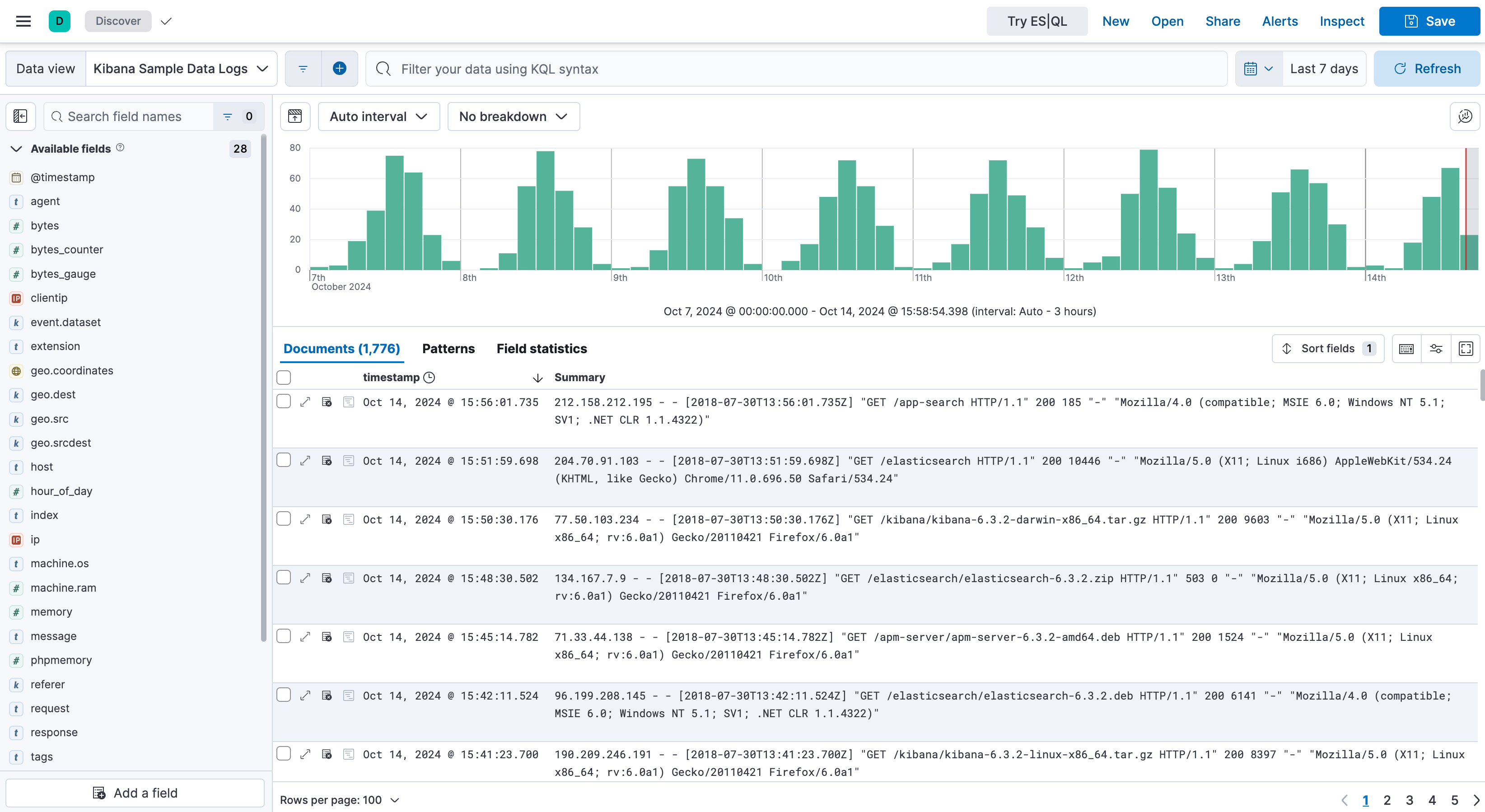
Search and explore : Search through your data using Kibana Query Language (KQL), Lucene, or ES|QL. Filter results to focus on what matters. Discover adapts its interface based on the type of data you're exploring, providing specialized experiences for logs, metrics, and other data types.
Analyze fields and documents : View field statistics, examine individual documents, compare multiple documents side by side, and find patterns in your log data.
Visualize on the fly : Create quick visualizations from aggregatable fields, or use ES|QL to build charts directly from your queries.
Save and share : Save your Discover sessions to reuse later, add them to dashboards, or share them with your team. You can also generate reports and create alerts based on your searches.
New to Discover? Start with Explore fields and data with Discover.
Discover has two query modes. ES|QL mode doesn't require a data view. Classic mode uses data views with KQL or Lucene. For your first ES|QL queries, follow Get started with ES|QL in Discover.
Once you're familiar with the basics, explore these guides for specific tasks:
- Switch between ES|QL and classic mode - Change query mode, and see what happens to your query and filters.
- Use Discover with ES|QL - Find the Discover tasks that are specific to ES|QL mode.
- Search and filter data - Build queries and apply filters to narrow down your results.
- Customize the Discover view - Adjust the layout, columns, and display options to suit your needs.
- Save a search for reuse - Save your Discover sessions and add them to dashboards.
The following guides cover additional features you can use in Discover: