Netskope
| Version | 4.1.0 (View all) |
| Subscription level What's this? |
Basic |
| Developed by What's this? |
Elastic |
| Ingestion method(s) | API, AWS S3, Azure Blob Storage, Google Cloud Storage, Network Protocol |
| Minimum Kibana version(s) | 9.1.0 8.19.9 |
This integration is for Netskope. It can be used to receive logs sent by Netskope Cloud Log Shipper, Netskope Log Streaming, or the REST API v2 dataexport iterator. To receive log from Netskope Cloud Log Shipper use the TCP input, for Netskope Log Streaming use any of the Cloud based inputs (AWS, GCS, or Azure Blob Storage), and for REST API v2 enable the CEL input on the Alerts V2 and/or Events V2 data streams.
The log message is expected to be in JSON format. The data is mapped to
ECS fields where applicable and the remaining fields are written under
netskope.<data-stream-name>.*.
- Configure this integration with the TCP input in Kibana.
- For all Netskope Cloud Exchange configurations refer to the Log Shipper.
- In Netskope Cloud Exchange please enable Log Shipper, add your Netskope Tenant.
- Configure input connectors:
- First with all Event types, and
- Second with all Alerts type. For detailed steps refer to Configure the Netskope Plugin for Log Shipper.
- Configure output connectors:
- Navigate to Settings -> Plugins.
- Add separate output connector Elastic CLS for both Alerts and Events and select mapping "Elastic Default Mappings (Recommended)" for both.
- Create business rules:
- Navigate to Home Page > Log Shipper > Business Rules.
- Create business rules with Netskope Alerts.
- Create business rules with Netskope Events. For detailed steps refer to Manage Log Shipper Business Rules.
- Adding SIEM mappings:
- Navigate to Home Page > Log Shipper > SIEM Mappings
- Add SIEM mapping for events:
- Add Rule put rule created in step 6.
- Add Source Configuration put input created for Events in step 4.
- Add Destination Configuration, put output created for Events in step 5.
For detailed steps refer to Configure Log Shipper SIEM Mappings. Please make sure to use the given response formats.
- In the Netskope tenant admin console, create a service account (RBAC v3) or REST API v2 token with Read on each dataexport path you will collect (
/api/v2/events/dataexport/events/{type}and/or/api/v2/events/dataexport/alerts/{type}). - In Elastic Fleet, add the Netskope integration and choose Collect Netskope alerts and events via REST API v2 dataexport (CEL input).
- Set Tenant URL (for example
https://example.goskope.com), REST API v2 token, and an Iterator index that is unique on your tenant (do not reuse an index used by Cloud Exchange or Splunk). - Enable the Alerts V2 and/or Events V2 data streams. Under Alert export types or Event export types, add the iterator types your token can read (for example
policy,dlpfor alerts orapplication,auditfor events). - Do not collect aggregate
/events/dataexport/events/alerton the Events V2 stream while typed/alerts/*endpoints are enabled on Alerts V2 — the same alert can appear in both feeds with the same_id.
The collector uses server-side iterators: the first request for each export type uses operation=<epoch> from Initial Interval, then operation=next. A type is paged again immediately while Netskope returns wait_time: 0 or a full page (10,000 events); otherwise the collector moves on to the next type, and the agent waits for Interval before polling that type again.
- To configure Log streaming please refer to the Log Streaming Configuration. Ensure that compression is set to GZIP when configuring the stream as other compression types are not supported.
Considering you already have an AWS S3 bucket setup, to configure it with Netskope, follow these steps to enable the log streaming.
It is recommended to use the combined Alerts V2 and Events V2 data stream rather than configuring the individual Events V2 or Alerts V2 data stream. The alerts_events_v2 stream automatically directs logs to the appropriate individual data streams.
- If you already have an Azure storage container setup, configure it with Netskope via log streaming.
- Enable the Netskope log streaming by following these instructions.
- Configure the integration using either Service Account Credentials or Microsoft Entra ID RBAC with OAuth2 options. For OAuth2 (Entra ID RBAC), you will need the Client ID, Client Secret, and Tenant ID. For Service Account Credentials, you will need either the Service Account Key or the URI to access the data.
- How to setup the
auth.oauth2credentials can be found in the Azure documentation here. - For more details about the Azure Blob Storage input settings, check the Filebeat documentation.
Note:
- The service principal must be granted the appropriate permissions to read blobs. Ensure that the necessary role assignments are in place for the service principal to access the storage resources. For more information, please refer to the Azure Role-Based Access Control (RBAC) documentation.
- We recommend assigning either the Storage Blob Data Reader or Storage Blob Data Owner role. The Storage Blob Data Reader role provides read-only access to blob data and is aligned with the principle of least privilege, making it suitable for most use cases. The Storage Blob Data Owner role grants full administrative access — including read, write, and delete permissions — and should be used only when such elevated access is explicitly required.
- If you already have a GCS bucket setup, configure it with Netskope via log streaming.
- Enable the Netskope log streaming by following these instructions.
- Configure the integration with your GCS project ID, Bucket name and Service Account Key/Service Account Credentials File.
For more details about the GCS input settings, check the Filebeat documentation.
Once you have added a key to GCP service account, you will get a JSON key file that can only be downloaded once. If you're new to GCS bucket creation, follow these steps:
- Make sure you have a service account available, if not follow the steps below:
- Navigate to 'APIs & Services' > 'Credentials'
- Click on 'Create credentials' > 'Service account'
- Once the service account is created, you can navigate to the 'Keys' section and attach/generate your service account key.
- Make sure to download the JSON key file once prompted.
- Use this JSON key file either inline (JSON string object), or by specifying the path to the file on the host machine, where the agent is running.
A sample JSON Credentials file looks as follows:
{
  "type": "dummy_service_account",
  "project_id": "dummy-project",
  "private_key_id": "dummy-private-key-id",
  "private_key": "-----BEGIN PRIVATE KEY-----\nDummyPrivateKey\n-----END PRIVATE KEY-----\n",
  "client_email": "dummy-service-account@example.com",
  "client_id": "12345678901234567890",
  "auth_uri": "https://example.com",
  "token_uri": "https://example.com",
  "auth_provider_x509_cert_url": "https://example.com",
  "client_x509_cert_url": "https://example.com",
  "universe_domain": "example.com"
}
If you have already set up a connection to push data into the AWS bucket; if not, refer to the section above.
To set up an SQS queue, follow "Step 1: Create an Amazon SQS Queue" mentioned in the link.
- While creating an access policy, use the bucket name configured to create a connection for AWS S3 in Netskope.
Configure event notifications for an S3 bucket. Follow this link.
- While creating
event notificationselect the event type as s3:ObjectCreated:*, destination type SQS Queue, and select the queue name created in Step 2.
- While creating
For more details about the AWS-S3 input settings, check this documentation.
In Kibana go to Management > Integrations.
In "Search for integrations" top bar, search for
Netskope.Select the Netskope integration from the search results.
Select "Add Netskope" to add the integration.
While adding the integration, there are different options to collect logs;
To collect logs via AWS S3 when adding the integration, you must provide the following details::
- Collect logs via S3 Bucket toggled on
- Access Key ID
- Secret Access Key
- Bucket ARN
- Session Token
To collect logs via AWS SQS when adding the integration, you must provide the following details:
- Collect logs via S3 Bucket toggled off
- Queue URL
- Secret Access Key
- Access Key ID
To collect logs via GCS when adding the integration, you must provide the following details:
- Project ID
- Buckets
- Service Account Key/Service Account Credentials File
To collect logs via Azure Blob Storage when adding the integration, you must provide the following details:
For OAuth2 (Microsoft Entra ID RBAC):
- Toggle on Collect logs using OAuth2 authentication
- Account Name
- Client ID
- Client Secret
- Tenant ID
- Container Details.
For Service Account Credentials:
- Service Account Key or the URI
- Account Name
- Container Details
To collect logs via TCP when adding the integration, you must provide the following details:
- Listen Address
- Listen Port
Save the integration.
This package has been tested against Netskope version 95.1.0.645 and Netskope Cloud Exchange version 3.4.0.
Default port: 9020
Default port: 9021
Exported fields
| Field | Description | Type |
|---|---|---|
| @timestamp | Event timestamp. | date |
| cloud.image.id | Image ID for the cloud instance. | keyword |
| data_stream.dataset | Data stream dataset. | constant_keyword |
| data_stream.namespace | Data stream namespace. | constant_keyword |
| data_stream.type | Data stream type. | constant_keyword |
| event.dataset | Event dataset | constant_keyword |
| event.module | Event module | constant_keyword |
| host.containerized | If the host is a container. | boolean |
| host.os.build | OS build information. | keyword |
| host.os.codename | OS codename, if any. | keyword |
| input.type | Input type | keyword |
| log.offset | Log offset | long |
| log.source.address | Source address from which the log event was read / sent from. | keyword |
| netskope.alerts.Url2Activity | Populated if the activity from the URL matches certain activities. This field applies to Risk Insights only. | keyword |
| netskope.alerts.access_method | Cloud app traffic can be steered to the Netskope cloud using different deployment methods such as Client (Netskope Client), Secure Forwarder etc. Administrators can also upload firewall and/or proxy logs for log analytics. This field shows the actual access method that triggered the event. For log uploads this shows the actual log type such as PAN, Websense, etc. | keyword |
| netskope.alerts.account.id | Account ID (usually is account number as provided by the cloud provider). | keyword |
| netskope.alerts.account.name | Account name - in case of AWS this is the instance name set by user. For others, account name is provided by cloud provider. | keyword |
| netskope.alerts.acked | Whether user acknowledged the alert or not. | boolean |
| netskope.alerts.acting.role | N/A | keyword |
| netskope.alerts.action | Action taken on the event for the policy. | keyword |
| netskope.alerts.activities | N/A | keyword |
| netskope.alerts.activity.name | Description of the user performed activity. | keyword |
| netskope.alerts.activity.status | Displayed when the user is denied access while performing some activity. | keyword |
| netskope.alerts.activity.type | Displayed when only admins can perform the activity in question. | keyword |
| netskope.alerts.agg.window | N/A | long |
| netskope.alerts.aggregated.user | N/A | boolean |
| netskope.alerts.alert.affected.entities | N/A | keyword |
| netskope.alerts.alert.category | N/A | keyword |
| netskope.alerts.alert.description | N/A | keyword |
| netskope.alerts.alert.detection.stage | N/A | keyword |
| netskope.alerts.alert.id | Hash of alert generated from code. | keyword |
| netskope.alerts.alert.name | Name of the alert. | keyword |
| netskope.alerts.alert.notes | N/A | keyword |
| netskope.alerts.alert.query | N/A | keyword |
| netskope.alerts.alert.score | N/A | long |
| netskope.alerts.alert.source | N/A | keyword |
| netskope.alerts.alert.status | N/A | keyword |
| netskope.alerts.alert.type | Shows if it is an application event or a connection event. Application events are recorded to track user events inside a cloud app. Connection events shows the actual HTTP connection. | keyword |
| netskope.alerts.alert.window | N/A | long |
| netskope.alerts.algorithm | N/A | keyword |
| netskope.alerts.anomaly.efficacy | Full anomaly details for debugging. | keyword |
| netskope.alerts.anomaly.fields | Name(s) and values(s) of the anomalous fields, usually there's going to be only one in the list. | keyword |
| netskope.alerts.anomaly.id | N/A | keyword |
| netskope.alerts.anomaly.magnitude | N/A | double |
| netskope.alerts.anomaly.type | Type of UBA alert. | keyword |
| netskope.alerts.app.activity | N/A | keyword |
| netskope.alerts.app.app_name | N/A | keyword |
| netskope.alerts.app.category | N/A | keyword |
| netskope.alerts.app.name | Specific cloud application used by the user (e.g. app = Dropbox). | keyword |
| netskope.alerts.app.region | N/A | keyword |
| netskope.alerts.app.session.id | Unique App/Site Session ID for traffic_type = CloudApp and Web. An app session starts when a user starts using a cloud app/site on and ends once they have been inactive for a certain period of time(15 mins). Use app_session_id to check all the user activities in a single app session. app_session_id is unique for a user, device, browser and domain. | keyword |
| netskope.alerts.app.suite | N/A | keyword |
| netskope.alerts.asn | N/A | long |
| netskope.alerts.asset.id | N/A | keyword |
| netskope.alerts.asset.object.id | N/A | keyword |
| netskope.alerts.attachment | File name. | keyword |
| netskope.alerts.audit.category | The subcategories in an application such as IAM, EC in AWS, login, token, file, etc., in case of Google. | keyword |
| netskope.alerts.audit.type | The sub category in audit according to SaaS / IaaS apps. | keyword |
| netskope.alerts.bin.timestamp | Applicable to only: Shared Credentials, Data Exfiltration, Bulk Anomaly types( Bulk Upload/Download/Delete) and Failed Login Anomaly type. Bin TimeStamp (is a window used that is used for certain types of anomalies - for breaking into several windows per day/hour). | long |
| netskope.alerts.breach.date | Breach date for compromised credentials. | date |
| netskope.alerts.breach.description | Breach description for compromised credentials. | keyword |
| netskope.alerts.breach.description.text | Multi-field of netskope.alerts.breach.description. |
match_only_text |
| netskope.alerts.breach.id | Breach ID for compromised credentials. | keyword |
| netskope.alerts.breach.media_references | Media references of breach. | keyword |
| netskope.alerts.breach.score | Breach score for compromised credentials. | long |
| netskope.alerts.breach.target_references | Breach target references for compromised credentials. | keyword |
| netskope.alerts.browser.session.id | Browser session ID. If there is an idle timeout of 15 minutes, it will timeout the session. | keyword |
| netskope.alerts.bucket | N/A | keyword |
| netskope.alerts.bypass.traffic | Tells if traffic is bypassed by Netskope. | boolean |
| netskope.alerts.category.id | Matching category ID according to policy. Populated for both cloud and web traffic. | keyword |
| netskope.alerts.category.name | N/A | keyword |
| netskope.alerts.cci | N/A | keyword |
| netskope.alerts.ccl | Cloud Confidence Level. CCL measures the enterprise readiness of the cloud apps taking into consideration those apps security, auditability and business continuity. Each app is assigned one of five cloud confidence levels: excellent, high, medium, low, or poor. Useful for querying if users are accessing a cloud app with a lower CCL. | keyword |
| netskope.alerts.channel | Channel of the user for slack and slack enterprise apps. | keyword |
| netskope.alerts.cloud.provider | N/A | keyword |
| netskope.alerts.compliance.standards | N/A | keyword |
| netskope.alerts.compute.instance | N/A | keyword |
| netskope.alerts.connection.duration | Duration of the connection in milliseconds. Useful for querying long-lived sessions. | long |
| netskope.alerts.connection.endtime | Connection end time. | long |
| netskope.alerts.connection.id | Each connection has a unique ID. Shows the ID for the connection event. | keyword |
| netskope.alerts.connection.starttime | Connection start time. | long |
| netskope.alerts.count | Number of raw log lines/events sessionized or suppressed during the suppressed interval. | long |
| netskope.alerts.created_at | N/A | keyword |
| netskope.alerts.data.type | Content type of upload/download. | keyword |
| netskope.alerts.data.version | N/A | long |
| netskope.alerts.description | N/A | keyword |
| netskope.alerts.destination.geoip_src | Source from where the location of Destination IP was derived. | long |
| netskope.alerts.detected-file-type | N/A | keyword |
| netskope.alerts.detection.engine | Customer exposed detection engine name. | keyword |
| netskope.alerts.detection.type | Same as malware type. Duplicate. | keyword |
| netskope.alerts.device.classification | Designation of device as determined by the Netskope Client as to whether the device is managed or not. | keyword |
| netskope.alerts.device.name | Device type from where the user accessed the cloud app. It could be Macintosh Windows device, iPad etc. | keyword |
| netskope.alerts.dlp.file | File/Object name extracted from the file/object. | keyword |
| netskope.alerts.dlp.fingerprint.classification | Fingerprint classification. | keyword |
| netskope.alerts.dlp.fingerprint.match | Fingerprint classification match file name. | keyword |
| netskope.alerts.dlp.fingerprint.score | Fingerprint classification score. | long |
| netskope.alerts.dlp.fv | N/A | long |
| netskope.alerts.dlp.incident.id | Incident ID associated with sub-file. In the case of main file, this is same as the parent incident ID. | keyword |
| netskope.alerts.dlp.is_unique_count | True or false depending upon if rule is unique counted per rule data. | boolean |
| netskope.alerts.dlp.mail.parent.id | N/A | keyword |
| netskope.alerts.dlp.parent.id | Incident ID associated with main container (or non-container) file that was scanned. | keyword |
| netskope.alerts.dlp.profile | DLP profile name. | keyword |
| netskope.alerts.dlp.rule.count | Count of rule hits. | long |
| netskope.alerts.dlp.rule.name | DLP rule that triggered. | keyword |
| netskope.alerts.dlp.rule.score | DLP rule score for weighted dictionaries. | long |
| netskope.alerts.dlp.rule.severity | Severity of rule. | keyword |
| netskope.alerts.dlp.unique_count | Integer value of number of unique matches seen per rule data. Only present if rule is uniquely counted. | long |
| netskope.alerts.doc.count | N/A | long |
| netskope.alerts.domain | Domain value. This will hold the host header value or SNI or extracted from absolute URI. | keyword |
| netskope.alerts.domain_shared_with | N/A | keyword |
| netskope.alerts.download.app | Applicable to only data exfiltration. Download App (App in the download event). | keyword |
| netskope.alerts.drive.id | N/A | keyword |
| netskope.alerts.dynamic.classification | URLs were categorized by NSURLC machine or not. | keyword |
| netskope.alerts.elastic_key | N/A | keyword |
| netskope.alerts.email.source | N/A | keyword |
| netskope.alerts.encrypt.failure | Reason of failure while encrypting. | keyword |
| netskope.alerts.encryption.service.key | N/A | keyword |
| netskope.alerts.enterprise.id | EnterpriseID in case of Slack for Enterprise. | keyword |
| netskope.alerts.enterprise.name | Enterprise name in case of Slack for Enterprise. | keyword |
| netskope.alerts.entity.list | N/A | keyword |
| netskope.alerts.entity.type | N/A | keyword |
| netskope.alerts.entity.value | N/A | keyword |
| netskope.alerts.event.detail | N/A | keyword |
| netskope.alerts.event.id | N/A | keyword |
| netskope.alerts.event.type | Anomaly type. | keyword |
| netskope.alerts.event_source_channel | N/A | keyword |
| netskope.alerts.exposure | Exposure of a document. | keyword |
| netskope.alerts.external.collaborator.count | Count of external collaborators on a file/folder. Supported for some apps. | long |
| netskope.alerts.external.email | N/A | long |
| netskope.alerts.feature.description | N/A | keyword |
| netskope.alerts.feature.id | N/A | keyword |
| netskope.alerts.feature.name | N/A | keyword |
| netskope.alerts.file.id | Unique identifier of the file. | keyword |
| netskope.alerts.file.lang | Language of the file. | keyword |
| netskope.alerts.file.name | N/A | keyword |
| netskope.alerts.file.password.protected | N/A | keyword |
| netskope.alerts.file.path.orignal | If the file is moved, then keep original path of the file in this field. | keyword |
| netskope.alerts.file.size | Size of the file in bytes. | long |
| netskope.alerts.file.type | File type. | keyword |
| netskope.alerts.flow_status | N/A | keyword |
| netskope.alerts.from.logs | Shows if the event was generated from the Risk Insights log. | keyword |
| netskope.alerts.from.object | Initial name of an object that has been renamed, copied or moved. | keyword |
| netskope.alerts.from.storage | N/A | keyword |
| netskope.alerts.from.user_category | Type of from_user. | keyword |
| netskope.alerts.gateway | N/A | keyword |
| netskope.alerts.graph.id | N/A | keyword |
| netskope.alerts.http_status | N/A | keyword |
| netskope.alerts.http_transaction_count | HTTP transaction count. | long |
| netskope.alerts.iaas.asset.tags | List of tags associated with the asset for which alert is raised. Each tag is a key/value pair. | keyword |
| netskope.alerts.iaas.remediated | N/A | keyword |
| netskope.alerts.iam.session | N/A | keyword |
| netskope.alerts.id | N/A | keyword |
| netskope.alerts.insertion_epoch_timestamp | Insertion timestamp. | long |
| netskope.alerts.instance.id | Unique ID associated with an organization application instance. | keyword |
| netskope.alerts.instance.name | Instance name associated with an organization application instance. | keyword |
| netskope.alerts.instance.type | Instance type. | keyword |
| netskope.alerts.instance_name | Instance associated with an organization application instance. | keyword |
| netskope.alerts.internal.collaborator.count | Count of internal collaborators on a file/folder. Supported for some apps. | long |
| netskope.alerts.ip.protocol | N/A | keyword |
| netskope.alerts.ipblock | IPblock that caused the alert. | keyword |
| netskope.alerts.is_alert | Indicates whether alert is generated or not. Populated as yes for all alerts. | boolean |
| netskope.alerts.is_file_passwd_protected | Tells if the file is password protected. | boolean |
| netskope.alerts.is_malicious | Only exists if some HTTP transaction belonging to the page event resulted in a malsite alert. | boolean |
| netskope.alerts.is_two_factor_auth | N/A | keyword |
| netskope.alerts.is_universal_connector | N/A | keyword |
| netskope.alerts.is_user_generated | Tells whether it is user generated page event. | boolean |
| netskope.alerts.is_web_universal_connector | N/A | boolean |
| netskope.alerts.isp | N/A | keyword |
| netskope.alerts.item.id | N/A | keyword |
| netskope.alerts.justification.reason | Justification reason provided by user. For following policies, justification events are raised. User is displayed a notification popup, user enters justification and can select to proceed or block: useralert policy, dlp block policy, block policy with custom template which contains justification text box. | keyword |
| netskope.alerts.justification.type | Type of justification provided by user when user bypasses the policy block. | keyword |
| netskope.alerts.last.app | Last application (app in the first/older event). Applies to only proximity anomaly alert. | keyword |
| netskope.alerts.last.coordinates | Last location coordinates(latitude, longitude). Applies to only proximity alert. | keyword |
| netskope.alerts.last.country | Last location (Country). Applies to only proximity anomaly alert. | keyword |
| netskope.alerts.last.device | Last device name (Device Name in the first/older event). Applies to only proximity anomaly alert. | keyword |
| netskope.alerts.last.location | Last location (City). Applies to only proximity anomaly alert. | keyword |
| netskope.alerts.last.modified_timestamp | Timestamp when alert is acknowledged. | long |
| netskope.alerts.last.region | Applies to only proximity anomaly alert. | keyword |
| netskope.alerts.last.timestamp | Last timestamp (timestamp in the first/older event). Applies to only proximity anomaly alert. | long |
| netskope.alerts.latency.max | Max latency for a connection in milliseconds. | long |
| netskope.alerts.latency.min | Min latency for a connection in milliseconds. | long |
| netskope.alerts.latency.total | Total latency from proxy to app in milliseconds. | long |
| netskope.alerts.legal_hold.custodian_name | Custodian name of legal hold profile. | keyword |
| netskope.alerts.legal_hold.destination.app | Destination appname of legalhold action. | keyword |
| netskope.alerts.legal_hold.destination.instance | Destination instance of legal hold action. | keyword |
| netskope.alerts.legal_hold.file.id | File ID of legal hold file. | keyword |
| netskope.alerts.legal_hold.file.name | File name of legal hold file. | keyword |
| netskope.alerts.legal_hold.file.name_original | Original filename of legal hold file. | keyword |
| netskope.alerts.legal_hold.file.path | File path of legal hold file. | keyword |
| netskope.alerts.legal_hold.profile_name | Legal hold profile name. | keyword |
| netskope.alerts.legal_hold.shared | Shared type of legal hold file. | keyword |
| netskope.alerts.legal_hold.shared_with | User shared with the legal hold file. | keyword |
| netskope.alerts.legal_hold.version | File version of original file. | keyword |
| netskope.alerts.list.id | N/A | keyword |
| netskope.alerts.local.md5 | md5 hash of file generated by Malware engine. | keyword |
| netskope.alerts.local.sha1 | sha1 hash of file generated by Malware engine. | keyword |
| netskope.alerts.local.sha256 | sha256 hash of file generated by Malware engine. | keyword |
| netskope.alerts.log.file.name | Log file name for Risk Insights. | keyword |
| netskope.alerts.login.type | Salesforce login type. | keyword |
| netskope.alerts.login.url.domain | keyword | |
| netskope.alerts.login.url.extension | keyword | |
| netskope.alerts.login.url.fragment | keyword | |
| netskope.alerts.login.url.full | keyword | |
| netskope.alerts.login.url.original | keyword | |
| netskope.alerts.login.url.password | keyword | |
| netskope.alerts.login.url.path | keyword | |
| netskope.alerts.login.url.port | long | |
| netskope.alerts.login.url.query | keyword | |
| netskope.alerts.login.url.scheme | keyword | |
| netskope.alerts.login.url.username | keyword | |
| netskope.alerts.malsite.active | Since how many days malsite is Active. | long |
| netskope.alerts.malsite.as.number | Malsite ASN Number. | keyword |
| netskope.alerts.malsite.category | Category of malsite [ Phishing / Botnet / Malicous URL, etc. ]. | keyword |
| netskope.alerts.malsite.city | Malsite city. | keyword |
| netskope.alerts.malsite.confidence | Malsite confidence score. | long |
| netskope.alerts.malsite.consecutive | How many times that malsite is seen. | long |
| netskope.alerts.malsite.country | Malsite country. | keyword |
| netskope.alerts.malsite.dns.server | DNS server of the malsite URL/Domain/IP. | keyword |
| netskope.alerts.malsite.first_seen | Malsite first seen timestamp. | long |
| netskope.alerts.malsite.hostility | Malsite hostility score. | long |
| netskope.alerts.malsite.id | Malicious Site ID - Hash of threat match value. | keyword |
| netskope.alerts.malsite.ip_host | Malsite IP. | keyword |
| netskope.alerts.malsite.isp | Malsite ISP info. | keyword |
| netskope.alerts.malsite.last.seen | Malsite last seen timestamp. | long |
| netskope.alerts.malsite.latitude | Latitude plot of the Malsite URL/IP/Domain. | double |
| netskope.alerts.malsite.longitude | Longitude plot of the Malsite URL/IP/Domain. | double |
| netskope.alerts.malsite.region | Region of the malsite URL/IP/Domain. | keyword |
| netskope.alerts.malsite.reputation | Reputation score of Malsite IP/Domain/URL. | double |
| netskope.alerts.malsite.severity.level | Severity level of the Malsite ( High / Med / Low). | keyword |
| netskope.alerts.malware.id | md5 hash of the malware name as provided by the scan engine. | keyword |
| netskope.alerts.malware.name | Netskope detection name. | keyword |
| netskope.alerts.malware.profile | tss_profile: profile which user has selected. Data comes from WebUI. Its a json structure. | keyword |
| netskope.alerts.malware.severity | Malware severity. | keyword |
| netskope.alerts.malware.type | Malware Type. | keyword |
| netskope.alerts.managed.app | Whether or not the app in question is managed. | boolean |
| netskope.alerts.management.id | Management ID. | keyword |
| netskope.alerts.matched.username | N/A | keyword |
| netskope.alerts.matrix.columns | N/A | keyword |
| netskope.alerts.matrix.rows | N/A | keyword |
| netskope.alerts.md5 | md5 of the file. | keyword |
| netskope.alerts.md5_list | List of md5 hashes specific to the files that are part of custom sequence policy alert. | keyword |
| netskope.alerts.mime.type | MIME type of the file. | keyword |
| netskope.alerts.ml_detection | N/A | boolean |
| netskope.alerts.modified.date | N/A | long |
| netskope.alerts.modified.timestamp | Timestamp corresponding to the modification time of the entity (file, etc.). | long |
| netskope.alerts.netskope_pop | N/A | keyword |
| netskope.alerts.network.name | N/A | keyword |
| netskope.alerts.network.security.group | N/A | keyword |
| netskope.alerts.new.value | New value for a given file for salesforce.com. | keyword |
| netskope.alerts.nonzero.entries | N/A | long |
| netskope.alerts.nonzero.percentage | N/A | double |
| netskope.alerts.notify.template | N/A | keyword |
| netskope.alerts.ns_activity | Maps app activity to Netskope standard activity. | keyword |
| netskope.alerts.ns_device_uid | Device identifiers on macOS and Windows. | keyword |
| netskope.alerts.numbytes | Total number of bytes that were transmitted for the connection - numbytes = client_bytes + server_bytes. | long |
| netskope.alerts.obfuscate | N/A | boolean |
| netskope.alerts.object.count | Displayed when the activity is Delete. Shows the number of objects being deleted. | long |
| netskope.alerts.object.id | Unique ID associated with an object. | keyword |
| netskope.alerts.object.name | Name of the object which is being acted on. It could be a filename, folder name, report name, document name, etc. | keyword |
| netskope.alerts.object.type | Type of the object which is being acted on. Object type could be a file, folder, report, document, message, etc. | keyword |
| netskope.alerts.old.value | Old value for a given file for salesforce.com. | keyword |
| netskope.alerts.org | Search for events from a specific organization. Organization name is derived from the user ID. | keyword |
| netskope.alerts.organization.unit | Org Units for which the event correlates to. This ties to user information extracted from Active Directory using the Directory Importer/AD Connector application. | keyword |
| netskope.alerts.orig_ty | Event Type of original event. | keyword |
| netskope.alerts.original.file_path | If the file is moved, then keep original path of the file in this field. | keyword |
| netskope.alerts.os_version_hostname | Host and OS Version that caused the alert. Concatenation of 2 fields (hostname and os). | keyword |
| netskope.alerts.other.categories | N/A | keyword |
| netskope.alerts.owner | Owner of the file. | keyword |
| netskope.alerts.page.site | N/A | keyword |
| netskope.alerts.page.url.domain | keyword | |
| netskope.alerts.page.url.extension | keyword | |
| netskope.alerts.page.url.fragment | keyword | |
| netskope.alerts.page.url.full | keyword | |
| netskope.alerts.page.url.original | keyword | |
| netskope.alerts.page.url.password | keyword | |
| netskope.alerts.page.url.path | keyword | |
| netskope.alerts.page.url.port | long | |
| netskope.alerts.page.url.query | keyword | |
| netskope.alerts.page.url.scheme | keyword | |
| netskope.alerts.page.url.username | keyword | |
| netskope.alerts.parameters | N/A | keyword |
| netskope.alerts.parent.id | N/A | keyword |
| netskope.alerts.path.id | N/A | keyword |
| netskope.alerts.policy.actions | N/A | keyword |
| netskope.alerts.policy.id | The Netskope internal ID for the policy created by an admin. | keyword |
| netskope.alerts.policy.name | Predefined or Custom policy name. | keyword |
| netskope.alerts.pretty.sourcetype | N/A | keyword |
| netskope.alerts.processing.time | N/A | long |
| netskope.alerts.profile.emails | List of profile emails per policy. | keyword |
| netskope.alerts.profile.id | Anomaly profile ID. | keyword |
| netskope.alerts.quarantine.action.reason | Reason for the action taken for quarantine. | keyword |
| netskope.alerts.quarantine.admin | Quarantine profile custodian email/name. | keyword |
| netskope.alerts.quarantine.app | Quarantine app name. | keyword |
| netskope.alerts.quarantine.failure | Reason of failure. | keyword |
| netskope.alerts.quarantine.file.id | File ID of the quarantined file. | keyword |
| netskope.alerts.quarantine.file.name | File name of the quarantine file. | keyword |
| netskope.alerts.quarantine.instance | Quarantine instance name. | keyword |
| netskope.alerts.quarantine.original.file.name | Original file name which got quarantined. | keyword |
| netskope.alerts.quarantine.original.file.path | Original file path which got quarantined. | keyword |
| netskope.alerts.quarantine.original.shared | Original file shared user details. | keyword |
| netskope.alerts.quarantine.original.version | Original version of file which got quarantined. | keyword |
| netskope.alerts.quarantine.profile.id | Quarantine profile ID. | keyword |
| netskope.alerts.quarantine.profile.name | Quarantine profile name of policy for quarantine action. | keyword |
| netskope.alerts.quarantine.shared.with | N/A | keyword |
| netskope.alerts.referer.domain | keyword | |
| netskope.alerts.referer.extension | keyword | |
| netskope.alerts.referer.fragment | keyword | |
| netskope.alerts.referer.full | keyword | |
| netskope.alerts.referer.original | keyword | |
| netskope.alerts.referer.password | keyword | |
| netskope.alerts.referer.path | keyword | |
| netskope.alerts.referer.port | long | |
| netskope.alerts.referer.query | keyword | |
| netskope.alerts.referer.scheme | keyword | |
| netskope.alerts.referer.username | keyword | |
| netskope.alerts.region.id | Region ID (as provided by the cloud provider). | keyword |
| netskope.alerts.region.name | N/A | keyword |
| netskope.alerts.reladb | N/A | keyword |
| netskope.alerts.repo | N/A | keyword |
| netskope.alerts.request.cnt | Total number of HTTP requests (equal to number of transaction events for this page event) sent from client to server over one underlying TCP connection. | long |
| netskope.alerts.request.id | Unique request ID for the event. | keyword |
| netskope.alerts.resource.category | Category of resource as defined in DOM. | keyword |
| netskope.alerts.resource.group | N/A | keyword |
| netskope.alerts.resources | N/A | keyword |
| netskope.alerts.response.cnt | Total number of HTTP responses (equal to number of transaction events for this page event) from server to client. | long |
| netskope.alerts.response.content.length | N/A | long |
| netskope.alerts.response.content.type | N/A | keyword |
| netskope.alerts.retro.scan.name | Retro scan name. | keyword |
| netskope.alerts.risk_level.id | This field is set by both role-based access (RBA) and MLAD. | keyword |
| netskope.alerts.risk_level.tag | Corresponding field to risk_level_id. Name. | keyword |
| netskope.alerts.role | Roles for Box. | keyword |
| netskope.alerts.rule.id | N/A | keyword |
| netskope.alerts.sa.profile.id | CSA profile ID. | keyword |
| netskope.alerts.sa.profile.name | CSA profile name. | keyword |
| netskope.alerts.sa.rule.id | CSA rule ID. | keyword |
| netskope.alerts.sa.rule.name | CSA rule name. | keyword |
| netskope.alerts.sa.rule.remediation | N/A | keyword |
| netskope.alerts.sa.rule.severity | Rule severity. | keyword |
| netskope.alerts.scan.time | Time when the scan is done. | long |
| netskope.alerts.scan.type | Generated during retroactive scan or new ongoing activity. | keyword |
| netskope.alerts.scanner_result | N/A | keyword |
| netskope.alerts.scopes | List of permissions for google apps. | keyword |
| netskope.alerts.serial | N/A | keyword |
| netskope.alerts.server.bytes | Total number of downloaded from server to client. | long |
| netskope.alerts.session.id | Populated by Risk Insights. | keyword |
| netskope.alerts.severity.id | Severity ID used by watchlist and malware alerts. | keyword |
| netskope.alerts.severity.level | Severity used by watchlist and malware alerts. | keyword |
| netskope.alerts.severity.level_id | If the Severity Level ID is 1, it means that URL / IP /Domain is detected from Internal threat feed and if Severity Level ID is 2, then it means the detection happened based on the Zvelo DB Malsite Category. | long |
| netskope.alerts.sfwder | N/A | keyword |
| netskope.alerts.shared.credential.user | Applicable to only shared credentials. User with whom the credentials are shared with. | keyword |
| netskope.alerts.shared.domains | List of domains of users the document is shared with. | keyword |
| netskope.alerts.shared.is_shared | If the file is shared or not. | boolean |
| netskope.alerts.shared.type | Shared Type. | keyword |
| netskope.alerts.shared.with | Array of emails with whom a document is shared with. | keyword |
| netskope.alerts.shared_type | N/A | keyword |
| netskope.alerts.site | For traffic_type = CloudApp, site = app and for traffic_type = Web, it will be the second level domain name + top-level domain name. For example, in "www.cnn.com", it is "cnn.com". | keyword |
| netskope.alerts.slc_latitude | N/A | keyword |
| netskope.alerts.slc_longitude | N/A | keyword |
| netskope.alerts.source.geoip_src | Source from where the location of Source IP was derived. | long |
| netskope.alerts.source.time | N/A | keyword |
| netskope.alerts.srcip2 | N/A | keyword |
| netskope.alerts.ssl.decrypt.policy | Applicable to only bypass events. There are 2 ways to create rules for bypass: Bypass due to Exception Configuration Bypass due to SSL Decrypt Policy The existing flag bypass_traffic only gives information that a flow has been bypassed, but does not tell exactly which policy was responsible for it. ssl_decrypt_policy field will provide this extra information. In addition, policy field will be also set for every Bypass event. | keyword |
| netskope.alerts.start_time | Start time for alert time period. | long |
| netskope.alerts.statistics | This field & summary field go together. This field will either tell count or size of files. File size is in bytes. | long |
| netskope.alerts.storage_service_bucket | N/A | keyword |
| netskope.alerts.sub.type | Workplace by Facebook post sub category (files, comments, status etc). | keyword |
| netskope.alerts.summary | Tells whether anomaly was measured from count or size of files. | keyword |
| netskope.alerts.suppression.end.time | When events are suppressed (like collaboration apps), then the suppression end time will be set and only one event will be send with suppression start time and end time and count of occurrence. | long |
| netskope.alerts.suppression.key | To limit the number of events. Example: Suppress block event for browse. | keyword |
| netskope.alerts.suppression.start.time | When events are suppressed (like collaboration apps), then the suppression end time will be set and only one event will be send with suppression start time and end time and count of occurrence. | long |
| netskope.alerts.target.entity.key | N/A | keyword |
| netskope.alerts.target.entity.type | N/A | keyword |
| netskope.alerts.target.entity.value | N/A | keyword |
| netskope.alerts.team | Slack team name. | keyword |
| netskope.alerts.telemetry.app | Typically SaaS app web sites use web analytics code within the pages to gather analytic data. When a SaaS app action or page is shown, there is subsequent traffic generated to tracking apps such as doubleclick.net, Optimizely, etc. These tracking apps are listed if applicable in the Telemetry App field. | keyword |
| netskope.alerts.temp.user | N/A | keyword |
| netskope.alerts.tenant.id | Tenant id. | keyword |
| netskope.alerts.threat.match.field | Threat match field, either from domain or URL or IP. | keyword |
| netskope.alerts.threat.match.value | N/A | keyword |
| netskope.alerts.threat.source.id | Threat source id: 1 - NetskopeThreatIntel, 2 - Zvelodb. | keyword |
| netskope.alerts.threshold.time | Applicable to: Shared Credentials, Data Exfiltration, Bulk Anomaly types( Bulk Upload/ Download/ Delete) and Failed Login Anomaly type. Threshold Time. | long |
| netskope.alerts.threshold.value | Threshold (Count at which the anomaly should trigger). Applicable to Bulk Anomaly types( Bulk Upload/ Download/ Delete) and Failed Login Anomaly type. | long |
| netskope.alerts.title | Title of the file. | keyword |
| netskope.alerts.to.object | Changed name of an object that has been renamed, copied, or moved. | keyword |
| netskope.alerts.to.storage | N/A | keyword |
| netskope.alerts.to.user | Used when a file is moved from user A to user B. Shows the email address of user B. | keyword |
| netskope.alerts.to.user_category | Type of user to which move is done. | keyword |
| netskope.alerts.total.collaborator.count | Count of collaborators on a file/folder. Supported for some apps. | long |
| netskope.alerts.traffic.type | Type of the traffic: CloudApp or Web. CloudApp indicates CASB and web indicates HTTP traffic. Web traffic is only captured for inline access method. It is currently not captured for Risk Insights. | keyword |
| netskope.alerts.transaction.id | Unique ID for a given request/response. | keyword |
| netskope.alerts.transformation | N/A | keyword |
| netskope.alerts.tss.mode | Malware scanning mode, specifies whether it's Real-time Protection or API Data Protection. | keyword |
| netskope.alerts.tss.version | N/A | long |
| netskope.alerts.tunnel.id | Shows the Client installation ID. Only available for the Client steering configuration. | keyword |
| netskope.alerts.type | Type of the alert. | keyword |
| netskope.alerts.uba_ap1 | N/A | keyword |
| netskope.alerts.uba_ap2 | N/A | keyword |
| netskope.alerts.uba_inst1 | N/A | keyword |
| netskope.alerts.uba_inst2 | N/A | keyword |
| netskope.alerts.updated | N/A | long |
| netskope.alerts.url.domain | keyword | |
| netskope.alerts.url.extension | keyword | |
| netskope.alerts.url.fragment | keyword | |
| netskope.alerts.url.full | keyword | |
| netskope.alerts.url.original | keyword | |
| netskope.alerts.url.password | keyword | |
| netskope.alerts.url.path | keyword | |
| netskope.alerts.url.port | long | |
| netskope.alerts.url.query | keyword | |
| netskope.alerts.url.scheme | keyword | |
| netskope.alerts.url.username | keyword | |
| netskope.alerts.user.category | Type of user in an enterprise - external / internal. | keyword |
| netskope.alerts.user.geo.city_name | City name. | keyword |
| netskope.alerts.user.geo.continent_name | Name of the continent. | keyword |
| netskope.alerts.user.geo.country_iso_code | Country ISO code. | keyword |
| netskope.alerts.user.geo.country_name | Country name. | keyword |
| netskope.alerts.user.geo.location | Longitude and latitude. | geo_point |
| netskope.alerts.user.geo.region_iso_code | Region ISO code. | keyword |
| netskope.alerts.user.geo.region_name | Region name. | keyword |
| netskope.alerts.user.group | N/A | keyword |
| netskope.alerts.user.ip | IP address of User. | keyword |
| netskope.alerts.value | N/A | double |
| netskope.alerts.violating_user.name | User who caused a violation. Populated for Workplace by Facebook. | keyword |
| netskope.alerts.violating_user.type | Category of the user who caused a violation. Populated for Workplace by Facebook. | keyword |
| netskope.alerts.web.url.domain | keyword | |
| netskope.alerts.web.url.extension | keyword | |
| netskope.alerts.web.url.fragment | keyword | |
| netskope.alerts.web.url.full | keyword | |
| netskope.alerts.web.url.original | keyword | |
| netskope.alerts.web.url.password | keyword | |
| netskope.alerts.web.url.path | keyword | |
| netskope.alerts.web.url.port | long | |
| netskope.alerts.web.url.query | keyword | |
| netskope.alerts.web.url.scheme | keyword | |
| netskope.alerts.web.url.username | keyword | |
| netskope.alerts.workspace.id | Workspace ID in case of Slack for Enterprise. | keyword |
| netskope.alerts.workspace.name | Workspace name in case of Slack for Enterprise. | keyword |
| netskope.alerts.zip.password | Zip the malicious file and put pwd to it and send it back to caller. | keyword |
Example
{
    "@timestamp": "2021-12-23T16:27:09.000Z",
    "agent": {
        "ephemeral_id": "275c19c7-0f2c-467b-850f-c153e4a77147",
        "id": "7b99f48c-6c10-4dad-86c4-ee578beef412",
        "name": "docker-fleet-agent",
        "type": "filebeat",
        "version": "8.0.0"
    },
    "data_stream": {
        "dataset": "netskope.alerts",
        "namespace": "ep",
        "type": "logs"
    },
    "destination": {
        "address": "81.2.69.143",
        "geo": {
            "city_name": "London",
            "continent_name": "Europe",
            "country_iso_code": "GB",
            "country_name": "United Kingdom",
            "location": {
                "lat": 51.5142,
                "lon": -0.0931
            },
            "region_iso_code": "GB-ENG",
            "region_name": "England"
        },
        "ip": "81.2.69.143"
    },
    "ecs": {
        "version": "8.11.0"
    },
    "elastic_agent": {
        "id": "7b99f48c-6c10-4dad-86c4-ee578beef412",
        "snapshot": false,
        "version": "8.0.0"
    },
    "event": {
        "agent_id_status": "verified",
        "id": "f621f259f5fbde850ad5593a",
        "ingested": "2024-03-29T07:17:15Z"
    },
    "file": {
        "hash": {
            "md5": "4bb5d9501bf7685ecaed55e3eda9ca01"
        },
        "mime_type": [
            "application\\\\/vnd.apps.document"
        ],
        "path": "\\\\/My Drive\\\\/Clickhouse\\\\/Tenant Migration across MPs",
        "size": 196869
    },
    "input": {
        "type": "tcp"
    },
    "log": {
        "source": {
            "address": "192.168.224.6:60788"
        }
    },
    "netskope": {
        "alerts": {
            "access_method": "API Connector",
            "acked": false,
            "action": "block",
            "activity": {
                "name": "Login Successful"
            },
            "alert": {
                "name": "policy-alert",
                "type": "nspolicy"
            },
            "app": {
                "category": "Cloud Storage",
                "name": "SomeApp"
            },
            "category": {
                "name": "Cloud Storage"
            },
            "cci": "81",
            "ccl": "high",
            "count": 1,
            "destination": {
                "geoip_src": 2
            },
            "device": {
                "name": "Other"
            },
            "exposure": "organization_wide_link",
            "file": {
                "lang": "ENGLISH"
            },
            "insertion_epoch_timestamp": 1640277131,
            "instance": {
                "id": "example.com",
                "name": "example.com"
            },
            "is_alert": true,
            "modified": {
                "timestamp": 1613760236
            },
            "object": {
                "id": "GxyjNjJxKg14W3Mb57aLY9_klcxToPEyqIoNAcF82rGg",
                "name": "HjBuUvDLWgpudzQr",
                "type": "File"
            },
            "organization": {
                "unit": "example.local\\\\/example\\\\/Active Users"
            },
            "owner": "foobar",
            "policy": {
                "name": "Some Policy"
            },
            "request": {
                "id": "9262245914980288500"
            },
            "scan": {
                "type": "Ongoing"
            },
            "shared": {
                "with": "none"
            },
            "site": "Example",
            "source": {
                "geoip_src": 2
            },
            "suppression": {
                "key": "Tenant Migration across MPs"
            },
            "traffic": {
                "type": "CloudApp"
            },
            "type": "policy",
            "url": {
                "extension": "com\\\\/open",
                "original": "http:\\\\/\\\\/www.example.com\\\\/open?id=WLb5Mc7aPGx914gEyYNjJxTo32yjF8xKAcqIoN_klrGg",
                "path": "\\\\/\\\\/www.example.com\\\\/open",
                "query": "id=WLb5Mc7aPGx914gEyYNjJxTo32yjF8xKAcqIoN_klrGg",
                "scheme": "http"
            }
        }
    },
    "related": {
        "ip": [
            "81.2.69.143"
        ]
    },
    "source": {
        "address": "81.2.69.143",
        "geo": {
            "city_name": "London",
            "continent_name": "Europe",
            "country_iso_code": "GB",
            "country_name": "United Kingdom",
            "location": {
                "lat": 51.5142,
                "lon": -0.0931
            },
            "region_iso_code": "GB-ENG",
            "region_name": "England"
        },
        "ip": "81.2.69.143"
    },
    "tags": [
        "forwarded",
        "netskope-alerts"
    ],
    "user": {
        "email": [
            "test@example.com"
        ]
    },
    "user_agent": {
        "name": "unknown",
        "os": {
            "name": "unknown"
        }
    }
}
Exported fields
| Field | Description | Type |
|---|---|---|
| @timestamp | Date/time when the event originated. This is the date/time extracted from the event, typically representing when the event was generated by the source. If the event source has no original timestamp, this value is typically populated by the first time the event was received by the pipeline. Required field for all events. | date |
| aws.s3.bucket.arn | The AWS S3 bucket ARN. | keyword |
| aws.s3.bucket.name | The AWS S3 bucket name. | keyword |
| aws.s3.object.key | The AWS S3 Object key. | keyword |
| azure.resource.group | Resource group. | keyword |
| azure.resource.id | Resource ID. | keyword |
| azure.resource.name | Name. | keyword |
| azure.resource.provider | Resource type/namespace. | keyword |
| azure.storage.blob.content_type | The content type of the Azure Blob Storage blob object. | keyword |
| azure.storage.blob.name | The name of the Azure Blob Storage blob object. | keyword |
| azure.storage.container.name | The name of the Azure Blob Storage container. | keyword |
| azure.subscription_id | Azure subscription ID. | keyword |
| data_stream.dataset | The field can contain anything that makes sense to signify the source of the data. Examples include nginx.access, prometheus, endpoint etc. For data streams that otherwise fit, but that do not have dataset set we use the value "generic" for the dataset value. event.dataset should have the same value as data_stream.dataset. Beyond the Elasticsearch data stream naming criteria noted above, the dataset value has additional restrictions: * Must not contain - * No longer than 100 characters |
constant_keyword |
| data_stream.namespace | A user defined namespace. Namespaces are useful to allow grouping of data. Many users already organize their indices this way, and the data stream naming scheme now provides this best practice as a default. Many users will populate this field with default. If no value is used, it falls back to default. Beyond the Elasticsearch index naming criteria noted above, namespace value has the additional restrictions: * Must not contain - * No longer than 100 characters |
constant_keyword |
| data_stream.type | An overarching type for the data stream. Currently allowed values are "logs" and "metrics". We expect to also add "traces" and "synthetics" in the near future. | constant_keyword |
| event.dataset | Name of the dataset. If an event source publishes more than one type of log or events (e.g. access log, error log), the dataset is used to specify which one the event comes from. It's recommended but not required to start the dataset name with the module name, followed by a dot, then the dataset name. | constant_keyword |
| event.module | Name of the module this data is coming from. If your monitoring agent supports the concept of modules or plugins to process events of a given source (e.g. Apache logs), event.module should contain the name of this module. |
constant_keyword |
| gcs.storage.bucket.name | The name of the Google Cloud Storage Bucket. | keyword |
| gcs.storage.object.content_type | The content type of the Google Cloud Storage object. | keyword |
| gcs.storage.object.json_data | When parse_json is true, the resulting JSON data is stored in this field. | keyword |
| gcs.storage.object.name | The content type of the Google Cloud Storage object. | keyword |
| input.type | Type of Filebeat input. | keyword |
| log.offset | Log offset. | long |
| netskope.alert_v2.AccountType | Type of authentication account used while setting up proxy configuration. | keyword |
| netskope.alert_v2.CononicalName | CNAME record type is used to create an alias from one domain name to another, allowing multiple domain names to point to the same location. | keyword |
| netskope.alert_v2.TSS-scan | Type of threat scan used. TSS is the malware detection engine for Netskope Threat Protection. Field indicates the TSS version name. | keyword |
| netskope.alert_v2.Title | Title of the file. | keyword |
| netskope.alert_v2.User_SPACE_Id | UEBA anomaly detection engine uses these ids internally. | keyword |
| netskope.alert_v2.User_SPACE_Name | UEBA anomaly detection engine uses these names internally. | keyword |
| netskope.alert_v2._id | Unique id - hexadecimal string. | keyword |
| netskope.alert_v2.access_key_id | cloud provider AWS access key id. | keyword |
| netskope.alert_v2.access_method | Cloud app traffic can be steered to the Netskope cloud using different deployment methods such as Client (Netskope Client), Secure Forwarder etc. Administrators can also upload firewall and/or proxy logs for log analytics. This field shows the actual access method that triggered the event.For log uploads this shows the actual log type such as PAN, Websense, etc. | keyword |
| netskope.alert_v2.account_id | Account ID is an account number as provided by the cloud provider AWS, GCP and AZURE etc. | keyword |
| netskope.alert_v2.account_name | Account name - in case of AWS this is the instance name set by user. For others, account name is provided by the cloud provider. | keyword |
| netskope.alert_v2.acked | Whether user has acknowledged the alert or not. | boolean |
| netskope.alert_v2.act_user | Acting User is the user responsible for the configured policy violation. | keyword |
| netskope.alert_v2.action | Action taken on the event for the policy. | keyword |
| netskope.alert_v2.actions_taken | Capture the Actions taken to remediate the alert. | keyword |
| netskope.alert_v2.activity | Description of the user performed activity. | keyword |
| netskope.alert_v2.activity_status | Action taken on the user performed activity. | keyword |
| netskope.alert_v2.activity_type | User performed activity type detected when policy is being applied. | keyword |
| netskope.alert_v2.aggregated_user | Tells whether it is user generated page event. | keyword |
| netskope.alert_v2.alert | Indicates whether alert is generated or not and its populated as yes for all alerts. | keyword |
| netskope.alert_v2.alert_detection_stage | Specifies the stage at which the policy triggered the alert, such as accessing the application, downloading content, or updating data. | keyword |
| netskope.alert_v2.alert_id | Indicates the alert is raised and the carries the id of the alert raised. | keyword |
| netskope.alert_v2.alert_name | Indicates the alert is raised and the carries the name of the alert raised. | keyword |
| netskope.alert_v2.alert_source | Indicates the alert is raised and the carries the Netskope solution name as source of the alert raised. | keyword |
| netskope.alert_v2.alert_type | Indicates the alert is raised and the carries the type of the alert raised. | keyword |
| netskope.alert_v2.all_policy_matches | List of name of the policies configured by an admin. When multiple policies are configured, customers wants an option to continue evaluating the policies for other hits or violations instead of bail out after first policy match. (array in API JSON). | keyword |
| netskope.alert_v2.anomalyData | UEBA anomaly data model's data. | flattened |
| netskope.alert_v2.anomaly_type | Type of anomaly detected by UEBA analytics models. | keyword |
| netskope.alert_v2.app | Specific cloud application used by the user. | keyword |
| netskope.alert_v2.app-cci-apphosting-provider | Indicates the hosting provider or platform where the application is hosted, as captured by the APP CCI service. This may include cloud providers or edge hosting services. | keyword |
| netskope.alert_v2.app_activity | Description of the user performed activity on the app. | keyword |
| netskope.alert_v2.app_category | The APP category as detected by UEBA analytics data models. | keyword |
| netskope.alert_v2.app_name | The appname. | keyword |
| netskope.alert_v2.app_scopes | Scopes defined for application while configuring policies. | keyword |
| netskope.alert_v2.app_session_id | Unique App/Site Session ID for traffic_type = CloudApp and Web. An app session starts when a user starts using a cloud app/site on and ends once they have been inactive for a certain period of time(15 minutes). Use app_session_id to check all the user activities in a single app session. app_session_id is unique for a user, device, browser and domain. | keyword |
| netskope.alert_v2.appcategory | The application category. | keyword |
| netskope.alert_v2.appsuite | The SAAS application suite ( Ex : Microsoft Office / Google Docs etc ). | keyword |
| netskope.alert_v2.archive_subfiles | List of subfiles in an archive. (array in API JSON). | keyword |
| netskope.alert_v2.asset_id | Asset ID of referred entity of the Cloud providers AWS, GCP and Azure etc. | keyword |
| netskope.alert_v2.asset_object_id | Asset object ID of the IAAS/CSA asset. Asset are the referred entity of the Cloud providers AWS, GCP and Azure etc. | keyword |
| netskope.alert_v2.audit_category | The sub categories in an application such as IAM, EC in AWS, login, token, file, etc. in case of Google. | keyword |
| netskope.alert_v2.audit_type | The sub category in audit according to SaaS / IaaS apps. | keyword |
| netskope.alert_v2.bcc | Breach target references for compromised credentials or BCC users information in the case of SMTP DLP incident. | keyword |
| netskope.alert_v2.bin_timestamp | Applicable to only: Shared Credentials, Data Exfiltration, Bulk Anomaly types( Bulk Upload/ Download/ Delete) and Failed Login Anomaly type. Bin TimeStamp (is a window used that is used for certain types of anomalies - for breaking into several windows per day/hour). | date |
| netskope.alert_v2.block_reason | SMTP Block Reason | keyword |
| netskope.alert_v2.breach_date | Breach Metric date for compromised credentials. | date |
| netskope.alert_v2.breach_description | Breach description for compromised credentials. | keyword |
| netskope.alert_v2.breach_id | Breach ID for compromised credentials. | keyword |
| netskope.alert_v2.breach_media_references | Media references of breach in compromised credentials. | keyword |
| netskope.alert_v2.breach_score | Breach score for compromised credentials. | long |
| netskope.alert_v2.breach_target_references | Breach target references for compromised credentials. | keyword |
| netskope.alert_v2.browser | Shows the actual browser from where the cloud app was accessed.A native browser refers to Safari (iOS), Chrome (Android), or the default browser on the user's laptop. | keyword |
| netskope.alert_v2.browser_session_id | Browser Session Id. | keyword |
| netskope.alert_v2.browser_version | Browser version | keyword |
| netskope.alert_v2.bypass_traffic | Tells if traffic is bypassed by Netskope | keyword |
| netskope.alert_v2.category | Application Category information. | keyword |
| netskope.alert_v2.cc | SMTP Proxy will parse the cc field in the email and send them to DLP in the event object. The cc recipients from the e-mail header, up to 1KB. | keyword |
| netskope.alert_v2.cci | Cloud confidence Index value as Integer. | long |
| netskope.alert_v2.ccl | Cloud Confidence Level. CCL measures the enterprise readiness of the cloud apps taking into consideration those apps security, auditability and business continuity.Each app is assigned one of five cloud confidence levels: excellent, high, medium, low, or poor. Useful for querying if users are accessing a cloud app with a lower CCL. | keyword |
| netskope.alert_v2.channel | Field related to Introspection UserMeta. The type of entity here is channel.Channel name in Messenger applications eg. Microsoft Teams, Slack for Enterprise. | keyword |
| netskope.alert_v2.classification_name | dlp generated fingerprint classification. | keyword |
| netskope.alert_v2.client_bytes | Total number of bytes uploaded from client to server. | long |
| netskope.alert_v2.client_packets | Total number of packets uploaded from client to server. | long |
| netskope.alert_v2.co | co-owner of the file/object detected for malsite. | keyword |
| netskope.alert_v2.collaborated | Denotes file ownership status found during DLP scans. | keyword |
| netskope.alert_v2.company | Custom attributes added by customer using ADImporter. | keyword |
| netskope.alert_v2.compliance_standards | IAAS/CSPM Security Posture Management Regulatory Compliance Standards. (array in API JSON). | keyword |
| netskope.alert_v2.computer_name | Computer name of the end point. | keyword |
| netskope.alert_v2.conn_duration | Duration of the connection in milliseconds. Useful for querying long-lived sessions. | long |
| netskope.alert_v2.conn_endtime | Connection end time. | date |
| netskope.alert_v2.conn_starttime | Connection start time. | date |
| netskope.alert_v2.connection_id | Each connection has a unique ID. Shows the ID for the connection event. | keyword |
| netskope.alert_v2.connection_type | EndPoint DLP connection mode. | keyword |
| netskope.alert_v2.count | Number of raw log lines/events sessionized or suppressed during the suppressed interval. | long |
| netskope.alert_v2.createdTime | Indicates the time when watchlist model is configured. | keyword |
| netskope.alert_v2.created_date | Indicates the date in epoch time when watchlist model is configured. | date |
| netskope.alert_v2.custom_attr.usr_display_name | User display name from custom attributes. | keyword |
| netskope.alert_v2.custom_attr.usr_status | User status from custom attributes. | keyword |
| netskope.alert_v2.custom_attr.usr_title | User title from custom attributes. | keyword |
| netskope.alert_v2.custom_attr.usr_udf_businesssegmentlevel1 | Business segment level 1 from custom attributes. | keyword |
| netskope.alert_v2.custom_attr.usr_udf_businesssegmentlevel2 | Business segment level 2 from custom attributes. | keyword |
| netskope.alert_v2.custom_attr.usr_udf_businesssegmentlevel3 | Business segment level 3 from custom attributes. | keyword |
| netskope.alert_v2.custom_attr.usr_udf_businesssegmentlevel4 | Business segment level 4 from custom attributes. | keyword |
| netskope.alert_v2.custom_attr.usr_udf_companyname | Company name from custom attributes. | keyword |
| netskope.alert_v2.custom_attr.usr_udf_employeeid | Employee ID from custom attributes. | keyword |
| netskope.alert_v2.custom_attr.usr_udf_primarydomain | Primary domain from custom attributes. | keyword |
| netskope.alert_v2.custom_attr.usr_udf_supervisorid | Supervisor ID from custom attributes. | keyword |
| netskope.alert_v2.custom_attr.usr_udf_supervisorname | Supervisor name from custom attributes. | keyword |
| netskope.alert_v2.custom_connector | Indicates whether a custom connector was used. | keyword |
| netskope.alert_v2.data_type | The content type of a file or documents scanned. | keyword |
| netskope.alert_v2.department | Custom attributes added by customer using ADImporter. | keyword |
| netskope.alert_v2.departmentNumber | Custom attributes added by customer using ADImporter. | keyword |
| netskope.alert_v2.destination_file_directory | The directory and filename of the destination file on the endpoint. | keyword |
| netskope.alert_v2.destination_file_name | Endpoint DLP destination file name. | keyword |
| netskope.alert_v2.destination_file_path | Endpoint DLP destination file path. | keyword |
| netskope.alert_v2.detection_engine | Threat Detection engine name. | keyword |
| netskope.alert_v2.detection_type | Threat Detection type. | keyword |
| netskope.alert_v2.device | Device type from where the user accessed the cloud app. It could be Macintosh Windows device, iPad etc. | keyword |
| netskope.alert_v2.deviceClassification | Device classification is a feature which allows users to specify device classification rules - using them the endpoint devices can be categorized into: Managed - Conforming to classification rule, Unmanaged - Non conforming to classification rule. This classification can then be used for policy configuration by NS proxy. (array in API JSON). | keyword |
| netskope.alert_v2.device_classification | Designation of device as determined by the Netskope Client as to whether the device is managed or not. | keyword |
| netskope.alert_v2.device_sn | Device serial number. | keyword |
| netskope.alert_v2.device_type | Device type. | keyword |
| netskope.alert_v2.displayName | Custom attributes added by customer using ADImporter. | keyword |
| netskope.alert_v2.distinguishedName | Custom attributes added by customer using ADImporter. | keyword |
| netskope.alert_v2.division | Custom attributes added by customer using ADImporter. | keyword |
| netskope.alert_v2.dlp_fail_reason | Reason for a failed DLP scan. | keyword |
| netskope.alert_v2.dlp_file | File/Object name extracted from the file/object. | keyword |
| netskope.alert_v2.dlp_fingerprint_classification | Fingerprint classification. | keyword |
| netskope.alert_v2.dlp_fingerprint_match | Fingerprint classification match file name. | keyword |
| netskope.alert_v2.dlp_fingerprint_score | Fingerprint classification score | long |
| netskope.alert_v2.dlp_incident_id | Incident ID associated with sub-file in DLP scans. In the case of main file, this is same as the parent incident ID. | keyword |
| netskope.alert_v2.dlp_is_unique_count | True or false depending upon if rule is unique counted per rule data. | boolean |
| netskope.alert_v2.dlp_mail_parent_id | Parent Incident ID associated with main container (or non-container) file that was scanned. | keyword |
| netskope.alert_v2.dlp_parent_id | Incident ID associated with main container (or non-container) file that was scanned. | keyword |
| netskope.alert_v2.dlp_profile | DLP profile name. | keyword |
| netskope.alert_v2.dlp_profile_name | DLP profile name. | keyword |
| netskope.alert_v2.dlp_rule | DLP rule that triggered the scans. | keyword |
| netskope.alert_v2.dlp_rule_count | Count of dlp rule hits. | long |
| netskope.alert_v2.dlp_rule_score | DLP rule score for weighted dictionaries. | long |
| netskope.alert_v2.dlp_rule_severity | Severity of DLP rule. | keyword |
| netskope.alert_v2.dlp_scan_failed | Denotes whether a DLP scan failed or not. | keyword |
| netskope.alert_v2.dlp_unique_count | Integer value of number of unique matches seen per rule data. Only present if rule is uniquely counted. | long |
| netskope.alert_v2.dns_profile | DNS profiles allow you to control, inspect, and log all or blocked DNS traffic. When configuring a DNS profile, you can configure the actions taken for specific domain categories and choose to allow or block specific domains. This field contains the configuration file name. | keyword |
| netskope.alert_v2.domain | Domain value. This will hold the host header value or SNI or extracted from absolute URI. | keyword |
| netskope.alert_v2.domain_ip | Domain IP address. | ip |
| netskope.alert_v2.download_app | Custom attribute for data exfiltration anomaly a user needs to download data from a sanctioned app and upload the same to unsanctioned app. This field denotes the download app name. | keyword |
| netskope.alert_v2.driver | Driver name used by endpoint device. | keyword |
| netskope.alert_v2.dst_country | Application's two-letter country code as determined by the Maxmind or IP2Location Geo Database. | keyword |
| netskope.alert_v2.dst_geoip_src | Source from where the location of Destination IP was derived. | long |
| netskope.alert_v2.dst_latitude | Latitude of the Application as determined by the Maxmind or IP2Location Geo Database. | double |
| netskope.alert_v2.dst_latitude_keyword | Original destination latitude when the vendor value is not a single numeric coordinate. | keyword |
| netskope.alert_v2.dst_location | Application's city as determined by the Maxmind or IP2Location Geo database. | keyword |
| netskope.alert_v2.dst_longitude | Longitude of the Application as determined by the Maxmind or IP2Location Geo Database. | double |
| netskope.alert_v2.dst_longitude_keyword | Original destination longitude when the vendor value is not a single numeric coordinate. | keyword |
| netskope.alert_v2.dst_region | Application's state or region as determined by the Maxmind or IP2Location Geo Database. | keyword |
| netskope.alert_v2.dst_timezone | Destination timezone. | keyword |
| netskope.alert_v2.dst_zipcode | Application's zip code as determined by the Maxmind or IP2Location Geo Database. | keyword |
| netskope.alert_v2.dsthost | Destination host. | keyword |
| netskope.alert_v2.dstip | IP address where the destination app is hosted. | ip |
| netskope.alert_v2.dstport | Destination port. | long |
| netskope.alert_v2.dynamic_classification | URLs were categorized by NSURLC machine or not. | keyword |
| netskope.alert_v2.edr_app | EDR app name. Endpoint Detection and Response (EDR) applications monitor endpoints for suspicious activity and provide visibility into malware and other cyber threats. Netskope supports Carbon Black and CrowdStrike for EDR integrations. | keyword |
| netskope.alert_v2.email_source | Email Source - values captured are respective Netskope Solutions. | keyword |
| netskope.alert_v2.email_title | Email subject. | keyword |
| netskope.alert_v2.employeeType | Custom attributes added by customer using ADImporter. | keyword |
| netskope.alert_v2.encrypt_failure | Define the failure response from Ns-Proxy in the case of Encryption Failure of Request from IMS. | keyword |
| netskope.alert_v2.end_time | When events are suppressed (like collaboration apps), then the suppression end time will be set and only one event will be send with suppression start time and end time and count of occurrence. | date |
| netskope.alert_v2.endpoint_count | Remediation action works via an EDR agent integration. The EDR server provides a way to query data about the endpoints as well as a mechanism to take actions based on the results. This fields denotes the total number of endpoints configured. | long |
| netskope.alert_v2.endpoints | Endpoints used for EDR (Endpoint Detection & Response) integration. | keyword |
| netskope.alert_v2.enterprise | Enterprise name in case of Slack for Enterprise. | keyword |
| netskope.alert_v2.enterprise_id | Workspace ID in case of Slack for Enterprise. | keyword |
| netskope.alert_v2.event_type | Sub event types recorded in alerts: rare_event, risky_country, user_shared_credentials, data_exfiltration, bulk_upload, bulk_download, mlad etc. | keyword |
| netskope.alert_v2.event_uuid | Unique ID to recognize applation event activities. | keyword |
| netskope.alert_v2.evt_src_chnl | Field added by UEBA to capture source of the events. | keyword |
| netskope.alert_v2.executable_hash | Flag to indicate if executable_hash is signed or not. | keyword |
| netskope.alert_v2.executable_signed | Flag to indicate if executable_hash is signed or not. | boolean |
| netskope.alert_v2.exposure | Type for the exposure of a document.The exposure information of the incident ( for ex Public , Private etc ). | keyword |
| netskope.alert_v2.ext_labels | Data Classification and Encryption framework that will support MIP where MIP is Sensitivity labels from Microsoft Purview Information Protection let you classify and protect your organization's data. ext_labels is list of map which carries the information Sensitivity Labels applied to the file. Data returned will be have 4 sub fields. id: Sensitivity Label ID. name: Sensitivity Label Name. instance: Instance whose Sensitivity Label is applied. vendor: Vendor whose Sensitivity Label is applied. (array in API JSON). | flattened |
| netskope.alert_v2.external_collaborator_count | Count of external collaborators on a file/folder. Supported for some apps. | long |
| netskope.alert_v2.external_email | Flag to check if External Email ID is detected. | long |
| netskope.alert_v2.fastscan_results | Fastscan Scan results output metadata. | keyword |
| netskope.alert_v2.file_category | Type of file category. | keyword |
| netskope.alert_v2.file_cls_encrypted | Its a boolean value representing whether its CLS encrypted or not. | boolean |
| netskope.alert_v2.file_exposure | File sharing exposure value for SaaS apps. | keyword |
| netskope.alert_v2.file_id | Unique file id to recognize the file. | keyword |
| netskope.alert_v2.file_lang | Language of the file. | keyword |
| netskope.alert_v2.file_name | Title of the file. | keyword |
| netskope.alert_v2.file_origin | File origin source location. | keyword |
| netskope.alert_v2.file_password_protected | Denotes if inspected file is password protected or not. | keyword |
| netskope.alert_v2.file_path | Path of the file in the application. | keyword |
| netskope.alert_v2.file_size | Size of the file in bytes. | long |
| netskope.alert_v2.file_type | File type as detected by Netskope Solutions. | keyword |
| netskope.alert_v2.filename | Filename found during Malware threat detection. | keyword |
| netskope.alert_v2.forward_to_proxy_xau | 'Forward to Proxy' is a feature to dynamically configure chain proxy endpoints, so that, traffic can be chained to another proxy based on a policy hit. This allows to re-direct traffic to appropriate destinations for services that have an explicit proxy endpoint (such as browser isolation, structured encryption etc.). 'x_authenticated_user' is one of fields defined for 'Forward to Proxy' profile - When set, XAU header is attached and sent to the chain proxy service | keyword |
| netskope.alert_v2.from_object | Source folder location used for the Scan. | keyword |
| netskope.alert_v2.from_storage | Storage scan source. | keyword |
| netskope.alert_v2.from_user | Email address used to login to the SAAS app. | keyword |
| netskope.alert_v2.from_user_category | Category of the file contents shared detected based on the Email address used to login to the SAAS app. | keyword |
| netskope.alert_v2.fromlogs | Shows if the event was generated from the Risk Insights log. | keyword |
| netskope.alert_v2.gateway | Network gateway name used at Customer's site. | keyword |
| netskope.alert_v2.gid | Signal used by IPS service internally. | long |
| netskope.alert_v2.group | Indicates the name of the UEBA policy group. Note: this field is not applicable for the alerts data. Hence, it has empty value in the response. It is planned to be deprecated from the schema. | keyword |
| netskope.alert_v2.home_pop | Netskope's datacenter information. | keyword |
| netskope.alert_v2.hostname | User's Host name. | keyword |
| netskope.alert_v2.http_method | Http method used detected by IPS event manager service. Actual metadata comes from an HTTP header - X-NS-FLOW-DATA that is created by the proxy services. | keyword |
| netskope.alert_v2.http_port | Http port used detected by IPS event manager service. Actual metadata comes from an HTTP header - X-NS-FLOW-DATA that is created by the proxy services. | long |
| netskope.alert_v2.http_status | HTTP status code used by NSProxy. | keyword |
| netskope.alert_v2.http_transaction_count | HTTP transaction count. | long |
| netskope.alert_v2.iaas_asset_tags | List of tags associated with the asset for which alert is raised. Each tag is a key/value pair (array in API JSON). | flattened |
| netskope.alert_v2.iaas_remediated | value representing whether IAAS alerts remediated or not. | boolean |
| netskope.alert_v2.iaas_remediated_by | IAAS/CSA scan alerts can be remediated by taking remediation steps. This field captures the admin's email address who applied the remediation steps. | keyword |
| netskope.alert_v2.iaas_remediated_on | IAAS/CSA scan alerts can be remediated by taking remediation steps. This field captures the time in epoch format when remediation steps were taken. | long |
| netskope.alert_v2.iaas_remediation_action | IAAS/CSA scan alerts can be remediated by taking remediation steps. This field captures the action taken. | keyword |
| netskope.alert_v2.incident_id | Unique Incident ID associated with main container (or non-container) file that was scanned. | keyword |
| netskope.alert_v2.instance | Instance associated with an organization application instance. | keyword |
| netskope.alert_v2.instance_id | Unique ID associated with an organization application instance. | keyword |
| netskope.alert_v2.instance_name | App instances are configured while configuring policies. instance_name is the custom name chose by admin. | keyword |
| netskope.alert_v2.internal_collaborator_count | Count of internal collaborators on a file/folder. Supported for some apps. | long |
| netskope.alert_v2.ip_protocol | Assigned Internet Protocol Number. | keyword |
| netskope.alert_v2.ja3 | JA3 signature is an MD5 hash of values picked from the TLS Client. It is a method for creating SSL/TLS client fingerprints that are very useful for threat hunting. | keyword |
| netskope.alert_v2.ja3s | JA3s signature is an MD5 hash of values picked from the TLS Client. It is a method for creating SSL/TLS client fingerprints that are very useful for threat hunting. | keyword |
| netskope.alert_v2.justification_reason | Justification reason provided by user.For following policies, justification events are raised. User is displayed a notification popup, user enters justification and can select to proceed or block:useralert policydlp block policyblock policy with custom template which contains justification text box. | keyword |
| netskope.alert_v2.justification_type | Type of justification provided by user when user bypasses the policy block. | keyword |
| netskope.alert_v2.last_app | Last application (app in the first/older event). Applies to only proximity anomaly alert. | keyword |
| netskope.alert_v2.last_country | Last location (Country). Applies to only proximity anomaly alert. | keyword |
| netskope.alert_v2.last_device | Last device name (Device Name in the first/older event). Applies to only proximity anomaly alert. | keyword |
| netskope.alert_v2.last_location | Last location (City) of the user. Applies to only proximity anomaly alert. | keyword |
| netskope.alert_v2.last_name | Last name of the user retrieved from Organization Unit details. | keyword |
| netskope.alert_v2.last_region | Last region of the user. Applies to only proximity anomaly alert. | keyword |
| netskope.alert_v2.last_timestamp | Last timestamp (timestamp in the first/older event). Applies to only proximity anomaly alert. | date |
| netskope.alert_v2.legal_hold_profile_name | Legal Hold is a process that an organization uses to preserve all forms of relevant information when litigation is reasonably anticipated. A Legal Hold profile is used for specifying where the files need to be held for legal purposes when action of Legal Hold is taken. This field is the profile name added during configuration by admin. Legalhold fields are set when an entity (file, chat message, etc.) is legally held by CASB API. | keyword |
| netskope.alert_v2.lh_custodian_email | Email address of the custodian associated with the Legal Hold profile. This value is derived from the customer’s Legal Hold configuration. | keyword |
| netskope.alert_v2.lh_custodian_name | Name of the custodian associated with the Legal Hold profile, as defined in the customer's Legal Hold configuration. | keyword |
| netskope.alert_v2.lh_dest_app | Name of the destination SaaS application where the entity is copied for legal review as part of a Legal Hold action. | keyword |
| netskope.alert_v2.lh_dest_instance | Name of the destination instance within the SaaS application where the entity is copied for legal review as part of a Legal Hold action. | keyword |
| netskope.alert_v2.lh_fileid | Unique identifier of the file placed under Legal Hold. | keyword |
| netskope.alert_v2.lh_filename | Name of the file that has been placed under Legal Hold. | keyword |
| netskope.alert_v2.lh_filepath | Full path of the file that has been placed under Legal Hold, indicating its location within the source system. | keyword |
| netskope.alert_v2.lh_original_filename | The original name of the file before it was placed under Legal Hold. | keyword |
| netskope.alert_v2.lh_shared | Indicates the sharing status of the file under Legal Hold, such as whether it is private or publicly shared. | keyword |
| netskope.alert_v2.lh_shared_with | Specifies the user or users with whom the Legal Hold file has been shared. | keyword |
| netskope.alert_v2.lh_version | Indicates the version number of the original file placed under Legal Hold. | keyword |
| netskope.alert_v2.loc | Short name for location. | keyword |
| netskope.alert_v2.local_md5 | MD5 of the sample which was calculated by Netskope's FastScan (TSS) service. | keyword |
| netskope.alert_v2.local_sha1 | SHA1 of the sample which was calculated by Netskope's fastscan (TSS) service. | keyword |
| netskope.alert_v2.local_sha256 | SHA256 of the sample which was calculated by Netskope's fastscan (TSS) service. | keyword |
| netskope.alert_v2.location | A string that specifies the physical location of the printer (for example, Bldg. 38, Room 1164). | keyword |
| netskope.alert_v2.log_file_name | Log file name for Risk Insights. | keyword |
| netskope.alert_v2.logintype | User's login type. | keyword |
| netskope.alert_v2.loginurl | URL used for user's login type. | keyword |
| netskope.alert_v2.mail | Email address of the user. | keyword |
| netskope.alert_v2.mal_id | Unique id assigned to recognize the malware. | keyword |
| netskope.alert_v2.mal_type | Type of malware detected. | keyword |
| netskope.alert_v2.malicious | Only exists if some HTTP transaction belonging to the page event resulted in a malsite alert. | keyword |
| netskope.alert_v2.malsite_active | Since how many days malsite is Active. | keyword |
| netskope.alert_v2.malsite_category | Category of malsite [Phishing / Botnet / Malicious URL, etc.] (array in API JSON). | keyword |
| netskope.alert_v2.malsite_confidence | Confidence score attached with malsite detection. | long |
| netskope.alert_v2.malsite_consecutive | How many times that malsite is seen. | keyword |
| netskope.alert_v2.malsite_country | Malsite country code. | keyword |
| netskope.alert_v2.malsite_first_seen | Malsite first seen timestamp. Time is epoch seconds format. | date |
| netskope.alert_v2.malsite_hostility | Malsite hostility score as detected by Threat scans. | keyword |
| netskope.alert_v2.malsite_id | Malicious Site ID - Hash of threat match value. | keyword |
| netskope.alert_v2.malsite_ip_host | IP of the hosts where Malsite is detected. | keyword |
| netskope.alert_v2.malsite_last_seen | Malsite last seen timestamp. Time in epoch format seconds. | date |
| netskope.alert_v2.malsite_latitude | Latitude plot of the Malsite URL/IP/Domain. | double |
| netskope.alert_v2.malsite_longitude | Longitude plot of the Malsite URL/IP/Domain. | double |
| netskope.alert_v2.malsite_region | Region of the malsite URL/IP/Domain. | keyword |
| netskope.alert_v2.malsite_reputation | Reputation score of Malsite IP/Domain/URL as detected by Threat Scanning Service. | keyword |
| netskope.alert_v2.malware_id | Unique id assigned to recognize the malware. | keyword |
| netskope.alert_v2.malware_name | Name of the Malware detected. | keyword |
| netskope.alert_v2.malware_profile | tss_profile name - profile which user has selected. Metadata comes from WebUI which is a json structure but this field just denotes the profile name. | keyword |
| netskope.alert_v2.malware_severity | Malware Severity category. | keyword |
| netskope.alert_v2.malware_type | Type of malware detected. | keyword |
| netskope.alert_v2.managed_app | Whether or not the app in question is managed. | keyword |
| netskope.alert_v2.managementID | Field value is attached to Devices Host Info Object. | keyword |
| netskope.alert_v2.manager | Custom attributes added by customer using ADImporter. | keyword |
| netskope.alert_v2.matched_username | matched_username represent the user name that is compromised. | keyword |
| netskope.alert_v2.mcp_activity | The MCP (Model Context Protocol) activity associated with the event. | keyword |
| netskope.alert_v2.mcp_client_capabilities | The capabilities advertised by the MCP client. | keyword |
| netskope.alert_v2.mcp_client_name | The name of the MCP client. | keyword |
| netskope.alert_v2.mcp_client_protocol_version | The MCP protocol version used by the MCP client. | keyword |
| netskope.alert_v2.mcp_method | The MCP method invoked in the request. | keyword |
| netskope.alert_v2.mcp_prompt_list | The list of MCP prompts associated with the event. | keyword |
| netskope.alert_v2.mcp_prompt_name | The name of the MCP prompt associated with the event. | keyword |
| netskope.alert_v2.mcp_protocol_version | The MCP protocol version used for the session. | keyword |
| netskope.alert_v2.mcp_resource_list | The list of MCP resources associated with the event. | keyword |
| netskope.alert_v2.mcp_resource_url | The URL of the MCP resource associated with the event. | keyword |
| netskope.alert_v2.mcp_server_capabilities | The capabilities advertised by the MCP server. | keyword |
| netskope.alert_v2.mcp_server_name | The name of the MCP server. | keyword |
| netskope.alert_v2.mcp_server_protocol_version | The MCP protocol version used by the MCP server. | keyword |
| netskope.alert_v2.mcp_tool_list | The list of MCP tools associated with the event. | keyword |
| netskope.alert_v2.mcp_tool_name | The name of the MCP tool associated with the event. | keyword |
| netskope.alert_v2.md5 | MD5 value of the file content. | keyword |
| netskope.alert_v2.memberOf | Custom attributes added by customer using ADImporter. | keyword |
| netskope.alert_v2.message_id | Unique message id used internally by NSProxy. | keyword |
| netskope.alert_v2.message_size | Message size in bytes. Field is used by NsProxy. | long |
| netskope.alert_v2.metadata | Metadata fields contains information about policy, service type used and threat severity etc. | flattened |
| netskope.alert_v2.mime_type | A media type (also known as a Multipurpose Internet Mail Extensions or MIME type) indicates the nature and format of a document, file, or assortment of bytes. | keyword |
| netskope.alert_v2.ml_detection | Machine Learning engine name when the malware hit, Values could be (PE-ML, Phishing-ML, None) etc. | keyword |
| netskope.alert_v2.modified | Timestamp corresponding to the modification time of the entity file, object etc. | date |
| netskope.alert_v2.modified_date | File modification date found during malware detection. Timestamp in epoch format. | date |
| netskope.alert_v2.netskope_activity | Determines if the event is part of the known Netskope subnets Source IP to check for Netskope activity. | keyword |
| netskope.alert_v2.netskope_pop | Netskope Data Plane name. | keyword |
| netskope.alert_v2.network | Network identifier name as detected by Netskope solutions. | keyword |
| netskope.alert_v2.network_session_id | Network session ID used by NPA services. | keyword |
| netskope.alert_v2.notify_template | Inline policy notify template definition. | keyword |
| netskope.alert_v2.ns_activity | Represents the normalized activity type, mapping application-specific actions to standardized activity labels used by the system. | keyword |
| netskope.alert_v2.nsdeviceuid | Device ID attached to Devices Host Info Object. | keyword |
| netskope.alert_v2.num_sessions | Number of open session count. | long |
| netskope.alert_v2.numbytes | Total number of bytes that were transmitted for the connection - numbytes = client_bytes + server_bytes. | long |
| netskope.alert_v2.oauth | Oauth is a standard that allows applications to access a user's data without the user needing to share their password. This field holds value if it was used or not. | keyword |
| netskope.alert_v2.object | Name of the object which is being acted on. It could be a filename, folder name, report name, document name, etc.Incident object name and the value of the field represents the object details of the incident triggered. | keyword |
| netskope.alert_v2.object_count | This field denotes the number of files impacted by an event. | long |
| netskope.alert_v2.object_id | Unique ID associated with an object. | keyword |
| netskope.alert_v2.object_type | Type of the object which is being acted on. Object type could be a file, folder, report, document, message, etc. | keyword |
| netskope.alert_v2.org | Search for events from a specific organization. Organization name is derived from the user ID. | keyword |
| netskope.alert_v2.organization_unit | Org Units for which the event correlates to. This ties to user information extracted from Active Directory using the Directory Importer/AD Connector application. | keyword |
| netskope.alert_v2.orig_ty | Event Type of original event. | keyword |
| netskope.alert_v2.orignal_file_path | Original File path detected at the time of scans. If the file is moved, then keep original path of the file in this field. | keyword |
| netskope.alert_v2.os | Operating system of the host who generated the event. | keyword |
| netskope.alert_v2.os_details | Detailed OS version string. | keyword |
| netskope.alert_v2.os_family | Operating system type of the end user's device. | keyword |
| netskope.alert_v2.os_user_name | Username on the local machine that performs action. | keyword |
| netskope.alert_v2.os_version | OS version of the host. | keyword |
| netskope.alert_v2.other_categories | Application categories as an array if there are more than one category for an application. (array in API JSON). | keyword |
| netskope.alert_v2.outer_doc_type | DLP service uses this field's code internally while sending DLP alerts downstream. Codes are mapped to document type i.e. Text File, PDF file etc. | long |
| netskope.alert_v2.owner | Owner or the user information of the file object in DLP. | keyword |
| netskope.alert_v2.owner_pdl | File's owner Preferred Data Location derived from owner uid(OneDrive) and site URL(SharePoint). | keyword |
| netskope.alert_v2.page | The URL of the originating page. | keyword |
| netskope.alert_v2.page_site | The Site name of the page events origin. | keyword |
| netskope.alert_v2.parent_id | Parent ID ( event_id ) of an alert. | keyword |
| netskope.alert_v2.password_type | The compromised breach events password type ( For ex : Plain / Text ). | keyword |
| netskope.alert_v2.pid | Process ID that is doing file processing ex:- A process that trigger the evaluation. | keyword |
| netskope.alert_v2.policy | Name of the policy configured by an admin. | keyword |
| netskope.alert_v2.policy_action | Endpoint DLP Policy action planned according to the policy. User can override the planned action or actual enforcement action might not be implemented. | keyword |
| netskope.alert_v2.policy_actions | UBA policy actions taken for ex [Download, Upload, Delete]. (array in API JSON). | keyword |
| netskope.alert_v2.policy_id | The Netskope internal ID for the policy created by an admin. | keyword |
| netskope.alert_v2.policy_name | Endpoint DLP Name of matching policy. | keyword |
| netskope.alert_v2.policy_name_enforced | Actual action taken by Endpoint DLP Policy. | keyword |
| netskope.alert_v2.policy_version | Endpoint DLP Policy name configured version number. | keyword |
| netskope.alert_v2.pop_id | Netskope MPs/DPs unique id. | keyword |
| netskope.alert_v2.port | A string that identifies the port(s) used to transmit data to the printer. If a printer is connected to more than one port, the names of each port must be separated by commas (for example, LPT1:,LPT2:,LPT3:). | keyword |
| netskope.alert_v2.process_cert_subject | the subject of the certificate that signed the process. | keyword |
| netskope.alert_v2.process_name | Endpoint process Name For example:- native application for Printer on User's Laptop. | keyword |
| netskope.alert_v2.process_path | The path to the process that performed the action on the endpoint. | keyword |
| netskope.alert_v2.product_id | It's Part of USB specification. Used to identify a USB device. | keyword |
| netskope.alert_v2.profile_emails | List of emails addresses (main user mail address and / or alternate email address as a list)/. (array in API JSON). | keyword |
| netskope.alert_v2.profile_hits | Metadata related to DLP profiles which contains rule_name, severity and policy name etc. (array in API JSON). | flattened |
| netskope.alert_v2.profile_id | Anomaly profile ID | keyword |
| netskope.alert_v2.protocol | Protocol value used by applications. | keyword |
| netskope.alert_v2.protocol_port | Protocol Port used in NPA related applications. | keyword |
| netskope.alert_v2.publisher_cn | The publisher CName. | keyword |
| netskope.alert_v2.publisher_name | The publisher name for the Network Events. It’s a NPA component runs on customer’s premise which connects the cloud and customer’s private app. | keyword |
| netskope.alert_v2.q_admin | EMail address of user under which the quarantine folder will be created. | keyword |
| netskope.alert_v2.q_app | Name of the quarantine app. | keyword |
| netskope.alert_v2.q_instance | Name of the quarantine app instance. | keyword |
| netskope.alert_v2.q_original_filename | Identifiable name of file object in SaaS App. | keyword |
| netskope.alert_v2.q_original_filepath | Quarantine file path as ain SaaS app. | keyword |
| netskope.alert_v2.q_original_shared | Exposure type of the shared file object: public, public_on_web, anyone_with_link, private, internal, external, enterprise, organisation_wide_link etc. | keyword |
| netskope.alert_v2.q_original_version | Last version of quarantine file. | keyword |
| netskope.alert_v2.q_shared_with | Email addresses of users with whom the quarantined file has been shared. | keyword |
| netskope.alert_v2.qdomain | Stands for Fully Qualified Domain Name. | keyword |
| netskope.alert_v2.qtype | DNS Query/Record Types. Used by APP firewall DNS Sec Exception/Block List. | keyword |
| netskope.alert_v2.quarantine_action_reason | Reason for the action taken for quarantine. | keyword |
| netskope.alert_v2.quarantine_file_id | Internal file id of quarantine file. | keyword |
| netskope.alert_v2.quarantine_file_name | Name of the quarantine file. | keyword |
| netskope.alert_v2.quarantine_profile | Quarantine profile name as defined in web UI. | keyword |
| netskope.alert_v2.quarantine_profile_id | Quarantine profile id attached to the Quarantine profile. | keyword |
| netskope.alert_v2.record_type | Indicate the event type of the record. | keyword |
| netskope.alert_v2.redirect_url | URL name where traffic is redirected based on the applied Policy. | keyword |
| netskope.alert_v2.referer | Referer URL associated with an activity in a cloud app.Referer URL of the application(with http) that the user visited as provided by the log or data plane traffic. | keyword |
| netskope.alert_v2.region_id | Region ID as provided by the cloud provider AWS, GCP and Azure etc. | keyword |
| netskope.alert_v2.region_name | Region Name as provided by the cloud provider AWS, GCP and Azure etc. | keyword |
| netskope.alert_v2.related_malware | This field contains the malware information attached to UEBA anomaly detection. | keyword |
| netskope.alert_v2.remediation_profile | For the EDR integration, a remediation profile needs to be created for use alongside a policy action. The remediation profile enables a reusable configuration of an EDR server to trigger actions, as well as provides actions to take following a Netskope threat detection. An EDR service must be integrated before creating a remediation profile. This field contains the profile id mapped to each profile. | keyword |
| netskope.alert_v2.req_cnt | Total number of HTTP requests (equal to number of transaction events for this page event) sent from client to server over one underlying TCP connection. | long |
| netskope.alert_v2.request_id | Unique id attached to proxy activity events and dlp activity events. | keyword |
| netskope.alert_v2.request_type | Request type detected by UEBA analytics models. | keyword |
| netskope.alert_v2.resource_category | IAAS assets resource category of the Cloud providers AWS, GCP and Azure etc. For Example Amazon EC2, Amazon ECS are categorized as Compute whereas Amazon RDS and DynamoDB are categorized as database. | keyword |
| netskope.alert_v2.resource_group | Cloud providers AWS, GCP and Azure have entities called resource groups that organize resources such as VMs, storage, and virtual networking devices etc. | keyword |
| netskope.alert_v2.resp_cnt | Total number of HTTP responses (equal to number of transaction events for this page event) from server to client. | long |
| netskope.alert_v2.retro_scan_name | Name for the retroactive scans. A retroactive policy scans all the files and folders for the app instance right from the inception of the SaaS app. A retroactive scan is decoupled from ongoing (a.k.a future transaction) scan. By default, the name is pre-populated in Retro_Name_[AppName]_[InstanceName]_YYYYMMDD format. Customer can also overwrite the pre-populated name while configuring the retro scan policies. | keyword |
| netskope.alert_v2.risk_level | Corresponding field to risk_level_id set up by Netskope Solutions's anomaly engines. Name of the id. | keyword |
| netskope.alert_v2.risk_level_id | This field is set by both RBA and MLAD anomaly engines for every anomaly that's detected. MLAD always sets individual anomalies risk-level to 0 (low). RBA has different rules. | keyword |
| netskope.alert_v2.sAMAccountName | The sAMAccountName attribute is a logon name used to support clients and servers from previous version of Windows, such as Windows NT 4.0, Windows 95, Windows 98, and LAN Manager. | keyword |
| netskope.alert_v2.sAMAccountType | Custom attributes added by customer using ADImporter. | keyword |
| netskope.alert_v2.sa_profile_id | IAAS/CSA profile ID as provided by cloud providers AWS, GCP and Azure etc. | long |
| netskope.alert_v2.sa_profile_name | IAAS/CSA profile Name as provided by cloud providers AWS, GCP and Azure etc. | keyword |
| netskope.alert_v2.sa_rule_id | IAAS/CSA rule ID configured for scans to run on data stored in cloud providers AWS, GCP and Azure data. | keyword |
| netskope.alert_v2.sa_rule_name | IAAS/CSA rule name configured for scans to run on data stored in cloud providers AWS, GCP and Azure data. | keyword |
| netskope.alert_v2.sa_rule_severity | IAAS/CSA rule severity as captured by backend policy engines. | keyword |
| netskope.alert_v2.sanctioned_instance | A sanctioned instance is a company owned account in an external application. A value of yes indicates that the company has granted access for the specific SaaS / IaaS account to Netskope. A value of no represents a personal user account or an enterprise account not authorized by the enterprise Administrator. | keyword |
| netskope.alert_v2.scan_time | Time when the scan is done by TSS Service. Timestamp in epoch format. | date |
| netskope.alert_v2.scan_type | Generated during retroactive scan or new ongoing activity. | keyword |
| netskope.alert_v2.scanner_result | TSS scan result outcome value. | keyword |
| netskope.alert_v2.scopes | List of permissions for google apps. (array in API JSON). | keyword |
| netskope.alert_v2.score | Denotes the UCI score impact on the user due to the alert raised. | long |
| netskope.alert_v2.sender | Sender email information related to introspection's support for MS Teams app. | keyword |
| netskope.alert_v2.serial | The serial number of the user's device. | keyword |
| netskope.alert_v2.server_bytes | Total number of downloaded bytes from server to client. | long |
| netskope.alert_v2.server_packets | Total number of server packet from server to client. | long |
| netskope.alert_v2.session_duration | Session duration of a session. | long |
| netskope.alert_v2.sessionid | Session ID for an application. | keyword |
| netskope.alert_v2.severity | Severity used by watchlist and malware alerts. Severity of the incident. | keyword |
| netskope.alert_v2.severity_id | Malware severity category ids. These ids are mapped with severity category values like high, low, medium etc. | keyword |
| netskope.alert_v2.severity_level | Severity level of the Malsite ( High / Med / Low). | keyword |
| netskope.alert_v2.severity_level_id | If the Severity Level ID is 1, it means that URL / IP /Domain is detected from Internal threat feed and if Severity Level ID is 2, then it means the detection happened based on the OEM DB Malsite Category. | long |
| netskope.alert_v2.sfwder | Service name which is sending events. | keyword |
| netskope.alert_v2.sha1 | sha1 hash of file generated by Malware engine. | keyword |
| netskope.alert_v2.sha256 | Sha256 value of a file. | keyword |
| netskope.alert_v2.sharedType | Object shared type detected for the DLP incidents. | keyword |
| netskope.alert_v2.shared_credential_user | Denotes the value of the credential being shared by multiple users. | keyword |
| netskope.alert_v2.shared_domains | List of domains of users the document is shared with. | keyword |
| netskope.alert_v2.shared_type | File shared type detected during Malware scan detection. | keyword |
| netskope.alert_v2.shared_with | Email ids with whom a document is shared with. | keyword |
| netskope.alert_v2.signature | Signatures used by IPS service. They can be both in house or third party. | keyword |
| netskope.alert_v2.signature_id | Id attaches to the Signatures used by IPS service. They can be both in house or third party. | long |
| netskope.alert_v2.site | For traffic_type = CloudApp, site = app and for traffic_type = Web, it will be the second level domain name + top-level domain name. For example, in www.cnn.com, it is cnn.com. | keyword |
| netskope.alert_v2.smtp_client_domain | SMTP client Identity | keyword |
| netskope.alert_v2.smtp_status | Customers can configure Netskope SMTP Proxy with Microsoft O365 Exchange, all outgoing emails from Microsoft O365 Exchange are sent to Netskope SMTP Proxy for policy evaluation and will send Back to Exchange for mail delivery. This field denotes the status code for ex:- SMTP status 250 shows successful delivery of mail. | keyword |
| netskope.alert_v2.smtp_to | SMTP Proxy will parse the smtp_to field in the email and send them to DLP in the event object. List contains the The recipients from the SMTP envelope. (array in API JSON). | keyword |
| netskope.alert_v2.src_country | User's country's two-letter Country Code as determined by the Maxmind or IP2Location Geo Database. | keyword |
| netskope.alert_v2.src_geoip_src | Source from where the location of Source IP was derived. | long |
| netskope.alert_v2.src_latitude | Latitude of the user as determined by the Maxmind or IP2Location Geo database. | double |
| netskope.alert_v2.src_latitude_keyword | Original source latitude when the vendor value is not a single numeric coordinate. | keyword |
| netskope.alert_v2.src_location | User's city as determined by the Maxmind or IP2Location Geo Database. | keyword |
| netskope.alert_v2.src_longitude | Longitude of the user as determined by the Maxmind or IP2Location Geo database. | double |
| netskope.alert_v2.src_longitude_keyword | Original source longitude when the vendor value is not a single numeric coordinate. | keyword |
| netskope.alert_v2.src_region | Source state or region as determined by the Maxmind or IP2Location Geo database. | keyword |
| netskope.alert_v2.src_time | Source timestamp is the time at which the event is created. | keyword |
| netskope.alert_v2.src_timezone | Source timezone for the location at which the event is created. Shows the long format timezone designation. | keyword |
| netskope.alert_v2.src_zipcode | Source zip code for the location at which the event is created as determined by the Maxmind or IP2Location Geo Database. | keyword |
| netskope.alert_v2.srcip | IP address of source/user where event is created. | ip |
| netskope.alert_v2.srcport | Port used by the source/user where event is created. It is used by NPA applications. | long |
| netskope.alert_v2.start_time | Capture NPA user's session start time. | date |
| netskope.alert_v2.sub_type | The type of EPDLP events. | keyword |
| netskope.alert_v2.subject | value present in the email subject captured during DLP email scans. | keyword |
| netskope.alert_v2.suppression_count | Number of events suppressed. | keyword |
| netskope.alert_v2.suppression_end_time | When events are suppressed (like collaboration apps), then the suppression end time will be set and only one event will be send with suppression start time and end time and count of occurrence. | date |
| netskope.alert_v2.suppression_key | To limit the number of events. Example: Suppress block event for browse | keyword |
| netskope.alert_v2.suppression_start_time | When events are suppressed (like collaboration apps), then the suppression end time will be set and only one event will be send with suppression start time and end time and count of occurrence. | date |
| netskope.alert_v2.surhn | shared user hostname used by UEBA anomaly detection engine. | keyword |
| netskope.alert_v2.telemetry_app | Typically SaaS app web sites use web analytics code within the pages to gather analytic data.When a SaaS app action or page is shown, there is subsequent traffic generated to tracking apps such as doubleclick.net, Optimizely, etc. These tracking apps are listed if applicable in theTelemetry App field. | keyword |
| netskope.alert_v2.threat_match_field | Threat match field, either from domain or URL or IP. | keyword |
| netskope.alert_v2.threat_match_value | Threat match field value , either from domain or URL or IP. | keyword |
| netskope.alert_v2.threat_source_id | Threat source id used by TSS threat engines EX: 1 - NetskopeThreatIntel, 2 - OEM DB etc. | long |
| netskope.alert_v2.threat_type | Type of threat detected. | keyword |
| netskope.alert_v2.threshold | Threshold (Count at which the anomaly should trigger). Applicable to Bulk Anomaly types( Bulk Upload/ Download/ Delete) and Failed Login Anomaly type. | long |
| netskope.alert_v2.threshold_time | Duration in seconds (not an epoch timestamp). It captures the time interval in seconds used by UEBA services. Applicable to: Shared Credentials, Data Ex filtration, Bulk Anomaly types( Bulk Upload/ Download/ Delete) and Failed Login Anomaly type. | long |
| netskope.alert_v2.timestamp | Timestamp when the event/alert happened. Event timestamp in Unix epoch format. | date |
| netskope.alert_v2.title | Title of the file. | keyword |
| netskope.alert_v2.to_object | Changed name of an object that has been renamed, copied, or moved. | keyword |
| netskope.alert_v2.to_storage | Storage scan destination. | keyword |
| netskope.alert_v2.to_user | Used when a file is moved from user A to user B. Shows the email address of user B. | keyword |
| netskope.alert_v2.to_user_category | UEBA anomaly detects the type of user to which move is done when users moves to a different location. | keyword |
| netskope.alert_v2.total_collaborator_count | Count of collaborators on a file/folder. Supported for some apps. | long |
| netskope.alert_v2.total_packets | Total value of Server Packets + Client Packets. | long |
| netskope.alert_v2.traffic_type | Type of the traffic: CloudApp or Web. CloudApp indicates CASB and web indicates HTTP traffic. Web traffic is only captured for inline access method. It is currently not captured for Risk Insights. | keyword |
| netskope.alert_v2.transaction_id | Unique ID for a given request/response. | keyword |
| netskope.alert_v2.true_filetype | true file type of the file is used to take decision to send the file to TSS/DLP analysis file. Filter lib finds the true file type of the file. | keyword |
| netskope.alert_v2.true_obj_category | DLP incident object category ( ex Text ). | keyword |
| netskope.alert_v2.true_obj_type | DLP incident object type. | keyword |
| netskope.alert_v2.true_type_id | true file type of the file is used to take decision to send the file to TSS/DLP analysis file. Filter lib finds the true file type of the file. Id used for mapping true type of the file internally. | long |
| netskope.alert_v2.trust_computer_checked | Whether user's computer is trusted or not captured using Dialog box input while applying policies. | keyword |
| netskope.alert_v2.tss-mode | Threat scan mode value used by threat scans service. | keyword |
| netskope.alert_v2.tss_fail_reason | TSS is the malware detection engine for Netskope Threat Protection. This field indicates the reason why tss scan was failed to run. | keyword |
| netskope.alert_v2.tss_license | Indicates if malware license is enabled for the tenant or not. | keyword |
| netskope.alert_v2.tss_mode | Malware scanning mode, specifies whether it's Real-time Protection or API Data Protection. | keyword |
| netskope.alert_v2.tss_scan_failed | TSS is the malware detection engine for Netskope Threat Protection. This field indicates if tss scan was failed to run. | keyword |
| netskope.alert_v2.tunnel_id | Shows the Client installation ID. Only available for the Client steering configuration. | keyword |
| netskope.alert_v2.tunnel_type | GRE Tunnel Type. Used for NPA applications. | keyword |
| netskope.alert_v2.tunnel_up_time | GRE Tunnel up time. Used for NPA applications. | long |
| netskope.alert_v2.two_factor_auth | Two factor authentication is enabled or not. | keyword |
| netskope.alert_v2.type | Shows if it is an application event or a connection event. Application events are recorded to track user events inside a cloud app. Connection events shows the actual HTTP connection. | keyword |
| netskope.alert_v2.uba_ap1 | Denotes the first app that was used to trigger proximity anomaly which detects when a user has accessed an application from far off locations. | keyword |
| netskope.alert_v2.uba_ap2 | Denotes the second app that was used to trigger proximity anomaly which detects when a user has accessed an application from far off locations - It is also used to denote the upload application in the case of data exfiltration anomaly. | keyword |
| netskope.alert_v2.uba_inst1 | Denotes the first instance name corresponding to uba_ap1 that was used to trigger proximity anomaly which detects when a user has accessed an instance from far off locations - It is also used to denote the download instance in the case of data exfiltration anomaly. | keyword |
| netskope.alert_v2.uba_inst2 | Denotes the second instance name corresponding to uba_ap2 that was used to trigger proximity anomaly which detects when a user has accessed an instance from far off locations - It is also used to denote the upload instance in the case of data exfiltration anomaly. | keyword |
| netskope.alert_v2.unc_path | The Universal Naming Convention path of the network file share, or printer. | keyword |
| netskope.alert_v2.universal_connector | Universal connector is a common app connector that is built to detect events(upload, download, post, login related) for all the applications that do not have a dedicated connector. This field denotes if a universal connector was used or not | keyword |
| netskope.alert_v2.ur_normalized | All lower case user email. | keyword |
| netskope.alert_v2.url | URL of the application that the user visited as provided by the log or data plane traffic. | wildcard |
| netskope.alert_v2.usb_device_id | USB Device unique ID. | keyword |
| netskope.alert_v2.usb_device_name | USB device name. | keyword |
| netskope.alert_v2.usb_device_sn | USB device serial number. | keyword |
| netskope.alert_v2.usb_device_type | Type of the USB device attached. | keyword |
| netskope.alert_v2.usb_is_encrypted | Endpoint DLP allows customers to download data in USB. Flag to show if USB data is encrypted or not. | boolean |
| netskope.alert_v2.usb_product_id | Endpoint DLP allows customers to download data in USB. This field hold the value of unique product id attached to USB. | keyword |
| netskope.alert_v2.usb_vendor_id | Endpoint DLP allows customers to download data in USB. This field hold the value of USB's vendor information. | keyword |
| netskope.alert_v2.user | User email. | keyword |
| netskope.alert_v2.userCountry | User country code. | keyword |
| netskope.alert_v2.userPrincipalName | User Principal Name is used to authenticate users on the Windows OS. | keyword |
| netskope.alert_v2.user_category | Type of user in an enterprise - external / internal. | keyword |
| netskope.alert_v2.user_confidence_index | UCI (User Confidence Index) is one of the ways that UEBA describes how risky the user’s behavior is. The lower UCI is, the more risky the user behavior is. The UCI starts from an initial value and is deducted an amount when the user’s behavior is detected to be anomaly by UEBA engine. The user’s UCI is daily-based, i.e. UEBA engine will create the new UCI with an initial score for users when an UTC day starts. Each user is supposed to start from 1000, but his/her previous day performance will rollover to current day and therefore impact the initial UCI. | long |
| netskope.alert_v2.user_confidence_level | UCI (User Confidence Index) is one of the ways that UEBA describes how risky the user’s behavior is. User confidence level field holds risk level values. | keyword |
| netskope.alert_v2.user_generated | Tells whether it is user generated page event or not. | keyword |
| netskope.alert_v2.user_id | User email. | keyword |
| netskope.alert_v2.user_name | User name as used by UEBA anomaly detection engine. | keyword |
| netskope.alert_v2.user_role | User roles such as admin, owner as used by UEBA anomaly detection engine. | keyword |
| netskope.alert_v2.user_tmp | User field information. | keyword |
| netskope.alert_v2.useragent | The User-Agent request header value. | keyword |
| netskope.alert_v2.usergroup | Custom attributes added by customer using ADImporter. | keyword |
| netskope.alert_v2.userip | IP address of User. | ip |
| netskope.alert_v2.userkey | User ID or email. | keyword |
| netskope.alert_v2.vendor_id | Netskope's Vendor id. | keyword |
| netskope.alert_v2.violating_user | Violating user detected by DLP policies. | keyword |
| netskope.alert_v2.violating_user_type | Type of Violating user. | keyword |
| netskope.alert_v2.watchlist_name | Name given by admins while creating watchlist by selecting different filters on webUI. | keyword |
| netskope.alert_v2.web_universal_connector | If The WEB event detection source was present or not. | keyword |
| netskope.alert_v2.web_url | Endpoint configured by customer to fetch Filemeta scan etc. | keyword |
| netskope.alert_v2.windowId | UEBA detection engine uses this field to capture the time range for anomaly. Epoch timestamp in milliseconds | date |
| netskope.alert_v2.workspace | Workspace name in case of Slack application configured for Enterprise. | keyword |
| netskope.alert_v2.workspace_id | Workspace id in case of Slack application configured for Enterprise. | keyword |
Example
{
    "@timestamp": "2024-07-29T19:54:49.000Z",
    "agent": {
        "ephemeral_id": "cd0f9785-e51d-40b4-acf4-26876aa45408",
        "id": "6c9770e1-491e-4656-a94a-c48ecd274876",
        "name": "elastic-agent-99172",
        "type": "filebeat",
        "version": "8.19.9"
    },
    "data_stream": {
        "dataset": "netskope.alerts_v2",
        "namespace": "73714",
        "type": "logs"
    },
    "destination": {
        "ip": "81.2.69.142"
    },
    "ecs": {
        "version": "8.17.0"
    },
    "elastic_agent": {
        "id": "6c9770e1-491e-4656-a94a-c48ecd274876",
        "snapshot": false,
        "version": "8.19.9"
    },
    "event": {
        "action": "alert",
        "agent_id_status": "verified",
        "dataset": "netskope.alerts_v2",
        "id": "5182808a2a99fc688d4a8057",
        "ingested": "2026-09-29T08:47:14Z",
        "kind": "alert",
        "original": "{\"_id\":\"5182808a2a99fc688d4a8057\",\"access_method\":\"Client\",\"action\":\"alert\",\"activity\":\"Upload\",\"alert\":\"yes\",\"alert_name\":\"Example Policy Alert\",\"alert_type\":\"policy\",\"app\":\"Dropbox\",\"appcategory\":\"Cloud Storage\",\"device\":\"Windows Device\",\"dstip\":\"81.2.69.142\",\"hostname\":\"host-1.example.local\",\"policy\":\"Example File Policy\",\"srcip\":\"89.160.20.112\",\"timestamp\":1722282889,\"traffic_type\":\"CloudApp\",\"type\":\"nspolicy\",\"url\":\"https://www.dropbox.com/example\",\"user\":\"user@example.com\",\"userip\":\"216.160.83.56\"}",
        "type": [
            "info"
        ]
    },
    "host": {
        "name": "host-1.example.local"
    },
    "input": {
        "type": "cel"
    },
    "netskope": {
        "alert_v2": {
            "access_method": "Client",
            "activity": "Upload",
            "alert": "yes",
            "alert_type": "policy",
            "appcategory": "Cloud Storage",
            "device": "Windows Device",
            "policy": "Example File Policy",
            "traffic_type": "CloudApp",
            "type": "nspolicy",
            "userip": "216.160.83.56"
        }
    },
    "network": {
        "application": "dropbox"
    },
    "related": {
        "hosts": [
            "host-1.example.local"
        ],
        "ip": [
            "81.2.69.142",
            "89.160.20.112",
            "216.160.83.56"
        ],
        "user": [
            "user@example.com"
        ]
    },
    "rule": {
        "name": "Example Policy Alert"
    },
    "source": {
        "ip": "89.160.20.112"
    },
    "tags": [
        "preserve_original_event",
        "forwarded",
        "netskope-alerts_v2",
        "netskope-api"
    ],
    "url": {
        "original": "https://www.dropbox.com/example"
    },
    "user": {
        "domain": "example.com",
        "email": "user@example.com",
        "name": "user"
    }
}
Exported fields
| Field | Description | Type |
|---|---|---|
| @timestamp | Event timestamp. | date |
| cloud.image.id | Image ID for the cloud instance. | keyword |
| data_stream.dataset | Data stream dataset. | constant_keyword |
| data_stream.namespace | Data stream namespace. | constant_keyword |
| data_stream.type | Data stream type. | constant_keyword |
| event.dataset | Event dataset | constant_keyword |
| event.module | Event module | constant_keyword |
| host.containerized | If the host is a container. | boolean |
| host.os.build | OS build information. | keyword |
| host.os.codename | OS codename, if any. | keyword |
| input.type | Input type | keyword |
| log.offset | Log offset | long |
| log.source.address | Source address from which the log event was read / sent from. | keyword |
| netskope.events.access_method | Cloud app traffic can be steered to the Netskope cloud using different deployment methods such as Client (Netskope Client), Secure Forwarder etc. Administrators can also upload firewall and/or proxy logs for log analytics. This field shows the actual access method that triggered the event. For log uploads this shows the actual log type such as PAN, Websense, etc. | keyword |
| netskope.events.ack | Whether user acknowledged the alert or not. | boolean |
| netskope.events.activity.name | Description of the user performed activity. | keyword |
| netskope.events.activity.status | Displayed when the user is denied access while performing some activity. | keyword |
| netskope.events.activity.type | Displayed when only admins can perform the activity in question. | keyword |
| netskope.events.alarm.description | N/A | keyword |
| netskope.events.alarm.name | N/A | keyword |
| netskope.events.alert.is_present | Indicates whether alert is generated or not. Populated as yes for all alerts. | boolean |
| netskope.events.alert.name | Name of the alert. | keyword |
| netskope.events.alert.type | Type of the alert. | keyword |
| netskope.events.app.activity | N/A | keyword |
| netskope.events.app.category | N/A | keyword |
| netskope.events.app.name | Specific cloud application used by the user (e.g. app = Dropbox). | keyword |
| netskope.events.app.region | N/A | keyword |
| netskope.events.app.session.id | Unique App/Site Session ID for traffic_type = CloudApp and Web. An app session starts when a user starts using a cloud app/site on and ends once they have been inactive for a certain period of time(15 mins). Use app_session_id to check all the user activities in a single app session. app_session_id is unique for a user, device, browser and domain. | keyword |
| netskope.events.attachment | File name. | keyword |
| netskope.events.audit.category | The subcategories in an application such as IAM, EC in AWS, login, token, file, etc., in case of Google. | keyword |
| netskope.events.audit.log.event | N/A | keyword |
| netskope.events.audit.type | The sub category in audit according to SaaS / IaaS apps. | keyword |
| netskope.events.browser.session.id | Browser session ID. If there is an idle timeout of 15 minutes, it will timeout the session. | keyword |
| netskope.events.bucket | N/A | keyword |
| netskope.events.category.id | Matching category ID according to policy. Populated for both cloud and web traffic. | keyword |
| netskope.events.category.name | N/A | keyword |
| netskope.events.cci | N/A | keyword |
| netskope.events.ccl | Cloud Confidence Level. CCL measures the enterprise readiness of the cloud apps taking into consideration those apps security, auditability and business continuity. Each app is assigned one of five cloud confidence levels: excellent, high, medium, low, or poor. Useful for querying if users are accessing a cloud app with a lower CCL. | keyword |
| netskope.events.channel | Channel of the user for slack and slack enterprise apps. | keyword |
| netskope.events.client.bytes | Total number of bytes uploaded from client to server. | long |
| netskope.events.client.packets | N/A | long |
| netskope.events.connection.duration | Duration of the connection in milliseconds. Useful for querying long-lived sessions. | long |
| netskope.events.connection.end_time | Connection end time. | long |
| netskope.events.connection.id | Each connection has a unique ID. Shows the ID for the connection event. | keyword |
| netskope.events.connection.start_time | Connection start time. | long |
| netskope.events.count | Number of raw log lines/events sessionized or suppressed during the suppressed interval. | long |
| netskope.events.description | N/A | keyword |
| netskope.events.destination.geoip.source | Source from where the location of Destination IP was derived. | long |
| netskope.events.detail | N/A | keyword |
| netskope.events.detection.engine | Customer exposed detection engine name. | keyword |
| netskope.events.detection.type | Same as malware type. Duplicate. | keyword |
| netskope.events.device.classification | Designation of device as determined by the Netskope Client as to whether the device is managed or not. | keyword |
| netskope.events.device.name | N/A | keyword |
| netskope.events.device.type | Device type from where the user accessed the cloud app. It could be Macintosh Windows device, iPad etc. | keyword |
| netskope.events.dlp.count | Count of rule hits. | long |
| netskope.events.dlp.file | File/Object name extracted from the file/object. | keyword |
| netskope.events.dlp.fingerprint.classificaiton | Fingerprint classification. | keyword |
| netskope.events.dlp.fingerprint.match | Fingerprint classification match file name. | keyword |
| netskope.events.dlp.fingerprint.score | Fingerprint classification score. | long |
| netskope.events.dlp.fv | N/A | long |
| netskope.events.dlp.incident.id | Incident ID associated with sub-file. In the case of main file, this is same as the parent incident ID. | keyword |
| netskope.events.dlp.is_unique_count | True or false depending upon if rule is unique counted per rule data. | boolean |
| netskope.events.dlp.mail.parent_id | N/A | keyword |
| netskope.events.dlp.parent.id | Incident ID associated with main container (or non-container) file that was scanned. | keyword |
| netskope.events.dlp.profile | DLP profile name. | keyword |
| netskope.events.dlp.score | DLP rule score for weighted dictionaries. | long |
| netskope.events.dlp.severity | Severity of rule. | keyword |
| netskope.events.dlp.unique_count | Integer value of number of unique matches seen per rule data. Only present if rule is uniquely counted. | long |
| netskope.events.domain | Domain value. This will hold the host header value or SNI or extracted from absolute URI. | keyword |
| netskope.events.domain_shared_with | N/A | long |
| netskope.events.drive.id | N/A | keyword |
| netskope.events.encrypt.failure | Reason of failure while encrypting. | keyword |
| netskope.events.end_time | N/A | keyword |
| netskope.events.enterprise.id | EnterpriseID in case of Slack for Enterprise. | keyword |
| netskope.events.enterprise.name | Enterprise name in case of Slack for Enterprise. | keyword |
| netskope.events.event.type | Anomaly type. | keyword |
| netskope.events.event_type | N/A | keyword |
| netskope.events.exposure | Exposure of a document. | keyword |
| netskope.events.external_collaborator_count | Count of external collaborators on a file/folder. Supported for some apps. | long |
| netskope.events.file.id | Unique identifier of the file. | keyword |
| netskope.events.file.is_password_protected | N/A | keyword |
| netskope.events.file.lang | Language of the file. | keyword |
| netskope.events.from.logs | Shows if the event was generated from the Risk Insights log. | keyword |
| netskope.events.from.object | Initial name of an object that has been renamed, copied or moved. | keyword |
| netskope.events.from.storage | N/A | keyword |
| netskope.events.from.user_category | Type of from_user. | keyword |
| netskope.events.gateway | N/A | keyword |
| netskope.events.graph.id | N/A | keyword |
| netskope.events.http_status | N/A | keyword |
| netskope.events.http_transaction_count | HTTP transaction count. | long |
| netskope.events.iaas_asset_tags | List of tags associated with the asset for which alert is raised. Each tag is a key/value pair. | keyword |
| netskope.events.id | N/A | keyword |
| netskope.events.insertion.timestamp | Insertion timestamp. | long |
| netskope.events.instance.id | Unique ID associated with an organization application instance. | keyword |
| netskope.events.instance.name | Instance name associated with an organization application instance. | keyword |
| netskope.events.instance.type | Instance type. | keyword |
| netskope.events.instance_name | Instance associated with an organization application instance. | keyword |
| netskope.events.internal_collaborator_count | Count of internal collaborators on a file/folder. Supported for some apps. | long |
| netskope.events.ip.protocol | N/A | keyword |
| netskope.events.is_bypass_traffic | Tells if traffic is bypassed by Netskope. | boolean |
| netskope.events.is_malicious | Only exists if some HTTP transaction belonging to the page event resulted in a malsite alert. | boolean |
| netskope.events.item.id | N/A | keyword |
| netskope.events.justification.reason | Justification reason provided by user. For following policies, justification events are raised. User is displayed a notification popup, user enters justification and can select to proceed or block: useralert policy, dlp block policy, block policy with custom template which contains justification text box. | keyword |
| netskope.events.justification.type | Type of justification provided by user when user bypasses the policy block. | keyword |
| netskope.events.last.app | Last application (app in the first/older event). Applies to only proximity anomaly alert. | keyword |
| netskope.events.last.country | Last location (Country). Applies to only proximity anomaly alert. | keyword |
| netskope.events.last.device | Last device name (Device Name in the first/older event). Applies to only proximity anomaly alert. | keyword |
| netskope.events.last.location | Last location (City). Applies to only proximity anomaly alert. | keyword |
| netskope.events.last.region | Applies to only proximity anomaly alert. | keyword |
| netskope.events.last.timestamp | Last timestamp (timestamp in the first/older event). Applies to only proximity anomaly alert. | long |
| netskope.events.latency.max | Max latency for a connection in milliseconds. | long |
| netskope.events.latency.min | Min latency for a connection in milliseconds. | long |
| netskope.events.latency.total | Total latency from proxy to app in milliseconds. | long |
| netskope.events.legal_hold_profile_name | Legal hold profile name. | keyword |
| netskope.events.lh.custodian.name | Custodian name of legal hold profile. | keyword |
| netskope.events.lh.destination.app | Destination appname of legalhold action. | keyword |
| netskope.events.lh.destination.instance | Destination instance of legal hold action. | keyword |
| netskope.events.lh.file_id | File ID of legal hold file. | keyword |
| netskope.events.lh.filename | File name of legal hold file. | keyword |
| netskope.events.lh.filename_original | Original filename of legal hold file. | keyword |
| netskope.events.lh.filepath | File path of legal hold file. | keyword |
| netskope.events.lh.shared | Shared type of legal hold file. | keyword |
| netskope.events.lh.shared_with | User shared with the legal hold file. | keyword |
| netskope.events.lh.version | File version of original file. | keyword |
| netskope.events.list.id | N/A | keyword |
| netskope.events.log_file.name | Log file name for Risk Insights. | keyword |
| netskope.events.login.type | Salesforce login type. | keyword |
| netskope.events.login.url.domain | keyword | |
| netskope.events.login.url.extension | keyword | |
| netskope.events.login.url.fragment | keyword | |
| netskope.events.login.url.full | keyword | |
| netskope.events.login.url.original | keyword | |
| netskope.events.login.url.password | keyword | |
| netskope.events.login.url.path | keyword | |
| netskope.events.login.url.port | long | |
| netskope.events.login.url.query | keyword | |
| netskope.events.login.url.scheme | keyword | |
| netskope.events.login.url.username | keyword | |
| netskope.events.malsite_category | Category of malsite [ Phishing / Botnet / Malicous URL, etc. ]. | keyword |
| netskope.events.malware.id | md5 hash of the malware name as provided by the scan engine. | keyword |
| netskope.events.malware.name | Netskope detection name. | keyword |
| netskope.events.malware.profile | tss_profile: profile which user has selected. Data comes from WebUI. Its a json structure. | keyword |
| netskope.events.malware.severity | Malware severity. | keyword |
| netskope.events.malware.type | Malware Type. | keyword |
| netskope.events.managed_app | Whether or not the app in question is managed. | boolean |
| netskope.events.management.id | Management ID. | keyword |
| netskope.events.metric_value | N/A | long |
| netskope.events.modified_at | Timestamp corresponding to the modification time of the entity (file, etc.). | date |
| netskope.events.netskope_pop | N/A | keyword |
| netskope.events.network | N/A | keyword |
| netskope.events.new_value | New value for a given file for salesforce.com. | keyword |
| netskope.events.notify_template | N/A | keyword |
| netskope.events.ns.activity | Maps app activity to Netskope standard activity. | keyword |
| netskope.events.ns.device_uid | Device identifiers on macOS and Windows. | keyword |
| netskope.events.num_sessions | N/A | long |
| netskope.events.numbytes | Total number of bytes that were transmitted for the connection - numbytes = client_bytes + server_bytes. | long |
| netskope.events.obfuscate | N/A | boolean |
| netskope.events.object.count | Displayed when the activity is Delete. Shows the number of objects being deleted. | long |
| netskope.events.object.id | Unique ID associated with an object. | keyword |
| netskope.events.object.name | Name of the object which is being acted on. It could be a filename, folder name, report name, document name, etc. | keyword |
| netskope.events.object.type | Type of the object which is being acted on. Object type could be a file, folder, report, document, message, etc. | keyword |
| netskope.events.old_value | Old value for a given file for salesforce.com. | keyword |
| netskope.events.org | Search for events from a specific organization. Organization name is derived from the user ID. | keyword |
| netskope.events.organization_unit | Org Units for which the event correlates to. This ties to user information extracted from Active Directory using the Directory Importer/AD Connector application. | keyword |
| netskope.events.orig_ty | Event Type of original event. | keyword |
| netskope.events.original_file_path | If the file is moved, then keep original path of the file in this field. | keyword |
| netskope.events.other.categories | N/A | keyword |
| netskope.events.owner | Owner of the file. | keyword |
| netskope.events.page | The URL of the originating page. | keyword |
| netskope.events.page_site | N/A | keyword |
| netskope.events.parent.id | N/A | keyword |
| netskope.events.path_id | Path ID of the file in the application. | long |
| netskope.events.policy.id | The Netskope internal ID for the policy created by an admin. | keyword |
| netskope.events.policy.name | Name of the policy configured by an admin. | keyword |
| netskope.events.profile.emails | List of profile emails per policy. | keyword |
| netskope.events.profile.id | Anomaly profile ID. | keyword |
| netskope.events.publisher_cn | N/A | keyword |
| netskope.events.qar | N/A | keyword |
| netskope.events.quarantine.action.reason | Reason for the action taken for quarantine. | keyword |
| netskope.events.quarantine.admin | Quarantine profile custodian email/name. | keyword |
| netskope.events.quarantine.app | Quarantine app name. | keyword |
| netskope.events.quarantine.app_name | N/A | keyword |
| netskope.events.quarantine.failure | Reason of failure. | keyword |
| netskope.events.quarantine.file.id | File ID of the quarantined file. | keyword |
| netskope.events.quarantine.file.name | File name of the quarantine file. | keyword |
| netskope.events.quarantine.instance | Quarantine instance name. | keyword |
| netskope.events.quarantine.original.file.name | Original file name which got quarantined. | keyword |
| netskope.events.quarantine.original.file.path | Original file path which got quarantined. | keyword |
| netskope.events.quarantine.original.shared | Original file shared user details. | keyword |
| netskope.events.quarantine.original.version | Original version of file which got quarantined. | keyword |
| netskope.events.quarantine.profile.id | Quarantine profile ID. | keyword |
| netskope.events.quarantine.profile.name | Quarantine profile name of policy for quarantine action. | keyword |
| netskope.events.quarantine.shared_with | N/A | keyword |
| netskope.events.referer.domain | keyword | |
| netskope.events.referer.extension | keyword | |
| netskope.events.referer.fragment | keyword | |
| netskope.events.referer.full | keyword | |
| netskope.events.referer.original | keyword | |
| netskope.events.referer.password | keyword | |
| netskope.events.referer.path | keyword | |
| netskope.events.referer.port | long | |
| netskope.events.referer.query | keyword | |
| netskope.events.referer.scheme | keyword | |
| netskope.events.referer.username | keyword | |
| netskope.events.repo | N/A | keyword |
| netskope.events.request.count | Total number of HTTP requests (equal to number of transaction events for this page event) sent from client to server over one underlying TCP connection. | long |
| netskope.events.request.id | Unique request ID for the event. | keyword |
| netskope.events.response.content.length | N/A | long |
| netskope.events.response.content.type | N/A | keyword |
| netskope.events.response.count | Total number of HTTP responses (equal to number of transaction events for this page event) from server to client. | long |
| netskope.events.retro_scan_name | Retro scan name. | keyword |
| netskope.events.risk_level | Corresponding field to risk_level_id. Name. | keyword |
| netskope.events.risk_level_id | This field is set by both role-based access (RBA) and MLAD. | keyword |
| netskope.events.role | Roles for Box. | keyword |
| netskope.events.run_id | Run ID. | long |
| netskope.events.sa.profile.id | CSA profile ID. | keyword |
| netskope.events.sa.profile.name | CSA profile name. | keyword |
| netskope.events.sa.rule.severity | Rule severity. | keyword |
| netskope.events.scan.time | Time when the scan is done. | long |
| netskope.events.scan.type | Generated during retroactive scan or new ongoing activity. | keyword |
| netskope.events.scopes | List of permissions for google apps. | keyword |
| netskope.events.serial | N/A | keyword |
| netskope.events.server.bytes | Total number of downloaded from server to client. | long |
| netskope.events.server.packets | N/A | long |
| netskope.events.session.duration | N/A | long |
| netskope.events.session.id | Session ID for Dropbox application. | keyword |
| netskope.events.session.packets | N/A | long |
| netskope.events.severity.id | Severity ID used by watchlist and malware alerts. | keyword |
| netskope.events.severity.level | Severity used by watchlist and malware alerts. | keyword |
| netskope.events.severity.type | Severity type used by watchlist and malware alerts | keyword |
| netskope.events.sfwder | N/A | keyword |
| netskope.events.shared.domains | List of domains of users the document is shared with. | keyword |
| netskope.events.shared.is_shared | If the file is shared or not. | boolean |
| netskope.events.shared.type | Shared Type. | keyword |
| netskope.events.shared.with | Array of emails with whom a document is shared with. | keyword |
| netskope.events.site | For traffic_type = CloudApp, site = app and for traffic_type = Web, it will be the second level domain name + top-level domain name. For example, in "www.cnn.com", it is "cnn.com". | keyword |
| netskope.events.slc.geo.location | Longitude and latitude. | geo_point |
| netskope.events.source.geoip_src | Source from where the location of Source IP was derived. | long |
| netskope.events.ssl_decrypt_policy | Applicable to only bypass events. There are 2 ways to create rules for bypass: Bypass due to Exception Configuration, Bypass due to SSL Decrypt Policy.The existing flag bypass_traffic only gives information that a flow has been bypassed, but does not tell exactly which policy was responsible for it. ssl_decrypt_policy field will provide this extra information. In addition, policy field will be also set for every Bypass event. | keyword |
| netskope.events.start_time | N/A | keyword |
| netskope.events.sub_type | Workplace by Facebook post sub category (files, comments, status etc). | keyword |
| netskope.events.supporting_data | N/A | keyword |
| netskope.events.suppression.end_time | When events are suppressed (like collaboration apps), then the suppression end time will be set and only one event will be send with suppression start time and end time and count of occurrence. | long |
| netskope.events.suppression.key | To limit the number of events. Example: Suppress block event for browse. | keyword |
| netskope.events.suppression.start_time | When events are suppressed (like collaboration apps), then the suppression end time will be set and only one event will be send with suppression start time and end time and count of occurrence. | long |
| netskope.events.team | Slack team name. | keyword |
| netskope.events.telemetry_app | Typically SaaS app web sites use web analytics code within the pages to gather analytic data. When a SaaS app action or page is shown, there is subsequent traffic generated to tracking apps such as doubleclick.net, Optimizely, etc. These tracking apps are listed if applicable in the Telemetry App field. | keyword |
| netskope.events.temp_user | N/A | keyword |
| netskope.events.tenant.id | Tenant id. | keyword |
| netskope.events.threat.match_field | Threat match field, either from domain or URL or IP. | keyword |
| netskope.events.threat.source.id | Threat source id: 1 - NetskopeThreatIntel, 2 - Zvelodb. | keyword |
| netskope.events.threshold | Threshold (Count at which the anomaly should trigger). Applicable to Bulk Anomaly types( Bulk Upload/ Download/ Delete) and Failed Login Anomaly type. | long |
| netskope.events.tnetwork_session_id | N/A | keyword |
| netskope.events.to.object | Changed name of an object that has been renamed, copied, or moved. | keyword |
| netskope.events.to.storage | N/A | keyword |
| netskope.events.to.user | Used when a file is moved from user A to user B. Shows the email address of user B. | keyword |
| netskope.events.to.user_category | Type of user to which move is done. | keyword |
| netskope.events.total.collaborator_count | Count of collaborators on a file/folder. Supported for some apps. | long |
| netskope.events.total_packets | N/A | long |
| netskope.events.traffic.type | Type of the traffic: CloudApp or Web. CloudApp indicates CASB and web indicates HTTP traffic. Web traffic is only captured for inline access method. It is currently not captured for Risk Insights. | keyword |
| netskope.events.transaction.id | Unique ID for a given request/response. | keyword |
| netskope.events.tss_mode | Malware scanning mode, specifies whether it's Real-time Protection or API Data Protection. | keyword |
| netskope.events.tunnel.id | Shows the Client installation ID. Only available for the Client steering configuration. | keyword |
| netskope.events.tunnel.type | N/A | keyword |
| netskope.events.tunnel.up_time | N/A | long |
| netskope.events.two_factor_auth | N/A | keyword |
| netskope.events.type | Shows if it is an application event or a connection event. Application events are recorded to track user events inside a cloud app. Connection events shows the actual HTTP connection. | keyword |
| netskope.events.universal_connector | N/A | keyword |
| netskope.events.url.domain | keyword | |
| netskope.events.url.extension | keyword | |
| netskope.events.url.fragment | keyword | |
| netskope.events.url.full | keyword | |
| netskope.events.url.original | keyword | |
| netskope.events.url.password | keyword | |
| netskope.events.url.path | keyword | |
| netskope.events.url.port | long | |
| netskope.events.url.query | keyword | |
| netskope.events.url.scheme | keyword | |
| netskope.events.url.username | keyword | |
| netskope.events.url_to_activity | Populated if the activity from the URL matches certain activities. This field applies to Risk Insights only. | keyword |
| netskope.events.user.category | Type of user in an enterprise - external / internal. | keyword |
| netskope.events.user.generated | Tells whether it is user generated page event. | boolean |
| netskope.events.user.geo.city_name | N/A | keyword |
| netskope.events.user.geo.continent_name | N/A | keyword |
| netskope.events.user.geo.country_iso_code | N/A | keyword |
| netskope.events.user.geo.country_name | N/A | keyword |
| netskope.events.user.geo.location | Longitude and latitude. | geo_point |
| netskope.events.user.geo.region_iso_code | N/A | keyword |
| netskope.events.user.geo.region_name | N/A | keyword |
| netskope.events.user.group | N/A | keyword |
| netskope.events.user.ip | IP address of User. | keyword |
| netskope.events.user.is_aggregated | N/A | boolean |
| netskope.events.violating.user.name | User who caused a vioaltion. Populated for Workplace by Facebook. | keyword |
| netskope.events.violating.user.type | Category of the user who caused a violation. Populated for Workplace by Facebook. | keyword |
| netskope.events.web.url.domain | keyword | |
| netskope.events.web.url.extension | keyword | |
| netskope.events.web.url.fragment | keyword | |
| netskope.events.web.url.full | keyword | |
| netskope.events.web.url.original | keyword | |
| netskope.events.web.url.password | keyword | |
| netskope.events.web.url.path | keyword | |
| netskope.events.web.url.port | long | |
| netskope.events.web.url.query | keyword | |
| netskope.events.web.url.scheme | keyword | |
| netskope.events.web.url.username | keyword | |
| netskope.events.web_universal_connector | N/A | keyword |
| netskope.events.workspace.id | Workspace ID in case of Slack for Enterprise. | keyword |
| netskope.events.workspace.name | Workspace name in case of Slack for Enterprise. | keyword |
| netskope.events.zip_password | Zip the malacious file and put pwd to it and send it back to caller. | keyword |
Example
{
    "@timestamp": "2021-12-24T00:29:56.000Z",
    "agent": {
        "ephemeral_id": "c286de6a-2b0b-406e-89e6-ee0d2b13bd2d",
        "id": "7b99f48c-6c10-4dad-86c4-ee578beef412",
        "name": "docker-fleet-agent",
        "type": "filebeat",
        "version": "8.0.0"
    },
    "data_stream": {
        "dataset": "netskope.events",
        "namespace": "ep",
        "type": "logs"
    },
    "ecs": {
        "version": "8.11.0"
    },
    "elastic_agent": {
        "id": "7b99f48c-6c10-4dad-86c4-ee578beef412",
        "snapshot": false,
        "version": "8.0.0"
    },
    "event": {
        "agent_id_status": "verified",
        "dataset": "netskope.events",
        "ingested": "2024-03-29T07:18:17Z"
    },
    "event.id": "613ee55ec9d868fc47654a73",
    "input": {
        "type": "tcp"
    },
    "log": {
        "source": {
            "address": "192.168.224.6:57252"
        }
    },
    "netskope": {
        "events": {
            "alarm": {
                "description": "Events from device not received in the last 24 hours",
                "name": "No_events_from_device"
            },
            "device": {
                "name": "device-1"
            },
            "event_type": "infrastructure",
            "metric_value": 43831789,
            "serial": "FFFFFFFFFFFFFFFF",
            "severity": {
                "level": "high"
            },
            "supporting_data": "abc"
        }
    },
    "tags": [
        "forwarded",
        "netskope-events"
    ]
}
Exported fields
| Field | Description | Type |
|---|---|---|
| @timestamp | Date/time when the event originated. This is the date/time extracted from the event, typically representing when the event was generated by the source. If the event source has no original timestamp, this value is typically populated by the first time the event was received by the pipeline. Required field for all events. | date |
| aws.s3.bucket.arn | The AWS S3 bucket ARN. | keyword |
| aws.s3.bucket.name | The AWS S3 bucket name. | keyword |
| aws.s3.object.key | The AWS S3 Object key. | keyword |
| azure.resource.group | Resource group. | keyword |
| azure.resource.id | Resource ID. | keyword |
| azure.resource.name | Name. | keyword |
| azure.resource.provider | Resource type/namespace. | keyword |
| azure.storage.blob.content_type | The content type of the Azure Blob Storage blob object. | keyword |
| azure.storage.blob.name | The name of the Azure Blob Storage blob object. | keyword |
| azure.storage.container.name | The name of the Azure Blob Storage container. | keyword |
| azure.subscription_id | Azure subscription ID. | keyword |
| data_stream.dataset | The field can contain anything that makes sense to signify the source of the data. Examples include nginx.access, prometheus, endpoint etc. For data streams that otherwise fit, but that do not have dataset set we use the value "generic" for the dataset value. event.dataset should have the same value as data_stream.dataset. Beyond the Elasticsearch data stream naming criteria noted above, the dataset value has additional restrictions: * Must not contain - * No longer than 100 characters |
constant_keyword |
| data_stream.namespace | A user defined namespace. Namespaces are useful to allow grouping of data. Many users already organize their indices this way, and the data stream naming scheme now provides this best practice as a default. Many users will populate this field with default. If no value is used, it falls back to default. Beyond the Elasticsearch index naming criteria noted above, namespace value has the additional restrictions: * Must not contain - * No longer than 100 characters |
constant_keyword |
| data_stream.type | An overarching type for the data stream. Currently allowed values are "logs" and "metrics". We expect to also add "traces" and "synthetics" in the near future. | constant_keyword |
| event.dataset | Name of the dataset. If an event source publishes more than one type of log or events (e.g. access log, error log), the dataset is used to specify which one the event comes from. It's recommended but not required to start the dataset name with the module name, followed by a dot, then the dataset name. | constant_keyword |
| event.module | Name of the module this data is coming from. If your monitoring agent supports the concept of modules or plugins to process events of a given source (e.g. Apache logs), event.module should contain the name of this module. |
constant_keyword |
| gcs.storage.bucket.name | The name of the Google Cloud Storage Bucket. | keyword |
| gcs.storage.object.content_type | The content type of the Google Cloud Storage object. | keyword |
| gcs.storage.object.json_data | When parse_json is true, the resulting JSON data is stored in this field. | keyword |
| gcs.storage.object.name | The content type of the Google Cloud Storage object. | keyword |
| input.type | Type of Filebeat input. | keyword |
| log.offset | Log offset. | long |
| netskope.events_v2.CononicalName | CNAME record type is used to create an alias from one domain name to another, allowing multiple domain names to point to the same location. | keyword |
| netskope.events_v2._id | Unique id - hexadecimal string. | keyword |
| netskope.events_v2.access_method | Cloud app traffic can be steered to the Netskope cloud using different deployment methods such as Client (Netskope Client), Secure Forwarder etc. Administrators can also upload firewall and/or proxy logs for log analytics. This field shows the actual access method that triggered the event.For log uploads this shows the actual log type such as PAN, Websense, etc. | keyword |
| netskope.events_v2.account_id | Account ID is an account number as provided by the cloud provider AWS, GCP and AZURE etc. | keyword |
| netskope.events_v2.account_name | Account name - in case of AWS this is the instance name set by user. For others, account name is provided by the cloud provider. | keyword |
| netskope.events_v2.acked | Whether user has acknowledged the alert or not. | boolean |
| netskope.events_v2.acting_user | Acting User is the user responsible for the violation. | keyword |
| netskope.events_v2.action | Action taken on the event for the policy. | keyword |
| netskope.events_v2.activity | Description of the user performed activity. | keyword |
| netskope.events_v2.activity_type | User performed activity type detected when policy is being applied. | keyword |
| netskope.events_v2.alert | Indicates whether alert is generated or not and its populated as yes for all alerts. | keyword |
| netskope.events_v2.alert_detection_stage | Specifies the stage at which the policy triggered the alert, such as accessing the application, downloading content, or updating data. | keyword |
| netskope.events_v2.alert_generated | Indicates whether alert is generated or not and its populated as true or false. | boolean |
| netskope.events_v2.alert_id | Indicates the alert is raised and the carries the id of the alert raised. | keyword |
| netskope.events_v2.alert_name | Indicates the alert is raised and the carries the name of the alert raised. | keyword |
| netskope.events_v2.alert_type | Indicates the alert is raised and the carries the type of the alert raised. | keyword |
| netskope.events_v2.app | Specific cloud application used by the user. | keyword |
| netskope.events_v2.app-cci-apphosting-provider | Indicates the hosting provider or platform where the application is hosted, as captured by the APP CCI service. This may include cloud providers or edge hosting services. | keyword |
| netskope.events_v2.app_activity | Description of the user performed activity on the app. | keyword |
| netskope.events_v2.app_session_id | Unique App/Site Session ID for traffic_type = CloudApp and Web. An app session starts when a user starts using a cloud app/site on and ends once they have been inactive for a certain period of time(15 minutes). Use app_session_id to check all the user activities in a single app session. app_session_id is unique for a user, device, browser and domain. | keyword |
| netskope.events_v2.appact | UBA service detect app activities performed by the end user like Download, Upload etc. | keyword |
| netskope.events_v2.appcategory | The application category. | keyword |
| netskope.events_v2.appsuite | The SAAS application suite ( Ex : Microsoft Office / Google Docs etc ). | keyword |
| netskope.events_v2.asset_id | Asset ID of referred entity of the Cloud providers AWS, GCP and Azure etc. | keyword |
| netskope.events_v2.asset_object_id | Asset object ID of the IAAS/CSA asset. Asset are the referred entity of the Cloud providers AWS, GCP and Azure etc. | keyword |
| netskope.events_v2.assignee | Represents the username to whom the incident is assigned to. | keyword |
| netskope.events_v2.audit_category | The sub categories in an application such as IAM, EC in AWS, login, token, file, etc. in case of Google. | keyword |
| netskope.events_v2.audit_log_event | Action taken by user while using Netskope's product is captured in Audit events. | keyword |
| netskope.events_v2.audit_type | The sub category in audit according to SaaS / IaaS apps. | keyword |
| netskope.events_v2.bcc | Breach target references for compromised credentials or BCC users information in the case of SMTP DLP incident. | keyword |
| netskope.events_v2.block_reason | SMTP Block Reason | keyword |
| netskope.events_v2.boolean_metric_value | Indicates if metric details are present in the infrastructure events. | keyword |
| netskope.events_v2.breach_date | Breach Metric date for compromised credentials. | date |
| netskope.events_v2.breach_description | Breach description for compromised credentials. | keyword |
| netskope.events_v2.breach_id | Breach ID for compromised credentials. | keyword |
| netskope.events_v2.breach_media_references | Media references of breach in compromised credentials. | keyword |
| netskope.events_v2.breach_score | Breach score for compromised credentials. | long |
| netskope.events_v2.breach_target_references | Breach target references for compromised credentials. | keyword |
| netskope.events_v2.browser | Shows the actual browser from where the cloud app was accessed.A native browser refers to Safari (iOS), Chrome (Android), or the default browser on the user's laptop. | keyword |
| netskope.events_v2.browser_session_id | Browser Session Id. | keyword |
| netskope.events_v2.browser_version | Browser version | keyword |
| netskope.events_v2.bypass_reason | ByPass Reason for not applying the policy. | keyword |
| netskope.events_v2.bypass_traffic | Tells if traffic is bypassed by Netskope | keyword |
| netskope.events_v2.category | Application Category information. | keyword |
| netskope.events_v2.cc | SMTP Proxy will parse the cc field in the email and send them to DLP in the event object. The cc recipients from the e-mail header, up to 1KB. | keyword |
| netskope.events_v2.cci | Cloud confidence Index value as Integer. | long |
| netskope.events_v2.ccl | Cloud Confidence Level. CCL measures the enterprise readiness of the cloud apps taking into consideration those apps security, auditability and business continuity.Each app is assigned one of five cloud confidence levels: excellent, high, medium, low, or poor. Useful for querying if users are accessing a cloud app with a lower CCL. | keyword |
| netskope.events_v2.channel | Field related to Introspection UserMeta. The type of entity here is channel.Channel name in Messenger applications eg. Microsoft Teams, Slack for Enterprise. | keyword |
| netskope.events_v2.channel_id | Field related to Introspection UserMeta. The type of entity here is channel. This field denotes the Channel id in Messenger applications Like Slack, Microsoft teams. | keyword |
| netskope.events_v2.classification | Classification of the incident as decided by DLP backend services. | keyword |
| netskope.events_v2.client_bytes | Total number of bytes uploaded from client to server. | long |
| netskope.events_v2.client_packets | Total number of packets uploaded from client to server. | long |
| netskope.events_v2.compliance_standards | IAAS/CSPM Security Posture Management Regulatory Compliance Standards. (array in API JSON). | keyword |
| netskope.events_v2.computer_name | Computer name of the end point. | keyword |
| netskope.events_v2.conn_duration | Duration of the connection in milliseconds. Useful for querying long-lived sessions. | long |
| netskope.events_v2.conn_endtime | Connection end time. | date |
| netskope.events_v2.conn_starttime | Connection start time. | date |
| netskope.events_v2.connection_id | Each connection has a unique ID. Shows the ID for the connection event. | keyword |
| netskope.events_v2.connection_type | EndPoint DLP connection mode. | keyword |
| netskope.events_v2.count | Number of raw log lines/events sessionized or suppressed during the suppressed interval. | long |
| netskope.events_v2.count_metric_value | Represents the recorded value for specific metrics, such as N_Log_Volume_Count, collected by on-premise appliances. | long |
| netskope.events_v2.custom_attr | A map containing all the custom attributes added by customer using ADImporter returned as key-value pair. | flattened |
| netskope.events_v2.custom_connector | Indicates whether a custom connector was used. | keyword |
| netskope.events_v2.data_center | Data center from the where the events were originated. | keyword |
| netskope.events_v2.data_type | The content type of a file or documents scanned. | keyword |
| netskope.events_v2.destination_app | The Saas/Iaas App configured as storage for forensics. | keyword |
| netskope.events_v2.destination_file_directory | The directory and filename of the destination file on the endpoint. | keyword |
| netskope.events_v2.destination_file_name | Endpoint DLP destination file name. | keyword |
| netskope.events_v2.destination_file_path | Endpoint DLP destination file path. | keyword |
| netskope.events_v2.destination_instance_id | The Saas/Iaas App’s Instance configured as storage for forensics. | keyword |
| netskope.events_v2.destination_site | The Sharepoint site ID for forensics storage, if the destination-app is Sharepoint. | keyword |
| netskope.events_v2.details | Capture the full details of audit action performed by the user. (array in API JSON). | keyword |
| netskope.events_v2.device | Device type from where the user accessed the cloud app. It could be Macintosh Windows device, iPad etc. | keyword |
| netskope.events_v2.device_classification | Designation of device as determined by the Netskope Client as to whether the device is managed or not. | keyword |
| netskope.events_v2.device_id | Unique device id. | keyword |
| netskope.events_v2.device_name | Device name. | keyword |
| netskope.events_v2.device_sn | Device serial number. | keyword |
| netskope.events_v2.device_type | Device type. | keyword |
| netskope.events_v2.dlp_fail_reason | Reason for a failed DLP scan. | keyword |
| netskope.events_v2.dlp_file | File/Object name extracted from the file/object. | keyword |
| netskope.events_v2.dlp_incident_id | Incident ID associated with sub-file in DLP scans. In the case of main file, this is same as the parent incident ID. | keyword |
| netskope.events_v2.dlp_is_unique_count | True or false depending upon if rule is unique counted per rule data. | boolean |
| netskope.events_v2.dlp_mail_parent_id | Parent Incident ID associated with main container (or non-container) file that was scanned. | keyword |
| netskope.events_v2.dlp_match_info.action_threshold_met | Whether the DLP action threshold was met. | boolean |
| netskope.events_v2.dlp_match_info.dlp_action | Action taken by the DLP policy. | keyword |
| netskope.events_v2.dlp_match_info.dlp_forensic_id | Forensic ID associated with the DLP incident. | long |
| netskope.events_v2.dlp_match_info.dlp_policy | DLP policy name. | keyword |
| netskope.events_v2.dlp_match_info.dlp_profile_name | DLP profile name. | keyword |
| netskope.events_v2.dlp_match_info.dlp_rules.dlp_data_identifiers | DLP data identifiers that matched, including per-identifier match counts keyed by identifier name. | flattened |
| netskope.events_v2.dlp_match_info.dlp_rules.dlp_incident_rule_count | Number of rule matches counted toward the incident. | long |
| netskope.events_v2.dlp_match_info.dlp_rules.dlp_match_type | DLP rule match type. | keyword |
| netskope.events_v2.dlp_match_info.dlp_rules.dlp_matches_skipped | Whether some DLP matches were skipped. | boolean |
| netskope.events_v2.dlp_match_info.dlp_rules.dlp_rule_name | DLP rule name. | keyword |
| netskope.events_v2.dlp_match_info.dlp_rules.dlp_rule_score | DLP rule score. | float |
| netskope.events_v2.dlp_match_info.dlp_rules.dlp_rule_severity | DLP rule severity. | keyword |
| netskope.events_v2.dlp_match_info.dlp_rules.dlp_unique_count | Number of unique matches for the DLP rule. | long |
| netskope.events_v2.dlp_match_info.dlp_rules.entity_categories | Entity categories that matched, keyed by entity. | flattened |
| netskope.events_v2.dlp_match_info.dlp_rules.entity_data_types | Entity data types that matched, keyed by entity. | flattened |
| netskope.events_v2.dlp_match_info.dlp_rules.entity_sensitivity_levels | Sensitivity levels of the matched entities, keyed by entity. | flattened |
| netskope.events_v2.dlp_match_info.dlp_rules.is_unique_count | Whether the rule is unique counted. | boolean |
| netskope.events_v2.dlp_match_info.dlp_rules.sensitivity_level | DLP rule sensitivity level. | keyword |
| netskope.events_v2.dlp_match_info.dlp_scan_type | DLP scan type. | keyword |
| netskope.events_v2.dlp_match_info_text | DLP match info received as plain text instead of a structured object. | keyword |
| netskope.events_v2.dlp_parent_id | Incident ID associated with main container (or non-container) file that was scanned. | keyword |
| netskope.events_v2.dlp_profile | DLP profile name. | keyword |
| netskope.events_v2.dlp_profile_name | DLP profile name. | keyword |
| netskope.events_v2.dlp_rule | DLP rule that triggered the scans. | keyword |
| netskope.events_v2.dlp_rule_count | Count of dlp rule hits. | long |
| netskope.events_v2.dlp_rule_severity | Severity of DLP rule. | keyword |
| netskope.events_v2.dlp_scan_failed | Denotes whether a DLP scan failed or not. | keyword |
| netskope.events_v2.dlp_unique_count | Integer value of number of unique matches seen per rule data. Only present if rule is uniquely counted. | long |
| netskope.events_v2.dns_profile | DNS profiles allow you to control, inspect, and log all or blocked DNS traffic. When configuring a DNS profile, you can configure the actions taken for specific domain categories and choose to allow or block specific domains. This field contains the configuration file name. | keyword |
| netskope.events_v2.dom | The domain associated with the application event. | keyword |
| netskope.events_v2.domain | Domain value. This will hold the host header value or SNI or extracted from absolute URI. | keyword |
| netskope.events_v2.domain_ip | Domain IP address. | ip |
| netskope.events_v2.driver | Driver name used by endpoint device. | keyword |
| netskope.events_v2.dst_country | Application's two-letter country code as determined by the Maxmind or IP2Location Geo Database. | keyword |
| netskope.events_v2.dst_geoip_src | Source from where the location of Destination IP was derived. | long |
| netskope.events_v2.dst_latitude | Latitude of the Application as determined by the Maxmind or IP2Location Geo Database. | double |
| netskope.events_v2.dst_latitude_keyword | Original destination latitude when the vendor value is not a single numeric coordinate. | keyword |
| netskope.events_v2.dst_location | Application's city as determined by the Maxmind or IP2Location Geo database. | keyword |
| netskope.events_v2.dst_longitude | Longitude of the Application as determined by the Maxmind or IP2Location Geo Database. | double |
| netskope.events_v2.dst_longitude_keyword | Original destination longitude when the vendor value is not a single numeric coordinate. | keyword |
| netskope.events_v2.dst_region | Application's state or region as determined by the Maxmind or IP2Location Geo Database. | keyword |
| netskope.events_v2.dst_timezone | Destination timezone. | keyword |
| netskope.events_v2.dst_zipcode | Application's zip code as determined by the Maxmind or IP2Location Geo Database. | keyword |
| netskope.events_v2.dsthost | Destination host. | keyword |
| netskope.events_v2.dstip | IP address where the destination app is hosted. | ip |
| netskope.events_v2.dstport | Destination port. | long |
| netskope.events_v2.dynamic_classification | URLs were categorized by NSURLC machine or not. | keyword |
| netskope.events_v2.email_source | Email Source - values captured are respective Netskope Solutions. | keyword |
| netskope.events_v2.end_time | When events are suppressed (like collaboration apps), then the suppression end time will be set and only one event will be send with suppression start time and end time and count of occurrence. | date |
| netskope.events_v2.endpoint_policy_match.desired_action | List of desired actions from the defined endpoint policy being triggered. (array in API JSON). | keyword |
| netskope.events_v2.event_recovered | Endpoint DLP field - event_recovered is a boolean string. When the user activity evaluation fails for the first time, the evaluation is retried after some time. During the retry, the event_recovered will be set to true. | boolean |
| netskope.events_v2.event_type | Sub event types recorded in alerts: rare_event, risky_country, user_shared_credentials, data_exfiltration, bulk_upload, bulk_download, mlad etc. | keyword |
| netskope.events_v2.evt_src_chnl | Field added by UEBA to capture source of the events. | keyword |
| netskope.events_v2.executable_hash | Flag to indicate if executable_hash is signed or not. | keyword |
| netskope.events_v2.executable_signed | Flag to indicate if executable_hash is signed or not. | boolean |
| netskope.events_v2.exposure | Type for the exposure of a document.The exposure information of the incident ( for ex Public , Private etc ). | keyword |
| netskope.events_v2.ext_labels | Data Classification and Encryption framework that will support MIP where MIP is Sensitivity labels from Microsoft Purview Information Protection let you classify and protect your organization's data. ext_labels is list of map which carries the information Sensitivity Labels applied to the file. Data returned will be have 4 sub fields. id: Sensitivity Label ID. name: Sensitivity Label Name. instance: Instance whose Sensitivity Label is applied. vendor: Vendor whose Sensitivity Label is applied. (array in API JSON). | flattened |
| netskope.events_v2.external_collaborator_count | Count of external collaborators on a file/folder. Supported for some apps. | long |
| netskope.events_v2.external_email | Flag to check if External Email ID is detected. | long |
| netskope.events_v2.file_cls_encrypted | Its a boolean value representing whether its CLS encrypted or not. | boolean |
| netskope.events_v2.file_lang | Language of the file. | keyword |
| netskope.events_v2.file_origin | File origin source location. | keyword |
| netskope.events_v2.file_path | Path of the file in the application. | keyword |
| netskope.events_v2.file_size | Size of the file in bytes. | long |
| netskope.events_v2.file_type | File type as detected by Netskope Solutions. | keyword |
| netskope.events_v2.flow_status | The events flow state used by NPA services. | keyword |
| netskope.events_v2.forward_to_proxy_profile | 'Forward to Proxy' is a feature to dynamically configure chain proxy endpoints, so that, traffic can be chained to another proxy based on a policy hit. This allows to re-direct traffic to appropriate destinations for services that have an explicit proxy endpoint (such as browser isolation, structured encryption etc.). forward_to_proxy_profile will be set if a forward to proxy policy is matched. The value will be a string that is the name of the profile selected in the policy. | keyword |
| netskope.events_v2.forward_to_proxy_xau | 'Forward to Proxy' is a feature to dynamically configure chain proxy endpoints, so that, traffic can be chained to another proxy based on a policy hit. This allows to re-direct traffic to appropriate destinations for services that have an explicit proxy endpoint (such as browser isolation, structured encryption etc.). 'x_authenticated_user' is one of fields defined for 'Forward to Proxy' profile - When set, XAU header is attached and sent to the chain proxy service | keyword |
| netskope.events_v2.from_user | Email address used to login to the SAAS app. | keyword |
| netskope.events_v2.from_user_category | Category of the file contents shared detected based on the Email address used to login to the SAAS app. | keyword |
| netskope.events_v2.fromlogs | Shows if the event was generated from the Risk Insights log. | keyword |
| netskope.events_v2.hostname | User's Host name. | keyword |
| netskope.events_v2.http_transaction_count | HTTP transaction count. | long |
| netskope.events_v2.iaas_asset_tags | List of tags associated with the asset for which alert is raised. Each tag is a key/value pair (array in API JSON). | flattened |
| netskope.events_v2.iaas_remediated | value representing whether IAAS alerts remediated or not. | boolean |
| netskope.events_v2.iaas_remediated_on | IAAS/CSA scan alerts can be remediated by taking remediation steps. This field captures the time in epoch format when remediation steps were taken. | date |
| netskope.events_v2.incident_id | Unique Incident ID associated with main container (or non-container) file that was scanned. | keyword |
| netskope.events_v2.inline_dlp_match_info | Inline DLP match info carries the details about DLP profile and rule info along with the violation count information. | keyword |
| netskope.events_v2.inline_dlp_match_info_object | Inline DLP match info as a structured object. Populated when the Netskope API sends inline_dlp_match_info as a JSON object or array of objects instead of a plain string. | flattened |
| netskope.events_v2.instance | Instance associated with an organization application instance. | keyword |
| netskope.events_v2.instance_id | Unique ID associated with an organization application instance. | keyword |
| netskope.events_v2.internal_collaborator_count | Count of internal collaborators on a file/folder. Supported for some apps. | long |
| netskope.events_v2.ip_protocol | Assigned Internet Protocol Number. | keyword |
| netskope.events_v2.ja3 | JA3 signature is an MD5 hash of values picked from the TLS Client. It is a method for creating SSL/TLS client fingerprints that are very useful for threat hunting. | keyword |
| netskope.events_v2.ja3s | JA3s signature is an MD5 hash of values picked from the TLS Client. It is a method for creating SSL/TLS client fingerprints that are very useful for threat hunting. | keyword |
| netskope.events_v2.justification | justification is what user types in their machine when their activity is blocked. it is free form string. | keyword |
| netskope.events_v2.justification_reason | Justification reason provided by user.For following policies, justification events are raised. User is displayed a notification popup, user enters justification and can select to proceed or block:useralert policydlp block policyblock policy with custom template which contains justification text box. | keyword |
| netskope.events_v2.justification_type | Type of justification provided by user when user bypasses the policy block. | keyword |
| netskope.events_v2.last_app | Last application (app in the first/older event). Applies to only proximity anomaly alert. | keyword |
| netskope.events_v2.last_country | Last location (Country). Applies to only proximity anomaly alert. | keyword |
| netskope.events_v2.last_device | Last device name (Device Name in the first/older event). Applies to only proximity anomaly alert. | keyword |
| netskope.events_v2.last_location | Last location (City) of the user. Applies to only proximity anomaly alert. | keyword |
| netskope.events_v2.last_region | Last region of the user. Applies to only proximity anomaly alert. | keyword |
| netskope.events_v2.last_timestamp | Last timestamp (timestamp in the first/older event). Applies to only proximity anomaly alert. | date |
| netskope.events_v2.latest_incident_id | Latest incident ID captured by DLP backend services. | keyword |
| netskope.events_v2.legal_hold_profile_name | Legal Hold is a process that an organization uses to preserve all forms of relevant information when litigation is reasonably anticipated. A Legal Hold profile is used for specifying where the files need to be held for legal purposes when action of Legal Hold is taken. This field is the profile name added during configuration by admin. Legalhold fields are set when an entity (file, chat message, etc.) is legally held by CASB API. | keyword |
| netskope.events_v2.lh_custodian_email | Email address of the custodian associated with the Legal Hold profile. This value is derived from the customer’s Legal Hold configuration. | keyword |
| netskope.events_v2.lh_custodian_name | Name of the custodian associated with the Legal Hold profile, as defined in the customer's Legal Hold configuration. | keyword |
| netskope.events_v2.lh_dest_app | Name of the destination SaaS application where the entity is copied for legal review as part of a Legal Hold action. | keyword |
| netskope.events_v2.lh_dest_instance | Name of the destination instance within the SaaS application where the entity is copied for legal review as part of a Legal Hold action. | keyword |
| netskope.events_v2.lh_fileid | Unique identifier of the file placed under Legal Hold. | keyword |
| netskope.events_v2.lh_filename | Name of the file that has been placed under Legal Hold. | keyword |
| netskope.events_v2.lh_filepath | Full path of the file that has been placed under Legal Hold, indicating its location within the source system. | keyword |
| netskope.events_v2.lh_original_filename | The original name of the file before it was placed under Legal Hold. | keyword |
| netskope.events_v2.lh_shared | Indicates the sharing status of the file under Legal Hold, such as whether it is private or publicly shared. | keyword |
| netskope.events_v2.lh_shared_with | Specifies the user or users with whom the Legal Hold file has been shared. | keyword |
| netskope.events_v2.lh_version | Indicates the version number of the original file placed under Legal Hold. | keyword |
| netskope.events_v2.location | A string that specifies the physical location of the printer (for example, Bldg. 38, Room 1164). | keyword |
| netskope.events_v2.log_file_name | Log file name for Risk Insights. | keyword |
| netskope.events_v2.logintype | User's login type. | keyword |
| netskope.events_v2.loginurl | URL used for user's login type. | keyword |
| netskope.events_v2.malicious | Only exists if some HTTP transaction belonging to the page event resulted in a malsite alert. | keyword |
| netskope.events_v2.malsite_category | Category of malsite [Phishing / Botnet / Malicious URL, etc.] (array in API JSON). | keyword |
| netskope.events_v2.malsite_country | Malsite country code. | keyword |
| netskope.events_v2.malsite_id | Malicious Site ID - Hash of threat match value. | keyword |
| netskope.events_v2.malsite_ip_host | IP of the hosts where Malsite is detected. | keyword |
| netskope.events_v2.malsite_latitude | Latitude plot of the Malsite URL/IP/Domain. | double |
| netskope.events_v2.malsite_longitude | Longitude plot of the Malsite URL/IP/Domain. | double |
| netskope.events_v2.malsite_region | Region of the malsite URL/IP/Domain. | keyword |
| netskope.events_v2.managed_app | Whether or not the app in question is managed. | keyword |
| netskope.events_v2.managementID | Field value is attached to Devices Host Info Object. | keyword |
| netskope.events_v2.matched_username | matched_username represent the user name that is compromised. | keyword |
| netskope.events_v2.mcp_activity | The MCP (Model Context Protocol) activity associated with the event. | keyword |
| netskope.events_v2.mcp_client_capabilities | The capabilities advertised by the MCP client. | keyword |
| netskope.events_v2.mcp_client_name | The name of the MCP client. | keyword |
| netskope.events_v2.mcp_client_protocol_version | The MCP protocol version used by the MCP client. | keyword |
| netskope.events_v2.mcp_method | The MCP method invoked in the request. | keyword |
| netskope.events_v2.mcp_prompt_list | The list of MCP prompts associated with the event. | keyword |
| netskope.events_v2.mcp_prompt_name | The name of the MCP prompt associated with the event. | keyword |
| netskope.events_v2.mcp_protocol_version | The MCP protocol version used for the session. | keyword |
| netskope.events_v2.mcp_resource_list | The list of MCP resources associated with the event. | keyword |
| netskope.events_v2.mcp_resource_url | The URL of the MCP resource associated with the event. | keyword |
| netskope.events_v2.mcp_server_capabilities | The capabilities advertised by the MCP server. | keyword |
| netskope.events_v2.mcp_server_name | The name of the MCP server. | keyword |
| netskope.events_v2.mcp_server_protocol_version | The MCP protocol version used by the MCP server. | keyword |
| netskope.events_v2.mcp_tool_list | The list of MCP tools associated with the event. | keyword |
| netskope.events_v2.mcp_tool_name | The name of the MCP tool associated with the event. | keyword |
| netskope.events_v2.md5 | MD5 value of the file content. | keyword |
| netskope.events_v2.metric_name | Infrastructure events capture metadata about metrics emitted. This field contains information about Name of the metric. | keyword |
| netskope.events_v2.metric_true_count | Number of metrics sent per event types. | keyword |
| netskope.events_v2.metric_type | Type of metric captured in infrastructure event. | keyword |
| netskope.events_v2.metric_value | Value of metric captured in infrastructure event. | long |
| netskope.events_v2.mime_type | A media type (also known as a Multipurpose Internet Mail Extensions or MIME type) indicates the nature and format of a document, file, or assortment of bytes. | keyword |
| netskope.events_v2.modified | Timestamp corresponding to the modification time of the entity file, object etc. | date |
| netskope.events_v2.netskope_activity | Determines if the event is part of the known Netskope subnets Source IP to check for Netskope activity. | keyword |
| netskope.events_v2.netskope_pop | Netskope Data Plane name. | keyword |
| netskope.events_v2.network | Network identifier name as detected by Netskope solutions. | keyword |
| netskope.events_v2.network_session_id | Network session ID used by NPA services. | keyword |
| netskope.events_v2.notify_template | Inline policy notify template definition. | keyword |
| netskope.events_v2.ns_activity | Represents the normalized activity type, mapping application-specific actions to standardized activity labels used by the system. | keyword |
| netskope.events_v2.nsdeviceuid | Device ID attached to Devices Host Info Object. | keyword |
| netskope.events_v2.num_sessions | Number of open session count. | long |
| netskope.events_v2.numbytes | Total number of bytes that were transmitted for the connection - numbytes = client_bytes + server_bytes. | long |
| netskope.events_v2.oauth | Oauth is a standard that allows applications to access a user's data without the user needing to share their password. This field holds value if it was used or not. | keyword |
| netskope.events_v2.object | Name of the object which is being acted on. It could be a filename, folder name, report name, document name, etc.Incident object name and the value of the field represents the object details of the incident triggered. | keyword |
| netskope.events_v2.object_id | Unique ID associated with an object. | keyword |
| netskope.events_v2.object_type | Type of the object which is being acted on. Object type could be a file, folder, report, document, message, etc. | keyword |
| netskope.events_v2.org | Search for events from a specific organization. Organization name is derived from the user ID. | keyword |
| netskope.events_v2.organization_unit | Org Units for which the event correlates to. This ties to user information extracted from Active Directory using the Directory Importer/AD Connector application. | keyword |
| netskope.events_v2.orig_ty | Event Type of original event. | keyword |
| netskope.events_v2.original_file_snapshot_id | The file identifier of saved original file. | keyword |
| netskope.events_v2.orignal_file_path | Original File path detected at the time of scans. If the file is moved, then keep original path of the file in this field. | keyword |
| netskope.events_v2.os | Operating system of the host who generated the event. | keyword |
| netskope.events_v2.os_details | Detailed OS version string. | keyword |
| netskope.events_v2.os_family | Operating system type of the end user's device. | keyword |
| netskope.events_v2.os_user_name | Username on the local machine that performs action. | keyword |
| netskope.events_v2.os_version | OS version of the host. | keyword |
| netskope.events_v2.other_categories | Application categories as an array if there are more than one category for an application. (array in API JSON). | keyword |
| netskope.events_v2.owner | Owner or the user information of the file object in DLP. | keyword |
| netskope.events_v2.owner_pdl | File's owner Preferred Data Location derived from owner uid(OneDrive) and site URL(SharePoint). | keyword |
| netskope.events_v2.package_version | Infrastructure data is send by appliances. This field contains version number of the package installed. | keyword |
| netskope.events_v2.page | The URL of the originating page. | keyword |
| netskope.events_v2.page_site | The Site name of the page events origin. | keyword |
| netskope.events_v2.parent_id | Parent ID ( event_id ) of an alert. | keyword |
| netskope.events_v2.password_type | The compromised breach events password type ( For ex : Plain / Text ). | keyword |
| netskope.events_v2.pid | Process ID that is doing file processing ex: A process that trigger the evaluation. | long |
| netskope.events_v2.policy | Name of the policy configured by an admin. | keyword |
| netskope.events_v2.policy_action | Endpoint DLP Policy action planned according to the policy. User can override the planned action or actual enforcement action might not be implemented. | keyword |
| netskope.events_v2.policy_action_enforced | Actual action taken by Endpoint DLP Policy. | keyword |
| netskope.events_v2.policy_actions | UBA policy actions taken for ex [Download, Upload, Delete]. (array in API JSON). | keyword |
| netskope.events_v2.policy_id | The Netskope internal ID for the policy created by an admin. | keyword |
| netskope.events_v2.policy_name | Endpoint DLP Name of matching policy. | keyword |
| netskope.events_v2.policy_name_enforced | Actual policy name used by Endpoint DLP Policy. | keyword |
| netskope.events_v2.policy_version | Endpoint DLP Policy name configured version number. | keyword |
| netskope.events_v2.pop_id | Netskope MPs/DPs unique id. | keyword |
| netskope.events_v2.port | A string that identifies the port(s) used to transmit data to the printer. If a printer is connected to more than one port, the names of each port must be separated by commas (for example, LPT1:,LPT2:,LPT3:). | keyword |
| netskope.events_v2.printer_identifier | Identifier of the printer connected. such as printer name, manufacturer, driver name, printer port, location, or UNC path separated by a new line. | keyword |
| netskope.events_v2.process_cert_subject | the subject of the certificate that signed the process. | keyword |
| netskope.events_v2.process_name | Endpoint process Name For example: native application for Printer on User's Laptop. | keyword |
| netskope.events_v2.process_path | The path to the process that performed the action on the endpoint. | keyword |
| netskope.events_v2.product_id | It's Part of USB specification. Used to identify a USB device. | keyword |
| netskope.events_v2.profile_id | Anomaly profile ID | keyword |
| netskope.events_v2.protocol | Protocol value used by applications. | keyword |
| netskope.events_v2.protocol_port | Protocol Port used in NPA related applications. | keyword |
| netskope.events_v2.publisher_cn | The publisher CName. | keyword |
| netskope.events_v2.publisher_ip | IP address of the NPA publisher connecting to the Netskope POP. | ip |
| netskope.events_v2.publisher_name | The publisher name for the Network Events. It’s a NPA component runs on customer’s premise which connects the cloud and customer’s private app. | keyword |
| netskope.events_v2.publisher_pop | The publisher a NPA component runs on customer premise which connects the cloud and customer private app. The POP is the Netskope Point of Presence closest to the publisher. | keyword |
| netskope.events_v2.publisher_port | The publisher a NPA component runs on customer premise which connects the cloud and customer private app. The Port is the port number of the publisher connecting to the Netskope Pop. | long |
| netskope.events_v2.q_shared_with | Email addresses of users with whom the quarantined file has been shared. | keyword |
| netskope.events_v2.qdomain | Stands for Fully Qualified Domain Name. | keyword |
| netskope.events_v2.qtype | DNS Query/Record Types. Used by APP firewall DNS Sec Exception/Block List. | keyword |
| netskope.events_v2.rbi_template_id | RBI stands for Remote Browser Isolation. Netskope RBI is focused on the threat protection use case. It delivers Targeted RBI, isolation of users web browsing of uncategorized and potentially security risky web pages to provide an additional layer of threat protection. This field holds information about template_id created by webUI while configuring RBI template. | keyword |
| netskope.events_v2.rbi_template_name | RBI stands for Remote Browser Isolation. Netskope RBI is focused on the threat protection use case. It delivers Targeted RBI, isolation of users web browsing of uncategorized and potentially security risky web pages to provide an additional layer of threat protection. This field holds information about the name used by user while configuring RBI template. | keyword |
| netskope.events_v2.record_type | Indicate the event type of the record. | keyword |
| netskope.events_v2.referer | Referer URL associated with an activity in a cloud app.Referer URL of the application(with http) that the user visited as provided by the log or data plane traffic. | keyword |
| netskope.events_v2.region_id | Region ID as provided by the cloud provider AWS, GCP and Azure etc. | keyword |
| netskope.events_v2.region_name | Region Name as provided by the cloud provider AWS, GCP and Azure etc. | keyword |
| netskope.events_v2.req_cnt | Total number of HTTP requests (equal to number of transaction events for this page event) sent from client to server over one underlying TCP connection. | long |
| netskope.events_v2.request_id | Unique id attached to proxy activity events and dlp activity events. | keyword |
| netskope.events_v2.resource_category | IAAS assets resource category of the Cloud providers AWS, GCP and Azure etc. For Example Amazon EC2, Amazon ECS are categorized as Compute whereas Amazon RDS and DynamoDB are categorized as database. | keyword |
| netskope.events_v2.resource_group | Cloud providers AWS, GCP and Azure have entities called resource groups that organize resources such as VMs, storage, and virtual networking devices etc. | keyword |
| netskope.events_v2.resp_cnt | Total number of HTTP responses (equal to number of transaction events for this page event) from server to client. | long |
| netskope.events_v2.resp_content_len | Response content length. | long |
| netskope.events_v2.resp_content_type | Response content type. | keyword |
| netskope.events_v2.response_time | Response time in milliseconds from the server/app as captured by NPA solution. | long |
| netskope.events_v2.retro_scan_name | Name for the retroactive scans. A retroactive policy scans all the files and folders for the app instance right from the inception of the SaaS app. A retroactive scan is decoupled from ongoing (a.k.a future transaction) scan. By default, the name is pre-populated in Retro_Name_[AppName]_[InstanceName]_YYYYMMDD format. Customer can also overwrite the pre-populated name while configuring the retro scan policies. | keyword |
| netskope.events_v2.sAMAccountName | The sAMAccountName attribute is a logon name used to support clients and servers from previous version of Windows, such as Windows NT 4.0, Windows 95, Windows 98, and LAN Manager. | keyword |
| netskope.events_v2.sa_profile_id | IAAS/CSA profile ID as provided by cloud providers AWS, GCP and Azure etc. | long |
| netskope.events_v2.sa_profile_name | IAAS/CSA profile Name as provided by cloud providers AWS, GCP and Azure etc. | keyword |
| netskope.events_v2.sa_rule_id | IAAS/CSA rule ID configured for scans to run on data stored in cloud providers AWS, GCP and Azure data. | keyword |
| netskope.events_v2.sa_rule_name | IAAS/CSA rule name configured for scans to run on data stored in cloud providers AWS, GCP and Azure data. | keyword |
| netskope.events_v2.sa_rule_severity | IAAS/CSA rule severity as captured by backend policy engines. | keyword |
| netskope.events_v2.sampled_text_size | Indicates the number of bytes sent to the DLP service for inspection when a file is extra large. Represents the amount of extracted text (in MB) from large files on the endpoint. Only a portion of the file is sampled to limit the extracted content size. The sampled text is sent to DLP for processing, and the verdict for the entire file is based on this sample. | long |
| netskope.events_v2.sanctioned_instance | A sanctioned instance is a company owned account in an external application. A value of yes indicates that the company has granted access for the specific SaaS / IaaS account to Netskope. A value of no represents a personal user account or an enterprise account not authorized by the enterprise Administrator. | keyword |
| netskope.events_v2.scan_type | Generated during retroactive scan or new ongoing activity. | keyword |
| netskope.events_v2.serial | The serial number of the user's device. | keyword |
| netskope.events_v2.server_bytes | Total number of downloaded bytes from server to client. | long |
| netskope.events_v2.server_packets | Total number of server packet from server to client. | long |
| netskope.events_v2.session_duration | Session duration of a session. | long |
| netskope.events_v2.sessionid | Session ID for an application. | keyword |
| netskope.events_v2.severity | Severity used by watchlist and malware alerts. Severity of the incident. | keyword |
| netskope.events_v2.severity_level | Severity level of the Malsite ( High / Med / Low). | keyword |
| netskope.events_v2.severity_level_id | If the Severity Level ID is 1, it means that URL / IP /Domain is detected from Internal threat feed and if Severity Level ID is 2, then it means the detection happened based on the OEM DB Malsite Category. | long |
| netskope.events_v2.sha256 | Sha256 value of a file. | keyword |
| netskope.events_v2.shared_domains | List of domains of users the document is shared with. | keyword |
| netskope.events_v2.shared_with | Email ids with whom a document is shared with. | keyword |
| netskope.events_v2.site | For traffic_type = CloudApp, site = app and for traffic_type = Web, it will be the second level domain name + top-level domain name. For example, in www.cnn.com, it is cnn.com. | keyword |
| netskope.events_v2.smtp_block_reason | Provides the reason why SMTP email traffic was blocked by CFW, which treats SMTP like any other network traffic. | keyword |
| netskope.events_v2.smtp_client_domain | SMTP client Identity | keyword |
| netskope.events_v2.smtp_to | SMTP Proxy will parse the smtp_to field in the email and send them to DLP in the event object. List contains the The recipients from the SMTP envelope. | keyword |
| netskope.events_v2.source_file_directory | File movement Source Directory. Ex: File moving from laptop to USB then laptop's source file directory name. | keyword |
| netskope.events_v2.source_file_name | User's laptop source file name. | keyword |
| netskope.events_v2.source_file_path | Full file path on the user's device where the source file is located, as captured in Endpoint DLP events. | keyword |
| netskope.events_v2.src_country | User's country's two-letter Country Code as determined by the Maxmind or IP2Location Geo Database. | keyword |
| netskope.events_v2.src_geoip_src | Source from where the location of Source IP was derived. | long |
| netskope.events_v2.src_latitude | Latitude of the user as determined by the Maxmind or IP2Location Geo database. | double |
| netskope.events_v2.src_latitude_keyword | Original source latitude when the vendor value is not a single numeric coordinate. | keyword |
| netskope.events_v2.src_location | User's city as determined by the Maxmind or IP2Location Geo Database. | keyword |
| netskope.events_v2.src_longitude | Longitude of the user as determined by the Maxmind or IP2Location Geo database. | double |
| netskope.events_v2.src_longitude_keyword | Original source longitude when the vendor value is not a single numeric coordinate. | keyword |
| netskope.events_v2.src_region | Source state or region as determined by the Maxmind or IP2Location Geo database. | keyword |
| netskope.events_v2.src_time | Source timestamp is the time at which the event is created. | keyword |
| netskope.events_v2.src_timezone | Source timezone for the location at which the event is created. Shows the long format timezone designation. | keyword |
| netskope.events_v2.src_zipcode | Source zip code for the location at which the event is created as determined by the Maxmind or IP2Location Geo Database. | keyword |
| netskope.events_v2.srcip | IP address of source/user where event is created. | ip |
| netskope.events_v2.srcport | Port used by the source/user where event is created. It is used by NPA applications. | long |
| netskope.events_v2.ssl_decrypt_policy | Applicable to only bypass events. There are 2 ways to create rules for bypass:Bypass due to Exception ConfigurationBypass due to SSL Decrypt PolicyThe existing flag bypass_traffic only gives information that a flow has been bypassed, but does not tell exactly which policy was responsible for it. ssl_decrypt_policy field will provide this extra information. In addition, policy field will be also set for every Bypass event. | keyword |
| netskope.events_v2.start_time | Capture NPA user's session start time. | date |
| netskope.events_v2.status | Specific status name used by the enduser for DLP incidents. | keyword |
| netskope.events_v2.sub_type | The type of EPDLP events. | keyword |
| netskope.events_v2.supporting_data | Supporting data attached with audit events example IP, user_name etc. | flattened |
| netskope.events_v2.suppression_end_time | When events are suppressed (like collaboration apps), then the suppression end time will be set and only one event will be send with suppression start time and end time and count of occurrence. | date |
| netskope.events_v2.suppression_key | To limit the number of events. Example: Suppress block event for browse | keyword |
| netskope.events_v2.suppression_start_time | When events are suppressed (like collaboration apps), then the suppression end time will be set and only one event will be send with suppression start time and end time and count of occurrence. | date |
| netskope.events_v2.telemetry_app | Typically SaaS app web sites use web analytics code within the pages to gather analytic data.When a SaaS app action or page is shown, there is subsequent traffic generated to tracking apps such as doubleclick.net, Optimizely, etc. These tracking apps are listed if applicable in theTelemetry App field. | keyword |
| netskope.events_v2.threat_match_field | Threat match field, either from domain or URL or IP. | keyword |
| netskope.events_v2.threat_match_value | Threat match field value , either from domain or URL or IP. | keyword |
| netskope.events_v2.threat_source_id | Threat source id used by TSS threat engines EX: 1 - NetskopeThreatIntel, 2 - OEM DB etc. | long |
| netskope.events_v2.threat_type | Type of threat detected. | keyword |
| netskope.events_v2.threshold | Threshold (Count at which the anomaly should trigger). Applicable to Bulk Anomaly types( Bulk Upload/ Download/ Delete) and Failed Login Anomaly type. | long |
| netskope.events_v2.threshold_time | It captures the time interval in seconds used by UEBA services. Applicable to: Shared Credentials, Data Ex filtration, Bulk Anomaly types( Bulk Upload/ Download/ Delete) and Failed Login Anomaly type. | long |
| netskope.events_v2.timestamp | Timestamp when the event/alert happened. Event timestamp in Unix epoch format. | date |
| netskope.events_v2.title | Title of the file. | keyword |
| netskope.events_v2.to_object | Changed name of an object that has been renamed, copied, or moved. | keyword |
| netskope.events_v2.to_user | Used when a file is moved from user A to user B. Shows the email address of user B. | keyword |
| netskope.events_v2.total_collaborator_count | Count of collaborators on a file/folder. Supported for some apps. | long |
| netskope.events_v2.total_packets | Total value of Server Packets + Client Packets. | long |
| netskope.events_v2.traffic_type | Type of the traffic: CloudApp or Web. CloudApp indicates CASB and web indicates HTTP traffic. Web traffic is only captured for inline access method. It is currently not captured for Risk Insights. | keyword |
| netskope.events_v2.transaction_id | Unique ID for a given request/response. | keyword |
| netskope.events_v2.true_obj_category | DLP incident object category ( ex Text ). | keyword |
| netskope.events_v2.true_obj_type | DLP incident object type. | keyword |
| netskope.events_v2.tss_fail_reason | TSS is the malware detection engine for Netskope Threat Protection. This field indicates the reason why tss scan was failed to run. | keyword |
| netskope.events_v2.tss_mode | Malware scanning mode, specifies whether it's Real-time Protection or API Data Protection. | keyword |
| netskope.events_v2.tss_scan_failed | TSS is the malware detection engine for Netskope Threat Protection. This field indicates if tss scan was failed to run. | keyword |
| netskope.events_v2.tunnel_id | Shows the Client installation ID. Only available for the Client steering configuration. | keyword |
| netskope.events_v2.tunnel_type | GRE Tunnel Type. Used for NPA applications. | keyword |
| netskope.events_v2.tunnel_up_time | GRE Tunnel up time. Used for NPA applications. | long |
| netskope.events_v2.two_factor_auth | Two factor authentication is enabled or not. | keyword |
| netskope.events_v2.type | Shows if it is an application event or a connection event. Application events are recorded to track user events inside a cloud app. Connection events shows the actual HTTP connection. | keyword |
| netskope.events_v2.unc_path | The Universal Naming Convention path of the network file share, or printer. | keyword |
| netskope.events_v2.universal_connector | Universal connector is a common app connector that is built to detect events(upload, download, post, login related) for all the applications that do not have a dedicated connector. This field denotes if a universal connector was used or not | keyword |
| netskope.events_v2.ur_normalized | All lower case user email. | keyword |
| netskope.events_v2.url | URL of the application that the user visited as provided by the log or data plane traffic. | wildcard |
| netskope.events_v2.usb_device | Name of the USB device that was attached to the endpoint. | keyword |
| netskope.events_v2.user | User email. | keyword |
| netskope.events_v2.userPrincipalName | User Principal Name is used to authenticate users on the Windows OS. | keyword |
| netskope.events_v2.user_category | Type of user in an enterprise - external / internal. | keyword |
| netskope.events_v2.user_confidence_index | UCI (User Confidence Index) is one of the ways that UEBA describes how risky the user\u2019s behavior is. The lower UCI is, the more risky the user behavior is. The UCI starts from an initial value and is deducted an amount when the user\u2019s behavior is detected to be anomaly by UEBA engine. The user\u2019s UCI is daily-based, i.e. UEBA engine will create the new UCI with an initial score for users when an UTC day starts. Each user is supposed to start from 1000, but his/her previous day performance will rollover to current day and therefore impact the initial UCI. | long |
| netskope.events_v2.user_confidence_level | UCI (User Confidence Index) is one of the ways that UEBA describes how risky the user\u2019s behavior is. User confidence level field holds risk level values. | keyword |
| netskope.events_v2.user_generated | Tells whether it is user generated page event or not. | keyword |
| netskope.events_v2.user_id | User email. | keyword |
| netskope.events_v2.useragent | The User-Agent request header value. | keyword |
| netskope.events_v2.userip | IP address of User. | ip |
| netskope.events_v2.userkey | User ID or email. | keyword |
| netskope.events_v2.vendor_id | Netskope's Vendor id. | keyword |
| netskope.events_v2.web_universal_connector | If The WEB event detection source was present or not. | keyword |
| netskope.events_v2.web_url | Endpoint configured by customer to fetch Filemeta scan etc. | keyword |
| netskope.events_v2.workspace | Workspace name in case of Slack application configured for Enterprise. | keyword |
| netskope.events_v2.workspace_id | Workspace id in case of Slack application configured for Enterprise. | keyword |
| netskope.events_v2.zip_file_id | The file identifier of the saved forensic file. | keyword |
Example
{
    "@timestamp": "2024-07-29T19:55:10.000Z",
    "agent": {
        "ephemeral_id": "2d26dfda-2f95-4257-b74e-a4396cd4714c",
        "id": "8539b9ab-bea1-4905-a764-e15501da7c02",
        "name": "elastic-agent-28548",
        "type": "filebeat",
        "version": "8.19.9"
    },
    "data_stream": {
        "dataset": "netskope.events_v2",
        "namespace": "89423",
        "type": "logs"
    },
    "ecs": {
        "version": "8.17.0"
    },
    "elastic_agent": {
        "id": "8539b9ab-bea1-4905-a764-e15501da7c02",
        "snapshot": false,
        "version": "8.19.9"
    },
    "event": {
        "agent_id_status": "verified",
        "category": [
            "configuration"
        ],
        "dataset": "netskope.events_v2",
        "id": "09cb28d89f9cd8d2d1e9598d",
        "ingested": "2026-09-29T08:45:59Z",
        "kind": "event",
        "original": "{\"_id\":\"09cb28d89f9cd8d2d1e9598d\",\"audit_log_event\":\"Edited private app segment\",\"ccl\":\"unknown\",\"count\":1,\"details\":[],\"organization_unit\":\"example.local/Example/Active Users/Full Time\",\"record_type\":\"audit\",\"sAMAccountName\":\"admin\",\"severity_level\":\"low\",\"supporting_data\":{\"data_type\":\"npa-provisioner\",\"data_values\":[\"[EXAMPLE-APP] (ID: 101)\"]},\"timestamp\":1722282910,\"type\":\"admin_audit_logs\",\"ur_normalized\":\"admin@example.com\",\"user\":\"admin@example.com\",\"userPrincipalName\":\"admin@example.com\"}",
        "outcome": "unknown",
        "type": [
            "info"
        ]
    },
    "input": {
        "type": "cel"
    },
    "netskope": {
        "events_v2": {
            "audit_log_event": "Edited private app segment",
            "ccl": "unknown",
            "count": 1,
            "organization_unit": "example.local/Example/Active Users/Full Time",
            "record_type": "audit",
            "sAMAccountName": "admin",
            "severity_level": "low",
            "supporting_data": {
                "data_type": "npa-provisioner",
                "data_values": [
                    "[EXAMPLE-APP] (ID: 101)"
                ]
            },
            "type": "admin_audit_logs",
            "ur_normalized": "admin@example.com",
            "userPrincipalName": "admin@example.com"
        }
    },
    "related": {
        "user": [
            "admin",
            "admin@example.com"
        ]
    },
    "tags": [
        "preserve_original_event",
        "forwarded",
        "netskope-events_v2",
        "netskope-api"
    ],
    "user": {
        "domain": "example.com",
        "email": "admin@example.com",
        "name": "admin"
    }
}
Exported fields
| Field | Description | Type |
|---|---|---|
| @timestamp | Date/time when the event originated. This is the date/time extracted from the event, typically representing when the event was generated by the source. If the event source has no original timestamp, this value is typically populated by the first time the event was received by the pipeline. Required field for all events. | date |
| aws.s3.bucket.arn | The AWS S3 bucket ARN. | keyword |
| aws.s3.bucket.name | The AWS S3 bucket name. | keyword |
| aws.s3.object.key | The AWS S3 Object key. | keyword |
| azure.resource.group | Resource group. | keyword |
| azure.resource.id | Resource ID. | keyword |
| azure.resource.name | Name. | keyword |
| azure.resource.provider | Resource type/namespace. | keyword |
| azure.storage.blob.content_type | The content type of the Azure Blob Storage blob object. | keyword |
| azure.storage.blob.name | The name of the Azure Blob Storage blob object. | keyword |
| azure.storage.container.name | The name of the Azure Blob Storage container. | keyword |
| azure.subscription_id | Azure subscription ID. | keyword |
| data_stream.dataset | The field can contain anything that makes sense to signify the source of the data. Examples include nginx.access, prometheus, endpoint etc. For data streams that otherwise fit, but that do not have dataset set we use the value "generic" for the dataset value. event.dataset should have the same value as data_stream.dataset. Beyond the Elasticsearch data stream naming criteria noted above, the dataset value has additional restrictions: * Must not contain - * No longer than 100 characters |
constant_keyword |
| data_stream.namespace | A user defined namespace. Namespaces are useful to allow grouping of data. Many users already organize their indices this way, and the data stream naming scheme now provides this best practice as a default. Many users will populate this field with default. If no value is used, it falls back to default. Beyond the Elasticsearch index naming criteria noted above, namespace value has the additional restrictions: * Must not contain - * No longer than 100 characters |
constant_keyword |
| data_stream.type | An overarching type for the data stream. Currently allowed values are "logs" and "metrics". We expect to also add "traces" and "synthetics" in the near future. | constant_keyword |
| event.dataset | Name of the dataset. If an event source publishes more than one type of log or events (e.g. access log, error log), the dataset is used to specify which one the event comes from. It's recommended but not required to start the dataset name with the module name, followed by a dot, then the dataset name. | constant_keyword |
| event.module | Name of the module this data is coming from. If your monitoring agent supports the concept of modules or plugins to process events of a given source (e.g. Apache logs), event.module should contain the name of this module. |
constant_keyword |
| gcs.storage.bucket.name | The name of the Google Cloud Storage Bucket. | keyword |
| gcs.storage.object.content_type | The content type of the Google Cloud Storage object. | keyword |
| gcs.storage.object.json_data | When parse_json is true, the resulting JSON data is stored in this field. | keyword |
| gcs.storage.object.name | The content type of the Google Cloud Storage object. | keyword |
| input.type | Type of Filebeat input. | keyword |
| log.offset | Log offset. | long |
| netskope.transaction.bytes | Sum of client bytes plus server bytes. | long |
| netskope.transaction.c_ip | Client IP as seen by the Netskope proxy. This will be the machine IP if available, IPv4 address. | ip |
| netskope.transaction.cs_bytes | Bytes received from the client. | long |
| netskope.transaction.cs_content_type | The content-type header in the HTTP request. | keyword |
| netskope.transaction.cs_dns | The destination domain requested. | keyword |
| netskope.transaction.cs_host | The value in the host header from the request. | keyword |
| netskope.transaction.cs_method | The HTTP method (e.g. GET, POST). | keyword |
| netskope.transaction.cs_referer | The value of the referrer header. | keyword |
| netskope.transaction.cs_uri | Path information plus query string. | keyword |
| netskope.transaction.cs_uri_port | Port specified in the request header. | long |
| netskope.transaction.cs_uri_query | The query string portion of the HTTP request. | keyword |
| netskope.transaction.cs_uri_scheme | The protocol used. | keyword |
| netskope.transaction.cs_user_agent | The user-agent header in the HTTP request. | keyword |
| netskope.transaction.cs_username | The client’s username. | keyword |
| netskope.transaction.date | Date of generation, YY-MM-DD format. NOTE: Human readable string for the “x-cs-timestamp” field. | date |
| netskope.transaction.rs_status | The HTTP status code received from the remote server. | long |
| netskope.transaction.s_ip | The server IPv4 address. NOTE: During SSL bypass, the s-ip field displays as Unavailable when it’s neither IPv4 or IPv6. | ip |
| netskope.transaction.sc_bytes | Bytes received from the server. | long |
| netskope.transaction.sc_content_type | The content-type header from the response. | keyword |
| netskope.transaction.sc_status | The HTTP status code received from the server. | long |
| netskope.transaction.time | Time of generation in HH:MM-SEC format in GMT. NOTE: Human readable string for the “x-cs-timestamp” field. | keyword |
| netskope.transaction.time_taken | Delta (integer value in ms) when the request processing started and the full response was received. | keyword |
| netskope.transaction.x_c_browser | Client’s browser. | keyword |
| netskope.transaction.x_c_browser_version | Client’s browser version. | keyword |
| netskope.transaction.x_c_country | Country of the client (user). | keyword |
| netskope.transaction.x_c_device | Client’s device type. | keyword |
| netskope.transaction.x_c_latitude | Latitude of the client. | double |
| netskope.transaction.x_c_local_time | The local time of the client calculated from geolocation of the device IP. | date |
| netskope.transaction.x_c_location | Location of the client. | keyword |
| netskope.transaction.x_c_longitude | Longitude of the client. | double |
| netskope.transaction.x_c_os | Operating system of the client. | keyword |
| netskope.transaction.x_c_region | Region of the client. | keyword |
| netskope.transaction.x_c_zipcode | Zip code of the client. | keyword |
| netskope.transaction.x_category | Primary category name applicable for the url in this transaction. | keyword |
| netskope.transaction.x_category_id | Primary category ID applicable for the url in this transaction, e.g. category ID is 7 for the Cloud Storage category. | keyword |
| netskope.transaction.x_client_ssl_err | Description of SSL error between client (browser) and proxy. | keyword |
| netskope.transaction.x_cs_access_method | Steering method used to access the Netskope cloud. | keyword |
| netskope.transaction.x_cs_app | Cloud application name. | keyword |
| netskope.transaction.x_cs_app_activity | The cloud application activity identified by the proxy. | keyword |
| netskope.transaction.x_cs_app_category | Cloud application category from the CCI database. | keyword |
| netskope.transaction.x_cs_app_cci | Cloud Confidence Index of the Cloud application from the CCI database. | long |
| netskope.transaction.x_cs_app_ccl | Cloud Confidence Level of the Cloud application from the CCI database. | keyword |
| netskope.transaction.x_cs_app_from_user | The user identity detected in the cloud application. | keyword |
| netskope.transaction.x_cs_app_instance_id | The cloud application instance ID identified by the proxy. | keyword |
| netskope.transaction.x_cs_app_instance_name | Reserved for future use. | keyword |
| netskope.transaction.x_cs_app_instance_tag | Reserved for future use. | keyword |
| netskope.transaction.x_cs_app_object_id | The ID of the object transferred to/from the cloud application. | keyword |
| netskope.transaction.x_cs_app_object_name | The name of the object transferred to/from the cloud application. | keyword |
| netskope.transaction.x_cs_app_object_type | The type of the object transferred to/from the cloud application. | keyword |
| netskope.transaction.x_cs_app_suite | The cloud application suite name. | keyword |
| netskope.transaction.x_cs_app_tags | Cloud application tags from the CCI database. | keyword |
| netskope.transaction.x_cs_app_to_user | The recipients of a share/send activity detected in the cloud application. | keyword |
| netskope.transaction.x_cs_connect_host | The host value received in the Client to Proxy HTTP CONNECT request. This field is empty if there is no CONNECT. | keyword |
| netskope.transaction.x_cs_connect_port | The port value received in the Client to Proxy HTTP CONNECT request. This field is empty if there is no CONNECT. | keyword |
| netskope.transaction.x_cs_connect_user_agent | The User-Agent header value received in the Client to Proxy HTTP CONNECT request. This field is empty if there is no CONNECT or the field is missing. | keyword |
| netskope.transaction.x_cs_domain_fronted_sni | The SNI of the SSL connection where Netskope detected domain fronting. In other words, the SNI and Host header were mismatched. SSL inspection must be enabled to see this field. | keyword |
| netskope.transaction.x_cs_dst_ip | The destination IP of the client to proxy session. | ip |
| netskope.transaction.x_cs_dst_port | The destination port of the client to proxy session. | long |
| netskope.transaction.x_cs_http_version | The version of the HTTP protocol of the request. | keyword |
| netskope.transaction.x_cs_ip_connect_xff | X-Forwarded-For header value received in the Client to Proxy HTTP CONNECT request. This field is empty if there is no CONNECT or if the field is missing. | ip |
| netskope.transaction.x_cs_ip_xff | X-Forwarded-For header value received in the Client to Proxy GET request. This field is empty if there is no header or if GET is not decrypted. | ip |
| netskope.transaction.x_cs_page_id | Identifier associated with the page event object. | keyword |
| netskope.transaction.x_cs_session_id | A session for the current user which consists of: user, device, OS, app, browser. | keyword |
| netskope.transaction.x_cs_site | Destination site. | keyword |
| netskope.transaction.x_cs_sni | The hostname that the client is attempting to connect to using the SNI extension in the TLS handshake. | keyword |
| netskope.transaction.x_cs_src_ip | The source IP of the client to proxy session. | ip |
| netskope.transaction.x_cs_src_ip_egress | The public IP used to contact the NewEdge data plane on the traffic coming from the Client device. | ip |
| netskope.transaction.x_cs_src_port | The source port of the client to proxy session. | long |
| netskope.transaction.x_cs_ssl_cipher | The SSL Cipher negotiated between the Client device and the NewEdge data plane for the HTTPS request. | keyword |
| netskope.transaction.x_cs_ssl_engine_action | Indicates the result of the SSL Engine behavior after certificate evaluation and SSL/TLS negotiation. Possible values include: allow, block, or bypass. | keyword |
| netskope.transaction.x_cs_ssl_engine_action_reason | Provides details of the SSL Engine action. | keyword |
| netskope.transaction.x_cs_ssl_fronting_error | Indicates if the server certificate received from the destination server has a mismatch between the SNI and the hostname of the encrypted HTTP request. | keyword |
| netskope.transaction.x_cs_ssl_handshake_error | Indicates if the SSL Engine encountered a problem when establishing the SSL/TLS negotiation. For more information, refer to the x-server-ssl-err and x-client-ssl-err fields. | keyword |
| netskope.transaction.x_cs_ssl_ja3 | Fingerprints the way the Client communicates over TLS. | keyword |
| netskope.transaction.x_cs_ssl_version | The SSL Version negotiated between the Client device and the NewEdge data plane for the HTTPS request. | keyword |
| netskope.transaction.x_cs_timestamp | Date of the request as epoch time. NOTE: This field is the epoch version of the “date” and “time” fields. | date |
| netskope.transaction.x_cs_traffic_type | Type of traffic could be “Web” or “CloudApp”. NOTE: During SSL bypass, x-cs-traffic-type always displays as Unavailable. | keyword |
| netskope.transaction.x_cs_tunnel_id | VPN tunnel ID. | keyword |
| netskope.transaction.x_cs_uri_path | Path of the URI from the received HTTP request. | keyword |
| netskope.transaction.x_cs_url | The full URL of the request received, includes scheme, host, port, path and query. | keyword |
| netskope.transaction.x_cs_userip | The client IP address. If the client IP address is not found, the field is left blank. | ip |
| netskope.transaction.x_error | The error encountered when processing the transaction. | keyword |
| netskope.transaction.x_other_category | Secondary categories applicable for the url in this transaction. | keyword |
| netskope.transaction.x_other_category_id | IDs of secondary categories applicable for the url in this transaction, e.g. category ID is 537 for the News & Media; Entertainment category. | keyword |
| netskope.transaction.x_policy_action | The action performed by the proxy on the transaction after the Real-time policy engine analysis (e.g. allow, block, bypass, alert, user alert). | keyword |
| netskope.transaction.x_policy_dst_host | The hostname computed by the Real-time policy engine. The source for the hostname is provided in the x-policy-dst-host-source field. | keyword |
| netskope.transaction.x_policy_dst_host_source | The source for the hostname value computed by the Real-time policy engine (e.g. OriginalDestDomain, Sni, Uri, HttpHostHeader). | keyword |
| netskope.transaction.x_policy_dst_ip | The destination IP computed by the Real-time policy engine, from DNS resolution. | keyword |
| netskope.transaction.x_policy_justification_reason | The justification provided by the end user in case of “useralert” action. | keyword |
| netskope.transaction.x_policy_justification_type | The justification type selected by the end user in case of “useralert” action. | keyword |
| netskope.transaction.x_policy_name | The Real-time policy name that triggered the action. | keyword |
| netskope.transaction.x_policy_src_ip | The source IP computed by the Real-time policy engine from the source IP or XFF header. | keyword |
| netskope.transaction.x_r_cert_enddate | The end date/time of the server certificate received from the destination server. | date |
| netskope.transaction.x_r_cert_expired | Indicates if the server certificate received from the destination server is expired or not yet valid. | keyword |
| netskope.transaction.x_r_cert_incomplete_chain | Indicates if the server certificate received from destination server has an incomplete issuer chain. | keyword |
| netskope.transaction.x_r_cert_issuer_cn | The issuer CN attribute of the server certificate received from destination server. | keyword |
| netskope.transaction.x_r_cert_mismatch | Indicates if the server certificate received from the destination server has a mismatch between the SNI and the CN/SAN. | keyword |
| netskope.transaction.x_r_cert_revocation_check | Reserved for future use. | keyword |
| netskope.transaction.x_r_cert_revoked | Indicates if the server certificate received from the destination server is revoked. | keyword |
| netskope.transaction.x_r_cert_self_signed | Indicates if the server certificate received from the destination server is self-signed. | keyword |
| netskope.transaction.x_r_cert_startdate | The start date/time of the server certificate received from the destination server. | date |
| netskope.transaction.x_r_cert_subject_cn | The CN attribute of the server certificate received from the destination server. | keyword |
| netskope.transaction.x_r_cert_untrusted_root | Indicates if the server certificate received from the destination server is signed by a trusted issuer. | keyword |
| netskope.transaction.x_r_cert_valid | Overall result of the evaluation of the validity of the server certificate received from destination server. This field doesn’t reflect the action of the SSL Engine. | keyword |
| netskope.transaction.x_request_id | Request ID needed to correlate DLP and TSS incidents with transaction events. | keyword |
| netskope.transaction.x_rs_file_category | The category of the object transferred to/from the remote server. | keyword |
| netskope.transaction.x_rs_file_language | Reserved for future use. | keyword |
| netskope.transaction.x_rs_file_md5 | The MD5 Hash of the object transferred to/from the remote server. | keyword |
| netskope.transaction.x_rs_file_sha256 | Reserved for future use. | keyword |
| netskope.transaction.x_rs_file_size | Reserved for future use. | keyword |
| netskope.transaction.x_rs_file_type | The type of the object transferred to/from the remote server. | keyword |
| netskope.transaction.x_s_country | Destination country. | keyword |
| netskope.transaction.x_s_custom_signing_ca_error | Indicates that the SSL Engine failed to intercept with a Custom signing CA. | keyword |
| netskope.transaction.x_s_dp_name | The dataplane name processing the request. | keyword |
| netskope.transaction.x_s_latitude | Destination latitude. | double |
| netskope.transaction.x_s_location | Destination location (e.g. city). | keyword |
| netskope.transaction.x_s_longitude | Destination longitude. | double |
| netskope.transaction.x_s_region | Destination region (e.g. state). | keyword |
| netskope.transaction.x_s_zipcode | Destination zip code. | keyword |
| netskope.transaction.x_sc_notification_name | The name of the user notification displayed to the end user in case of action “block” or “useralert”. | keyword |
| netskope.transaction.x_server_ssl_err | Description of SSL error between proxy and content servers. | keyword |
| netskope.transaction.x_sr_dst_ip | The destination IP of the proxy to remote server session. | ip |
| netskope.transaction.x_sr_dst_port | The destination port of the proxy to remote server session. | long |
| netskope.transaction.x_sr_headers_name | List of custom headers inserted. | keyword |
| netskope.transaction.x_sr_headers_value | List of custom header values inserted. | keyword |
| netskope.transaction.x_sr_src_ip | The source IP of the proxy to remote server session. This field is blank if dedicated IPs are used. | ip |
| netskope.transaction.x_sr_src_port | The source port of the proxy to remote server session. This field is blank if dedicated IPs are used. | long |
| netskope.transaction.x_sr_ssl_cipher | The SSL Cipher negotiated between the NewEdge data plane and the Destination Server for the HTTPS request. | keyword |
| netskope.transaction.x_sr_ssl_client_certificate_error | Indicates that the destination server requested a Client certificate during SSL/TLS negotiation. | keyword |
| netskope.transaction.x_sr_ssl_engine_action | Indicates the result of the SSL Engine behavior after certificate evaluation and SSL/TLS Negotiation. Possible values include: allow, block, or bypass. | keyword |
| netskope.transaction.x_sr_ssl_engine_action_reason | Provides details of the SSL Engine action. | keyword |
| netskope.transaction.x_sr_ssl_handshake_error | Indicates if the SSL Engine encountered a problem to establish SSL/TLS negotiation. For more information, refer to the x-server-ssl-err and x-client-ssl-err fields for more information. | keyword |
| netskope.transaction.x_sr_ssl_ja3s | Fingerprints the way the server responds to the TLS. | keyword |
| netskope.transaction.x_sr_ssl_malformed_ssl | Indicates that the SSL Engine encountered a malformed SSL packet during SSL/TLS negotiation. | keyword |
| netskope.transaction.x_sr_ssl_version | The SSL Version negotiated between the NewEdge data plane and the Destination Server for the HTTPS request. | keyword |
| netskope.transaction.x_ssl_bypass | Indicates if the request was SSL bypassed. | keyword |
| netskope.transaction.x_ssl_bypass_reason | Inidacates if the request was SSL bypassed, this field provides the reason. | keyword |
| netskope.transaction.x_ssl_policy_action | Action of the SSL Decryption Policy that matched the request. Possible values include, Decrypt or DoNotDecrypt. | keyword |
| netskope.transaction.x_ssl_policy_categories | Destination Hostname Categories computed by the SSL Policy Engine to evaluate the SSL Decryption Policies. | keyword |
| netskope.transaction.x_ssl_policy_dst_host | The Destination Hostname computed by the SSL Policy Engine to evaluate the SSL Decryption Policies. | keyword |
| netskope.transaction.x_ssl_policy_dst_host_source | Describes how the Destination Hostname was computed by the SSL Policy Engine. Possible values include from SNI or original host. | keyword |
| netskope.transaction.x_ssl_policy_dst_ip | The Destination IP computed by the SSL Policy Engine to evaluate the SSL Decryption Policies. | ip |
| netskope.transaction.x_ssl_policy_name | Name of the SSL Decryption Policy that matched the request. | keyword |
| netskope.transaction.x_ssl_policy_src_ip | The Source IP computed by the SSL Policy Engine to evaluate the SSL Decryption Policies. | ip |
| netskope.transaction.x_transaction_id | Transaction ID needed to correlate application events with transaction events. | keyword |
| netskope.transaction.x_type | The type of log message, which can be “http_transaction” or “WebSocket”. NOTE: When parsing an HTTP Upgrade response, Netskope uses the Upgrade header to determine if the traffic is WebSocket. | keyword |
Example
{
    "@timestamp": "2024-08-05T16:24:19.000Z",
    "agent": {
        "ephemeral_id": "73ef6f9e-02fa-4820-96f6-57f704d05a9f",
        "id": "872a4105-d8cc-45fc-9c6d-91fb6a33d8c8",
        "name": "elastic-agent-53332",
        "type": "filebeat",
        "version": "8.17.8"
    },
    "client": {
        "geo": {
            "city_name": "The Dalles",
            "country_name": "US",
            "location": {
                "lat": 45.6056,
                "lon": 23.5943
            },
            "postal_code": "97058",
            "region_name": "Oregon"
        },
        "ip": "10.70.0.19"
    },
    "cloud": {
        "provider": "google cloud"
    },
    "data_stream": {
        "dataset": "netskope.transaction",
        "namespace": "15203",
        "type": "logs"
    },
    "destination": {
        "bytes": 0,
        "domain": "us-west1-b-osconfig.googleapis.com",
        "ip": "142.250.99.95",
        "port": 443
    },
    "ecs": {
        "version": "8.17.0"
    },
    "elastic_agent": {
        "id": "872a4105-d8cc-45fc-9c6d-91fb6a33d8c8",
        "snapshot": false,
        "version": "8.17.8"
    },
    "event": {
        "agent_id_status": "verified",
        "category": [
            "network"
        ],
        "dataset": "netskope.transaction",
        "id": "2035489204758272484",
        "ingested": "2025-09-23T10:11:04Z",
        "kind": "event",
        "type": [
            "info"
        ]
    },
    "gcs": {
        "storage": {
            "bucket": {
                "name": "testbucket"
            },
            "object": {
                "content_type": "application/x-gzip",
                "name": "trxn.csv.gz"
            }
        }
    },
    "http": {
        "request": {
            "method": "PRI"
        },
        "version": "1.1"
    },
    "input": {
        "type": "gcs"
    },
    "log": {
        "file": {
            "path": "gs://testbucket/trxn.csv.gz"
        },
        "offset": 0
    },
    "netskope": {
        "transaction": {
            "bytes": 18,
            "cs_host": "us-west1-b-osconfig.googleapis.com",
            "cs_uri": "*",
            "date": "2024-08-05T00:00:00.000Z",
            "time": "16:24:19",
            "x_c_latitude": 45.6056,
            "x_c_longitude": 23.5943,
            "x_category": "Technology",
            "x_category_id": "564",
            "x_cs_access_method": "Client",
            "x_cs_page_id": "0",
            "x_cs_session_id": "0",
            "x_cs_src_ip_egress": "34.82.190.203",
            "x_cs_ssl_engine_action": "Allow",
            "x_cs_ssl_engine_action_reason": "Established",
            "x_cs_ssl_fronting_error": "No",
            "x_cs_ssl_handshake_error": "No",
            "x_cs_userip": "10.70.0.19",
            "x_error": "http-malformed",
            "x_other_category": "Cloud Storage",
            "x_other_category_id": "7",
            "x_request_id": "0",
            "x_s_custom_signing_ca_error": "No",
            "x_s_dp_name": "US-SEA2",
            "x_sr_ssl_engine_action": "None",
            "x_sr_ssl_engine_action_reason": "NotEstablished",
            "x_ssl_bypass": "No",
            "x_ssl_policy_action": "Decrypt",
            "x_ssl_policy_categories": [
                "Technology",
                " Cloud Storage"
            ],
            "x_ssl_policy_dst_host": "us-west1-b-osconfig.googleapis.com",
            "x_ssl_policy_dst_host_source": "Sni",
            "x_ssl_policy_dst_ip": "142.250.99.95",
            "x_ssl_policy_src_ip": "10.70.0.19",
            "x_type": "http_transaction"
        }
    },
    "related": {
        "hosts": [
            "us-west1-b-osconfig.googleapis.com"
        ],
        "ip": [
            "10.70.0.19",
            "142.250.99.95",
            "34.82.190.203"
        ],
        "user": [
            "john.doe@gmail.com"
        ]
    },
    "source": {
        "bytes": 18,
        "geo": {
            "city_name": "The Dalles",
            "country_name": "US",
            "location": {
                "lat": 45.6056,
                "lon": 23.5943
            },
            "postal_code": "97058",
            "region_name": "Oregon"
        },
        "ip": "10.70.0.19",
        "port": 32951
    },
    "tags": [
        "forwarded",
        "netskope-transaction"
    ],
    "tls": {
        "cipher": "TLS_AES_256_GCM_SHA384",
        "client": {
            "ja3": "7a15285d4efc355608b304698cd7f9ab",
            "server_name": "us-west1-b-osconfig.googleapis.com"
        },
        "version": "1.3",
        "version_protocol": "tls"
    },
    "url": {
        "port": 443
    },
    "user": {
        "email": "john.doe@gmail.com"
    }
}
This integration includes one or more Kibana dashboards that visualizes the data collected by the integration. The screenshots below illustrate how the ingested data is displayed.
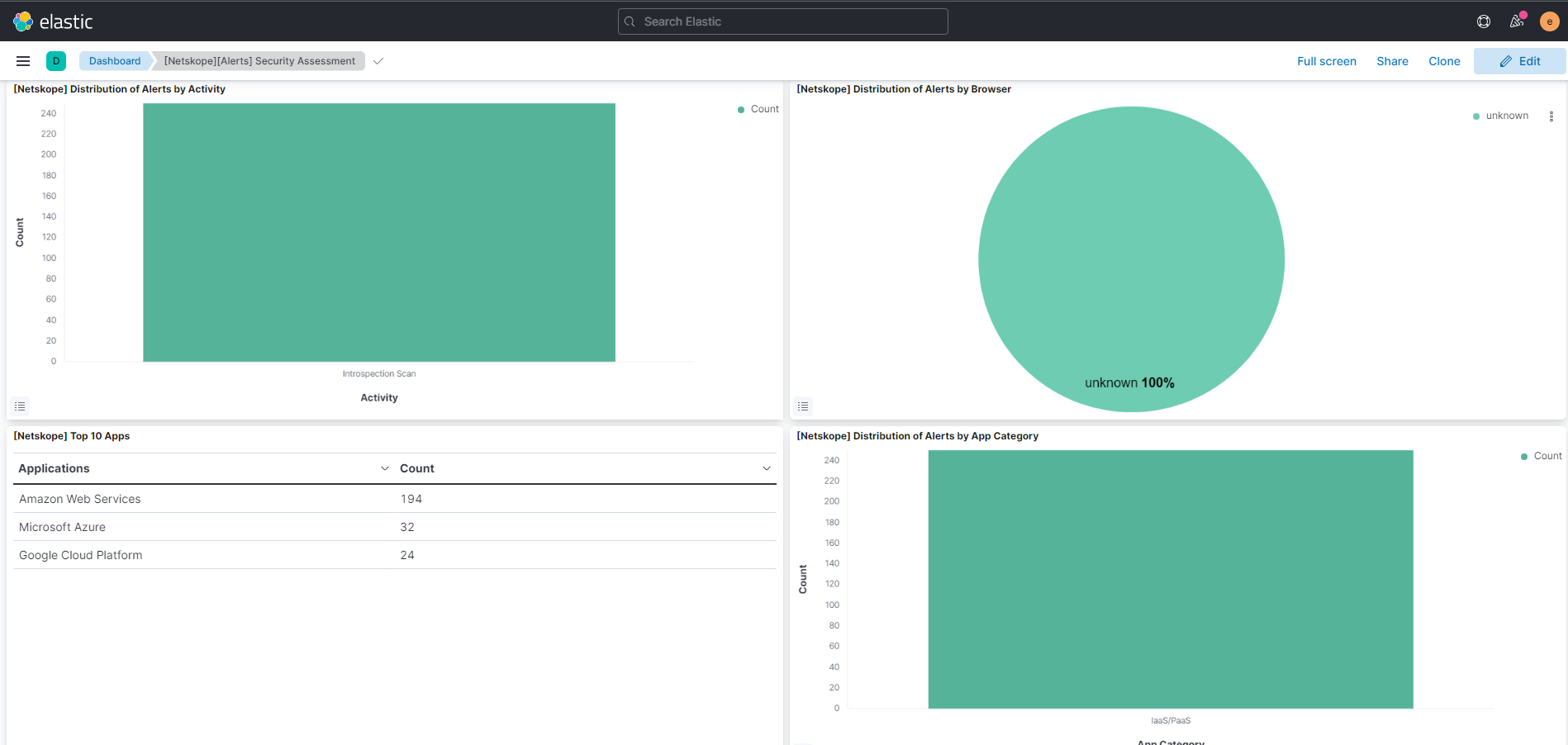
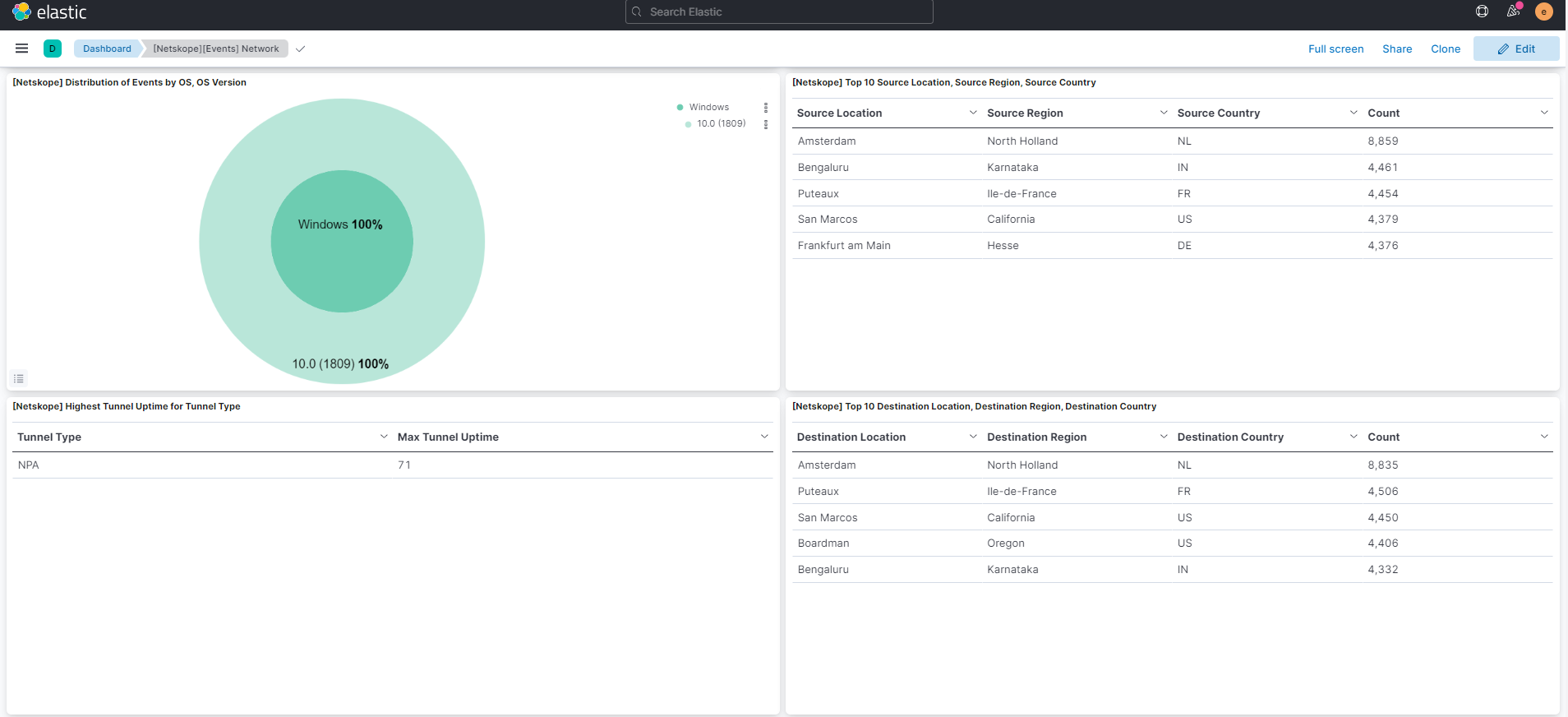
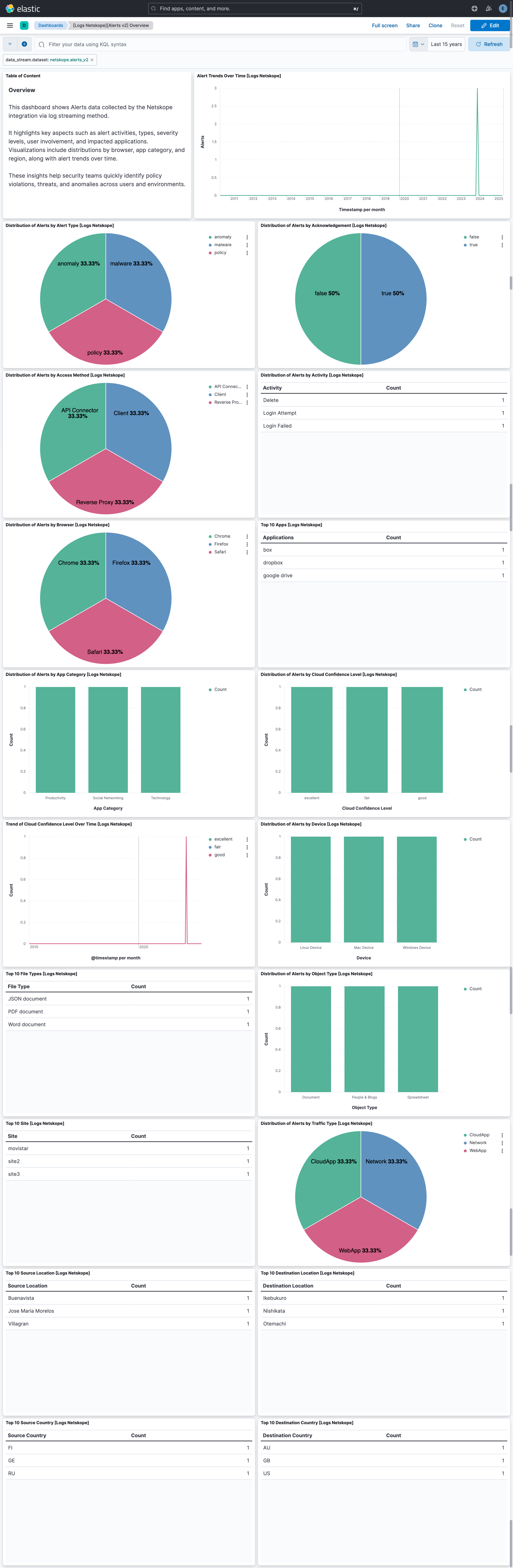
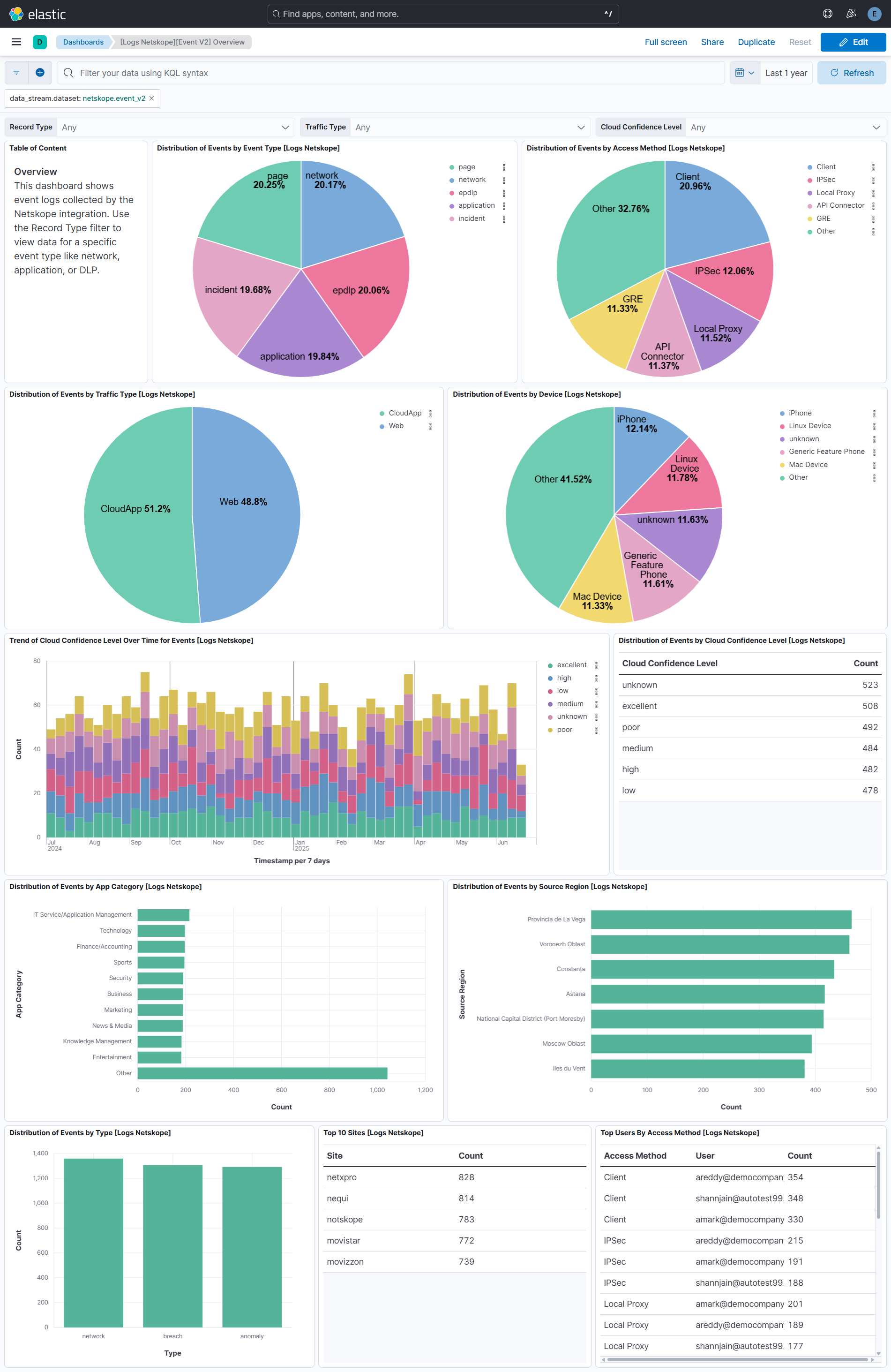
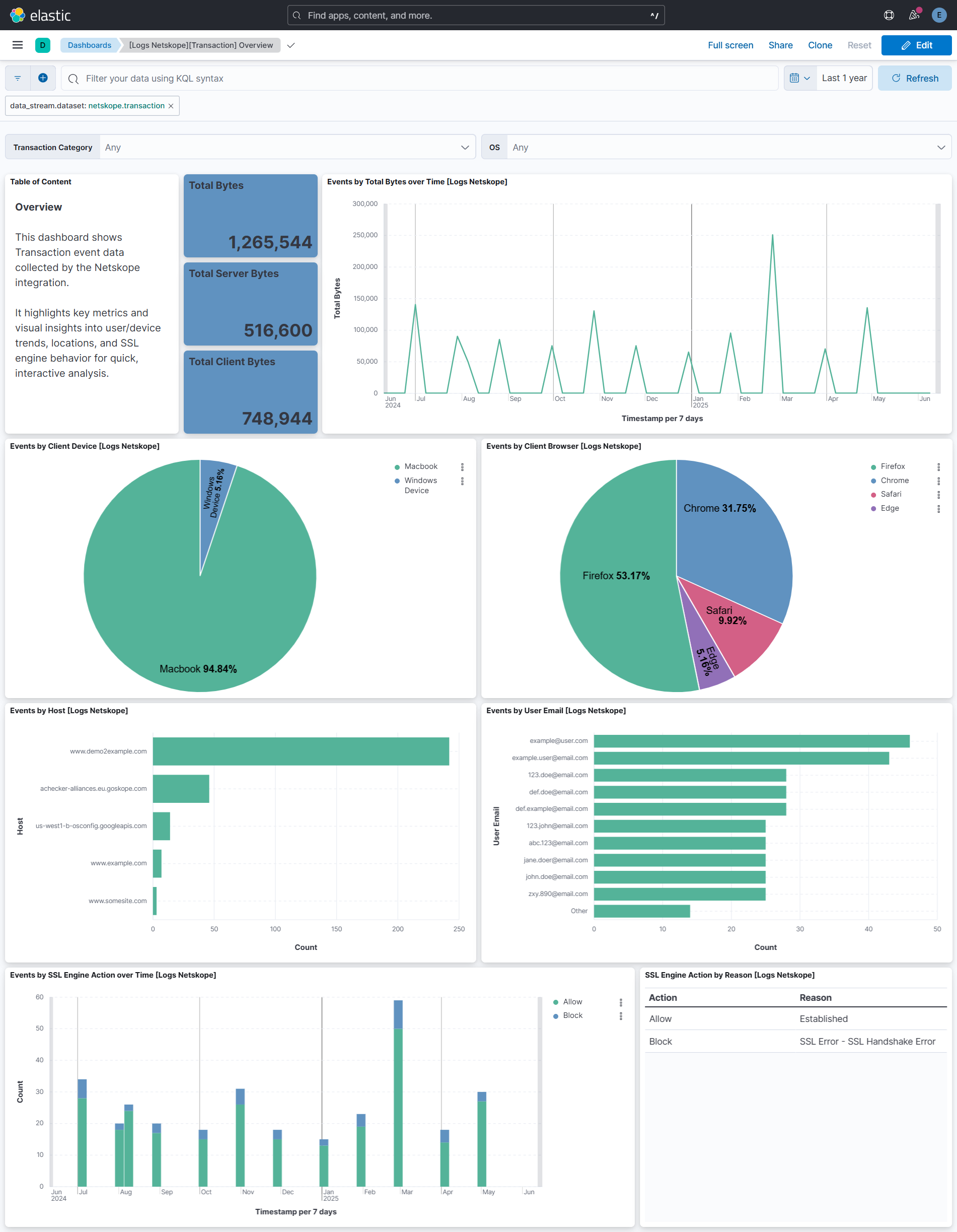
Changelog
| Version | Details | Minimum Kibana version |
|---|---|---|
| 4.1.0 | Enhancement (View pull request) Add REST API v2 dataexport collection for alerts_v2 and events_v2 using the CEL input. Bumps format_version to 3.3.2.Enhancement (View pull request) Extend alerts_v2 and events_v2 field mappings from Netskope Data-Schema fields applicable to data_export. |
9.1.0 8.19.9 |
| 4.0.0 | Bug fix (View pull request) Map dlp_match_info as an object in the events_v2 data stream, with typed fields for the DLP policy and rule details and flattened fields for the per-identifier and per-entity details, instead of redirecting it to dlp_match_info_object. Plain text values are stored in dlp_match_info_text.Breaking change (View pull request) The netskope.events_v2.dlp_match_info field changes type from keyword to object, and the netskope.events_v2.dlp_match_info_object field added in 3.3.1 is removed. Queries, rules or dashboards that use dlp_match_info_object need to be updated to use dlp_match_info.*. |
9.1.0 8.19.9 |
| 3.3.1 | Bug fix (View pull request) Fix indexing failures for record_type:incident events by adding dlp_match_info_object and inline_dlp_match_info_object fields (flattened type) and pipeline processors that redirect structured values to these fields when the Netskope API sends them as JSON objects or arrays instead of plain strings. |
9.1.0 8.19.9 |
| 3.3.0 | Enhancement (View pull request) Add alternative_host configuration for GCS input.Bug fix (View pull request) Remove CSV decoding from alerts_events_v2 cloud storage inputs so JSON/NDJSON files are ingested correctly. |
9.1.0 8.19.9 |
| 3.2.0 | Enhancement (View pull request) Add tags to ingest pipeline processors. |
9.1.0 8.19.9 |
| 3.1.4 | Bug fix (View pull request) Add content_type and override_content_type options to the transaction data stream for the azure-blob-storage input. |
9.1.0 8.19.9 |
| 3.1.3 | Bug fix (View pull request) Remove duplicate security-solution-default tag references |
9.1.0 8.19.9 |
| 3.1.2 | Bug fix (View pull request) Fix typo in the ingest pipeline for alerts_events_v2 data stream. |
9.1.0 8.19.9 |
| 3.1.1 | Bug fix (View pull request) Added advanced configuration options for setting and overriding content-type of log files. |
9.1.0 8.19.9 |
| 3.1.0 | Enhancement (View pull request) Update configuration titles to correctly match product naming. |
9.0.3 8.18.3 8.17.8 |
| 3.0.0 | Breaking change (View pull request) Add alerts_events_v2 data stream to support fetching alert v2 and event v2 data from a single queue. Users using SQS input should consider disabling alerts_v2 and events_v2 to avoid conflicts, and use the combined data stream instead. |
9.0.3 8.18.3 8.17.8 |
| 2.3.0 | Enhancement (View pull request) Add support for Transaction data stream. |
9.0.3 8.18.3 8.17.8 |
| 2.2.1 | Enhancement (View pull request) Fix typo in ingest pipeline for events_v2 data stream. |
9.0.3 8.18.3 8.17.8 |
| 2.2.0 | Enhancement (View pull request) Add support for Events v2 data stream. |
9.0.3 8.18.3 8.17.8 |
| 2.1.0 | Enhancement (View pull request) Add support for Alerts v2 data stream. |
9.0.3 8.18.3 8.17.8 |
| 2.0.0 | Breaking change (View pull request) Change mapping of field netskope.alerts.breach.date from double to date. |
9.0.0 8.13.0 |
| 1.25.0 | Enhancement (View pull request) Set event.kind to alert for netskope alerts. |
9.0.0 8.13.0 |
| 1.24.0 | Enhancement (View pull request) Add text multi-field to field netskope.alerts.breach.description |
9.0.0 8.13.0 |
| 1.23.1 | Bug fix (View pull request) Ignore empty string values for some fields. |
9.0.0 8.13.0 |
| 1.23.0 | Enhancement (View pull request) Update Kibana constraint to support 9.0.0. |
9.0.0 8.13.0 |
| 1.22.1 | Bug fix (View pull request) Updated SSL description in package manifest.yml to be uniform and to include links to documentation. |
8.13.0 |
| 1.22.0 | Enhancement (View pull request) Do not remove event.original in main ingest pipeline. |
8.13.0 |
| 1.21.0 | Enhancement (View pull request) Add "preserve_original_event" tag to documents with event.kind set to "pipeline_error". |
8.13.0 |
| 1.20.2 | Bug fix (View pull request) Use triple-brace Mustache templating when referencing variables in ingest pipelines. |
8.13.0 |
| 1.20.1 | Bug fix (View pull request) Use triple-brace Mustache templating when referencing variables in ingest pipelines. |
8.13.0 |
| 1.20.0 | Enhancement (View pull request) Improve parsing of the message to add the related.user and user.name fields. |
8.13.0 |
| 1.19.0 | Enhancement (View pull request) Update the kibana constraint to ^8.13.0. Modified the field definitions to remove ECS fields made redundant by the ecs@mappings component template. |
8.13.0 |
| 1.18.0 | Enhancement (View pull request) Added support for custom TCP options. |
8.7.0 |
| 1.17.2 | Bug fix (View pull request) Add on_failure in json processor and handle the string type value for user.email field |
8.0.0 7.17.0 |
| 1.17.1 | Bug fix (View pull request) Fix the date processor to support UNIX format |
8.0.0 7.17.0 |
| 1.17.0 | Enhancement (View pull request) Update manifest format version to v3.0.3. |
8.0.0 7.17.0 |
| 1.16.1 | Enhancement (View pull request) Changed owners |
8.0.0 7.17.0 |
| 1.16.0 | Enhancement (View pull request) ECS version updated to 8.11.0. |
8.0.0 7.17.0 |
| 1.15.0 | Enhancement (View pull request) Improve 'event.original' check to avoid errors if set. |
8.0.0 7.17.0 |
| 1.14.0 | Enhancement (View pull request) ECS version updated to 8.10.0. |
8.0.0 7.17.0 |
| 1.13.0 | Enhancement (View pull request) The format_version in the package manifest changed from 2.11.0 to 3.0.0. Removed dotted YAML keys from package manifest. Added 'owner.type: elastic' to package manifest. |
8.0.0 7.17.0 |
| 1.12.0 | Enhancement (View pull request) Add tags.yml file so that integration's dashboards and saved searches are tagged with "Security Solution" and displayed in the Security Solution UI. |
8.0.0 7.17.0 |
| 1.11.0 | Enhancement (View pull request) Update package to ECS 8.9.0. |
8.0.0 7.17.0 |
| 1.10.0 | Enhancement (View pull request) Update package-spec to 2.9.0. |
8.0.0 7.17.0 |
| 1.9.1 | Bug fix (View pull request) Remove netskope.events.region and netskope.events.region.id fields. |
8.0.0 7.17.0 |
| 1.9.0 | Enhancement (View pull request) Ensure event.kind is correctly set for pipeline errors. |
8.0.0 7.17.0 |
| 1.8.0 | Enhancement (View pull request) Update package to ECS 8.8.0. |
8.0.0 7.17.0 |
| 1.7.0 | Enhancement (View pull request) Update package to ECS 8.7.0. |
8.0.0 7.17.0 |
| 1.6.1 | Enhancement (View pull request) Added categories and/or subcategories. |
8.0.0 7.17.0 |
| 1.6.0 | Enhancement (View pull request) Update package to ECS 8.6.0. |
8.0.0 7.17.0 |
| 1.5.0 | Enhancement (View pull request) Add an on_failure processor to the date processor, add an on_failure processor to the convert processor, remove unnecessary white spaces, remove visualizations and convert double quotes to single quotes. |
8.0.0 7.17.0 |
| 1.4.1 | Bug fix (View pull request) Remove duplicate fields. |
8.0.0 7.17.0 |
| 1.4.0 | Enhancement (View pull request) Update package to ECS 8.5.0. |
8.0.0 7.17.0 |
| 1.3.1 | Enhancement (View pull request) Use ECS geo.location definition. |
8.0.0 7.17.0 |
| 1.3.0 | Enhancement (View pull request) Update package to ECS 8.4.0 |
8.0.0 7.17.0 |
| 1.2.0 | Enhancement (View pull request) Added support to handle null values in ip fields. Enhancement (View pull request) Added support of retaining unparseable URLs in *.url.original. |
8.0.0 7.17.0 |
| 1.1.0 | Enhancement (View pull request) Update package to ECS 8.3.0. |
8.0.0 7.17.0 |
| 1.0.1 | Enhancement (View pull request) Added linnk to vendor documentation |
8.0.0 7.17.0 |
| 1.0.0 | Enhancement (View pull request) Make GA |
8.0.0 7.17.0 |
| 0.1.3 | Enhancement (View pull request) removed Italic text in hyperlinks in readme |
— |
| 0.1.2 | Bug fix (View pull request) Fix boolean conversion logic to accept "true", "false", "yes", and "no" as strings. Correct the type of is_alert and is_web_universal_connector to boolean. |
8.0.0 7.17.0 |
| 0.1.1 | Enhancement (View pull request) Add documentation for multi-fields |
8.0.0 7.17.0 |
| 0.1.0 | Enhancement (View pull request) Initial draft of the package |
8.0.0 7.17.0 |